- PowerShell DSC provides deep resources for configuring Windows, while Ansible offers cross-platform orchestration and inventory.
- The win_dsc module allows you to directly reuse DSC resources from playbooks, integrating authentication, WinRM, and advanced property types.
- PowerShell Gallery and Azure Automation expand automation options, along with Terraform, Bicep, cloud-init, and other Azure services.
- A combined approach of PowerShell, DSC, and Ansible reduces manual administration, improves consistency, and facilitates the adoption of infrastructure as code.
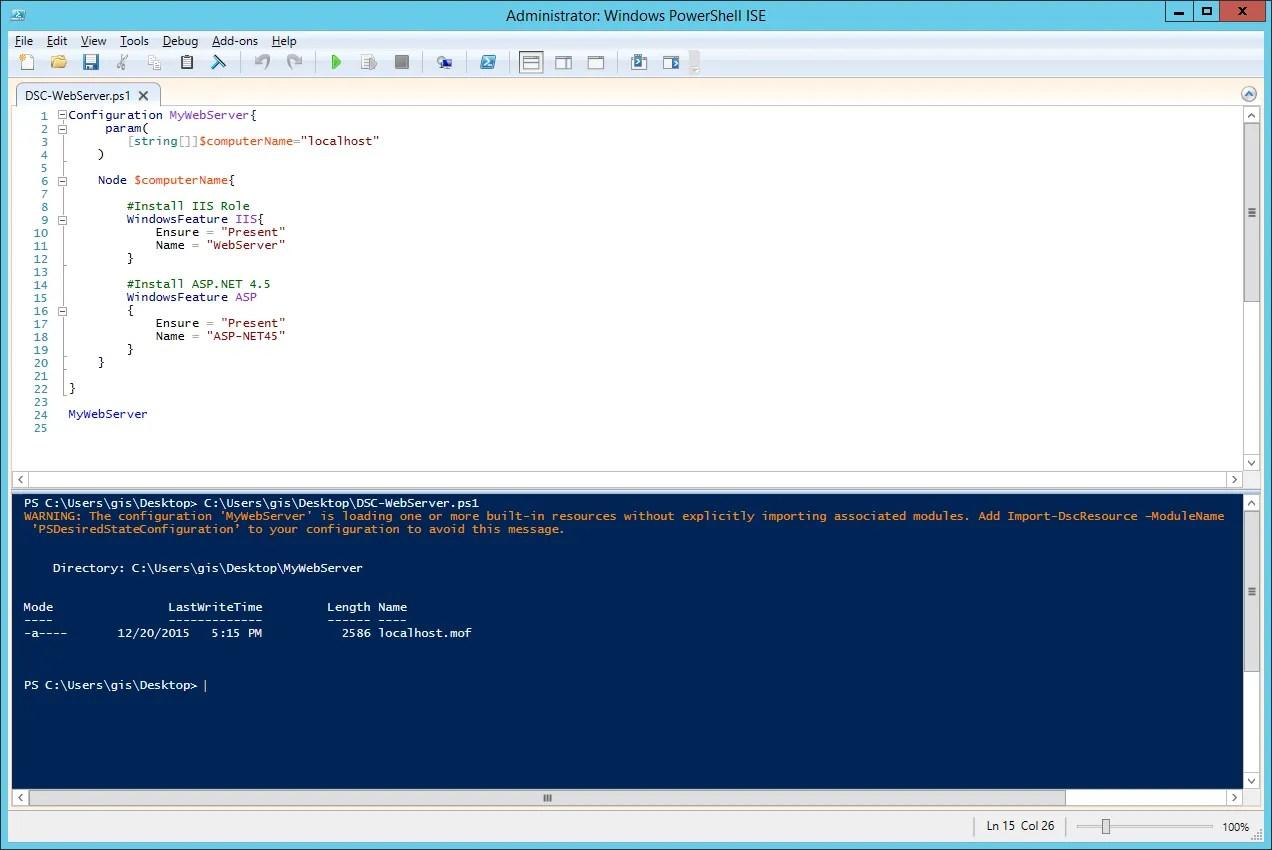
If you work with Windows infrastructure and terms like PowerShell, DSC, Ansible, and automation sound familiar , you probably already know that combining them effectively can completely transform how you manage servers. Moving from manual clicks in the Windows wizard to a fully declarative and repeatable configuration makes all the difference between constantly putting out fires and having a fully controlled environment.
In this article we will delve deeper into how PowerShell Desired State Configuration (DSC) and Ansible fit together To manage Windows (and Linux) at scale, what role do technologies like WinRM, Azure Automation, Terraform, or cloud-init play, and how can you leverage existing DSC resources from Ansible thanks to the module win_dscYou'll see practical examples, real-world use cases, and criteria for deciding when to use native DSC, Ansible modules, or other automation approaches.
Overview: Windows automation with PowerShell, DSC, and Ansible
PowerShell and Ansible share the same goal : to automate the configuration and administration of your systems in a reproducible way. The difference lies in their approach. DSC is the configuration management platform integrated into PowerShell, heavily focused on Windows (although it can work with Linux via OMI), while Ansible is a multipurpose, cross-platform automation engine designed to orchestrate hybrid and heterogeneous infrastructures from a single point.
With Red Hat Ansible Automation Platform, you can automate Windows servers without installing additional agents, leveraging WinRM or OpenSSH as connection channels and utilizing DSC resources, Ansible modules, and PowerShell scripts. All of this is organized through YAML playbooks , where you define the state each host should reach, on both Windows and Linux.
PowerShell Desired State Configuration, on the other hand, offers hundreds of specialized resources for configuring almost any Windows component: services, system features, IIS, SQL Server, Active Directory, registry, files, etc. These resources encapsulate the logic of checking and applying the desired state, so you only need to declare "how you want the machine to be."
The key is that, from Ansible, you can use those DSC resources directly through the module ansible.windows.win_dscCombining the orchestration power of Ansible with the Windows-specific configuration depth offered by DSC. This way you achieve The best of both worlds without duplicating efforts.
WinRM and remote access to Windows for Ansible
In order for Ansible to manage Windows servers, it is essential to understand how WinRM (Windows Remote Management) works . WinRM is Microsoft's built-in technology for remote administration based on HTTP/HTTPS, and it is the standard channel that Ansible uses to execute tasks on Windows machines.
The first step is to configure WinRM correctly on the target hosts and the control node where Ansible runs. This involves adjusting authentication, encryption, permissions, and often dealing with features like non-interactive login, where commands are issued without an active user session. This non-interactive session environment complicates tasks such as Windows updates or two-way authentication scenarios , where you need to access a second remote resource (for example, a share on another server).
The advantage of using Red Hat Ansible Automation Platform is that it allows you to centrally and securely code credentials and authentication mechanisms , thus abstracting the handling of these complex cases. Furthermore, the platform can also use OpenSSH to access Windows Server , which is becoming increasingly common with modern versions of Windows.
In practice, combining WinRM, Ansible's credential management, and DSC capabilities allows you to build robust automation flows that run unattended, even in environments with high security restrictions.
PowerShell DSC: Declarative Configuration Platform
PowerShell Desired State Configuration is a declarative configuration management platform integrated into Windows. With DSC, you define, in code, how a machine should be configured: which roles and features should be installed, which services should be active, which registry parameters, which files or directories should exist, and so on.
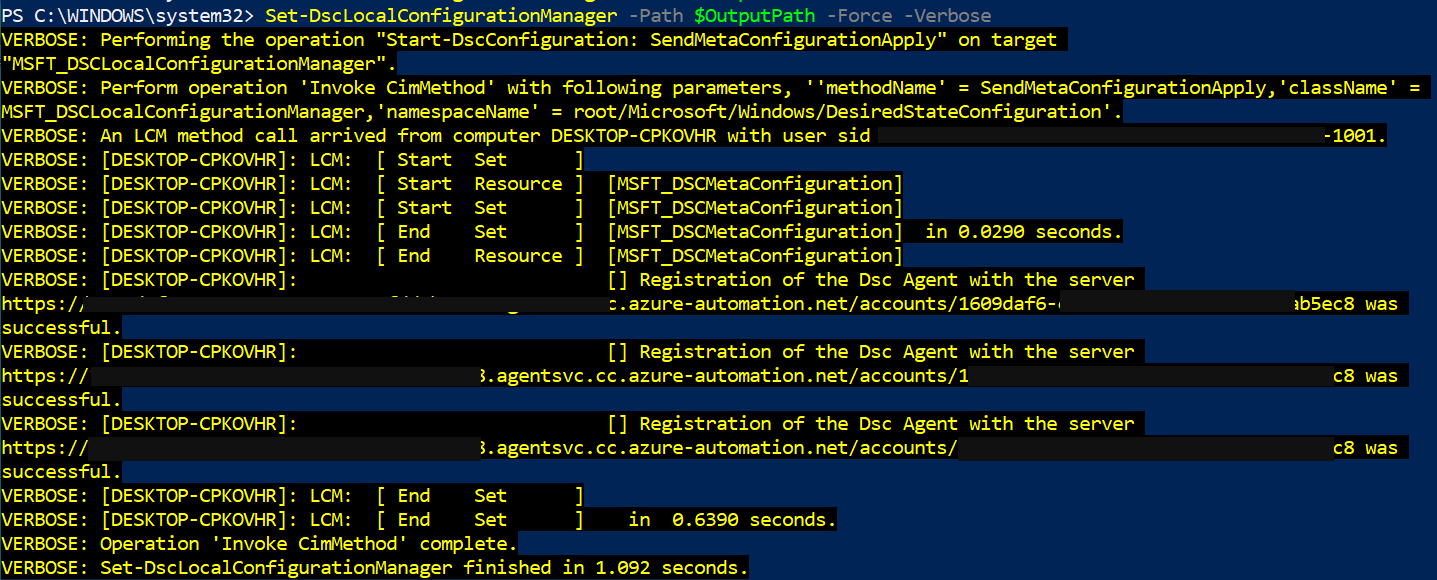
DSC configurations describe the desired state for a set of nodes. Each managed machine runs a Local Configuration Manager (LCM) , which is the engine that reads these configurations, checks the actual state, and applies the necessary changes. Additionally, you can set up a pull server that centralizes the configurations and from which the nodes update and report compliance.
DSC isn't limited to Windows: through the Open Management Infrastructure ( OMI ) server, it can also work with Linux machines . However, where it truly shines is in Windows environments, where the community has developed a vast collection of specialized resources for tasks as varied as configuring IIS, SQL Server, or Active Directory.
One of the great advantages of DSC is that it focuses on the result, not the steps . You declare the state (for example, "this feature must be present, this service started, this register value configured") and the engine takes care of getting there, checking and correcting if anything deviates over time.
How Ansible fits with DSC: win_dsc module and orchestration
In theory, you could use DSC in isolation, but in practice it's much more useful when combined with Ansible as an orchestration layer . Ansible handles inventory, orderly task execution, inter-system coordination, and integration with CI/CD pipelines, while DSC provides the specific resources to manipulate the inner workings of Windows.
The ansible.windows.win_dsc It is the bridge between both worlds. This module invokes a DSC resource class on the target Windows host. In the playbook, you only need to define:
- resource_name: the name of the DSC resource you want to use (for example,
File,WindowsFeature,Service,Registry,xWebsite, etc.). - The remaining parameters, which correspond directly to the properties of the DSC resource (for example,
DestinationPath,Ensure,Name,State, etc.).
When Ansible executes the task, it translates those parameters into a temporary DSC configuration, applies it to the host, and collects the result (including whether any changes occurred). This allows you to reuse the entire DSC resource catalog without having to write specific Ansible modules for each case.
Underneath, the execution flow follows a consistent pattern: Ansible sends the task via WinRM, the Windows system generates a DSC configuration based on the parameters, the DSC engine first calls Test-TargetResource to check the current status, and if it detects differences, it executes Set-TargetResource to apply the changes. Ansible receives a report indicating whether anything has been modified and any relevant messages for debugging.
This coupling is especially powerful when you combine Ansible native modules for Windows (as win_file, win_service, win_regedit, win_psmoduleetc.) with DSC resources for those areas where DSC offers finer options or greater functional coverage.
Types of DSC properties and how to map them in Ansible
Each DSC resource defines a set of properties with a well-specified type (string, boolean, arrays, complex PowerShell types, etc.). When working from Ansible, you have to translate those properties to YAML syntax Maintaining the correct type. The module win_dsc It does a lot of automatic conversion work, but it's worth knowing some key cases.
For simple types like o , the mapping is straightforward: quoted strings and lowercase booleans in YAML style (true, false), avoiding writing $true o $false as you would in PowerShell. For properties of type , the usual thing is to use a ISO 8601 format (for example, "2019-02-22T13:57:31Z") and make sure that the value is serialized as a string, by surrounding it with quotation marks.
Type properties They are a special case. Since this type cannot be directly serialized to JSON, Ansible uses a convention: you define two parameters separated by a suffix. _username y _password (for example, Credential_username y Credential_passwordThe module generates the object. PSCredential on the remote host based on those two values.
For types These represent dictionaries based on a custom resource class; in YAML, they are expressed as a key-value map. You should review the resource documentation (usually in the file). <nombre_recurso>.schema.mof) to know which keys are allowed and what type each one is. In practice they are defined as nested dictionaries within the module win_dsc.
Finally, the type properties and the arrays (], ]etc.) are represented as dictionaries or YAML lists. For arrays, it is recommended to use a authentic YAML list and not a string with comma-separated values, because this avoids manual parsing and reduces the probability of subtle errors.
Practical examples of using DSC from Ansible
Once you master the basic structure of the module win_dscYou can combine resources to build very comprehensive configuration playbooksSome common scenarios that work well with DSC are:
- File and directory management with the resource
File: creating folder structures, deploying configuration files with specific content, ensuring that certain elements exist or have been removed. - Installing Windows Roles and Features with
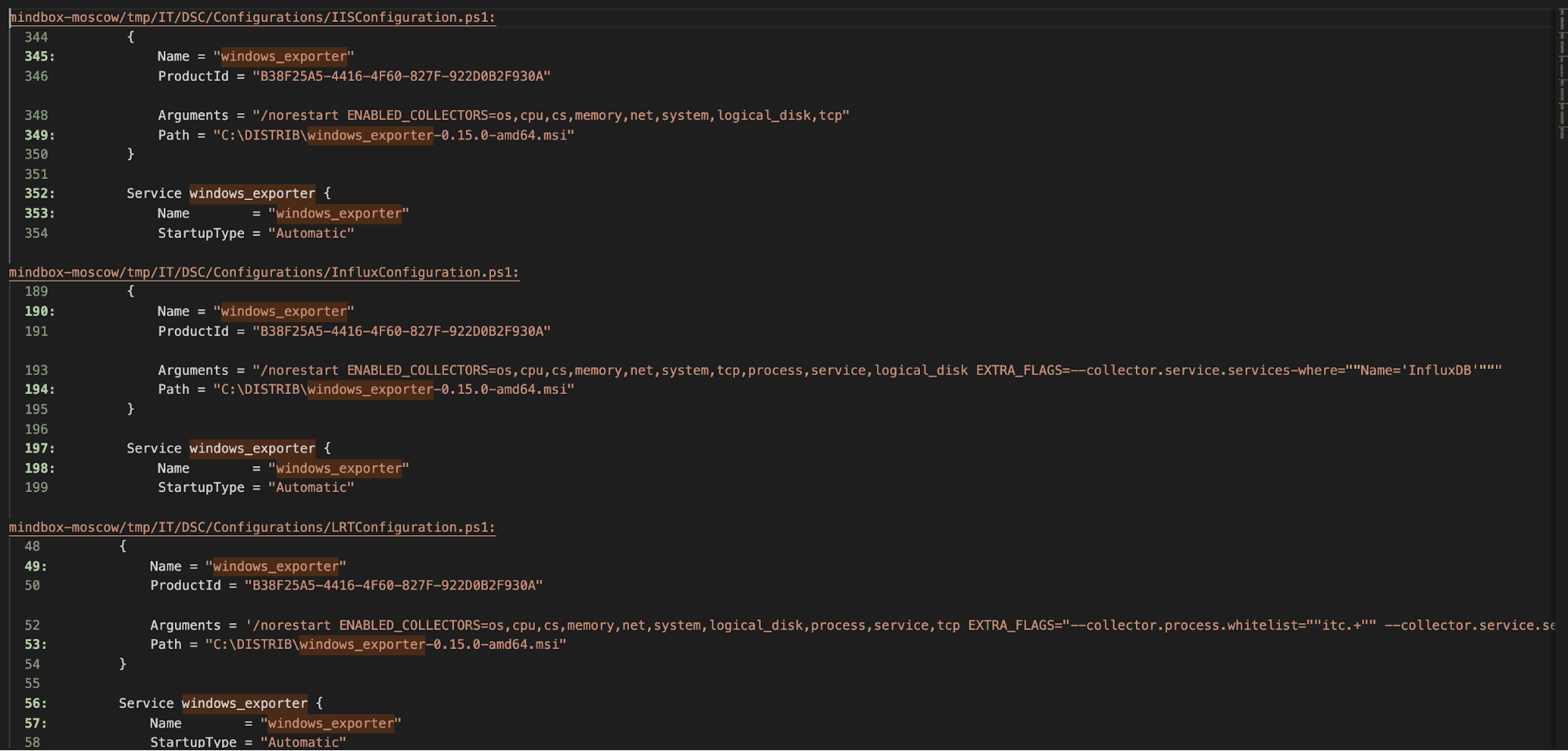
WindowsFeature: IIS, .NET Framework, Telnet Client, administration tools, etc. - Service control with the resource
Service: status (started/stopped), start type (automatic, manual), service account, etc. - Registry settings with
Registry: security values, waiting times, protocol parameters, system hardening. - Advanced IIS settings with modules such as
xWebAdministrationand resourcesxWebsite,xWebAppPool, etc.
In all these cases, Ansible simply describes the parameters of the DSC resource, while The DSC engine is responsible for checking and applying the state. Furthermore, starting with Ansible 2.8, the module win_dsc It automatically validates parameters against the resource definition: if you use an incorrect property name, leave a required field blank, or pass an out-of-range value, the task will fail with a clear error.
If you run Ansible with a high level of verbosity (for example, -vvv)The output will include detailed information in invocation.module_args about the options used and those that were available, which is very useful both for debugging and for discovering which fields you can configure in each resource.
Also note that you can use the parameter PsDscRunAsCredential This allows the DSC resource to run as a different user than the system. This is very useful for accessing the registration hive. HKEY_CURRENT_USER of the user Ansible connected to, or for scenarios where you need a specific security context.
Custom DSC Resources and PowerShell Gallery
Windows-integrated DSC resources cover many needs, but the real power comes when you use resources published in the PowerShell Gallery or third-party packages. There are modules for everything: Active Directory, SQL Server, advanced IIS, security policies, and more.
You can discover available resources with the cmdlet Find-DscResource or by directly browsing the PowerShell Gallery. Once you've identified the module you're interested in (for example, xWebAdministration o SqlServerDsc), you have several ways to install it on your hosts:
- Manual installation with
Install-Modulefrom PowerShell on the target server. - Using the Ansible module
win_psmoduleto automate the installation from PowerShell Gallery. - Download beforehand and copy by hand to servers that do not have internet access, saving the module in a directory included in
PSModulePath(for example,C:\Program Files\WindowsPowerShell\Modules).
When working in disconnected environments, a common strategy is to use a server with internet access to save the module with Save-Module in a local path, and then copy that directory to the production machines. After that, configure PSModulePath It can also be adjusted with Ansible, for example, with the module win_pathso that PowerShell can detect those resources without manual intervention.
Once installed, the module win_dsc can invoke any resource from those packages simply stating the name in resource_nameThis opens the door to reusing well-established solutions, such as Active Directory DSC modules, for tasks like create users, OUs, groups or configure policiesall managed from your playbooks.
Furthermore, there's even a PowerShell module that allows you to automatically generate Ansible modules from DSC resources . The idea is to inspect the DSC resource, create an Ansible module that maps its parameters one by one, and use it as if it were a standard module. These generators can download resources from the PowerShell Gallery and create dozens of modules that further expand the Windows automation ecosystem with Ansible.
Beyond DSC and Ansible: other automation tools in Azure
If your infrastructure runs (or will run) on Azure, it's worth keeping an eye on other tools that complement PowerShell DSC and Ansible . It's not about choosing just one, but about understanding how they fit into the overall chain: infrastructure creation, system configuration, application deployment, and ongoing operations.
In the realm of "infrastructure as code," solutions like Terraform or Azure's native languages (ARM Templates and Bicep) allow you to define networks, virtual machines, storage, and managed services using declarative files. Terraform uses its own HCL language, while Bicep simplifies the syntax of older ARM templates, but all of them integrate well into CI/CD pipelines and can be combined with Ansible for configuring virtual machines after they are created.
For the phase of initial configuration of Linux machinesAzure supports cloud-initwhich executes scripts and configures users, packages, or configuration files on first boot. The files #cloud-config, usually encoded in base64, are distribution independent and rely on each distro's own package manager without you having to worry.
In the area of operational automation , Azure Automation plays an interesting role. It uses runbooks (generally PowerShell or Python scripts) that can be executed on demand or according to a schedule, both on Azure resources and in on-premises environments using Hybrid Runbook Worker. Furthermore, it offers a managed DSC service that allows you to publish configurations and monitor compliance across a set of machines.
Finally, CI/CD and application lifecycle management tools like Azure DevOps, Jenkins, Chef, Puppet, and Packer complete the ecosystem. Each one covers a piece of the puzzle: from compiling and testing code to generating custom machine images or ensuring regulatory compliance through automated testing.
Windows updates, packages, and application management
One of the most critical tasks for any systems team is keeping Windows up-to-date with its patches and updates . Microsoft offers Windows Update and, in many corporate environments, Microsoft Configuration Manager (SCCM) to manage deployment. However, when multiple reboots, tight maintenance windows, or complex orchestration requirements come into play, these mechanisms can fall short or prove unreliable.
Ansible Automation Platform facilitates the controlled execution of updates , integrating with Windows Update and automatically managing necessary restarts, so that a single task can install dozens or hundreds of patches while maintaining control over the final state of the nodes.
Regarding application installation, Windows lacks a unified native package manager like those found in Linux distributions. The Microsoft Store isn't designed for automated mass deployments: it lacks mature CLI tools and relies heavily on the graphical interface, making it difficult to use in automated pipelines.
To address this limitation, Ansible integrates modules that allow for basic package management in Windows and, above all, works very well with solutions like Chocolatey or Winget in Windows , providing an idempotent approach similar to a classic package manager. By combining Chocolatey, DSC, and Ansible playbooks, you can standardize software catalogs for servers or VDI with very little manual effort.
If you add to this the use of DSC resources to enforce registry configurations, services, and policies related to these applications, you achieve comprehensive automation of the software lifecycle in your Windows environments, from initial installation to hardening configurations and periodic updates.
Training, best practices and adoption in Windows teams
In many purely Windows-based IT teams, the starting point is still administration based on clicks in the graphical console and wizards. It's common to have dozens or hundreds of virtual machines running on VMware or Hyper-V, where the server creation process is done manually. The shift to automation usually comes when someone on the team gets tired of repeating the same tasks and starts writing PowerShell scripts.
In this context, a reasonable question arises: “Do I continue using PowerShell on its own, make the switch to DSC, set up Ansible… or do it all at once?” The most pragmatic answer is usually to combine them: leverage existing knowledge of PowerShell and DSC and, at the same time, introduce Ansible as an orchestration layer to gain in standardization and integration capabilities with other platforms.
There are specific courses for Windows administrators that start from scratch in Ansible and focus precisely on this: how to configure Windows systems to be managed with Ansible, how to write effective playbooks, how to integrate Ansible Tower or AWX to launch automations from a centralized and secure web interface, and how to reuse DSC code from these playbooks so as not to throw away the work already done.
In practice, many teams adopt an evolutionary strategy: starting by automating simple tasks (services, roles, PowerShell module installation), continuing with DSC resources for repetitive configurations (IIS, AD, SQL, security policies), and gradually integrating automation into the application delivery pipeline and recurring operational tasks.
It is also important to define style guidelines, source code control, and testing of playbooks and DSC configurations, so that automation becomes true "infrastructure as code" and not just a handful of loose scripts without version control or revisions.
By combining PowerShell DSC, Ansible modules, WinRM, Chocolatey, and Azure tools , a robust ecosystem is created where machine creation, detailed configuration, application deployment, and ongoing maintenance no longer rely on manual RDP sessions. The result is a more consistent, auditable, and reproducible environment where changes are automatically documented in code and human error is drastically reduced.
