- The cloud offers encryption, accessibility, and collaboration, but it depends on third parties, the internet, and good password and permission management.
- USB drives and physical storage offer complete control and a better cost/GB ratio, although they can be lost, damaged, or infected with malware.
- Encrypted USB drives combine physical custody and advanced protection, very useful for sensitive data and mobile work.
- The greatest security is achieved by combining cloud and local storage with multiple backups and good usage practices.

In recent years, we've gone from storing everything on CDs, DVDs, or external hard drives to living surrounded by cloud services, ultra-fast flash drives, and hybrid solutions. And of course, the question arises naturally: what's safer for my files, the cloud or a USB drive? We're not just talking about convenience or price, but something more delicate: privacy and the risk of hacking , physical loss, and the actual possibility of recovering the data if something goes wrong.
If you're debating between uploading your documents to an online service or carrying them around on a USB drive, here you'll find an in-depth comparison between cloud storage and physical storage (USB drives, external hard drives, memory cards, etc.), including advantages, disadvantages, real-world examples, and practical recommendations. The goal is for you to finish this article with clear criteria to decide which option is more secure for you, based on your workflow and the type of data you handle.
What exactly is cloud storage?
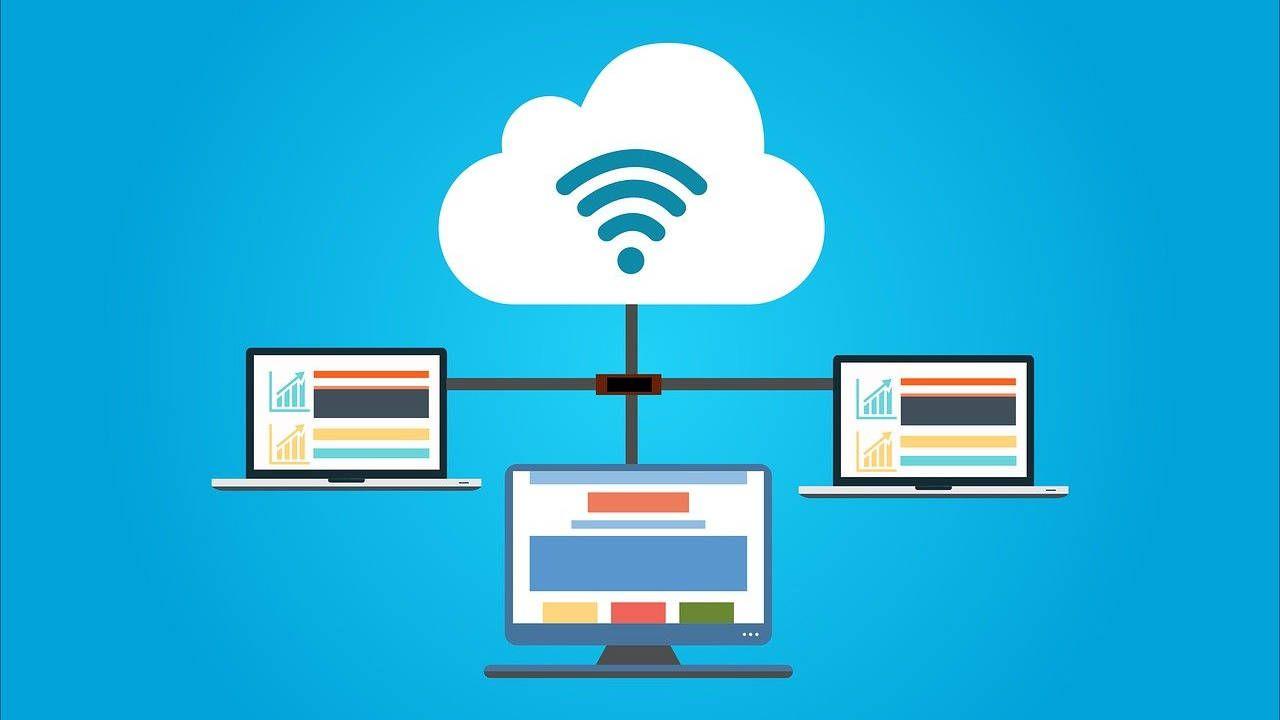
When we talk about "the cloud," we're not referring to anything mystical, but rather a network of remote servers managed by specialized companies where you can store your photos, documents, backups, and virtually any file. This data is uploaded via the internet from your computer, mobile phone, or tablet, and then you can access it from anywhere with an internet connection.
The idea of the cloud has been around for decades, but it began to gain popularity with the massive expansion of the internet . Projects that allowed users to upload and share documents online already existed in the 90s, and later came milestones like Dropbox (which normalized file sharing in 2007) and Google Drive (which offered gigabytes of free storage starting in 2012). Since then, it has become the default option for millions of people who take photos with their phones and prefer them to be automatically saved to the cloud.
The main advantage of this model is that it frees up space on your devices and allows you to access everything from anywhere , as long as you have an internet connection. Furthermore, many services offer extra features such as automatic backups, cross-device synchronization, and real-time collaboration on the same documents.
What is a USB flash drive and how has it evolved?
A USB flash drive, also called a pen drive, memory stick, or memory stick , is a small physical device that connects to a USB port and allows you to easily save and transport data. It originated as a modern alternative to floppy disks and CDs, and since the late 90s, its capacity and speed have steadily increased.
One of its biggest advantages is its plug-and-play functionality : you connect it to your computer, the system instantly recognizes it as an external drive, and you can copy, move, or delete files without complicated installations. This makes it ideal for exchanging data between computers, carrying critical documents with you, or creating quick backups.
Today, flash drives range from a few gigabytes to capacities of 1 TB or more , with technologies like USB 3.2 Gen 2 that achieve read and write speeds approaching those of some external SSDs. Furthermore, highly specialized models have emerged: hardware-encrypted drives, water- and shock-resistant flash drives, and USB-C drives designed for use with both modern mobile phones and laptops.
Advantages of the cloud from a security perspective
In terms of pure security, the cloud has several strengths that are worth knowing before dismissing it. The key is understanding what protection the provider offers and what responsibilities you still have as a user.
On the one hand, major cloud services typically offer data encryption , two-step authentication, and redundant backups across multiple data centers. This means your files aren't stored on a single hard drive, but replicated in different locations, greatly reducing the risk of data loss due to a physical hardware failure.
Furthermore, many platforms allow for granular control over who accesses each file and how. You can share a document in read-only mode, disable downloads, revoke access links, set expiration dates, or restrict editing to specific users. From a teamwork perspective, this is something a traditional USB drive simply can't match without additional software.
Another interesting point is that you don't physically compromise your devices when sharing files: there's no need to connect USB drives to other people's computers, with the associated risk of malware. All the sharing is done over the internet, using secure accounts, provided they are properly configured.
Cloud-related security risks
However, there's also a catch. Although reputable services use encryption and numerous security measures, your data remains on third-party servers , subject to their policies, the laws of the countries where they operate, and, of course, potential external attacks.
A common problem is account hacking through phishing or weak passwords . If someone gets hold of your credentials (because you fell for a fake email or reuse weak passwords), they can access your cloud storage, copy files, delete them, or even blackmail you. In this case, security depends less on the provider and more on your own habits: using strong passwords and two-factor authentication is essential.
There is also a risk of massive data breaches if a provider experiences a security breach or makes misconfigurations. While not the most common occurrence, it has happened to large companies in the past, and it's something to keep in mind, especially if you store highly sensitive information such as banking data, medical records, or critical corporate documents . To understand the different types of threats, it's helpful to review resources on cybersecurity.
Another less visible aspect is privacy and how the provider can use your data . Platforms based in certain countries, such as the United States, are governed by regulations that allow greater government access to information. Furthermore, many companies analyze metadata or content in aggregate, which can conflict with a strict view of privacy; in these cases, approaches like zero trust can be helpful.
And finally, we mustn't forget the total dependence on the internet and the service itself . If the provider experiences an outage, changes its terms, limits access, or even goes bankrupt, you could suddenly find yourself without temporary (or permanent) access to what you had saved in the cloud.
Advantages of USB flash drives and physical storage for security
In contrast to this scenario, USB flash drives and local storage in general (hard drives, external SSDs, memory cards) offer a very different proposition: you maintain complete physical control of your data. They don't depend on external servers or internet connections.
This property is especially useful when handling highly sensitive or confidential information , whether personal or company-related. If documents only exist on devices you control, it becomes much more difficult for someone to obtain them through remote attacks or breaches in online services. Essentially, accessing this data requires physical possession of the device , which significantly complicates matters for an attacker. Furthermore, it's advisable to complement this approach with best practices for protecting personal data online whenever synchronization or sharing is necessary.
Another important advantage is that USB drives don't require a network connection, making them perfect for environments with unstable, nonexistent, or unreliable internet access . They also typically offer transfer speeds far superior to network upload/download , which is especially noticeable when working with large volumes of data, 4K videos, audiovisual projects, or full backups.
Furthermore, the long-term cost favors physical storage: you pay once for the device and that's it. A good USB flash drive or a high-capacity hard drive can be far more cost-effective than several years of cloud service subscriptions, especially if you need terabytes of storage space.
The role of encryption and secure USB drives
One of the strongest arguments in favor of USB flash drives in professional environments is the possibility of using encrypted USB drives, especially those with hardware encryption . These devices incorporate dedicated circuitry that protects information without depending on the operating system or additional software.
Hardware-encrypted memory typically includes mechanisms against brute-force attacks, protection against memory snooping, and strict limits on access attempts . Furthermore, because they don't rely on programs installed on the host computer, they reduce common attack surfaces such as system vulnerabilities or keyloggers.
In practice, an encrypted USB drive you carry with your work documents can be far more secure than connecting to your company's cloud from a dubious public Wi-Fi network. Accessing the corporate VPN from open networks carries considerable risks, and many attacks occur precisely when someone logs in outside of a controlled environment.
The combination of robust encryption and physical control makes this type of USB drive a very solid alternative for organizations that handle sensitive data and cannot afford leaks, from law firms to financial or healthcare departments.
Disadvantages and security risks of USB flash drives
That said, USB drives aren't a cure-all either. One of their most obvious weaknesses is that they're small devices and easy to lose or have stolen . If they're not encrypted and someone finds them, they can access all the content directly without much trouble.
Another key problem is the risk of malware . USB drives pass through many different computers, some of them public, outdated, or poorly protected. It's common for them to become infected with viruses when plugged in at places like libraries, internet cafes, copy shops, or universities, viruses that can then spread to other computers.
Furthermore, like any physical storage medium, they have a limited lifespan . A hard knock, a flash memory failure, or simply the wear and tear of time can cause data corruption or render the device unreadable. If you don't have an alternative backup, you could lose data irreversibly.
They also present a challenge in terms of organization and version control . When you distribute documents on USB drives, it's easy to end up with different versions of the same file in different places, something the cloud solves better by centralizing everything and facilitating collaborative work.
Local storage (disks, SSDs, cards) versus the cloud
If we broaden our focus beyond USB flash drives, physical storage includes internal hard drives, external drives, portable SSDs, and memory cards . They all share a basic idea: data is stored on devices that are, in principle, under your direct control.
From a security perspective, storing data locally is generally more difficult to compromise remotely , provided you keep those systems updated and malware-free. It's much harder for an attacker to access a hard drive that isn't exposed to the internet than a poorly configured cloud service.
They also tend to offer better capacity and cost per GB . It's relatively affordable to buy multi-terabyte hard drives for home or office storage, while renting that same amount of space in the cloud can significantly increase monthly or annual fees.
However, the weak point of physical storage is long-term integrity . A fire, a flood, theft, or a power outage can destroy multiple disks at once. To mitigate this risk, the sensible approach is to combine multiple copies on different media and locations , something many people don't do until it's too late.
Cloud storage: speed, accessibility, and costs
Beyond pure security, the cloud offers powerful usability advantages. The first is accessibility from any connected device : you can start a document on your laptop, continue on your mobile phone, and finish on your work computer without worrying about carrying a USB drive.
The second is real-time collaboration . Services like Google Drive, OneDrive, and similar platforms allow multiple people to edit the same file simultaneously, see changes in real time, and comment. This reduces version control issues and greatly streamlines team workflows, which is essential in professional and academic settings.
In terms of speed, while cloud performance depends on your connection, many providers also limit transfer rates and prioritize certain paid plans . For uploading or downloading large volumes (for example, hundreds of gigabytes of 4K video), a high-end USB flash drive or an external SSD connected via USB 3.2 is clearly faster than any typical remote service.
From an economic standpoint, cloud services offer a mix of free plans with limited storage (useful for less demanding users) and paid subscriptions with more capacity. Beyond a certain storage threshold, it's usually cheaper to buy a good hard drive or several USB flash drives than to keep adding gigabytes to cloud storage indefinitely.
USB drive or cloud? Real-world use cases
The question of which is more secure doesn't have a single answer, because it depends heavily on the usage scenario . There are situations where a USB drive wins hands down, and others where the cloud is virtually unbeatable.
If you need to transport sensitive documents without relying on public Wi-Fi networks , for example when traveling for work, a high-quality encrypted USB drive is a very robust option. You avoid connecting to public networks to access your cloud storage and can work offline without leaving traces on other people's devices.
For sharing specific documents with friends, family, or colleagues , the cloud is almost always more convenient. You upload the file, share a link, and that's it. There's no need to meet in person or worry about who has the only USB drive with the latest version.
In the realm of personal backups , many users end up combining both methods: a large external hard drive or SSD at home, plus a trusted cloud service for irreplaceable photos or documents. This way, if two physical storage devices fail simultaneously or you lose access to an online service, you still have another copy stored elsewhere.
In companies, it's common to have a clear security policy : highly sensitive data is stored on encrypted and controlled local storage, while less critical work data is stored in corporate cloud solutions with well-configured access controls. Forcing the use of the cloud without considering the access point (for example, a coffee shop's Wi-Fi) can open the door to attacks that an encrypted USB drive would help mitigate.
Practical tips for improving cloud and USB drive security
Whichever option you choose, there are a number of best practices that make more of a difference than the storage medium itself . It's pointless to have an encrypted USB drive if you leave the password written on a sticky note, or a cloud account with two-factor authentication if you use the same password everywhere.
In the cloud, prioritize services with a good security track record, strong encryption, and official support . Always enable two-step verification, use long and unique passwords, and be wary of emails or messages that ask you to log in via suspicious links. Review everything periodically: shared files, active public links, and devices logged into your account.
With USB drives, the key is to choose quality models and, if you're handling sensitive information, encrypted versions . Avoid connecting them to computers of dubious origin, and if you must (for example, at a copy shop), run an antivirus scan afterward from a trusted system or consider formatting the drive.
Never keep only one copy of important files. Keep at least two or three copies on different media and in different locations : one at home, another on a USB drive you carry with you, another in the cloud… It sounds exaggerated until you lose several years' worth of photos or critical documents due to a hardware failure or theft.
And finally, always reflect on what you really need each service for . There's no point in paying for a large cloud plan if you barely share files and all your usage is concentrated in a few personal folders. Similarly, it's impractical to live with eight free services simultaneously and dozens of unlabeled USB drives scattered around the house.
Looking at the whole picture, the security of your data doesn't just depend on choosing between the cloud or a USB drive, but on how you combine both options , what type of devices you choose (from simple memory sticks to high-performance encrypted drives) and, above all, on the habits with which you protect, duplicate and manage your files on a daily basis.
