- Cybercriminals take advantage of Christmas, Black Friday, and Cyber Monday to launch more scams using emails, SMS messages, and fake ads.
- The key to avoiding scams is to check the sender, links, message tone, and requested information before clicking or paying.
- Strengthen your security with strong passwords, two-step verification, secure payment methods, and updated devices.
- If you suspect fraud, block cards, change passwords, gather evidence, and contact your bank and the relevant authorities.

The holiday season is synonymous with lights, gifts, and last-minute rushes, but also with a sharp increase in fraudulent emails, online scams, and digital fraud . Just when we're shopping online more than ever and keeping a close eye on deliveries, cybercriminals are ramping up their attacks to infiltrate our inboxes and mobile phones.
During this time of year, we see a veritable barrage of aggressive offers, package delivery notices, sweepstakes, and supposed prizes that, in many cases, conceal well-prepared traps. The good news is that, if you know what to look for, it's perfectly possible to detect most scams before clicking. In this guide, you'll learn, with concrete examples and practical tips, how to identify fraudulent emails and avoid scams this Christmas while still enjoying online shopping.
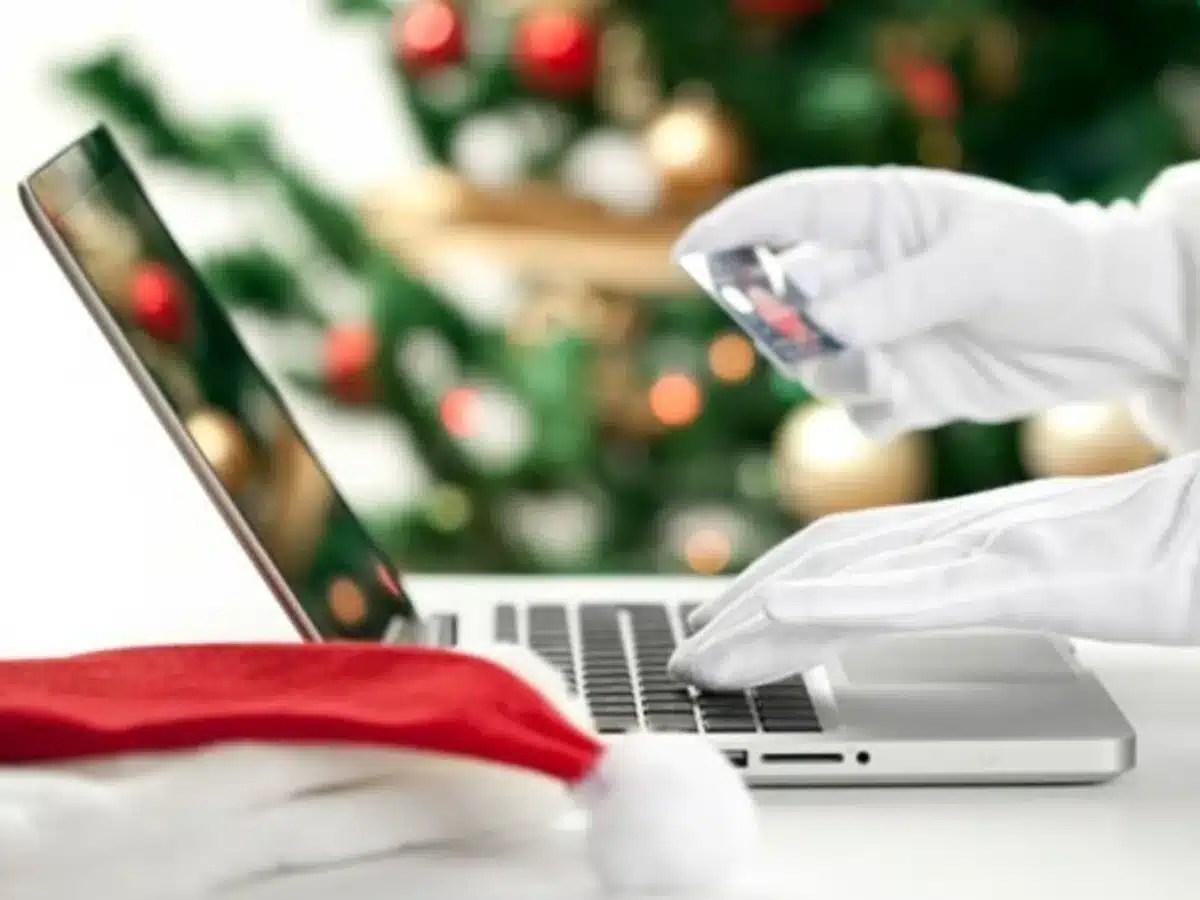
In December, several factors converge to trigger a surge in cyber scams related to email and online shopping . On the one hand, traffic to online stores skyrockets due to Black Friday, Cyber Monday, and Christmas shopping; on the other hand, users are in a hurry, more trusting, and less likely to check the details.
Cybercriminals exploit this context to launch massive phishing, smishing, and fake advertising campaigns that impersonate businesses, banks, courier companies, or government agencies. They know you're expecting packages, order confirmation emails, or bank notifications, so they copy the image of these entities almost perfectly.
In Spain, official data shows that the problem is growing: hundreds of thousands of cybercrimes per year, mostly online fraud , with hundreds of thousands of victims in the last year alone. Furthermore, reports from the Ministry of the Interior and specialized agencies indicate that scams related to online shopping and Christmas campaigns increase by between 30% and 40% during this period.
This is especially noticeable on the most popular channels: email, SMS, WhatsApp, and social media . During Black Friday, for example, it's estimated that up to 70% of emails that appear to be sales offers may be fraudulent, and many of them continue to circulate throughout December.
Email is also one of attackers' favorite entry points because it allows them to combine psychological manipulation (social engineering) with malware, data theft, and identity theft . A simple click on a malicious link or attachment can be enough to compromise a device or hand over your login credentials.
To protect yourself effectively, it's helpful to know the most common types of fraud during the Christmas season and how they rely on email and text messages. Many share similar patterns, even if the packaging changes.
Email Phishing
Phishing is the classic kind: emails that impersonate real companies (Amazon, large stores, banks, payment platforms, transport companies, etc.) and ask you to click on a link or provide confidential data.
These messages usually claim there's an urgent problem: an outstanding payment, a blocked order, an undeliverable package , or an alleged issue with your account. The link leads to a fake website, which mimics the original, where you're asked for your username and password, credit card details, or other personal information.
Phishing scams related to purchases, shipping, and special offers increase significantly during the Christmas season . Sometimes the logo, colors, and design are so convincing that the only way to detect it is to thoroughly check the sender's address and the destination URL.
Smishing and scams via WhatsApp
Smishing works the same way as phishing, but using SMS or messaging apps like WhatsApp . You receive a message saying, for example, that your package is being held, that a small shipping fee is missing, or that you need to confirm some information via a shortened link.
These messages often mention well-known courier companies, banks, or payment services like Bizum, and they play on your sense of urgency and fear of losing a shipment or having your account blocked . As soon as you click on the link, you land on a fraudulent website where your credentials can be stolen or malware can even be installed if you download any files.
Fake online stores and impossible offers
A highly profitable scam for criminals at Christmas involves fake online stores offering outrageously low discounts . These often appear through social media ads, banners, promotional emails, or WhatsApp chain messages.
These websites mimic the image of famous brands or trendy retailers in sectors like technology, fashion, cosmetics, or toys . They attract customers with discounts of 70% or 80% on highly sought-after products, such as the must-have toy of the year or luxury advent calendars at ridiculously low prices.
The purchase process seems very legitimate: completed form, payment gateway, confirmation emails… but the order never arrives, or what you receive bears no resemblance to the advertised product . Furthermore, your card details may end up being sold or reused in other scams.
Sweepstakes, coupons and fraudulent charity campaigns
In the midst of the Christmas season , fake raffles, gift certificates, and fraudulent charity campaigns are also proliferating . Many arrive via email or social media, impersonating NGOs, well-known brands, public institutions, or even by stealing friends' profiles.
The lure is usually a guaranteed prize, a gift card, an exclusive refund, or a very emotional charitable cause. In return, they ask for personal information, payment of supposed fees, or to share the campaign with your contacts , turning the scam into a massive scheme.
Impersonation of official bodies and banks
Another classic Christmas scam is the impersonation of public administrations, security forces, or banks . Taking advantage of the increased shopping and paperwork during this time of year, they send emails or text messages claiming to be from the Tax Office, consumer protection agencies, the Civil Guard, online banks, etc.
These messages may inform you of irregular charges, tax refunds, open claims, or preventative account blocks. The goal is to trick you into clicking a link or downloading a file where you enter your bank details or unknowingly install malware capable of encrypting your computer (ransomware) or logging your keystrokes.
Although criminals are getting better at it, they almost always leave clues. If you follow a simple procedure each time you receive a suspicious email, you can detect most scam attempts before falling for them.
1. Examine the sender closely
The first filter is to check who is actually writing to you. A common mistake is to focus only on the visible name (for example, “Amazon” or “Your bank”), when what matters is the sender's full email address.
They often use minor variations of the domain name: letters replaced with numbers, misspellings, or suspicious additions . Classic examples include “amaz0n.com” instead of “amazon.com” or long domains with strange words that have nothing to do with the actual company.
If the email claims to be from your bank, a courier service, or a store, but the sender's domain doesn't match the official one (and you can easily verify this on the authentic website), it's a very strong reason to mark the message as suspicious and not interact with it.
2. Review the subject and tone of the message
The subject line of the email usually aims for a quick reaction: fear, urgency, or excitement . At Christmas, headlines like "Your package could not be delivered today," "Last warning before your order is canceled," "You have an outstanding prize to claim," or "Confirm your payment now to avoid being blocked" are common.
If the message uses overly alarmist language, very short time limits, or threatens to block your account if you don't click immediately, you're dealing with a typical social engineering tactic . That's exactly what they want: for you to act impulsively without thinking.
3. Carefully examine the body of the email
Once you've passed the initial screening, examine the content more carefully. Many scams are easily identifiable by grammatical errors, poorly translated phrases, unusual expressions, or a style that doesn't match what you typically see from that company.
You should also be suspicious if the message asks for information that a legitimate entity would never request via email: passwords, PINs, one-time codes, full card numbers, or photos of documents . Neither banks, payment platforms, nor reputable messaging services will ask for this information via email, SMS, or chat.
Another key indicator is the type of call to action. If the message insists that you click on a specific button or link, instead of suggesting you go directly to the official website, it's a very clear sign of a possible phishing attempt.
4. Hover your mouse over the links (without clicking)
Before clicking, hover your cursor over the link or button in the email without clicking and look at the actual destination URL (usually displayed in the bottom corner of your browser or email client). That address should exactly match the company's official domain.
If you see strange shortened URLs, domains you don't recognize, or very long URLs full of unusual characters, it's wise not to open them. The safest option is to access the site yourself by typing the legitimate website address into your browser or using the official app, rather than trusting a link you're sent.
5. Be wary of unexpected attachments
Suspicious attachments are a very common way for malware to infiltrate your system. If you receive compressed documents, executable files, supposed invoices in unusual formats, or files you weren't expecting, it's best not to open them unless you're completely sure of their origin.
Although it may look like a simple PDF or text document, it could be designed to exploit vulnerabilities in your system or document reader. If in doubt, you can scan the file with an up-to-date antivirus program before opening it, or confirm through another method (for example, by calling the company) whether they actually sent it to you.
In addition to knowing how to detect warning signs, it is advisable to apply a series of security habits that greatly reduce the chances of falling for a scam , even if a malicious email slips into your inbox.
Strengthen access to your email
Your email account is, in practice, the master key to many of your online accounts. That's why it's important to protect it as much as possible with strong passwords and two-step authentication.
Use a long password with a combination of letters, numbers, and symbols, and avoid reusing it on other services. Using a password manager will make it easier to create strong and different passwords for each platform without having to memorize them all.
Always enable two-step verification (2FA) whenever possible, whether through an authenticator app, temporary keys, or physical security keys . This way, even if someone steals your password through a fraudulent email, it will be much harder for them to access your inbox.
Keep your devices and connections up to date
An outdated system is a gift to attackers. Keeping your operating system, browser, and antivirus software up to date significantly reduces your attack surface because it patches security vulnerabilities that many malicious emails exploit.
For shopping and managing sensitive emails, avoid public or open Wi-Fi networks whenever possible . If you must use them, do not enter payment details or access online banking, and consider using a reliable VPN.
Buy only from trusted websites
When you receive an email inviting you to take advantage of an offer, first consider whether the store is truly trustworthy. Check that the website address starts with https://, displays the security padlock, and has clear contact information (physical address, phone number, return policy, legal notice, etc.).
For lesser-known companies, it's advisable to look for external opinions, forum reviews, and recent ratings from other buyers . A complete lack of comments or a history full of complaints should raise a red flag.
Be especially wary of websites that only accept bank transfers, cryptocurrencies, or unsecured payment methods . It's always safer to pay with a credit card, virtual cards, or platforms that offer buyer protection.
Control your personal and banking information
The less information you provide, the better. Don't give out personal details that aren't essential for the purchase or shipping, and remember that a legitimate store will never ask for full bank details or one-time passwords (OTPs) via email, phone, or chat.
Criminals often use the excuse of "verifying your identity" or "resolving an issue" to get you to send them the code you just received on your phone. If someone asks you to share an OTP, whether from your bank, payment platform, or service, you can assume it 's a fraud attempt.
Apply the "pause and review" technique
A simple but highly effective strategy is to force yourself to pause for a few seconds before clicking on any link received via email, SMS, or social media. This brief pause breaks the impulse and gives you time to review the sender, URL, and content.
These techniques are successfully used in corporate training to reduce the percentage of employees who fall for phishing scams. They work just as well at home: incorporating this habit significantly reduces the risk of falling for impulsive scams.
What to do if you suspect your data has already been compromised
Sometimes you don't realize you've been scammed until after you've clicked or entered information. In that situation, it's crucial to react quickly to limit the damage and cut off the attackers' access.
If you've provided card details or suspect unauthorized charges, the first step is to contact your bank or card issuer to block the card and review recent transactions. The sooner you do this, the easier it will be to stop any unauthorized charges.
Secondly, immediately change the passwords for the affected accounts, starting with your email and online banking . If you used the same password for other services, change them as well, because a single theft can compromise access to other sites.
It is recommended to scan your device with an updated antivirus or reliable security tool to check if the link or downloaded file has installed any malware. If an infection is detected, follow the software's instructions or consult a professional.
Finally, gather all the evidence: screenshots of the email, the fraudulent website, payment receipts, transaction codes, etc. With this information, you can file a report with the police (or the equivalent agency in your country) and file formal complaints with your bank or payment platform.
Official aid and resources to be better protected
You are not alone in facing these threats. In Spain, organizations such as INCIBE, the Civil Guard, and regional cybersecurity agencies publish regular alerts about active campaigns and offer direct support channels.
INCIBE has the Cybersecurity Helpline 017 , also accessible via WhatsApp and Telegram, where you can get free and confidential guidance on what steps to take if you suspect fraud or have already been a victim.
The Civil Guard, for its part, regularly disseminates recommendations for safe shopping on Black Friday, Cyber Monday and Christmas , paying special attention to common frauds: impersonation of large chains, fake buying and selling platforms, mass phishing with the excuse of detained packages or impersonation of European consumer organizations.
In some autonomous communities, such as Catalonia, the local cybersecurity agency also launches specific campaigns for these dates, warning that a large part of the emails and advertisements of supposed offers are actually scam attempts and reminding people of the importance of always verifying the store and the URL before buying.
In addition, there are specialized tools that allow you to check if your data has been leaked in a breach or is circulating on clandestine forums. While not foolproof, they can serve as an additional indicator of exposure and help you decide whether to change passwords or review access to certain services.
When you have doubts about a message related to purchases, shipping, or payments, you can use this short mental checklist to decide whether it's reliable or not. Apply several points at once, not just one.
- Do I clearly recognize the sender and does the domain match the official website?
- Does the subject matter or text put me in an excessively urgent position or threaten to cause immediate blocks?
- Are you asking me for information that a reputable company would never request via email (password, PIN, OTP code, full card number)?
- Does the link actually lead to the real domain or to a strange/shortened address that I don't recognize?
- Are the offers or discounts so good they almost seem impossible?
If several of these answers make you suspicious, the wisest course of action is to delete the message, mark it as spam, and, if relevant, notify the impersonated company so they are aware of the fraudulent campaign.
The holiday season will continue to be a favorite time for cybercriminals as online shopping continues to grow, but it's also a perfect opportunity to establish safer digital habits. By paying a little attention to the sender, the links, and the information you share, as well as strengthening your passwords and using secure payment methods, you can enjoy the holidays, gifts, and deals without a fraudulent email ruining the celebration.