- One UI is Samsung's customization layer based on Android, designed to make one-handed use easier and unify the Galaxy ecosystem.
- Each generation of One UI (from 1 to 8.5) has added key improvements in design, camera, productivity, AI, security, and long-term support.
- Recent versions, such as One UI 6, 7, 8, and 8.5, focus on Galaxy AI, advanced multitasking, multi-device connectivity, and theft protection.
- Samsung offers several years of One UI updates and security patches, and allows access to betas through the Samsung Members app.
One UI is much more than just a facelift for Android : it's the heart of the Galaxy ecosystem and Samsung's vision of how we use our phones, tablets, watches, and even TVs every day. Since 2018, it has continuously evolved with new customization features, productivity tools, camera improvements, artificial intelligence, and increasingly deeper integration between devices.
In recent years, we've gone from simple aesthetic changes to genuine leaps in experience , with features like Galaxy AI, redesigned quick panels, advanced multitasking modes on foldable devices, the Now Bar for accessing tasks without unlocking the phone, and security improvements on par with the best phones on the market. And what's coming with One UI 8 and One UI 8.5 makes it clear that Samsung is going to keep pushing the boundaries.
What is Samsung One UI and why is it so important on Galaxy devices?
One UI is Samsung's own customization layer based on Android , designed for phones, tablets, watches, and increasingly, other products in the ecosystem such as monitors, televisions, and connected appliances. It was introduced to replace the older TouchWiz and Samsung Experience interfaces, which had become cumbersome, overloaded, and unintuitive.
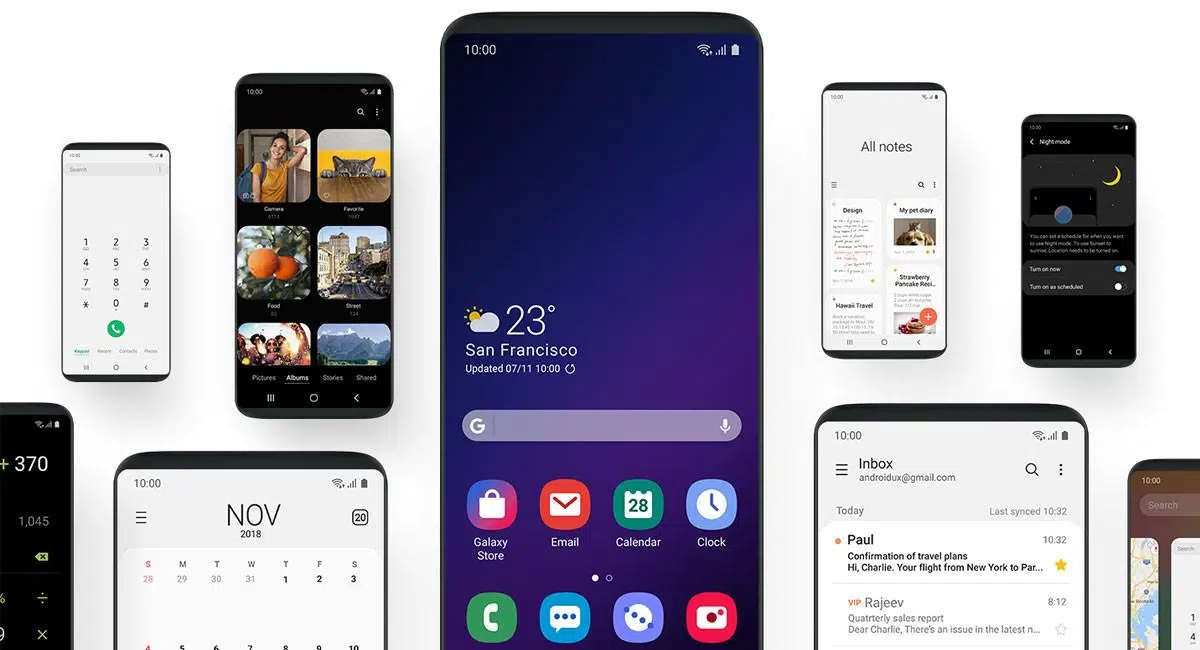
The main goal of One UI is to make using large screens more comfortable . To achieve this, Samsung completely reorganized menus and applications, placing the elements we interact with (buttons, tabs, switches) at the bottom of the screen, within easy reach of our thumbs, while less critical information remains at the top.
This design philosophy is based on two distinct zones : an accessible interaction area and a viewing area. For example, in native apps we see very large headers that push the main content to the center and bottom of the screen, improving one-handed use even on large mobile devices.
One UI also places a strong emphasis on customization : themes, color palettes adapted to the wallpaper (Material You / Material Theming), icon styles, clock types on the lock screen, usage modes, automated routines, alarm backgrounds, always-on display settings, and much more.
With the latest versions, One UI has also become the foundation of the Galaxy ecosystem , with variants such as One UI Watch for Galaxy Watch, integrations with Galaxy Book, Smart TV and SmartThings, and shared features such as call continuity, file sharing or cross-screen productivity tools.
A brief history: from TouchWiz to One UI
The story of One UI begins long before its current name . In 2009, Samsung launched TouchWiz, a highly recognizable interface that accompanied the first Galaxy S and Galaxy J phones, as well as the iconic original Galaxy Note. It offered many proprietary features, but at the cost of feeling sluggish and somewhat lacking in fluidity.
To try and lighten the experience, Samsung Experience arrived in 2016 , a cleaner layer that we saw on phones like the Galaxy Note 8. It was a necessary transition, an intermediate step before the radical redesign that One UI on Android 9 Pie represented, presented in November 2018.
The first generation of One UI debuted in the Galaxy S10 family and since then Samsung has released at least one major update to the layer every year, often accompanied by ".1" or ".5" versions that add important features without changing the main number.
One UI also jumped to other types of devices : Galaxy Tab tablets, the foldable Galaxy Z range, the Galaxy A family, watches with One UI Watch based on Wear OS, and is even expanding to televisions and connected devices, where it will be the reference interface of the Samsung ecosystem.
All the major One UI versions and their key new features
One UI 1.x: The big design change
One UI 1.0, based on Android 9 Pie, was launched in late 2018 and rolled out during the first months of 2019 to the Galaxy S8, Note8, S9, Note9, and a large part of the A and M series at that time, as well as the Note FE. It introduced the new interface with differentiated viewing and interaction areas and added Samsung's own gesture navigation.
Among the standout features of One UI 1.0 were system-wide dark mode , native screenshot editing tools, improvements to Always On Display with "tap to show," a revamped Bixby with the option to remap its button, and a gesture system that replaced the traditional navigation buttons. It didn't win everyone over, but it marked the beginning of the modern era.
One UI 1.1 was a maintenance update focused on fixing camera, fingerprint reader, and facial recognition issues, as well as optimizing performance. It was released with the Galaxy S10 series and rolled out to other models over the air (OTA).
One UI 1.5, pre-installed on the Galaxy Note10 , strengthened integration with Windows thanks to the alliance with Microsoft, improving the "Your Phone" experience and adding small changes to notification sounds and connectivity with Galaxy Watch.
One UI 2.x: More refinement and practical features
One UI 2.0 made the leap to Android 10 with improvements in digital wellbeing, an even more polished interface in apps like Device Care, a slight change in the position of the clock in quick settings, a native screen recorder, Android 10's new gesture system, dynamic lock screens, a trash bin in Files, native Android Auto, and greater control over location permissions.
One UI 2.1, launched with the Galaxy S20 series and the first Galaxy Z Flip , added support for 120Hz displays, Quick Share and Music Share, new camera modes, and Live Caption automatic subtitles. This version was later rolled out to models such as the S9, Note9, S10, Note10, Galaxy Fold, and several 2020 Galaxy A series phones.
One UI 2.5 arrived with the Galaxy Note20 and Galaxy Z Fold2 . It wasn't a complete aesthetic revolution, but it did bring many improvements to the camera, Samsung DeX (including wireless use), gesture navigation, and other Samsung services. It eventually came to the S20, S20 FE, and a good number of previous models as well.
One UI 3.x: a jump to Android 11 and greater fluidity
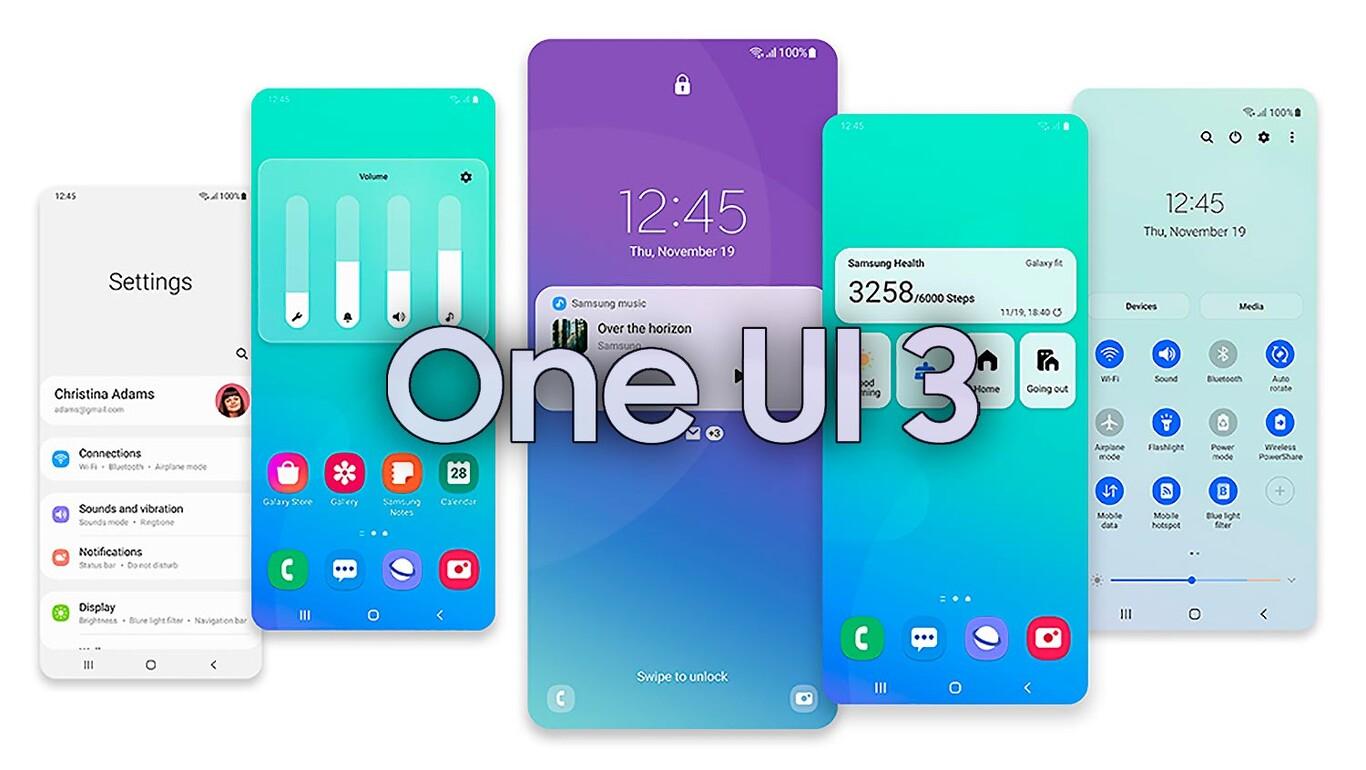
One UI 3.0, based on Android 11, began rolling out in December 2020, starting with the Galaxy S20 . It introduced a semi-transparent notification panel, new volume controls on the right side, updated widgets, smoother animations throughout the system, and improvements to notification management.
One UI 3.1 debuted with the Galaxy S21 and focused on refining existing features, especially in the camera: better touch autofocus, finer exposure control, improved Single Take and new features such as Object Eraser, Multi Mic Recording, Eye Comfort Shield or Private Share.
One UI 3.1.1, launched with the Galaxy Z Fold3 , focused on taking advantage of foldable devices with more multitasking tools, app optimization for large screens, and small interface tweaks designed for hybrid formats.
One UI 4.x: Deep customization and privacy
One UI 4.0, based on Android 12, marked the fourth major generation . It was launched in November 2021 on the Galaxy S21 family and introduced a much stronger focus on customization (wallpaper-based color palettes) and privacy.
Among its key features is a new way of notifying users about camera, microphone, and other sensor access , displaying indicators and quick controls to block sensitive permissions. It also enhanced visual consistency between Samsung apps and the system thanks to adapted Material Theming.
One UI 4.1 arrived with the Galaxy S22 and Galaxy Tab S8 , adding options such as Smart Calendar, choice of virtual RAM size (2, 4, 6 or 8 GB), Smart Widgets, better-tuned brightness controls, per-channel audio balancing, and new camera features such as Pro Mode on more lenses and Night Mode portraits.
One UI 5.x: Android 13, more aesthetics and control
One UI 5.0, based on Android 13, was announced in October 2022 and first launched on the Galaxy S22 series. It finally allowed users to completely disable RAM Plus, improved icon design, expanded Material You support to more apps (including some third-party ones), and introduced a powerful lock screen customization, partly inspired by iOS 16.
One UI 5.1 accompanied the Galaxy S23 on February 1, 2023, and introduced improvements to multitasking, a unified battery widget, smart suggestions in Settings and Spotify, and new camera and gallery features such as tone adjustment in selfies and better photo remastering.
One UI 5.1.1 was released in August 2023 alongside the Galaxy Z Fold5, Z Flip5, and Tab S9 , focusing on foldable phones and tablets. It improved the taskbar, added Flex mode, introduced two-handed drag and drop, the option to hide apps in floating windows, and refined the multitasking experience on large screens. It was exclusive to foldable phones and tablets.
One UI 6.x: Android 14, redesign and Galaxy AI
One UI 6.0, based on Android 14, began rolling out to the Galaxy S23 on October 30, 2023. It redesigned the quick panel with a new button layout, improved access to brightness controls, notifications reordered by time, and a new default font called One UI Sans.
Emojis were also updated and multitasking was improved , while several native apps such as Camera, Gallery, Photo Editor and Weather received extra features and more customization options.
One UI 6.1, launched with the Galaxy S24 in January 2024 , brought with it Galaxy AI, Samsung's suite of artificial intelligence features, available on models such as the S22, S23, S24, Z Fold4/Z Fold5, Z Flip4/Z Flip5 and Tab S8/S9.
Among these new features are intelligent image editing tools, real-time translations, text summaries, and battery improvements , as well as SuperHDR in photos (including integration with networks like Instagram and Snapchat), the option to display the lock screen background on the Always On Display screen, and the merging of Quick Share with Google's Nearby Share to unify file sharing between Android and Windows.
One UI 6.1.1, unveiled on July 10, 2024, alongside the Galaxy Z Flip6 and Z Fold6 , added new AI features such as Portrait Studio, Suggested Replies, and Sketch to Image, as well as improvements to the taskbar, portrait mode camera, and S Pen functionality. Again, it was exclusive to foldable devices.
One UI 7.x: Android 15, advanced AI, and an ecosystem leap
One UI 7.0, based on Android 15, was officially launched on January 22, 2025 with the Galaxy S25 , following a beta program that began in December 2024 for the S24 series and was later expanded to foldable phones and the Tab S10.
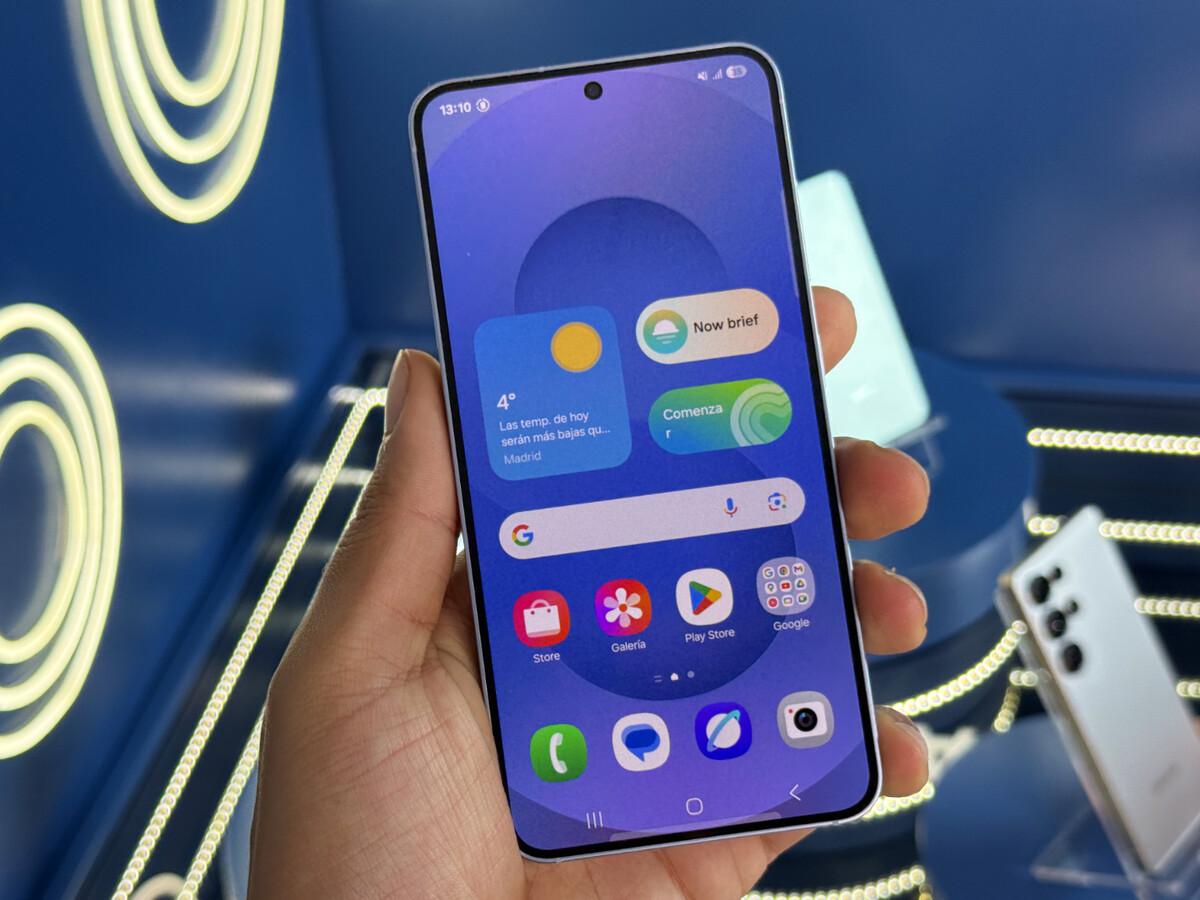
This version brought a very strong visual change , with completely redesigned icons and widgets, a new camera app, a new lock screen, and a quick panel divided by default into a notification area and a controls area.
In the United States, Samsung replaced its own Phone, Messages, and Contacts apps with Google's RCS-enabled versions , though Samsung's own apps remain available in the Galaxy Store. Features like DeX for PC and downloadable Edge panels were also removed, replaced by "Link to Windows" and third-party solutions. New ringtones and system sounds were also introduced for the first time since the Galaxy S20 series.
One UI 7 also marked the beginning of its implementation as the default interface on other devices in the Samsung ecosystem , including Smart TVs, monitors, and projectors. However, its stable rollout suffered significant delays: for months it only came pre-installed on specific models such as the Galaxy S25, A06 5G, A26, A36, A56, and their rebranded variants.
The following iterations 7.0 and 7.x were heavily focused on advanced AI , with features to use the mobile phone's camera as a direct source for importing photos to the laptop, a security-oriented "Alert Center", granular control of notifications, improvements to Good Lock (bringing it to more countries and the Play Store) and tools geared towards Galaxy Watch and Galaxy headphones.
One UI 8.x: Android 16, AI maturity and refinement
One UI 8.0, based on Android 16, was officially launched on September 15, 2025 , following a beta program that began in late May 2025 on models such as the Galaxy Z Fold7 and Z Flip7, and later expanded to the Galaxy S25, Z Fold6, and other devices.
This version consolidated Galaxy AI and improved the overall design , in addition to introducing controversial changes such as the removal of some features on certain models and adjustments to the rollout strategy. Work was done on deeper integration of Samsung DeX with the Android 16 desktop and a new weather app with more data and widgets.
One UI 8 also brought tools like Dynamic Effect to animate photos , enhanced security with the new "Alert Center", automatic subtitles and real-time translation-summary for any audio or call, along with a redesign of the beta registration system to make it easier to sign up from Samsung Members.
One UI 8 Watch has officially arrived for the Galaxy Watch Ultra and other compatible watches, adding AI capabilities, improved health metrics, and a redesign of apps like Clock.
One UI 8.5: the big “.5” that polishes everything that came before
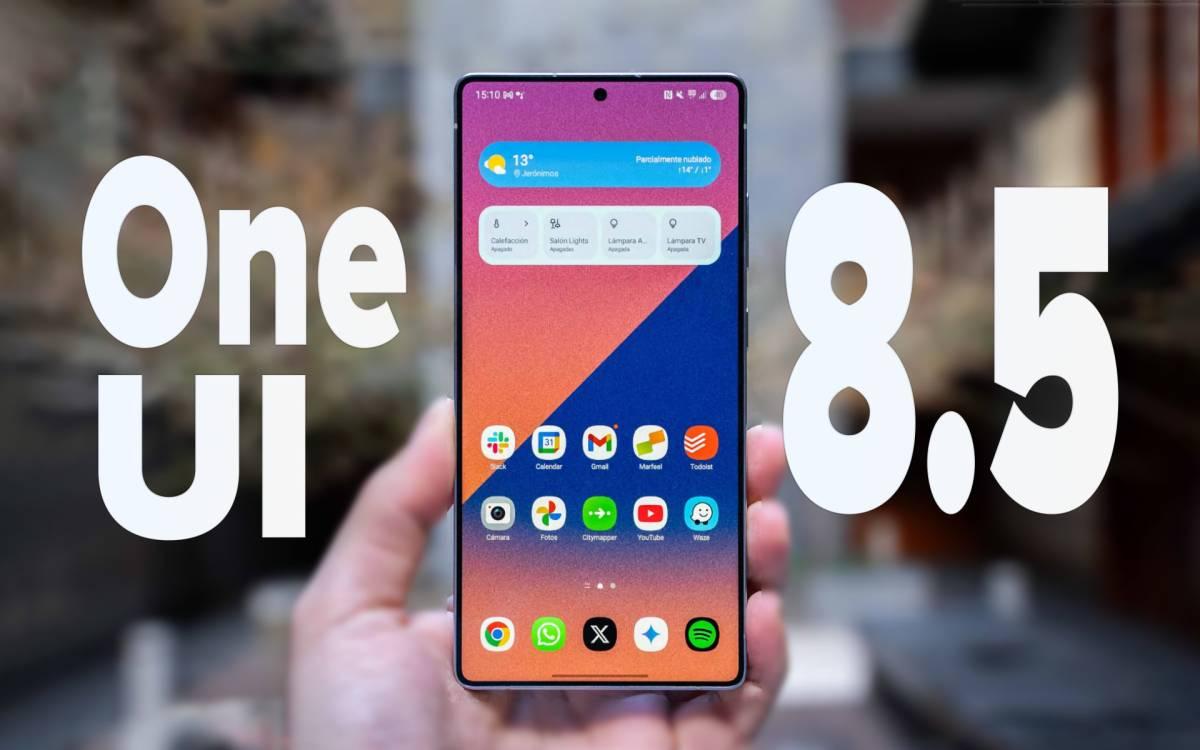
One UI 8.5 is an intermediate update on top of Android 16 that Samsung first began testing in the high-end range, especially in the Galaxy S25, and which will be rolled out in a stable form throughout 2026 coinciding with the arrival of the Galaxy S26.
Samsung presents it as a version focused on productivity, content creation, connectivity, and security . It doesn't break with the previous version, but it does refine many of the most used features and brings back camera options that were removed in One UI 8, something the community had been clamoring for.
In photo editing, One UI 8.5 improves the Photo Assistant . Now, multiple edits can be made in series with Galaxy AI without having to save each adjustment individually; when finished, the user can review the entire history and easily choose which versions to keep. This greatly speeds up the workflow for content creators.
Quick Share receives a major update: the system now recognizes people in photos and suggests sending them directly to those contacts, making the sharing process more contextual and intelligent. Additionally, integration with Nearby Share is strengthened for a more seamless experience across Android and Windows devices.
In terms of connectivity, the Audio Streaming feature (based on LE Audio and Auracast) allows you to send sound, including the voice captured by the mobile phone's microphone, to nearby compatible devices. It's ideal for guided tours, conferences, events, or classes where multiple listeners connect simultaneously.
Storage Share takes integration a step further , allowing you to view and open files stored on other Galaxy devices (tablets, PCs, recent Smart TVs) directly from the My Files app, as long as they share the same Samsung account and have Wi-Fi and Bluetooth enabled.
In terms of security, One UI 8.5 introduces more aggressive Theft Protection : the phone can automatically lock after several failed unlock attempts using fingerprint, PIN, or password, and more sensitive settings are protected by identity verification. The goal is to make it very difficult for a thief to access your data, even if they have the device in their possession.
Performance and battery management are also enhanced , with new smart sleep routines for apps that are no longer in use, more control over the interface's "night mode," and the promise of better battery life thanks to AI, which learns usage patterns and prioritizes resources where you need them most.
In addition, there are quality-of-life improvements such as partial screen recording , designed to share only a specific area in tutorials, explanations, or short videos, and small visual adjustments to widgets and typography to improve readability.
Updates, support, and compatible devices for One UI
One of Samsung's greatest strengths in recent years has been its update policy . Since February 9, 2022, the brand has offered up to four years of new One UI/Android versions and five years of security patches for many of its flagship devices released from 2021 onwards.
This benefits series such as Galaxy S and Galaxy Z, several Galaxy A models, some Galaxy Tabs and the Galaxy Watch range , as well as recent Galaxy Book laptops, which receive security updates for a defined period after the last major Windows update.
In practice, this means that a Galaxy S21, S22, S23 or S24 has support up to One UI 7 (Android 15), while newer models like the Galaxy S25 are launching with One UI 7 and will continue to be upgraded with future versions.
The list of upgradable devices is very long and includes the S, Z, Note, A, M, and J series, as well as Tab S and Tab A tablets , with varying limits depending on the model and year of release. Many models transitioned from Samsung Experience to One UI 1.0 and, from there, received several subsequent updates until their support lifecycle ended.
Silent updates also include Google Play system updates , which are separate from One UI or monthly security patches. These are downloaded in the background over Wi-Fi and installed upon restart, improving security and stability at the level of common Android system components used by all manufacturers.
In 2025 and 2026, a curious situation arose : many Galaxy users saw that their last Google Play update was dated July 2026, with no subsequent changes. Samsung explained that when it launches new devices or a major new version of One UI, it temporarily pauses the distribution of these updates until all the software has been verified, in order to avoid conflicts and potential bugs.
The company confirmed that these updates would resume with the January 2026 package and that occasional pauses are likely to occur in future major rollouts, such as One UI 8.5, although now at least the reason is known and it is not a failure, but a deliberate quality control decision.
How to update your Samsung Galaxy to the latest version of One UI available
If you have a Galaxy phone or tablet, it's best to keep it on the latest compatible version of One UI to enjoy new features, performance improvements, and up-to-date security patches.
The update process is simple and is done through the device settings . Just go to the Settings menu, scroll down to find "Software update," and tap "Download and install." The system will then check for an available version on Samsung's servers.
If an update is found, it will download first, and then you can choose between "Install now" or "Schedule installation ," usually in the early morning. It's a good idea to have at least 50% battery or keep your device plugged in during the installation to avoid any issues.
For those who want to be one step ahead, Samsung offers beta programs in certain regions and for specific models . Through the Samsung Members app, you can sign up for betas of major releases like One UI 7 or 8 and try out the new features before anyone else, in exchange for accepting that there may be bugs, increased battery consumption, or occasional app incompatibilities.
Key features and practical tips of One UI worth knowing
Beyond the major new features per version, One UI hides a lot of useful functions that make a difference in daily use, both for basic users and for those who push their mobile phone to the limit.
The Edge Panel enhances multitasking : you can pin your favorite apps, create app pairs to open two at once in split-screen mode, or add quick tools like a calculator or calendar. It's configured in Settings > Display > Edge Panels.
The notification history feature lets you retrieve deleted alerts and view deleted messages in apps like WhatsApp . By enabling it in Settings > Notifications > Advanced settings > Notification history, you can view past notifications, including the content of messages the sender has removed.
One UI's modes and routines are a powerful automation system that lets you schedule what happens based on the time, location, Wi-Fi connection, paired device, and more. For example, you can limit notifications during work hours, turn off Wi-Fi when leaving home, activate dark mode at nightfall, or adjust performance while gaming.
Bixby, Samsung's assistant, has a particularly practical function: answering calls for you and displaying a real-time transcription on screen, very useful for filtering business calls or when you can't speak out loud.
One UI's battery and RAM management system lets you control background power consumption . From Device Care and Battery, you can limit or "sleep" apps that use too many resources, disable unnecessary processes, and enable automatic optimization.
Samsung Internet, its own browser, has gained a lot with the latest versions : it can translate entire articles, summarize content with Galaxy AI, and offer advanced privacy features similar to Gmail's smart features without relying on third-party apps.
Samsung's keyboard, integrated with Galaxy AI, lets you translate chats in real time in apps like WhatsApp or Instagram, simply by tapping the Galaxy AI button and choosing the languages you need. The system takes care of the rest.
The One UI gallery includes a surprisingly powerful image editor , with smart cropping, filters, color adjustment, AI object removal, animated GIF creation (especially convenient with the S Pen), and AI Image Clipping to turn subjects into stickers or paste them into other documents and images.
In the security section, you can hide the pattern or the last digit of the PIN from Settings > Lock screen > Secure lock settings, preventing someone behind you from seeing how you unlock the device.
From One UI 6.0 onwards you can associate specific wallpapers with your alarms , so that when you wake up you see a specific image or animation, configurable from the Clock app > Alarm > three-dot menu > Clock settings.
In voice calls, the latest versions add a quick setting to improve the clarity of your voice by reducing ambient noise; it is activated from the quick settings panel while you are talking.
All of this is in addition to the features specific to each generation : Now Bar in One UI 7 to access the stopwatch, timer, multimedia controls or Samsung Health on the home screen of foldable phones without unlocking the phone; Quick Share and Music Share since One UI 2.1; or the multi-pane browsing of the My Files app on large screens like those of the Galaxy Z Fold.
With the evolution of One UI from 2018 to versions 8 and 8.5, Samsung has gone from "having its own layer" to building a coherent ecosystem in which hardware, software and artificial intelligence work together to give the user a more comfortable, secure and flexible interface, whether they use a basic Galaxy A range or move around with a Z Fold, a Galaxy Watch and a networked television of the brand.
