- Krita 5.3 and 6.0 share almost the same code, but 5.3 is based on Qt5 for maximum stability and 6.0 adopts Qt6 with a more experimental character.
- The integration of Wayland and the new color management protocol enables true HDR, 10-bit depth, and improved color control on Linux, especially under KWin.
- The text engine has been completely rewritten and the workflow for comics, brushes, HDR filters, formats such as JPEG-XL and PSD has been strengthened, in addition to expanding the plugin API in Python.
- Krita establishes itself as an extensible digital painting platform, with improvements in interface, recording, performance, and cross-platform compatibility geared towards professional use.
The simultaneous release of Krita 5.3 and Krita 6.0 marked a turning point for this well-known digital drawing and painting application developed by the KDE community. This wasn't a minor update, but a significant technical and functional leap forward, impacting the graphics engine, color management, text handling, and compatibility with Wayland and Qt6, particularly in GNU/Linux environments.
The interesting thing is that, despite sharing virtually the same code and functions, each version is designed for a different type of user : Krita 5.3 is based on Qt5 and is recommended for stable production, while Krita 6.0 adopts Qt6 and focuses on Wayland, HDR, and new color management capabilities, but with a more experimental approach. If you work in digital art, comics, design, or pixel art, here's a thorough, no-nonsense overview of everything that's changed.
Krita 5.3 and Krita 6.0: two versions, one code
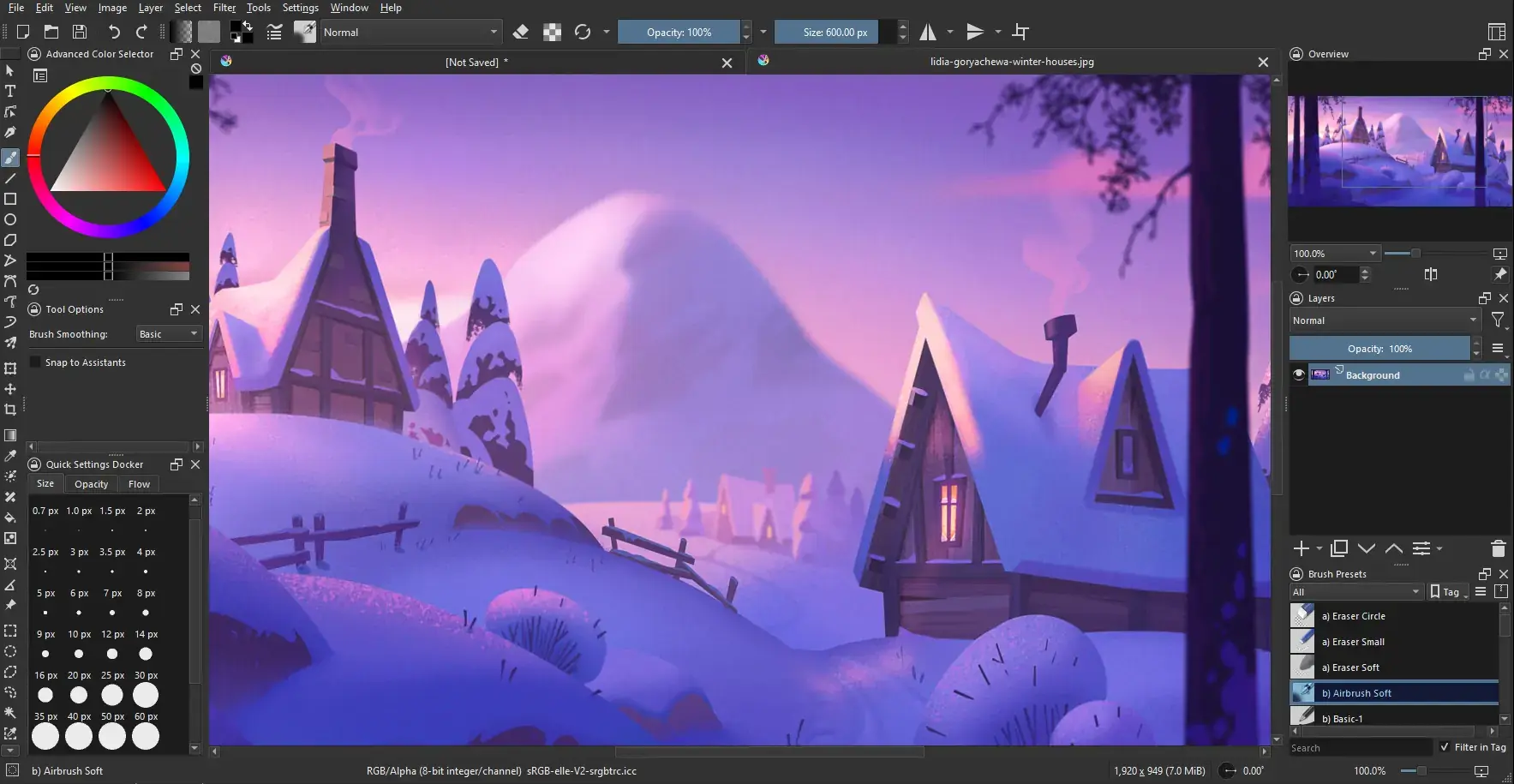
The development team has opted for an unusual strategy: releasing two branches with identical functional features , but compiled on different versions of Qt. Krita 5.3 is based on Qt5, a thoroughly tested technology, and is the recommended edition for professional work where stability is paramount. Krita 6.0, on the other hand, is built on Qt6 and opens the door to modern Linux features, especially on Wayland, in exchange for accepting more bugs and immature behavior.
Both versions share almost exactly the same source code and features : the new text engine, revamped filters, vector tools for comics, brush improvements, HDR support, advancements in formats like JPEG-XL and Radiance RGBE, an expanded Python plugin API, and optimizations to the recording system and Docker containers. The difference lies not so much in what you can do, but in the underlying technology on which each branch runs.
The developers themselves warn that Krita 6.0 carries over both the potential bugs of version 5.3 and those specific to Qt6 . Therefore, unless you specifically need its new capabilities (for example, Wayland color management with true HDR or 10-bit display), it's wiser to stick with version 5.3 for daily use. You could say that 5.3 acts as a stable transitional version while the entire architecture of the Qt6 branch is being finalized.
Another key detail is platform compatibility: Qt6 is not yet stable on Android or ChromeOS , so Krita 6.0 is not officially offered for these systems. Instead, users of those platforms will continue with the 5.x line, and more specifically with 5.3, which inherits much of the work done for 6.0 but maintains Qt5 as its base.
For those who want to try both desktop editions, Krita distributes AppImage packages, installers for Windows and macOS, and source code in tarball format . Flatpak and Snap packages are also available for Linux, although in many cases these are maintained by community members and may lag behind the official versions.
Jump to Qt6 and Wayland support: color management and HDR
The major technical innovation in Krita 6.0 is that it is now built on Qt6, the same foundation as KDE Plasma 6. This is no mere internal detail: it has direct implications for performance, the modernization of the interface, and, above all, native support for Wayland, the graphics protocol that is replacing X11 in most GNU/Linux distributions.
One of Wayland's biggest weaknesses until now has been advanced color management, a critical aspect of professional painting applications . With X11, Krita could accurately identify which monitor the image was displayed on and associate the correct color profile with each screen. With Wayland, this information wasn't as readily available, making it difficult to offer integrated and reliable color management, especially when working with calibrated monitors, HDR streams, or wide color spaces.
To address this, Krita 6.0 implements full integration of Wayland's color management protocol, known as color-management-v1 . Thanks to this support, Krita can retrieve all the necessary data from the compositor to display color-managed images, including the precise parameters for HDR rendering. This takes the program from "it looks more or less okay" to a truly controlled color environment, as required by any professional workflow for illustration, concept art, or advanced photography.
However, the developers point out that this color management protocol is still very new and not all Wayland compositors support it equally well . For now, official and recommended compatibility is limited to KWin version 6.4.4 and later; if you're using another compositor and something goes wrong, the project itself recommends first checking if the problem occurs in KWin before reporting it.
The adoption of Qt6 and the new protocol also opens the door to other important advantages: accurate fractional scaling on HiDPI displays, true 10-bit color depth, and authentic HDR rendering . This translates into sharper interfaces on high-pixel-density laptops, much smoother gradients without banding, and the ability to take advantage of modern HDR monitors without resorting to workarounds.
Completely revamped text engine
If there's one area where the team's long-term work has truly paid off, it's in the completely redesigned text tools . The old experience based on floating dialog boxes is gone, and finally, text is edited directly on the canvas, similar to what you see in applications like Illustrator or other vector editors.
This new system allows you to create text areas that adjust automatically : you can drag a simple rectangular area or use complex vector shapes to make the content flow within it, respecting area additions and subtractions as defined in the SVG 2 specifications. In other words, you are not limited to a rigid box, but can compose layouts with gaps and irregular shapes, perfect for comic book pages, posters, or editorial design.
Furthermore, the text can follow vector paths, allowing words and phrases to be placed along curves and contours . This opens up very useful creative possibilities for lettering, logos, or more graphic effects, something many users missed compared to tools more focused on design.
At the typographic level, full support has been added for the OpenType standard and most writing systems , including the selection of alternative glyphs via a dedicated palette. The text style panel allows you to edit more than 50 properties at once, both on the current object and on multiple selected objects simultaneously, and to save reusable predefined styles. This makes it much easier to maintain typographic consistency in large projects.
The text properties docker has also been revamped, so you're no longer required to modify each box individually : you can select multiple objects with the shape tools and apply global changes to font, size, line spacing, or alignment. In addition, a new Type Settings Mode has been introduced, enabling direct editing of key properties on the canvas itself, streamlining the fine-tuning of layouts.
Vector tools and comic panel
The workflow for comic artists, narrative illustrators, and page designers gets a major boost with the new comic editing panel . This vector tool is specifically designed to split, cut, and merge panels extremely quickly, replacing processes that previously required external programs or a lot of manual work with rulers and guides.
Within this same area appears the new knife tool for vector objects , which allows for precise geometric segmentation and joining of shapes. For those who design comics, manga, or webtoons, this means being able to rearrange panels, adjust margins, or redefine the structure of a page without breaking the other elements.
Regarding transformation tools, Krita introduces the ability to independently rotate the bounding box relative to its contents . This makes it easier to manipulate already tilted objects, because you can orient the transformation frame in the same direction as the element, making scaling and deformation more intuitive.
Shortcuts and improvements have also been added to speed up manipulation : for example, you can now apply quick rotations using combinations like Ctrl + Alt, and the "Liquify" transformation mode has been optimized for much faster operation. These changes aren't immediately obvious, but they make a noticeable difference every time you adjust a character, tweak a pose, or correct volumes.
In parallel, specific adjustments have been made to selection tools, such as an improvement in the number and clarity of the shadow selection options , as well as a smarter fill tool, which now incorporates a mode to close small gaps in the inking and prevent the color from leaking through open areas.
Improvements to brushes, smoothing, and pixel art
The heart of Krita has always been its brushes, and in these versions, special attention has been paid to making the drawing process more natural and controllable . The stabilizer for the freehand drawing tool has become adaptive: it increases the level of smoothing when you move slowly to counteract hand shake, and reduces it when you draw quickly so you don't experience excessive latency.
For pixel art enthusiasts, a dedicated pixel art stabilizer has been introduced, guaranteeing crisp, single-pixel lines and preventing strange stepping or small artifacts that appeared when anti-aliasing was combined with low resolutions. This makes Krita more competitive as a tool for sprites and retro graphics.
A soft texture mode has been added to the pattern option within the brush engine , allowing for the application of textures with less aggressive transitions. This is ideal for shading surfaces or adding grain without creating an overly obvious mosaic effect. In addition, the ability to "auto-reverse" patterns used as erasers makes it easier to create eraser brushes with more controlled behavior.
Another interesting new feature is the Marker blending mode , designed to simulate the behavior of physical markers. In this mode, opacity doesn't accumulate uncontrollably when you go over the same area multiple times within the same layer, allowing for smoother gradients and a look closer to that of paper.
Finally, multi-brush support has been enhanced with a new copy mode for interval translations . In other words, it's easier to repeat strokes distributed in complex patterns or symmetries, which is very useful in ornamental illustration, pattern design, or creating repetitive backgrounds.
Filters, layers and HDR: more control over color
In the filters and layers section, Krita 5.3 and 6.0 include tools designed to clean up edges, improve transparencies, and work reliably with HDR . The new Color Propagate filter allows you to extend tones into transparent areas, which is very useful for removing halos, filling small empty areas, or adjusting contours after cropping.
Alongside this , the Reset Transparency filter is introduced , which resets the color channels of all completely transparent pixels to zero, forcing them to become transparent black. This helps reduce artifacts when exporting, especially in formats where residual color data can create strange edges or unexpected transitions.
A fast color overlay mask has also been added , designed to expedite global corrections across an area using a single mask channel, and all blending modes have been verified to perform correctly in HDR environments. The goal is to ensure that results remain predictable even when working with wide dynamic range and advanced monitors.
In terms of productivity, transformation shortcuts can now be applied simultaneously to multiple layers . This greatly simplifies things when you have characters, effects, and backgrounds spread across different layers but need to scale or rotate the entire set without grouping it or disrupting your hierarchy.
For document management, support for grids and guides is retained and expanded with new modes such as isometric and the ability to save configured colors within the Krita file itself . This way, each project can maintain its own guide configuration, useful if you switch between technical work, comics, concept art, or interfaces.
Dockers, interface, and real-time recording
Krita's interface has also been refined for faster, more efficient daily use . One of the most noticeable improvements is the floating toolbar, which appears automatically when you make a selection, providing shortcuts to frequently used actions without having to navigate through menus or side panels.
Dockers gain flexibility, as you can now add certain dockers to the familiar circular pop-up palette that appears when you right-click on the canvas. This allows you, for example, to have color palettes, brush panels, or text settings readily available without taking up fixed screen space.
Another area that has been improved is the Docker Recorder panel, which now implements real-time capture using separate threads . In practice, this allows you to record time-lapses or videos of your painting process without the drawing engine lagging or losing fluidity. This improvement is especially interesting for content creators who upload their workflow to video platforms.
In the area of drawing assistance, the configuration of assistants has been made easier and a new curved-linear perspective assistant has been introduced , designed for scenes with more complex perspectives than the typical one or two points, helping to maintain proportions without sacrificing dynamic effects.
The general idea behind all this is that the interface should cease to be an obstacle and become an ally , reducing clicks, mouse movements and secondary windows, and bringing the flow closer to what anyone who uses Krita daily for hours would ask for.
File formats and interoperability with other programs
To ensure Krita fits well into mixed workflows, format support has been significantly expanded . First, support for Radiance RGBE (.hdr) has been added, allowing users to open and save high dynamic range HDR images without converting them to other intermediate formats.
On the other hand, JPEG-XL support has been substantially improved: in addition to the format's advanced quality and compression, it now supports documents with multiple layers and pages . This makes JPEG-XL a viable option for complex projects where previously only formats like PSD, TIFF, or Krita's own files were considered.
Regarding its relationship with Photoshop, a significant step has been taken: Krita can now load text objects from PSD files as editable text , not just as rasterized layers. Furthermore, it can save some typographic information back to the PSD format, although with some known limitations. The import of vector shapes, guides, and masks has also been improved, making it easier to switch between the two programs when the project requires it.
All of this is complemented by more robust interoperability in the handling of HDR resources and color profiles , something that, combined with the new color management support in Wayland, allows Krita to coexist better with pipelines that include other editors, 3D engines or post-production tools.
Python plugin API and new extensions
While it might not be the most immediately noticeable feature for the average user, the team has dedicated significant effort to expanding the Python plugin API , which is the foundation upon which the community can build advanced extensions. Among the new features is the ability to programmatically generate brushstrokes from scripts, opening the door to smart brushes, automated assistants, and generative painting tools.
New interface elements accessible from Python and extra methods for existing classes have also been added , giving plugin developers more control over how they integrate their tools into the Krita experience. This includes everything from custom dialogs to controls embedded in Docker containers or toolbars.
Along with the API expansion, new Python plugins developed by the project itself are arriving , serving both as additional functionalities and practical examples of what can be done. For studios or artists with very specific needs, this ecosystem of extensions is what allows Krita to be adapted to very specific workflows.
The philosophy behind these changes is clear: to make Krita not just a closed application, but an extensible platform , capable of evolving with the needs of its community without depending exclusively on the central development team.
Installation, downloads and usage recommendations
In practical terms, those working with Linux have several ways to install Krita. On Ubuntu and its derivatives, it's common to use specific PPA repositories (such as the one traditionally maintained by the project for stable and test versions), from which updated packages can be obtained with a few commands in the terminal.
For those who prefer not to clutter their system with external repositories, the AppImage format remains a very convenient option : simply download the corresponding file, grant it execution permissions, and launch it directly, without any formal installation. However, some distributions are beginning to phase out AppImage support, so it's likely that in the future the project will have to further strengthen its Flatpak or Snap approach.
On Windows and macOS, Krita is distributed via traditional installers and portable ZIP versions . With the portable ZIPs, you simply extract the folder to a convenient location and run the binary, sharing resources and settings with the normal installation but without interfering with it.
For Android and ChromeOS, the situation is somewhat different: Krita 6.0 is unavailable due to the instability of Qt6 on those platforms , so the 5.x branch (and particularly 5.3) is considered the production base. On Android tablets, Krita is still marked as beta and is not offered for phones, as the interface requires a minimum screen size.
In any case, the developers insist on a clear message: if you don't explicitly need the advantages of Qt6 and Wayland in Krita 6.0 , it's best to work with 5.3 for production and reserve 6.0 for testing, exploring new features, or collaborating on bug detection.
Ultimately, the real leap in quality isn't solely determined by the tool itself, but by the time you dedicate to thoroughly learning its options, brushes, shortcuts, and workflows . Constantly switching software in search of the "ultimate application" is usually more of an excuse than a solution; Krita has long been powerful enough that the bottleneck is typically you, not the program.
With all these changes—dual Qt5/Qt6 branches, advanced color management in Wayland, a new text engine, comic tools, smarter brushes, filters tuned for HDR, support for modern formats, and a richer Python API— Krita consolidates itself as one of the most complete and flexible digital painting suites in the free software ecosystem , capable of competing head-to-head with commercial options in illustration, comics, and concept art while continuing to evolve at the pace set by its community.