- Streaming games on TV and in the browser using a mobile controller is now available in a beta version in select countries.
- Five party games adapted for the living room: LEGO Party!, Boggle Party, Pictionary, Tetris Time Warp, and Party Crashers.
- Access included with a Netflix subscription; no dedicated remote or additional payment required.
- A broad mobile catalog with familiar and classic titles; a strategy focused on multiplayer and retention.
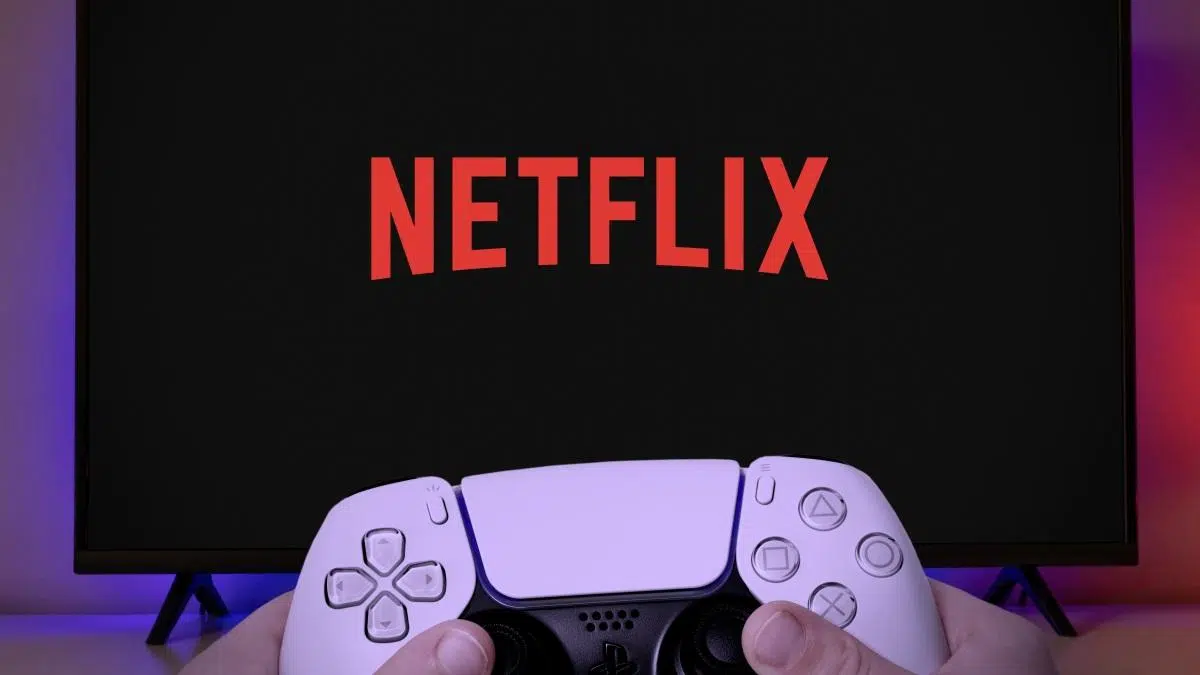
If you thought Netflix was only for binge-watching series, there's an exciting new feature: you can also play games . The company has been offering video games at no extra cost as part of your subscription for some time, and now it's taking it a step further by bringing them to your living room TV and computer browser, with an experience designed to be shared with friends and family.
The idea is simple and quite convenient: you don't need a specific controller or to make do with your TV remote. Your own mobile phone acts as the controller, so you can pick it up and start playing directly from the Netflix app on your compatible TV or from Netflix.com on your computer. It's a way to transform the platform into something more than just video on demand.
What is Netflix Games and how does it work right now?
Netflix Games is the video game offering included with your Netflix plan, with no additional purchases or advertising. Since its launch on mobile a few years ago, the company has built a catalog that blends well-known licenses and original productions, with titles ranging from narrative adventures like Oxenfree to iconic games like Grand Theft Auto: San Andreas and party games like Heads Up!, all available on iOS and Android with your active account.
The new feature is the move to TV and web browser with a beta streaming phase. On compatible TVs, simply open the Netflix app, go to the Games tab, and select a title. Your phone acts as a controller for moving, drawing, tapping, answering, and more. If you prefer your computer, you can play directly from Netflix.com, again without any heavy installations or dedicated peripherals.
This beta, as the company explains, serves to test two technical pillars: its game streaming technology (so that they run smoothly and with low latency) and the smartphone control system, which transforms the mobile phone into a versatile touchpad for different genres.
Party games you can play on TV
To launch the big-screen experience, Netflix has chosen a quintet of parlor games designed for quick rounds, laughs, and multiplayer participation. The current list includes titles that work wonderfully with a mobile device as a controller and are created or adapted for the couch environment, featuring minigames, challenges, and social mechanics.
- LEGO Party!: a collection of LEGO-inspired party-style quizzes and mini-games, perfect for competing with family or friends. Four players They can jump into short challenges, maps and block characters.
- Boggle Party: The classic word search game in a grid of letters comes in a multiplayer version for up to eight people, against the clock and with mobile phone in hand to write down your findings.
- Pictionary: Game Night: a round of drawings against time. Draw on your phone and let the rest guess on TV; the key is speed and clever clues.
- Tetris Time Warp: Several modes inspired by historical versions of the world's most famous puzzle, including interpretations of 1984 and the mythical edition of Game Boy, with scoring challenges.
- Party Crashers: Fool Your Friends: a social game of bluffing and deduction in which one of the participants does not know what the story is about and the group must discover who the mole is by the suspicious keys that leaves.
Two of these titles, LEGO Party! and Tetris Time Warp , come from previous releases on other platforms, while the trio of Boggle Party , Pictionary: Game Night , and Party Crashers are new additions to the Netflix library. It's a launch focused on local multiplayer , a choice very much in line with the goal of turning TV into a social hub.
Where available: Supported countries and devices
This initial phase of gaming on TV and in the browser is a limited, phased beta . Netflix indicates that it is active for a subset of members on certain TV models and, simultaneously, accessible from a computer via Netflix.com with the same account.
The initial rollout to countries includes the United States, Canada, the United Kingdom, Spain, Mexico, France, Italy, Poland, the Netherlands, Sweden, Belgium, Switzerland, Austria, Ireland, Finland, Germany, South Africa, Australia, and New Zealand. Not all users in these countries will see the feature at the same time, as it will be released in stages by device and user profile.
Netflix has been clear: the purpose of this phase is to thoroughly test the streaming performance and the mobile controller. As they pass these milestones, the company plans to expand compatibility and the number of supported TVs, adding more markets and, presumably, more control modes.
How to play: from the TV app to Netflix.com
If your TV is compatible, open Netflix, scroll down to the Games tab, choose a title, and follow the instructions to pair your phone. You'll see a code or a button to sync; after pairing your phone, you can control everything by tapping, swiping, or shaking the device, depending on the game.
On your computer, log in to Netflix.com with your account, find the Games section, and launch your chosen title. Again, your mobile device acts as the controller—you can use iOS or Android—and the game streams to your browser. There are no in-app purchases or ads: everything is included in your subscription.
One important detail: you don't need an additional console controller or a TV remote with special functions. Your smartphone is the central element of this experience, making it easy for anyone who already has their phone handy when they sit down on the sofa to jump right in.
A look at the family catalog and the essentials of the mobile
Netflix Games' mobile platform is still going strong, with a diverse catalog perfect for short bursts of play or relaxing into adventures. For example, there are games designed for all ages and audiences, from young children to arcade enthusiasts.
World of Peppa Pig is a space to play, learn, and create with Peppa. It offers an endless itinerary of minigames, activities, and puzzles, as well as full episodes, all with a child-friendly approach and simple controls.
In the realm of artistic puzzles, Monument Valley stands out for its impossible architecture and optical illusions. You guide a silent princess through structures that defy logic, all within a serene setting perfect for unwinding.
If strategy appeals to you, Bloons TD 6 challenges you to defend your towers against increasingly ingenious hordes of balloons. As you progress, you unlock new heroes and abilities that allow you to devise powerful combinations for each map.
For fans of arcade cooking, SpongeBob: Get Cooking turns up the heat in Bikini Bottom's restaurants. It's time to serve quickly, get orders going, and upgrade your kitchen to keep customers happy.
Feline fashion arrives with Knittens , a match-3 game where you transform balls of yarn into stylish cat clothes. It's a relaxing process, with a gentle progression and the satisfaction of creating the perfect outfit for each cat.
For Sanrio fans, Hello Kitty and Friends: Happiness Parade invites you to put on a parade full of friends and special abilities. Your mission is to dodge traps and keep the group's spirits high, using your reflexes and rhythm.
If you're into beat 'em ups, TMNT: Shredder's Revenge recaptures the arcade essence of the '80s with Leonardo, Raphael, Donatello, Michelangelo, and company. Experience punches, combos, stylish animations, and a highly polished retro look.
The blue hedgehog is also present: Sonic Prime Dash offers thrilling 3D racing with jumps, obstacles, and iconic bosses. It's pure frenzy, ideal for short bursts of gameplay where precision and speed make all the difference.
For a more zen experience, Cats & Soup turns you into a feline soup chef. You chop ingredients, dress up your cats, and unlock cozy spaces, with a gentle progression that fits perfectly into moments of relaxation.
Your daily dose of ingenuity comes with Cut the Rope Daily , a puzzle game with a new challenge every day. Cutting ropes and popping balloons to feed Om Nom is as simple as it is addictive, with mechanics that are reinvented through small variations.
If you dream of the countryside, Country Friends invites you to set up your own farm, grow crops, raise animals, and trade with friends. This colorful simulator encourages collaboration and the enjoyment of a relaxed pace.
And as a bridge between games and series, Netflix suggests content to accompany your games, such as the movie Rise of the Teenage Mutant Ninja Turtles if you're left wanting more after TMNT, or the Sonic Prime series for those who speed with the hedgehog, with chapters that expand its universe.
Why Netflix is betting on the living room: strategy and objectives
Since entering the mobile gaming market four years ago, Netflix's strategy has been evolving. After experimenting with formats, licenses, and genres, the move to bring games to TV with mobile devices as controllers reveals a more serious commitment to competing in the big leagues , not just against other mobile games.
The current approach prioritizes four key areas, with party games at the forefront. The reason? These offerings encourage more members of a household to participate, extend the time spent on the platform, and add value to the monthly subscription . It's a way to build loyalty and differentiate the service without leaving the app where you already watch your shows and movies, and it fits seamlessly with home technology.
Furthermore, Netflix has been laying the groundwork: at the end of last year, it launched a controller app for iOS that turned the iPhone into a remote, a step that foreshadowed the leap to TV. There were also reports in early 2023 pointing to this plan to bring mobile games to big screens; now that plan is beginning to materialize in a tangible beta.
The company has reiterated that it will continue adding devices and expanding its geographic reach over time. We'll likely see new genres adapted for touch controls on mobile devices, more elaborate cooperative modes, and even integrations with hit series in the form of events or themed seasons.
Gameplay experience: mobile control, multiplayer and rhythm
Touch controls on your phone are a perfect fit for social games. Drawing in Pictionary feels natural on a mobile screen, typing solutions in Boggle Party is lightning fast, and the minigames in LEGO Party! make excellent use of taps, drags, and gestures. The learning curve is very short, which encourages anyone to join in.
On the technical side, streaming to the TV and browser must balance latency and quality so that mobile inputs respond instantly. That's why this testing phase is crucial: Netflix evaluates performance on different networks, routers, and TV models to ensure the touch remote is reliable and the image remains sharp.
Local multiplayer, meanwhile, benefits from accessible rules and short matches. Games like Party Crashers are designed to spark conversation, laughter, and a bit of bluffing, while Tetris Time Warp brings that classic competitive spirit of seeing who can get the best line streak.
Availability, cost and what you need
To play, you don't pay anything beyond your Netflix plan. There are no ads or in-app purchases in the included games, a point the platform reiterates to emphasize that this is an added benefit of the subscription. However, keep in mind that you're in a beta version and that there may be changes, improvements, and catalog expansions as the game progresses.
What do you need? A TV that supports the feature in your region, the latest version of the Netflix app, and an iOS or Android smartphone to use as a remote. If you prefer to use a computer, go to Netflix.com and use your phone to control it. It's that simple.
Some of the publicly available information about this new feature came with technical elements specific to websites (compatibility scripts for things like URLSearchParams or fetch in older browsers). These don't affect games, but they explain why some websites load utilities to ensure everything works correctly on any device.
Interestingly, one of the media outlets covering the topic suggested customizing Google to filter out low-quality results and prioritize favorite sources—for example, their own website. This serves as a reminder that, with a few tweaks, you can improve your searches when researching new features like Netflix Games.
Netflix has gone from offering small titles on mobile to putting games on your living room TV and web browser, with your phone as a controller and at no extra cost. With a beta already active in countries like Spain, the United States, and Mexico, a launch focused on party games— LEGO Party!, Boggle Party , Pictionary : Game Night , Tetris Time Warp , and Party Crashers —and a mobile catalog that continues to add family-friendly options like Peppa Pig, Monument Valley, and TMNT, the platform is clearly signaling that it wants you to spend more time playing games without leaving its ecosystem. If technical performance and compatibility continue to improve, this could make Netflix your go-to plan for a night of couch and laughter.
