- A computer system is an organized set of hardware, software, and networks that processes, stores, and manages information.
- Key components: hardware (CPU, memory, peripherals), software (systems and applications) and storage options.
- Networks enable global communication; protocols and security (firewalls, encryption, authentication) protect data and systems.
- Trends: AI, Big Data, IoT, cloud computing and quantum computing, which drive new capabilities and challenges.
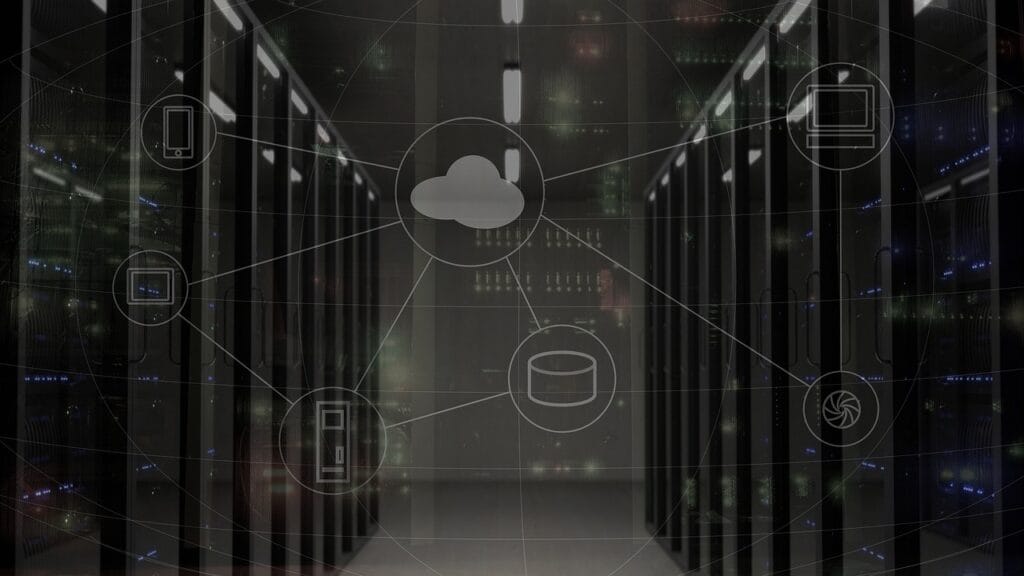
In today’s digital age, computer systems have become an integral part of our lives. From smartphones to supercomputers, these complex and fascinating systems power countless aspects of modern society. But what is a system in computing? In this article, we’ll dive into the fundamental concepts that define these vital systems.
What is a system in computer science?
A computer system is a set of interrelated components that work together to process, store, and manage information. These systems integrate hardware, software, and networks to perform specific tasks and meet user needs.
The key components of a computer system include:
- Input devices such as keyboards and mice
- Central processing units (CPUs) for executing instructions
- Memory for storing data and programs
- Output devices such as monitors and printers
- System software and applications
- Networks for communication and data transfer
These elements work in harmony to receive input, perform calculations, store information, and generate useful output. From simple desktop computers to complex business systems, computer systems are critical to virtually every aspect of the modern world.
Hardware
Hardware refers to the physical, tangible components of a computer system. Some of the most important hardware elements include:
Processors
- The central processing unit (CPU) is the "brain" of the system
- Execute instructions and perform calculations
- Multi-core processors allow parallel processing
Conference proceedings
- Random access memory (RAM) stores data and programs during execution
- Cache speeds up access to frequently used data
- Read-only memory (ROM) stores firmware and boot instructions
input/output devices
- Keyboards, mice, and touch screens enable user interaction
- Monitors, printers, and speakers provide visual and auditory output
- USB, HDMI and Ethernet ports enable connectivity to peripherals and networks
Software
Software consists of the programs and instructions that control the operation of the hardware. The main categories of software include:
Operating Systems
- They manage hardware resources and provide an interface to applications
- Popular examples: Windows, macOS, Linux, Android, iOS
Applications
- Programs designed for tasks specific, such as word processing, spreadsheets, graphic design, etc.
- They can be desktop, web or mobile
Programming languages
- Used to write software and give instructions to computers
- Popular languages: Python, Java, C++, JavaScript, Ruby
Computer networks
Networks allow multiple devices and systems to communicate and share resources. Key networking concepts include:
LAN and WAN
- Local area networks (LANs) connect devices in a limited geographic area
- Wide area networks (WANs) span large geographic areas, such as cities or countries.
Network protocols
- Rules and standards that govern communication between devices
- Common examples: TCP/IP, HTTP, FTP, SMTP
Internet
- A global network of interconnected networks
- It enables communication and information exchange on a global scale
Data storage
Storage allows for short- and long-term data retention. Storage options include:
Hard drives and SSD
- Hard disk drives (HDDs) use magnetically rotating disks to store data.
- Solid state drives (SSD) use flash memory, offering greater speed and durability
Cloud storage
- Allows you to store and access data over the Internet
- Provides scalability, accessibility and automated backups
User interfaces
User interfaces enable interaction between humans and computer systems. The main types include:
CLI and GUI
- Command line interface (CLI) uses text commands to interact with the system
- Graphical user interface (GUI) uses visual elements such as windows, icons, and menus
UX Design
- User experience (UX) design focuses on creating intuitive and easy-to-use interfaces
- Consider factors such as usability, accessibility and aesthetics
Informatic security
Computer security protects systems and data from unauthorized access, misuse and damage. Key aspects include:
Threats and vulnerabilities
- Malware, phishing, denial of service (DoS) attacks, etc.
- They exploit weaknesses in software, hardware or user practices
Protection measures
- Firewalls, antivirus, encryption, two-factor authentication
- Strong security policies and practices
Data processing
Data processing involves transforming raw data into useful information. Key concepts include:
Algorithms and data structures
- Algorithms are sets of instructions for solving problems or performing tasks.
- Data structures organize and store data efficiently for processing.
Big Data and analysis
- Big Data refers to massive and complex data sets
- El analysis of data Extract valuable information and insights from data
Artificial Intelligence
Artificial Intelligence (AI) enables systems to learn and make decisions autonomously. Major subfields include:
Machine Learning
- Machine learning algorithms enable systems to learn from data and improve with experience
- Common approaches: supervised, unsupervised, and reinforcement learning
Neural Networks and Deep Learning
- artificial neural networks are inspired by the human brain
- Deep Learning uses deep neural networks for hierarchical feature learning.
Cloud Computing
Cloud computing delivers computing resources and services over the Internet. Major models include:
IaaS, PaaS and SaaS
- Infrastructure as a Service (IaaS): Provides virtualized infrastructure resources
- Platform as a Service (PaaS): Provides an environment for developing, running, and managing applications
- Software as a Service (SaaS): Provides ready-to-use cloud-based applications
Cloud Service Providers
- Amazon Web Services (AWS), Microsoft Azure, Google Cloud Platform (GCP)
- They offer a wide range of cloud services and resources
Trends and future
Information technology continues to evolve rapidly, with new technologies and emerging trends, such as:
Internet of Things (IoT)
- Connect everyday devices to the Internet to collect and share data
- Enables smart applications in homes, cities, industry, etc.
Quantum computing
- Uses principles of quantum mechanics to perform calculations
- It promises revolutionary advances in areas such as cryptography and simulations.
Conclusion of What is a system in computer science
Computer systems are complex and multifaceted, encompassing hardware, software, networks, and much more. From personal computers to cloud computing and artificial intelligence, these systems continue to transform virtually every aspect of our lives. But what is a system in computing? In simple terms, a computer system is an organized set of components that interact with each other to process information. These components include not only the physical devices, such as computers and servers, but also the software that runs applications and manages system resources.
The interconnection of these elements enables the collection, storage, processing, and distribution of data, facilitating informed decision-making and improved operational efficiency. As technology advances, so do computing systems, integrating with emerging technologies such as the Internet of Things (IoT) and artificial intelligence, creating new opportunities and challenges. Understanding the fundamental concepts of computing systems is essential to navigating and thriving in the ever-evolving digital world, as it allows us to not only adapt to changes but also make the most of the tools and resources available in this dynamic environment.
Frequently Asked Questions about What is a system in computer science
What is the difference between hardware and software?
Hardware refers to the physical components of a computer system, such as processors, memory, and input/output devices. Software consists of programs and instructions that control the operation of the hardware.
What is an Operative System?
An operating system is software that manages a computer's hardware resources and provides an interface for applications to interact with the hardware. Popular examples include Windows, macOS, and Linux.
What is cloud computing?
Cloud computing is a model that enables on-demand access to computing resources and services over the Internet. It offers scalability, flexibility, and reduces the need for local computing infrastructure.
What is cybersecurity?
Cybersecurity refers to the practice of protecting computer systems, networks and data from unauthorized access, misuse and damage. It involves a combination of technologies, processes and practices to ensure the confidentiality, integrity and availability of information.
What is artificial intelligence (AI)?
Artificial intelligence is a field of computer science that focuses on creating systems capable of performing tasks that normally require human intelligence, such as learning, reasoning, and problem solving. AI includes subfields such as machine learning and neural networks.
How is computer technology evolving?
Information technology is evolving rapidly, with advancements in areas such as cloud computing, the Internet of Things (IoT), artificial intelligence, and quantum computing . These innovations are transforming industries, improving efficiency, and opening up exciting new possibilities for the future.
If you found this useful and want to help others better understand what a system is in computer science, stay up to date with the latest developments and trends in technology!