- Bootstrap 4.6 is an open-source library for efficiently creating responsive websites.
- Provides predefined components and styles that save development time.
- Ensures a consistent user experience and is compatible with multiple browsers.
- Allows customization to suit the specific design needs of each project.
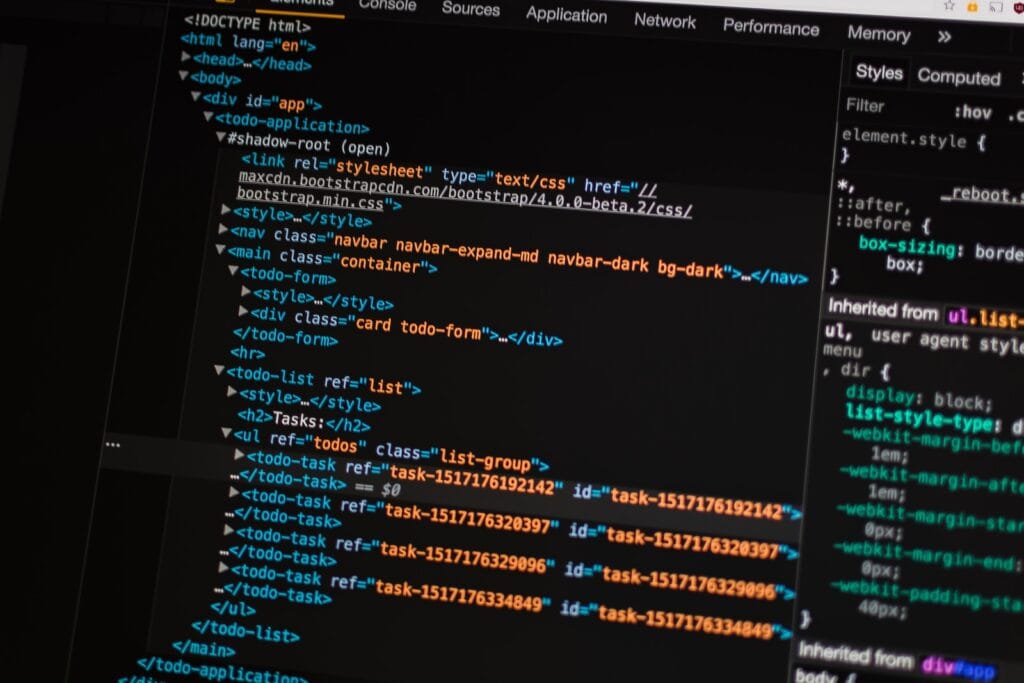
What is Bootsrap 4.6?
Bootstrap 4.6 is a widely used open-source library for developing responsive and mobile-friendly websites. With Bootstrap, developers can leverage a wide range of pre-built components and styles to create modern and engaging user interfaces. Version 4.6 is one of the latest updates to Bootstrap, which includes improvements, bug fixes, and new features compared to previous versions.
Benefits of using Bootsrap 4.6
By using Boostrap 4.6, developers can take advantage of a number of benefits:
- Time saving: Bootstrap provides a solid foundation of pre-built components and styles, allowing developers to save time by not having to build everything from scratch.
- responsiveness: Bootstrap is designed to create responsive websites that automatically adapt to different screen sizes and devices.
- Consistency: Bootstrap provides a consistent set of styles and components, ensuring a consistent look and user experience across your entire website.
- Browser Compatibility: Bootstrap has been thoroughly tested on a variety of browsers and versions, ensuring solid compatibility.
- Personalization.: While Bootstrap provides predefined styles, it also allows for customization to suit the specific design requirements of each project.
Bootsrap 4.6 Setup
To get started with Bootsrap 4.6, there are several ways to set it up in your project. Here's a common method using Bootstrap files hosted on a CDN (Content Delivery Network):
Step 1: Include Bootstrap Files
To get started, you need to include the Bootstrap files in the header of your HTML page. You can use the following CDN links in your header:
<script src="https://cdn.jsdelivr.net/npm/[email protected]/dist/jquery.slim.min.js" integrity="sha384-DfXdz2htPH0lsSSs5nCTpuj/zy4C+OGpamoFVy38MVBnE+IbbVYUew+OrCXaRkfj" crossorigin="anonymous"></script>
<script src="https://cdn.jsdelivr.net/npm/[email protected]/dist/js/bootstrap.bundle.min.js" integrity="sha384-Fy6S3B9q64WdZWQUiU+q4/2Lc9npb8tCaSX9FK7E8HnRr0Jz8D6OP9dO5Vg3Q9ct" crossorigin="anonymous"></script>
These links will load the CSS and JavaScript files needed for Bootstrap 4.6.
Step 2: Basic structure of the HTML document
After including the Boostrap files, you need to set up the basic structure of your HTML document. Here is an example of a basic HTML structure:
<link rel="stylesheet" href="https://cdn.jsdelivr.net/npm/[email protected]/dist/css/bootstrap.min.css" integrity="sha384-xOolHFLEh07PJGoPkLv1IbcEPTNtaed2xpHsD9ESMhqIYd0nLMwNLD69Npy4HI+N" crossorigin="anonymous">
Hello, world!
Hello, world!
<script src="https://cdn.jsdelivr.net/npm/[email protected]/dist/jquery.slim.min.js" integrity="sha384-DfXdz2htPH0lsSSs5nCTpuj/zy4C+OGpamoFVy38MVBnE+IbbVYUew+OrCXaRkfj" crossorigin="anonymous"></script>
<script src="https://cdn.jsdelivr.net/npm/[email protected]/dist/js/bootstrap.bundle.min.js" integrity="sha384-Fy6S3B9q64WdZWQUiU+q4/2Lc9npb8tCaSX9FK7E8HnRr0Jz8D6OP9dO5Vg3Q9ct" crossorigin="anonymous"></script>
<!–
<script src="https://cdn.jsdelivr.net/npm/[email protected]/dist/jquery.slim.min.js" integrity="sha384-DfXdz2htPH0lsSSs5nCTpuj/zy4C+OGpamoFVy38MVBnE+IbbVYUew+OrCXaRkfj" crossorigin="anonymous"></script>
<script src="https://cdn.jsdelivr.net/npm/[email protected]/dist/umd/popper.min.js" integrity="sha384-9/reFTGAW83EW2RDu2S0VKaIzap3H66lZH81PoYlFhbGU+6BZp6G7niu735Sk7lN" crossorigin="anonymous"></script>
<script src="https://cdn.jsdelivr.net/npm/[email protected]/dist/js/bootstrap.min.js" integrity="sha384-+sLIOodYLS7CIrQpBjl+C7nPvqq+FbNUBDunl/OZv93DB7Ln/533i8e/mZXLi/P+" crossorigin="anonymous"></script>
->
Make sure to replace the title and add your website-specific content in the appropriate place.
Step 3: Using Bootstrap Components
Once you've set up the basic structure of your HTML document, you're ready to use Bootstrap components. You can add Bootstrap classes to your HTML elements to apply specific styles and functionality. For example, you can use the "container" class to create a main container and the "btn" class to create a styled button. Here's an example:
My Website with Bootstrap
Click here
</div>
This code will create a container with a title and a styled button.
Step 4: Explore Bootstrap Documentation
Bootstrap has extensive documentation on its official website. You can explore the documentation to discover all the available components, styles, and functionalities. The documentation also provides code samples and detailed guides to help you get the most out of Bootstrap 4.6.

Bootstrap 4.6 Practical Example
To better understand how Bootstrap 4.6 works in practice, let's look at an example of building a simple homepage using some of the most common Bootstrap components.
My Home Page with Bootstrap
<link rel="stylesheet" href="https://cdn.jsdelivr.net/npm/[email protected]/dist/css/bootstrap.min.css">
Welcome to my website
This is an example of a homepage built with Bootstrap 4.6.
Latest News
News 1
News 2
News 3
</div>
Upcoming Events
Event 1
Event 2
Event 3
</div>
</div>
Copyright © 2023 – My Website
</footer>
</div>
<script src="https://cdn.jsdelivr.net/npm/[email protected]/dist/jquery.slim.min.js" integrity="sha384-DfXdz2htPH0lsSSs5nCTpuj/zy4C+OGpamoFVy38MVBnE+IbbVYUew+OrCXaRkfj" crossorigin="anonymous"></script>
<script src="https://cdn.jsdelivr.net/npm/[email protected]/dist/js/bootstrap.bundle.min.js" integrity="sha384-Fy6S3B9q64WdZWQUiU+q4/2Lc9npb8tCaSX9FK7E8HnRr0Jz8D6OP9dO5Vg3Q9ct" crossorigin="anonymous"></script>
In this example, we've used Bootstrap's grid system to split the page into two columns, where we display the latest news and upcoming events. We've also used Bootstrap's styles and classes to format the content and create a visually appealing look.
FAQs about Boostrap 4.6
1: What is the difference between Bootstrap 4.6 and previous versions? Bootstrap 4.6 includes improvements, bug fixes, and new features compared to previous versions. It is recommended to use the latest version to take advantage of all the improvements and functionalities.
2: Can I customize Bootstrap 4.6 styles? Yes, Bootstrap 4.6 allows customization through variables and configuration options. You can adjust the predefined styles to suit your specific design needs.
3: Do you need programming knowledge to use Bootstrap 4.6? While basic HTML and CSS knowledge is helpful, you don't need to be a programming expert to use Bootstrap 4.6. The library is designed to make web development easier and offers a wealth of ready-to-use components.
4: Is Bootstrap 4.6 compatible with all browsers? Yes, Bootstrap 4.6 has been extensively tested on different browsers and versions to ensure compatibility. However, some advanced features may not be supported in older browsers.

5: Where can I find examples and documentation for Bootstrap 4.6? You can find examples and detailed documentation for Bootstrap 4.6 on the official Bootstrap website ( https://getbootstrap.com ). There you will find code examples, guides, and additional resources to help you with your web development.
6: Is Bootstrap 4.6 free? Yes, Bootstrap 4.6 is an open-source library distributed under the MIT license, which means you can use it for free in your personal and commercial projects.
Conclusion
Bootstrap 4.6 is a powerful and versatile tool for developing modern, responsive websites. In this article, we have explored the definition and configuration of Bootstrap 4.6, as well as seen a practical example of its use. With Bootstrap, developers can save time, create beautiful user interfaces, and ensure compatibility across different devices and browsers. Feel free to explore the official Bootstrap documentation to get the most out of this amazing library!
