- EXT4 offers maximum performance and stability with low resource consumption, ideal for home NAS and small servers.
- Btrfs provides snapshots, CoW, integrated RAID and compression, making it a very versatile option for companies working on Linux.
- ZFS stands out for its data integrity, self-healing, RAID-Z and scalability, designed for critical environments with powerful hardware.
- The choice between ZFS, Btrfs, and EXT4 should be based on compatibility, performance, advanced features, and future growth needs.
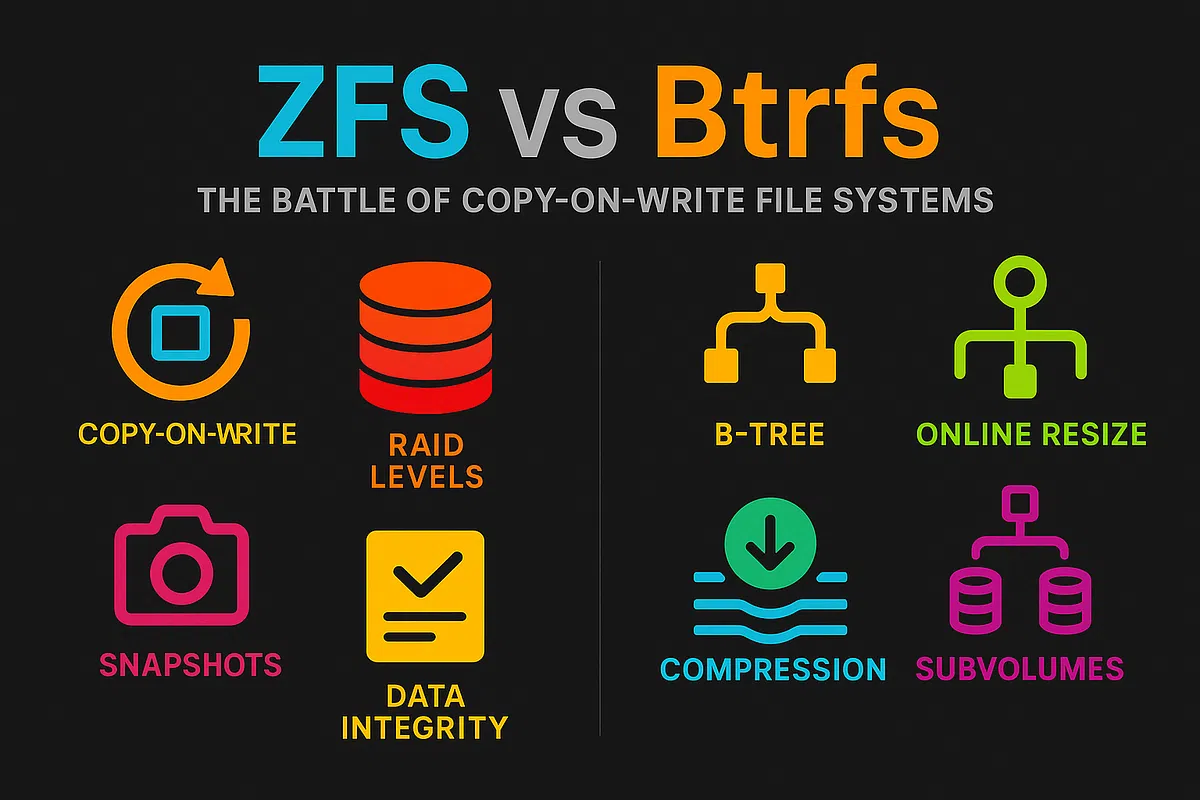
If you're struggling to choose between ZFS, Btrfs, or EXT4 for your NAS or Linux server , you're not alone. At first glance, they seem very similar (snapshots, RAID, data verification, etc.), but when you dig a little deeper, you'll see that each was created with different objectives, has very clear strengths, and also significant trade-offs that you need to be aware of before you start formatting disks.
In the following lines you will find an in-depth comparison between ZFS, Btrfs and EXT4 , explaining everything from what a file system is and what role it plays in a NAS, to real use cases, capacity limits, performance, resource consumption and practical recommendations depending on whether you are setting up a home NAS, a small business server or a more serious environment with high availability requirements.
What is a file system and why is it so important in a NAS?
A file system is essentially the way the operating system organizes, stores, and retrieves data on hard drives, SSDs, and external drives. Without this set of rules and structures, the system would only see strings of zeros and ones without any order, without knowing where a file begins, where it ends, or what permissions it has.
Its basic functions include allocating blocks of space to each file, managing free space, and structuring directories to ensure the fastest and most reliable data access possible. In addition, the file system controls metadata (size, dates, owner), permissions and access control lists (ACLs), anti-fragmentation mechanisms, journaling, and, in many cases, options such as disk quotas per user or group.
Each piece of data is stored in physical blocks or sectors with a specific address , and the partition table defines the logical structure of that storage. The maximum size that can be handled depends on the "word width" used by the file system: more bits for addressing memory result in greater volume and file capacity.
When we talk about a NAS, all of this becomes even more important because the file system determines the maximum capacity, stability, actual speed, and advanced features of the machine: snapshots, data integrity, RAID, replication, compression, deduplication, etc. This is where the major players in the Linux world and NAS servers come into play: EXT4, Btrfs, and ZFS.
EXT4: the rugged veteran for general use and home NAS
EXT4 (Fourth Extended Filesystem) is the de facto standard in most general-purpose Linux distributions. It originated as a direct evolution of EXT3 with the goal of offering greater capacity, improved performance, and reduced fragmentation, while maintaining the reliability that had made it so popular on servers and desktops.
It's a journaling transactional file system : it keeps a record of pending write changes to minimize the risk of corruption in case of a power outage or sudden crash. It doesn't reach the level of copy-on-write (CoW) protection of Btrfs or ZFS, but for normal use it's quite robust.
Key features include its theoretical limits: volumes up to 1 EiB and files up to 16 TiB when using 4K blocks, a maximum of approximately 4.000 billion files, and filenames up to 255 bytes. This makes it more than sufficient for the vast majority of home users and many small and medium-sized businesses.
EXT4 incorporates techniques to reduce fragmentation and improve performance , such as extensions (grouping of contiguous blocks), allocate-on-flush (which decides which blocks to use just before writing), and the ability to reserve contiguous space for files without filling it with zeros. It also allows for online defragmentation without dismounting the volume, although the system slows down during the process.
Another practical advantage is its backward compatibility : it's possible to upgrade an EXT3 system to EXT4 while maintaining the existing structure so both can understand it. However, once created as EXT4, you cannot revert back to EXT3. In terms of security, it supports transparent data encryption, journaling, and the typical Linux ACLs.
In the NAS world, numerous manufacturers (QNAP, Synology, Asustor in many models) continue to opt for EXT4 as the default choice in low and mid-range equipment , where the goal is stability, compatibility and the best possible performance with limited CPU and RAM resources.
Btrfs: the modern successor with snapshots, CoW, and integrated RAID
Btrfs (B-tree File System) was designed from the outset as the "natural successor" to EXT4 on Linux . It was launched in 2007 by Oracle with ambitious goals: to overcome the capacity and functionality limitations of EXT4 and to introduce into Linux, by default, everything previously only seen in high-end solutions, such as snapshots, CoW, advanced RAID, and integrated volume management.
In terms of limitations, Btrfs is on par with ZFS: maximum volume and file sizes up to 16 EiB , a maximum number of files that skyrockets to around 18 trillion, and filenames of 255 bytes. In practice, it's a system with virtually no limits for almost any modern environment.
Its most important feature is that it operates entirely with copy-on-write for both data and metadata. Whenever something is modified, the previous data is not overwritten; instead, a new copy is written to a different area, and the pointer is updated. This allows for near-instantaneous snapshots and prevents many forms of silent corruption because a consistent version is always maintained until the change is committed.
Btrfs allows you to create read and write snapshots , as well as snapshots of snapshots, and manage them flexibly using subvolumes. It also includes built-in file system-level RAID (RAID 0, 1, 10, and levels 5/6, the latter still considered sensitive in some environments), mirroring and striping techniques, and dynamic inode allocation, so there's no need to specify a maximum number of files when creating the system.
Another key advantage is transparent inline compression (using algorithms like zlib, LZO, or Zstd), which helps save space and sometimes even improves read/write performance by reducing the physical data volume. It also supports deduplication (usually via external tools), scrubbing to verify and repair data by comparing checksums, and an SSD-optimized mode.
All that glitters is not gold. Compared to EXT4, Btrfs typically consumes more CPU and memory , and in many tests, it offers lower raw read and write performance under the same hardware conditions. The cost of CoW logic, checksums, and advanced features comes at a price in terms of resources, something to consider on modest NAS devices.
In the NAS ecosystem, Btrfs has become the big bet of Synology and many enterprise-oriented solutions , especially because of its integrated snapshots, incremental replication option (send/receive), frequent backups, and its ease of reverting improper changes in a matter of seconds.
ZFS: the “tank” for data integrity, scalability, and demanding environments
ZFS (Zettabyte File System) originated at Sun Microsystems for Solaris and was released in 2005 as part of OpenSolaris. Today, it is primarily distributed via OpenZFS and has been ported to FreeBSD, Linux, and other systems. It is by far one of the most advanced file systems available for Unix-like systems.
One of its key features is that it combines the volume manager and the file system into a single layer . Instead of mounting a file system on top of an external disk or RAID array, ZFS creates storage pools (zpools) made up of virtual devices (vdevs). Datasets (file systems) and zvols (block devices) are defined on top of this pool, all integrated and managed by the same tools.
In terms of capacity, ZFS uses 128-bit addressing, which translates to volumes and files up to 16 EiB , filenames up to 255 bytes, and a maximum number of files in the hundreds of billions. It's a system designed to scale seamlessly to massive storage levels.
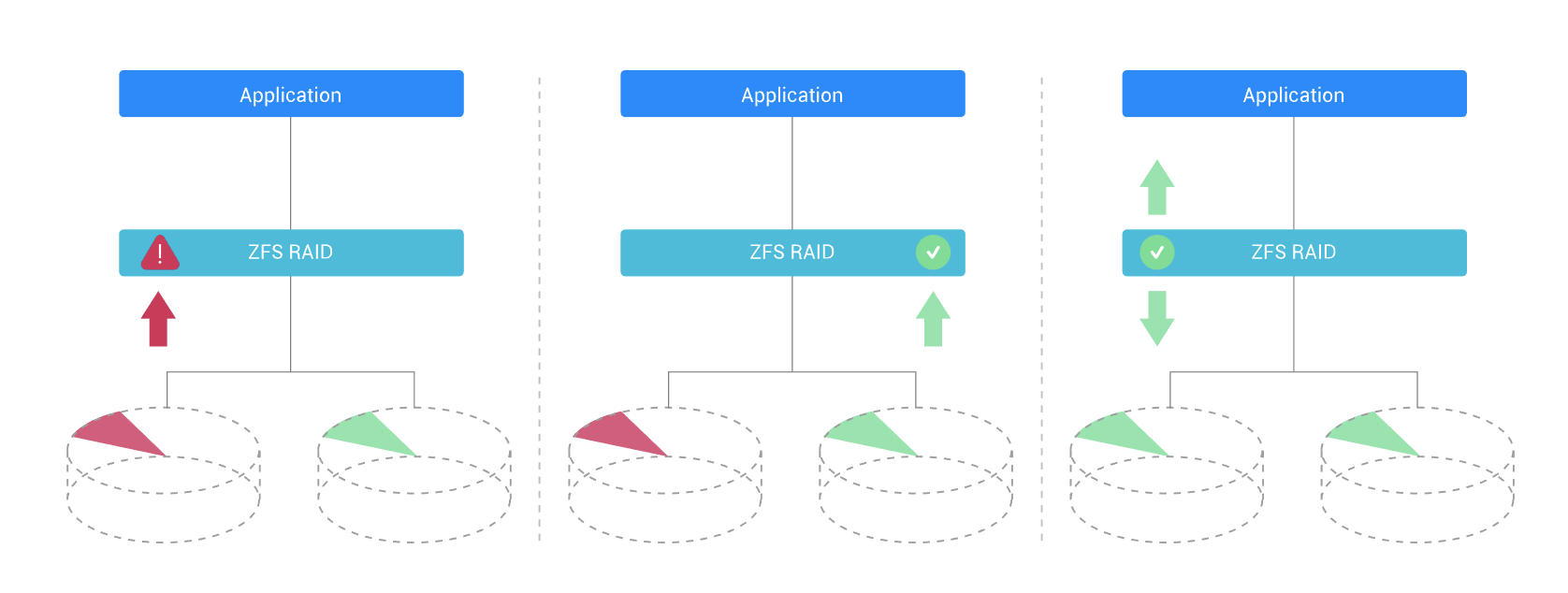
Like Btrfs, ZFS operates on a copy-on-write principle with checksums in each block . Before writing, it calculates a checksum (usually 256 bits) that is checked on every read. If it detects corruption and redundancy exists (for example, in RAID-Z or mirroring), it can repair it automatically and transparently, a process known as data self-healing.
To reduce the impact of the CoW model on synchronous writes (e.g., databases), ZFS uses the ZFS Intent Log (ZIL) , which can reside on fast SSDs to accelerate critical operations. Additionally, it features read caching in RAM (ARC) and optionally in SSDs (L2ARC), which significantly improves performance but also increases RAM requirements.
The downside is resource consumption: ZFS is designed for machines with ample RAM (16 GB is a reasonable starting point) and a decent CPU. Deduplication, in particular, can significantly increase memory usage, so it's best to enable it only when the space savings are truly justified.
On the management front, ZFS introduces the well-known RAID-Z arrays (RAID-Z1, RAID-Z2, RAID-Z3) , designed to avoid common RAID 5/6 problems like the "write hole," and offers simple, mirrored, and advanced RAID combinations. It allows for capacity expansion by adding new devices to the pool and immediate use, providing far greater flexibility than traditional RAID arrays.
Among its advanced features are instant snapshots, lightweight clones, transparent compression, internal deduplication, and highly granular quotas per dataset or user. Snapshots can number in the trillions and are created almost instantly, as only references to existing blocks are saved.
The downside is resource consumption: ZFS is designed for machines with ample RAM (16 GB is a reasonable starting point, and more if deduplication is enabled) and a decent CPU. Deduplication, in particular, can significantly increase memory usage, so it's best to enable it only when the space savings are truly justified.
Manufacturers like QNAP are betting on ZFS in their high-end NAs with the QuTS hero system , where its capabilities are fully utilized: RAID-Z, continuous integrity verification, compression, massive snapshots, and the ability to manage everything from a relatively user-friendly graphical interface for advanced users.
Other common file systems: NTFS, FAT32, exFAT, and XFS
Although we focus here on ZFS, Btrfs, and EXT4 in server and NAS environments, other file systems with very specific uses also appear in everyday practice . Understanding them helps avoid mixing concepts when connecting disks between different operating systems.
NTFS (New Technology File System) has been the default file system for Windows for decades. It supports very large files, advanced permissions, journaling, and many other features, but its compatibility outside of Windows is limited : macOS mounts it as read-only by default, and while Linux supports it well, it's not the best option for drives that will be shared among many devices, including game consoles.
FAT32 is a classic, highly compatible format, ideal for inexpensive USB drives, media players, and older devices. Its biggest drawback is the 4GB file size limit , which makes it unsuitable for modern backups, disk images, or high-quality videos. Even so, it remains relevant because almost every device on the planet can read it.
The plain FAT format is even older and more limited, with little error tolerance, no security permissions, and designed for small capacities (on the order of tens of GB). However, it remains highly compatible with older systems and some embedded devices, although in practice it's rarely used for anything serious these days.
exFAT was created as the successor to FAT32 for removable media, eliminating the 4GB file size limit. It's widely used on SD cards, USB flash drives, and external hard drives that are used across Windows and macOS. While it already has solid support in Linux, it doesn't add features like snapshots or robust journaling, so it's not the ideal choice for NAS devices.
Finally, XFS is a high-performance file system designed for very large files , widely used in high-end Linux servers and large databases. It offers advanced journaling and excellent parallel performance, but lacks native snapshots and built-in compression, so it tends to compete more with EXT4 in specific scenarios than with ZFS or Btrfs.
ZFS vs Btrfs vs EXT4 comparison: capabilities, functions and limitations
If we compare ZFS, Btrfs, and EXT4 side-by-side, several key differences emerge in maximum capacity, advanced features, and data protection levels . In terms of theoretical limits, both ZFS and Btrfs are in the same league at 16 EiB for volume and 16 TiB per file, while EXT4 is limited to 1 EiB for volume and 16 TiB per file (with 4K blocks).
In terms of file sizes, Btrfs and ZFS support astronomical amounts (trillions in the case of Btrfs and up to 2 <sup>48</sup> in ZFS), while EXT4 operates on the order of billions of available inodes . All three share a 255-byte filename limit, sufficient for virtually any scenario.
The clearest separation is seen in advanced features . ZFS and Btrfs offer copy-on-write, built-in snapshots, transparent compression, and deduplication (native in ZFS, available with tools in Btrfs). EXT4, on the other hand, does not integrate CoW, has no built-in snapshots, and lacks built-in compression and deduplication.
Regarding encryption , ZFS implements dataset-level encryption with deep system integration. Depending on the configuration, Btrfs can rely on external mechanisms like LUKS to encrypt the device, and EXT4 is also often combined with LUKS or other encryption layers to protect the entire volume.
Looking at snapshots, ZFS supports an extremely high maximum number (on the order of 2 <sup>48</sup> ), Btrfs also allows for massive quantities, and EXT4 doesn't handle them natively . This makes ZFS and Btrfs stand out in strategies for frequent backups, fast recovery from human error, and replication between servers.
Conceptually, ZFS is the most integrated and coherent all-in-one solution : volume + file system + RAID + quota management and continuous verification. Btrfs also integrates many layers (file system and RAID, subvolumes, snapshot delivery), but it typically relies on external tools for encryption or some advanced tasks. EXT4, on the other hand, is traditionally combined with LVM, mdadm, and other components to build complete solutions.
Performance and resource consumption: in which scenario does each one perform best?
One point that is rarely mentioned in theory but is very noticeable in practice is real-world performance and resource usage . Various comparative tests (for example, those by Phoronix) show that, except in very specific cases, EXT4 is usually the fastest file system for sequential and random read and write operations under the same hardware conditions.
Overall, EXT4 offers very high performance with low CPU and RAM usage , making it ideal for home NAS and small businesses where the important thing is to move data quickly and easily, without the need for powerful snapshots or deduplication.
ZFS, on the other hand, tends to be the slowest in pure I/O benchmarks , especially when comparing equivalent configurations with other systems on the same hardware. This is because its CoW model, checksum verification, compression, pool management, and integrity functions consume CPU and memory time, something that is compensated for in environments where the absolute priority is data preservation.
Btrfs typically falls somewhere in the middle: it's not as fast as EXT4 outright , but it's not as demanding on hardware as ZFS. In many workloads using SSDs and all-flash RAID arrays, it can offer a good balance between performance and advanced features, although its behavior can vary significantly depending on the kernel version and specific configuration.
If your NAS or server is low-end or mid-range, with limited RAM and a modest processor, EXT4 is usually the most sensible choice . On more powerful machines, Btrfs is a good option to benefit from snapshots, compression, and integrated RAID without the demands of ZFS. And when you have a powerful machine with plenty of RAM and require maximum data integrity and self-healing, ZFS becomes the star.
Recommended use cases: Home NAS, SMEs, and enterprise environments
Having considered all the theory, the real question is: which file system should I choose for my specific case? A NAS for movies and family backups is not the same as a critical database environment or a virtualization server with dozens of machines.
For personal use, home offices, and small office environments (SOHO) , EXT4 is generally the most balanced option. It's thoroughly tested, supported by all distributions without issue, offers excellent performance, and doesn't require special hardware. If you want to share files, perform some backups, and set up one or two simple RAID arrays, EXT4 will work perfectly.
For businesses that require frequent snapshots, flexibility, and a high level of data protection , Btrfs is a great fit. Synology, for example, uses it in many of its NAS devices to offer scheduled snapshots, cross-device replication, integrity verification, and compression, all with a user-friendly interface. Furthermore, its native integration with the Linux kernel simplifies management and reduces external dependencies.
For enterprise environments, mainframes, data centers, and large databases , ZFS is king. Its combination of copy-on-write, 256-bit checksums, RAID-Z, self-healing, transparent compression, and deduplication makes it an ideal tool when you simply can't afford silent data corruption or losses due to disk failures during a RAID rebuild.
In the high-end NAS segment, QNAP with QuTS hero brings ZFS to desktop and rack PCs with powerful CPUs and large amounts of RAM , bringing capabilities typical of professional servers closer to medium-sized businesses that want to go a step further in data protection without setting up a huge cluster.
The host operating system must also be considered . On Linux, ZFS is usually loaded as an external module (due to licensing issues), while Btrfs is integrated into the kernel, which sometimes tips the scales when seeking 100% "pure Linux" solutions. On FreeBSD, ZFS has particularly robust integration, while Btrfs is rarely used.
What to consider when choosing a file system for your NAS
In addition to the technical specifications, there are several practical criteria to consider before choosing ZFS, Btrfs, or EXT4 for your NAS or server. Compatibility is one of the first: you need to ensure that your chosen file system is supported by the NAS operating system and the tools you'll be using daily.
The stability and maturity of the file system also matter a great deal. EXT4 has been in mass production for years and is probably the most stable overall. ZFS also boasts enormous maturity, especially in Solaris, FreeBSD, and OpenZFS environments. Btrfs has evolved considerably, but some configurations (such as RAID 5/6) are still considered sensitive, and it's advisable to research them thoroughly before using them in production.
Speed and efficiency will be crucial if your NAS is going to be handling large volumes of data daily. EXT4 typically wins in raw performance, while ZFS and Btrfs offer more features but at a higher resource cost. You need to decide what matters most to you: simplicity and speed, or advanced features even if peak performance is slightly lower.
The extra features also make a difference: snapshots, compression, deduplication, automatic data verification and repair, quota management, RAID integration, etc. ZFS and Btrfs shine here, while EXT4 needs to be combined with other tools to achieve something similar.
Finally, future scalability is key. If you anticipate adding disks, increasing capacity, or changing how you use your NAS, you'll want a system that allows you to expand storage pools, redistribute data, and handle massive volumes without having to restructure everything from scratch. In this respect, ZFS and Btrfs are clearly ahead of EXT4.
With all of the above on the table, the picture is quite clear: EXT4 is best suited for budget NAS devices and general use , Btrfs is very attractive to businesses and advanced users who live on Linux and want well-integrated snapshots and replication, and ZFS is the preferred option when the focus is on data integrity, self-healing, and large-scale scalability, provided the hardware is up to the task.