- Generate mazes by adjusting dimensions and difficulty, with image or PDF download and direct printing.
- Advanced customization: square, hexagonal, or triangular cells, configurable coverage and offsets.
- AI-powered options: wall thickness, columns/rows, multiple inputs, pitch, and multiple solutions.
- Wilson's algorithm for unbiased mazes and an educational approach oriented toward logic and optimization.
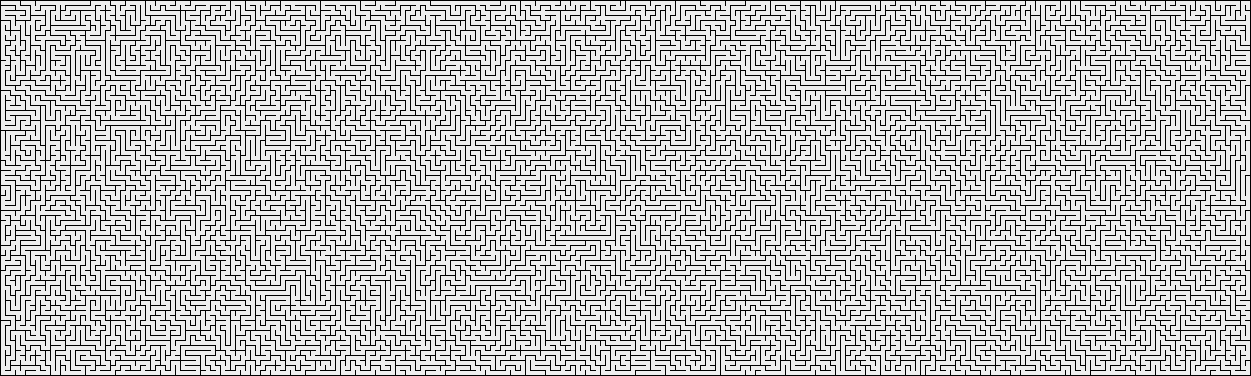
For centuries, labyrinths have fascinated curious minds, teachers, and puzzle lovers alike. In fact, the complex labyrinth commissioned by Pharaoh Amenemhat III in Egypt is often cited as one of the earliest recorded, designed to protect tombs and confound intruders. In its modern form, solving labyrinths on paper or screen offers significant educational benefits : it helps with planning, analyzing scenarios, and improving hand-eye coordination in an engaging way.
Today, thanks to maze generators, creating your own takes just minutes. These tools allow you to design custom mazes, adjusting the size and difficulty, and then play them online or save them for printing. The key is their intuitive process : you choose the dimensions, press a button, and receive a clean maze ready to download as an image or PDF. And if you want a different one, you can regenerate it with a click.
Table of Contents:
- Basic use: choose dimensions and difficulty, generate and download
- Templates, PDF and printing, and customization options
- Algorithms, design balance and educational applications
How to use a maze generator step by step
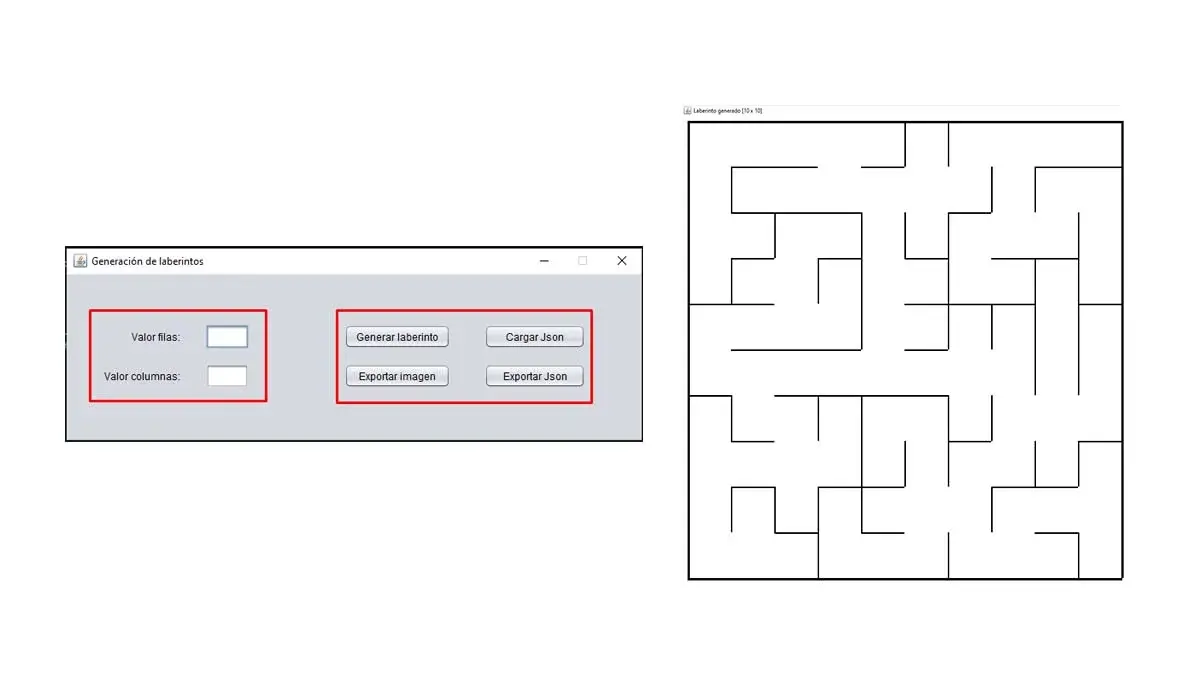
Most modern generators share a common philosophy: simplicity and speed . You don't need to register or master complex tools; simply choose a few options and press the create button.
- Select the dimension and, with it, the difficultyThe size of the maze directly influences how difficult it will be. You can choose between levels like "Easy," "Medium," or "Hard" in many apps, so the puzzle is suitable for both little ones and experienced minds.
- Click on "Generate Maze"In a few moments, you'll see a new, on-the-fly layout appear, with an entry and exit point ready to start playing or printing.
Once you have it on screen, there are usually two clear buttons: "Download image" and "Print" . The first saves the file as an image for you to use however you like; the second sends the maze directly to the printer for use in class, at home, or wherever it suits you.
Not happy with the result, or want another equally challenging but different one? The tools include functions to regenerate the maze as many times as you like . You'll usually see something like "Update" to change the design while keeping the same size, and a handy "Generate New Maze" if you also want to alter the dimensions or difficulty level.
In some places, you can even choose between a classic maze or a themed one that reveals an image upon completion . This variation adds a playful touch, perfect for motivating those who need a visual stimulus. And in many cases, you'll also have the option to play directly on the website or print it out to solve on paper.
For those who prefer to organize teaching materials, there are plenty of generators that prepare the result as a downloadable PDF . Thus, creating a collection of worksheets with different levels is as simple as repeating the process with various dimensions or styles and saving each document.
Templates, PDFs, and advanced customization
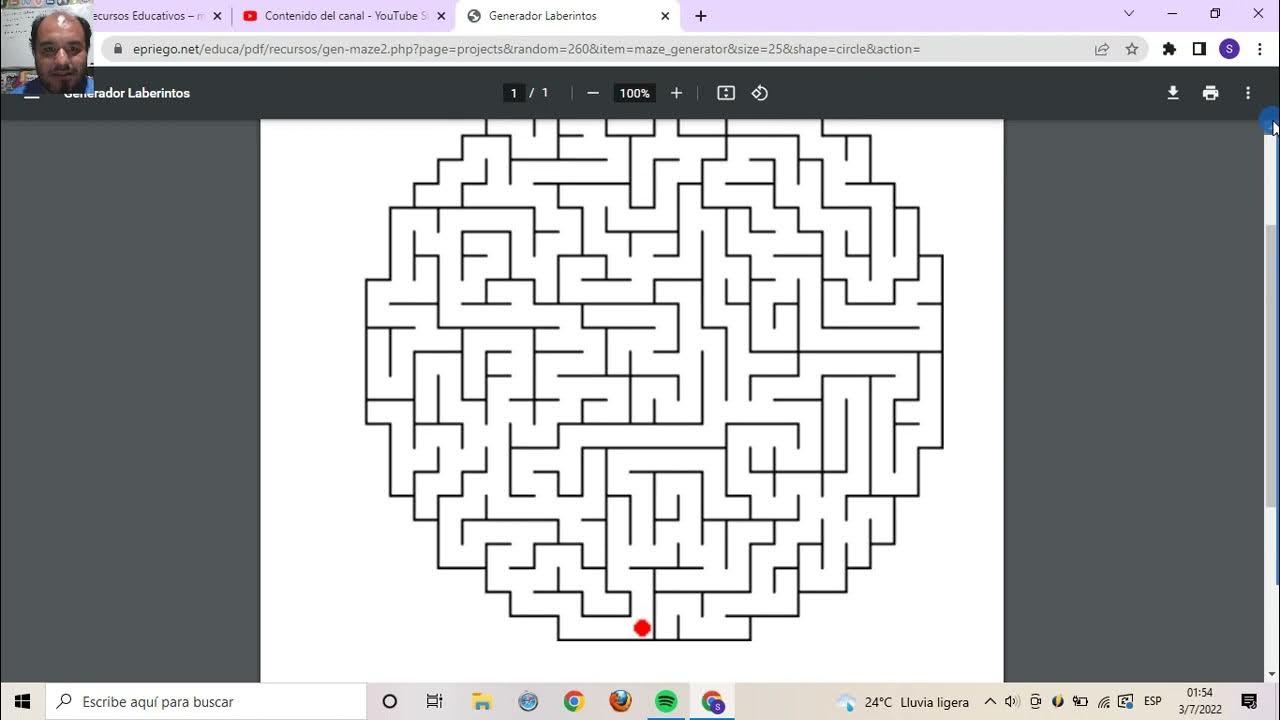
In addition to the basic generation tools, there are also template catalogs available. Some offer up to 11 pre-designed templates that you can combine with different sizes. The process is straightforward: choose a template, define the size, and click on something like "Create PDF Mazes." A document with your chosen maze is then downloaded, ready to print and use in the classroom or at home.
There are also generators that, in addition to creating mazes, can automatically solve them. What's the point? To validate that the design is solvable and to gauge the actual difficulty. On these platforms, customization goes a step further, allowing you to choose between square, hexagonal, or triangular cells . They also typically include controls to adjust the overall size, margins, and fine parameters such as maze coverage (path density) or the typical length of dead ends.
There are even AI- powered solutions that generate and solve random mazes of virtually any size or color. These tools incorporate detailed settings to modify wall thickness , the number of columns and rows , or the type of entrances (e.g., side, opposite, or asymmetrical). Some allow you to change the slope of the path or strategically remove walls to create multiple solutions , opening the door to more open and creative activities.
If you're looking for a hassle-free way to print, you'll find customizable printable maze game generators that require no registration and are completely free. They typically ask you to select the width and height of the maze, define the desired difficulty level (from easy to hard), and click the generate button. In seconds, you'll have fresh material to practice or enjoy.
Wilson's algorithm and impartial mazes
Among the most intriguing generators is the one that uses Wilson's algorithm . This approach, employed in a well-known applet by Cruz Godar, is particularly enjoyable to watch in action: you choose the size and a few details and observe how the maze is constructed. The interesting thing is that it produces uniform random trees ; that is, all possible mazes (understood as networks without cycles connecting all points on the map) have the same probability of appearing.
The reason is technical but beautiful: the method is based on random walks without loops , incorporating paths from random points toward the already created structure and eliminating loops as they arise. This avoids favoring specific directions or patterns, resulting in a design that we could call more "fair." For those who explore the theory behind mazes, this property is pure gold.
Design and solve: balancing clarity and challenge
Creating a good maze is an art: it must be interesting without being confusing . The design requires balance to avoid both trivial paths and excessively convoluted dead ends. On the other hand, solving them is no small feat: even in finite spaces, the number of possible combinations is enormous, and finding the correct route can become intricate, especially at higher levels.
That's why many platforms include options to fine-tune the difficulty (coverage, deviation length, cell structure), or even display the solution to evaluate the maze's quality. The ability to see and adjust the correct path is very useful for teachers preparing progressive materials and for enthusiasts who want to better understand the maze's structure.
Relationship with computer science, logic and probability
In computer science, both the creation and solution of mazes are linked to search and optimization problems . It's no coincidence that they are used in simulations and algorithm exercises: they force us to think strategically, analyze graphs, and consider probabilities. Whether on paper or in interactive experiences, mazes are an excellent exercise in logic, probability, and patience , suitable for classrooms, training programs, and intellectual leisure.
Practical tips for choosing your tool
If you need mazes for elementary school, opt for generators with "Easy" and "Medium" levels and download them as PDFs . This way, you can compile several pages of practice into a single document. If you're looking for serious challenges, choose platforms with coverage control, deviations, and cell types, or those with artificial intelligence features.
To create varied materials, see if the service offers different templates (for example, 11 styles) . Changing the template alters the "character" of the maze, which helps maintain motivation. When you want more dynamism, try mazes that reveal an image upon completion ; these are ideal for introducing the activity as a short game in the classroom or at home.
If aesthetics are your priority, consider adjusting the wall thickness and exact dimensions (number of columns and rows), as well as the document margins. The results will look much more professional when printed and will fit better on index cards or in notebooks.
Do you enjoy experimenting? The multiple entry options , tilting, and wall removal open the door to alternative solutions, such as mazes with more than one solution or non-orthogonal designs. They're perfect for developing lateral thinking, comparing strategies, or simply having a great time.
Print, share and play
Once you have your design, the decision is yours: print it on paper, share the image, or play online . If you're working with groups, printing is usually the most practical option; for challenges among friends, sending the image via messaging can be faster; and if you prefer to time yourself, the online versions add that touch of friendly competition that's always welcome.
One advantage of these generators is that you can update the maze as many times as you like , obtaining endless variations without changing parameters or, if you prefer, altering the width, height, and difficulty with each attempt. It's the easiest way to always have fresh material without any effort.
Ideas for teachers and families
Mazes serve as a cross-curricular resource. In education, they help reinforce sustained attention, planning, and fine motor skills . You can set time limits, challenge students to trace the route in a different color, or ask them to explain their strategy. At home, they're a great alternative to screens: ten minutes of maze time before lunch and you're all set.
If you want to increase the difficulty, combine larger sizes with non-square cells (hexagonal or triangular) and slightly increase the coverage. If you find yourself getting frustrated, decrease the size and reduce the path density. With just a few clicks, you'll have the perfect balance for everyone.
Why some designs feel more "fair"
When a generator works with principles like Wilson's algorithm, the result is usually perceived as more balanced because there's no bias in the direction of the path . You won't see, for example, a constant tendency to favor horizontal or vertical paths. For competitive or assessment activities, this neutrality adds a quality advantage.
In contrast, other generators prioritize aesthetics or speed, producing designs perfectly suitable for general use. The choice depends on your objective : if you're looking for statistical impartiality, opt for methods with uniform random trees; if you want visual dynamism, options with templates and themed images will be ideal.
Personalization tricks that make a difference
Play with the document margins when you're going to print: leaving space around the maze improves readability and makes it easier to write without smudging other areas. In generators that allow it, adjust the contrast or color to accommodate different groups (for example, increasing the visibility of the walls).
Explore different entrance types : placing the entrance and exit on opposite sides or at diagonal corners greatly changes the feeling of challenge. In activities with young children, entrances on the same side with more direct routes help maintain motivation.
Solve with strategy
A classic (and useful teaching) tactic is to always follow the right or left wall. While this doesn't guarantee the optimal route in every design, it helps avoid getting lost in simply connected mazes . For advanced levels, combining this method with a global view of the map and discarding cycles speeds up the solution process.
If you use generators that show the solution, compare it to your route to understand where you made different decisions. That comparison is invaluable for learning about path growth, cul-de-sacs, and repetitive patterns.
beyond entertainment
From programming with Scratch to teaching mathematics, mazes have a role that goes far beyond mere entertainment. Their simple rules allow for working with complex concepts of graphs and optimization in a visual way. The same resource serves both leisure and learning purposes , thanks in part to these generators that simplify the technical aspects and give the user control.
Today you can generate classic or themed mazes, in image or PDF format, to play with or print , with parameters ranging from the essentials (size and difficulty) to very fine customization (cell shapes, coverage, deviations, wall thickness, entrances, slope, and even multiple solutions). And if you want to take the design to the most rigorous level, you have approaches like Wilson's algorithm at hand, which guarantee statistical fairness. Whatever your goal, there's a perfect option just two clicks away.
