- Browsers with integrated AI agents expand the attack surface by operating with the same permissions and user sessions.
- Prompt injection, clipboard manipulation, and OCR techniques allow attackers to manipulate the agent to exfiltrate data and perform unwanted actions.
- The combination of extensions with AI, Shadow AI, and sensitive data exposes both users and companies to serious privacy and compliance issues.
- Mitigating risks requires strict controls within the browser itself, clear AI usage policies, and additional web-centric security solutions.
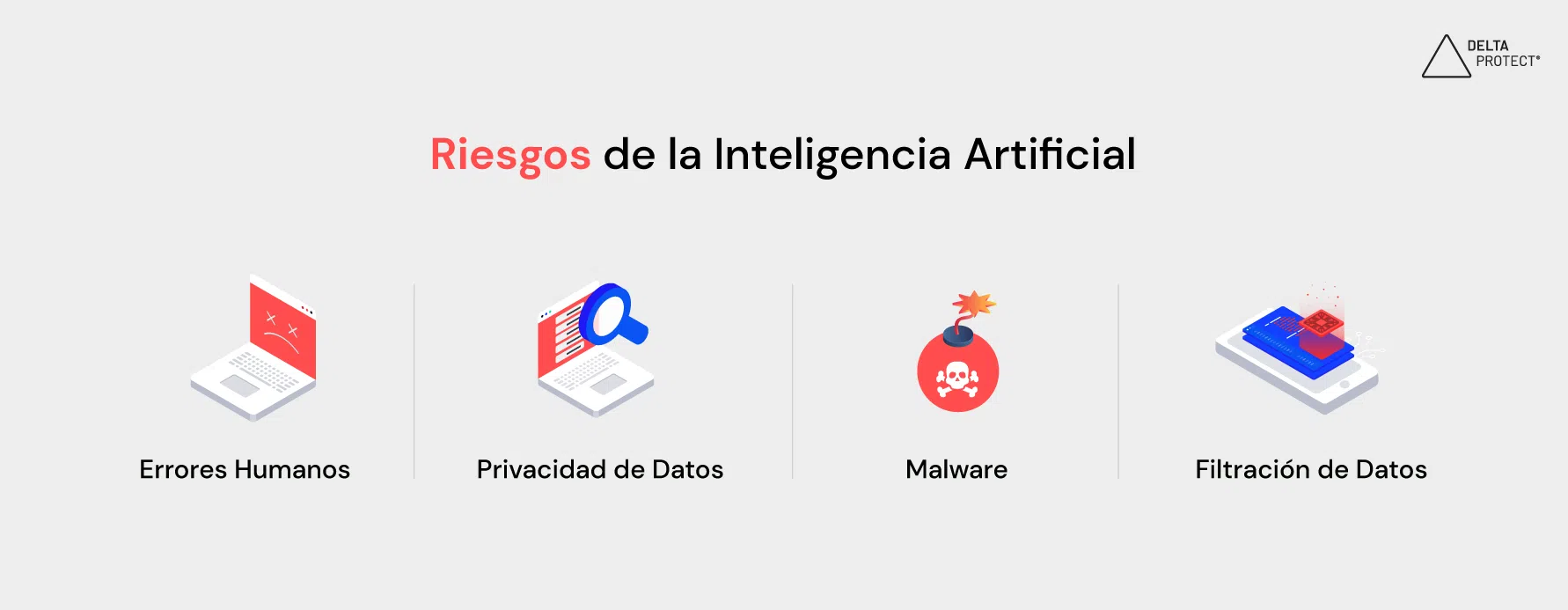
The wave of browsers with integrated AI agents is already here: OpenAI's Atlas, Perplexity's Comet, Brave with Leo, Chrome with Gemini, Edge with Copilot, Firefox incorporating smart features… and more to come. This new generation of software promises that we'll stop simply "browsing" and start telling the machine what we want it to do: read for us, fill out forms, manage purchases, or even automate complex tasks on the web.
However, this convenience has a dark side: the browser itself becomes an autonomous agent with access to your permissions , open sessions, files, and, in many cases, your personal or corporate data. If something goes wrong—whether due to design flaws, security vulnerabilities, or a well-planned attack—the impact can be far greater than that of a traditional browser or a simple cloud-based chatbot.
An AI-powered browser is essentially a "normal" browser with a deeply integrated language model that sees the pages you visit, understands their content, and is authorized to perform actions as if it were the user. It doesn't just summarize a website: it can click buttons, fill out forms, download files, manage tabs, or interact with services where you are already logged in.
This makes a significant difference compared to using a classic chatbot in another tab, where you copy and paste content: now the agent is “inside” the browser , with direct access to your browsing context, your open sessions, and potentially your local files or other system resources.
This architecture is particularly attractive to large technology companies. Perplexity has launched its Comet browser and even considered acquiring Chrome , while Google and Microsoft are injecting their Gemini and Copilot models directly into Chrome and Edge. OpenAI, for its part, has presented ChatGPT Atlas as its own Chromium-based browser, with an AI layer that operates in separate processes to reduce risks.
The business motivation is clear: millions of users, constant usage, and tons of data . A browser like this generates enormous user loyalty ( it's hard to switch browsers, which is why it's common to use multiple browsers ) and, in addition, offers telemetry on all web traffic and how users interact with the network, something extremely valuable for training models, testing new features, and reducing infrastructure costs by moving some of the work to users' own devices.

OpenAI Atlas: Key Features and Initial Security Boundaries
On October 21, 2025, OpenAI released the first public version of ChatGPT Atlas for macOS , its AI-powered browser that, according to the company, will expand to Windows, Android, and iOS. The idea is for navigation to "be" ChatGPT: the user no longer has to copy and paste text for the model to process, but instead directly requests tasks on the page they are viewing.
To reduce risks, OpenAI has implemented several technical restrictions specifically designed for the browser agent . Atlas is based on Chromium, but the AI runs in separate processes, encapsulated in what they call the OpenAI Web Layer (OWL). According to the initial documentation, the agent:
- You cannot run code or install extensions. on your own.
- It lacks the capacity to download files independently or access other local applications.
- He neither sees nor uses saved passwords nor autocomplete data from the browser.
- You cannot access Device information outside its scope navigation.
Regarding privacy, OpenAI promises a "privacy by default" approach: interactions with Atlas are not used to train models unless explicitly authorized by the user. Furthermore, browser memory—the ability to remember pages and contexts—is disabled by default and must be manually enabled.
The user can also delete history and memories , define which websites ChatGPT can interact with, or even completely block the AI with a single click. On critical sites such as banks or sensitive services, Atlas requires manual confirmation before the agent takes action , in order to prevent unwanted transactions or automated financial transfers.
These safeguards are a step in the right direction, but they don't eliminate the underlying problem: an AI-powered browser has much more power than a classic browser , and a single vulnerability, misconfiguration, or design decision is enough to turn it into a very profitable attack vector.
The integration of AI creates a completely new attack surface. We're not just talking about classic browser bugs, but also flaws in the interaction between the language model, web content, and automated actions . These are the most significant risks identified so far.
Prompt injection and hidden instructions
The so-called prompt injection consists of hiding malicious instructions within the web page itself, in seemingly innocuous fragments of text, in hidden HTML, in forum comments, in markdown tags and even in images that are then processed via OCR.
When the user asks the agent to summarize, analyze, or interact with that page, the model can interpret those instructions as legitimate user commands and execute them with all the privileges of its session: navigating to new URLs, clicking buttons, copying private data, filling out forms, or posting sensitive information.
A practical example has been documented by Brave with Perplexity Comet: a user opens a Reddit thread that hides, within a "spoiler" text, a set of malicious commands . When the user clicks the "resume page" button with the agent enabled, the browser:
- Access the Perplexity account settings and get the user's email.
- Simulate a login for generate an OTP code check.
- Open Gmail (if you are already logged in), find the message with the code and read it.
- Post in the Reddit thread itself the user's email and the OTP, leaving it in the attacker's view.
All of this happens exclusively through text, without the need for malicious scripts or low-level exploits , and with a single click from the user. It is the page content that "programs" the agent to abuse its permissions.
Clipboard injection and OCR
Another vector that is gaining traction is clipboard manipulation . Traditional malware already exploits it to change cryptocurrency addresses or intercept credentials; in the context of an AI-powered browser, the agent could read what you copy and act accordingly, or even paste modified content back without you noticing.
Even more sophisticated is the use of hidden instructions in images processed by OCR . The browser can read text embedded in graphics or screenshots, and if an attacker hides commands in pixels that go unnoticed by the human eye but not by the recognition system, the agent could execute them as if they were a legitimate part of the page.
In both cases, the problem is the same: the model does not robustly distinguish between “descriptive” content and “instructional” content , and tends to obey anything that sounds like an order, especially if it is formatted persuasively.
Exposure and misuse of personal and sensitive data
AI-powered browsers often include intelligent autofill or form management features that go beyond traditional autocomplete. If a malicious page mimics a legitimate form (for example, from a bank, social network, or SaaS provider) and the agent believes it should "save you time," it can enter data such as your full name, address, phone number, or even internal company identifiers without explicitly requesting verification.
If, in addition, the browser has permission to view all open or recent tabs , the risk multiplies: the attacker could simultaneously use information from your email, calendar, contacts, corporate CRM, or project management system to complete a task, thus expanding the scope of a data breach. While this might be useful for legitimate purposes, in the hands of an attacker it becomes a goldmine of sensitive data.
In business environments, the problem is exacerbated. AI-powered browser extensions, integrated into workflows, often request very broad permissions : reading and modifying the content of all websites, accessing cookies and sessions, interacting with APIs, and so on. This combination is perfect for stealing intellectual property, financial reports, designs in progress, source code, or confidential conversations.
Persistent sessions and account hijacking
A modern browser maintains numerous authenticated sessions open : email, cloud storage, social networks, online banking, work tools, administration panels… If the agent has the ability to interact with all these services and, in addition, the session does not expire or is reused indefinitely, an attacker can take advantage of any successful injection to perform chain actions without needing to re-compromise the user.
This opens the door to session hijacking and lateral movement attacks : once the agent has been tricked, it can download or delete files, change settings, add SSH keys to repositories, modify records in a CRM, or approve purchase orders, all from the context of different services where the user was already logged in.
Phishing, disinformation, and lack of transparency in actions
AI-powered browsers are also particularly vulnerable to "invisible" phishing campaigns . The AI agent itself can be used to visit fraudulent pages, fill out authentication forms, or confirm transactions without the user ever seeing the actual interface, only a "friendly" summary generated by the model.
Furthermore, systems that transform content before displaying it to the user complicate the detection of fake sites: AI can soften warning signals, rearrange elements, and even generate plausible explanations that make it harder to distinguish a legitimate website from a copy designed to steal credentials.
Another less tangible but equally serious risk is susceptibility to misinformation and manipulated content . A poorly configured model, or one trained with poisoned data, can prioritize biased sources, omit warnings, or generate responses that reinforce false narratives. If the browser is used extensively for news gathering, the impact on perceptions of reality or on critical decisions (e.g., investment, health, politics) can be considerable.
In all these cases, a common problem exists: the opacity of the agent's actions . Many interactions happen "under the hood," without the user seeing exactly which tabs are opened, what data has been copied, or which buttons have been pressed. This makes auditing, assigning legal responsibility (was it the user or the AI?), and detecting anomalous behavior early on difficult.
Omnibox, disguised commands, and zero-click exploits
The omnibox, or single address and search bar, a feature of modern browsers, adds its own layer of danger. In an AI-controlled scenario, a malicious command can be disguised as an innocent URL or search query . If the model analyzes what you type and tries to "help" you by directly executing actions, it can end up navigating you to attacker-controlled sites or running unwanted sequences of tasks.
Meanwhile, the explosion of zero-click vulnerabilities in AI ecosystems demonstrates that sometimes direct interaction isn't even necessary: simply receiving an email, a calendar invitation, or a message on a platform integrated with the agent is enough to trigger malicious logic. Examples like EchoLeak in Microsoft 365 Copilot show how, by exploiting automatic image uploads, Markdown interpretations, and internal proxies , an attacker can escalate privileges and exfiltrate data without any user intervention.
This type of attack is not limited to large office suites: any browser with an AI agent exposed to webmail, messaging, or administration panels could become a victim if the model automatically interacts with the received content.
AI-powered extensions, supply chain, and Shadow AI
Outside of "official" browsers with built-in AI, there is a proliferation of browser extensions powered by language models that promise instant productivity: writing assistants, sentiment detectors, advanced autocomplete, meeting summaries, and so on. These extensions often request highly intrusive permissions and, in many cases, send data to opaque external services.
This situation creates an explosive cocktail of supply chain vulnerabilities : third-party libraries, unaudited APIs, inference servers located in other countries, uncontrolled automatic updates… An initially legitimate extension can be purchased by a malicious actor and silently updated to collect sensitive data or plant malware in corporate environments.
All of this is compounded by Shadow AI , that is, the use of these tools without the approval or visibility of the IT department. Well-intentioned employees who install AI extensions to work faster may unknowingly be exporting information protected by GDPR, HIPAA, or PCI DSS to third-party providers that do not meet the required legal or security standards.
Impact on privacy, regulatory compliance and cybercrime
The direct consequence of this new scenario is a dramatic increase in risks to personal privacy and business confidentiality . A poorly managed AI browser or extension can capture books, subscription-based scientific articles, draft financial reports, strategic plans, proprietary code, or customer data without anyone noticing.
In the home environment, we've already seen specific problems: ChatGPT even displayed snippets of other users' chats due to a technical error, and the conversation sharing feature generated URLs indexable by search engines, leaving thousands of private conversations visible to anyone. It's easy to imagine what could happen when the assistant has full access to web traffic and local files.
In the corporate world, the exposure of intellectual property or regulatory data can lead to multimillion-dollar fines, loss of competitive advantage, and reputational damage . If a meeting transcription extension stores conversations with sensitive clients on third-party servers, or if an AI browser uses confidential financial information to train models, the organization could be in violation of GDPR, CCPA, HIPAA, or other industry regulations.
At the same time, cybercriminals are leveraging the very capabilities that businesses seek. AI-assisted ransomware and polymorphic malware have already been observed in the wild: families like PromptLock generate scripts on the fly to move through Windows, macOS, or Linux systems, evade detection, and encrypt data. So-called “Dark LLMs”—open models modified for criminal purposes—enable the automation of reconnaissance, credential theft, and entire intrusion campaigns.
Recent research has shown that LLMs embedded in corporate workflows can be coerced into installing malware, extracting data, or manipulating results simply through well-designed prompts or poisoned training data. As AI-powered browsers become the primary interface to the web, this threat will extend to virtually every online activity.
Mitigation measures implemented and recommendations to reduce risks
AI browser vendors are starting to react. In addition to the restrictions already discussed in Atlas, Brave has proposed specific best practices to mitigate prompt injection attacks and agent abuse:
- Clearly differentiate user commands from web textavoiding mixing both in the same instruction channel to the model.
- To require Explicit confirmation for any sensitive action (purchases, configuration changes, money transfers, access to emails).
- Isolate the advanced functions of the basic navigation agentso that simply visiting a page does not imply the ability to act automatically.
- Treat all web content as untrusted by default, requiring clear signals of user intent before executing actions.
Meanwhile, some companies, such as OpenAI, offer granular visibility and memory controls : blocking AI in specific domains, disabling the use of data for training by default, allowing the user to delete conversations and memories whenever they want, or requiring manual approvals on sites considered critical.
From the user company's perspective, there are a number of basic hygiene measures that should be implemented as soon as possible:
- Clear policy on use of AI: which browsers and extensions are allowed, what data they can process and under what conditions.
- Ongoing training for employees, explaining Risks of prompt injection, AI-targeted phishing, and data breaches.
- Use of virtualized or isolated environments (VDI, sandboxes) for high-risk tasks, so that an incident is easier to contain.
- Implementation of browser-centric security solutions that monitor extensions, anomalous behavior, and data exfiltration.
An “ideal AI browser,” according to experts, should allow users to enable or disable intelligent processing on a per-site basis with a single click, isolate the model's context across domains, always confirm the entry of sensitive data, restrict file access by operating system, and even allow users to choose local models without sending data to the cloud. None of the current products yet meet all these requirements, making it essential to supplement them with external security layers.
The landscape presented by browsers with AI agents is as powerful as it is delicate: if managed well, they can democratize advanced automation in everyday life; if neglected, they can become the attackers' preferred tool . The key will be how technical measures evolve (isolation, user controls, injection detection) and how much organizations and individuals invest in understanding exactly what this "assistant" now living inside their browser does.
