- User experience (UX) determines the success of digital products and encompasses the user's interaction with the company.
- Usability, accessibility and usefulness are the fundamental pillars of a good UX.
- User-centered design involves researching and analyzing user needs and creating effective solutions.
- Emerging UX metrics and trends are key to improving and creating innovative experiences in the digital world.
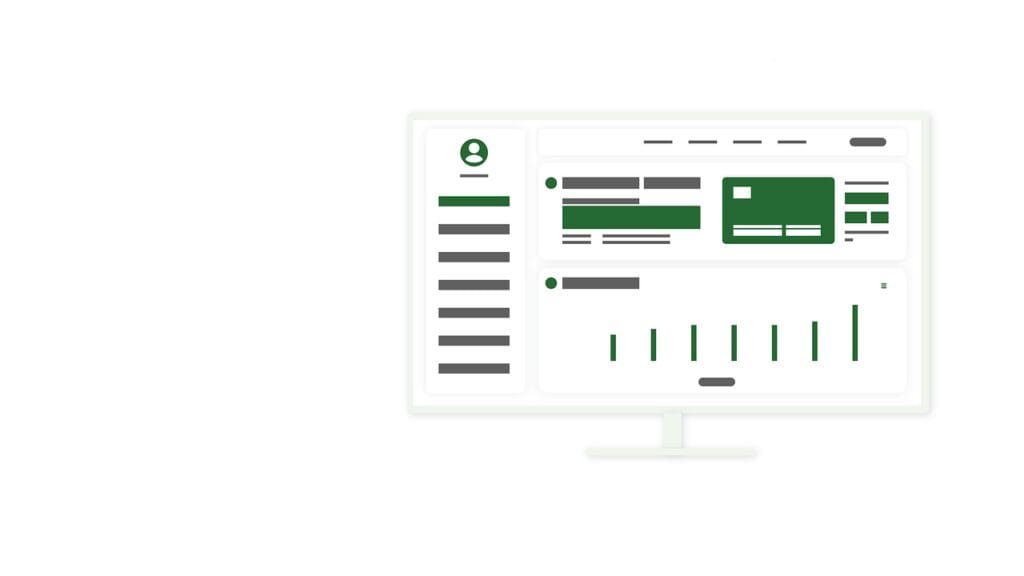
In today’s fast-paced digital world, user experience (UX) has become a determining factor for the success of any online product or service. This article will guide you through the most relevant aspects of UX, from its fundamentals to the latest trends, so you can create digital experiences that not only satisfy, but also delight your users.
User Experience: Definition and Basic Concepts
User experience, commonly referred to as UX, encompasses all aspects of an end-user’s interaction with a company, its services, and its products. It goes beyond simply making something work; it’s about creating an experience that is intuitive, efficient, and enjoyable.
What elements make up the user experience? UX covers everything from the ease of use of a website or application to the emotions it generates in the user. It includes aspects such as:
- Usability
- Accessibility
- Visual design
- Information architecture
- Soil-structure
Understanding these components is crucial for any designer or developer looking to create successful digital products. But how do these concepts translate into practice?
The fundamental pillars of a good UX
To create an exceptional user experience, it is essential to focus on three key pillars: usability, accessibility, and utility. Let’s look at each one in detail.
Usability: the basis of every positive experience
Usability refers to the ease with which users can achieve their goals when interacting with a product or system. A usable design enables users to perform tasks efficiently and effectively.
To improve usability, consider these points:
- Simplify navigation
- Reduces the cognitive load on the user
- Provide clear feedback
- Keep consistency in design
¿.
Accessibility: Designing for all users
Accessibility in UX means creating products that can be used by people with various abilities and disabilities. Not only is this ethically correct, but it also expands your potential user base.
Some key practices for improving accessibility include:
- Use appropriate color contrast
- Provide text alternatives for images
- Ensure the site is keyboard-friendly
- Use headings and semantic structure
Have you ever wondered how many people could benefit from accessible design? According to the World Health Organization, more than one billion people live with some form of disability. Designing with accessibility in mind is not only inclusive, but can also give your product a significant competitive advantage.
Utility: creating real value for the user
Usability refers to the product's ability to meet user needs. It doesn't matter how usable or accessible your product is; if it doesn't provide real value, users won't adopt it.
To ensure the usefulness of your product:
- Clearly identify the needs of your audience
- Prioritize the most important features
- Eliminate superfluous features
- Performs Proof of concept and validation with real users
10 Essential Tasks: What an Efficient Administrative Assistant Does
The user-centered design process
User-centered design (UCD) is an approach that puts the user at the center of the entire design process. This iterative method involves deeply understanding users, designing solutions based on their needs, and constantly evaluating the results.
User research and analysis
User research is the foundation of any successful UX project. It involves collecting quantitative and qualitative data about users, their behaviors, needs, and motivations.
Some popular user research techniques include:
- In-depth interviews
- surveys
- Data analysis of use
- Direct observation
- Creating personas and empathy maps
Why is this phase so crucial? Because it allows you to make design decisions based on real evidence rather than assumptions. According to a Forrester Research report, every dollar invested in UX can yield a return of up to $100. Much of this return comes from avoiding costly design mistakes thanks to solid research.
Prototyping and usability testing
Once you have a clear understanding of your users, the next step is to create prototypes and test them. Prototyping allows you to visualize and test your ideas quickly before investing in full development.
Usability testing, on the other hand, allows you to observe how real users interact with your product. This can reveal problems you hadn't anticipated and opportunities for improvement.
Some tips for conducting effective usability tests:
- Set clear goals for each test session
- Select participants who represent your target audience
- Create realistic scenarios for users to complete
- Observe and take notes without interfering
- Analyze the results and prioritize improvements
Key elements in user experience design
Information architecture
Information architecture (IA) refers to the organization and structure of information in a digital product. Good IA helps users find what they need quickly and understand where they are at any given moment.
Important elements of AI include:
- Organizational schemes
- Labeling systems
- navigation systems
- Search systems
Did you know that according to a study by the Nielsen Norman Group, users spend an average of 10-20 seconds on a website before deciding whether to stay or leave? A clear and logical information architecture can make the difference between retaining a user or losing them.
Visual design and aesthetics
Visual design not only makes your product attractive, but it can also significantly improve its usability and accessibility. Good visual design communicates the hierarchy of information, guides the user's attention, and reinforces the brand.
Key aspects of visual design in UX:
- Effective use of color and contrast
- Legible and appropriate typography
- Composition and distribution of space
- Clear and meaningful iconography
System interaction and response
Interaction refers to how users manipulate and control the system, while system response is how the system communicates the results of the user's actions.
Principles for good interaction and response:
- Provide immediate feedback
- Designing for error prevention
- Provide undo and redo options
- Keep loading times short
Examples of successful user experience
Let's analyze some success stories in user experience:
- Airbnb: The accommodation platform stands out for its intuitive design and focus on user trust. Their search and booking process is fluid, and they use large photographs and detailed descriptions to help users make informed decisions.
- Spotify: The music streaming app offers a personalized experience based on the user's listening habits. Its interface is clean and easy to navigate, and features like automatic playlists significantly improve the user experience.
- Duolingo : This language learning app uses gamification to keep users engaged. Its colorful and friendly design, along with a well-thought-out reward system, makes learning a new language fun and addictive.
These examples demonstrate how a well-designed UX can not only meet user needs, but also create memorable experiences that foster brand loyalty.
Tools and technologies to improve UX
The field of UX is constantly evolving, and new tools and technologies emerge regularly to help designers create better experiences. Some popular tools include:
- Figma: For interface design and collaborative prototyping
- UserTesting: To perform remote usability testing
- Hotjar: For heat maps and user behavior analysis
- Sketch: For interface design and creation of design systems
- InVision: For interactive prototyping and team collaboration
These tools can significantly improve your UX workflow, allowing you to create, test, and refine your designs more efficiently.
User Experience Metrics and Evaluation
To continuously improve UX, it is crucial to measure and evaluate the performance of your product. Some key metrics to consider are:
- Conversion rate
- Churn rate
- Time on task
- Error rate
- Net Promoter Score (NPS)
How can you collect this data? Some techniques include:
- Web analytics (e.g. Google Analytics)
- User satisfaction surveys
- A/B testing
- Usability studies
- Conversion funnel analysis
Remember, metrics are only valuable if you use them to inform your design decisions and continually improve the user experience.
Future trends in UX
The field of UX is constantly evolving. Some emerging trends worth keeping an eye on include:
- Voice design and conversational interfaces: With the rise of virtual assistants, designing voice-based interactions is becoming increasingly important.
- Augmented reality (AR) and virtual reality (VR): Are technologies are creating new forms of interaction that require innovative UX approaches.
- Ethical and privacy-focused design: As users become more conscious of their data privacy, ethical design is becoming a key differentiator.
- Micro-interactions: Small details in the interface that improve the overall user experience are gaining importance.
- AI-based Personalization: The use of artificial intelligence to create highly personalized experiences is on the rise.
Keeping up with these trends can help you create more innovative and engaging user experiences.
Conclusion: The impact of good UX on digital success
User experience isn't just a luxury or an extra in digital design; it's a critical component that can make or break your product's success. A well-designed UX can increase user satisfaction, foster brand loyalty, and ultimately drive business growth.
Remember, UX is not a destination, but rather a continuous journey of improvement and adaptation. By keeping the user at the center of your design process, constantly researching, iterating, and staying up to date with the latest trends, you can create digital experiences that not only meet your users’ expectations, but exceed them.
Did you find this article on user experience useful? Share it with your colleagues and friends interested in digital design! Together, we can create a more usable, accessible, and satisfying digital world for everyone.
Table of Contents
- 1 User Experience: Definition and Basic Concepts
- 2 The fundamental pillars of a good UX
- 3 The user-centered design process
- 4 Key elements in user experience design
- 5 Examples of successful user experience
- 6 Tools and technologies to improve UX
- 7 User Experience Metrics and Evaluation
- 8 Future trends in UX
- 9 Conclusion: The impact of good UX on digital success