- JetBrains develops cross-platform IDEs for almost all major languages.
- IntelliJ IDEA is the backbone of the catalog, the basis for other products, and a standard in Java.
- They offer collaborative tools, CI/CD, code analysis, and flexible licensing.
Have you ever wondered what exactly a JetBrains IDE is and why so many developers rave about these tools? The programming world is full of options, but there are some names that stand out for their quality and versatility, and JetBrains is undoubtedly one of them.
If you want to discover what makes JetBrains IDEs so popular, what features they offer, who they're designed for, and what their differences are, you've come to the right place. We'll explain everything here, without boring technical jargon and with the most complete and clear information.
JetBrains isn't just a software company: it's a leading name in the creation of integrated development environments (IDEs) for programmers worldwide. From its offices in Europe, the United States, and Asia, it has developed an extensive suite of tools that make a real difference in productivity, code quality, and user experience. Over the years, the company has won over developers of Java, Python, Kotlin, PHP, C#, Go, and many other languages. Want to know why? Let's break down everything you need to know!
What is JetBrains?
JetBrains sro is a company founded in 2000 in Prague by three developers (Sergey Dmitriev, Valentin Kipyatkov and Eugene Belyaev) who set out to revolutionize the work of programmers and development teams.
The company, formerly known as IntelliJ Software, specializes in creating tools that make life easier for individual programmers, large teams, and corporations alike. JetBrains has launched a wide range of products, but its true hallmark is its IDEs (Integrated Development Environments), applications that consolidate all the necessary utilities for programming, compiling, debugging, and testing software in various languages into a single window.
With over 990 employees across its multidisciplinary offices worldwide and awards such as "Technology of the Year" from prestigious publications like InfoWorld, JetBrains has earned a dominant position in the industry thanks to its innovative approach and its focus on understanding developers' needs. Its first product was IntelliJ Renamer, a small utility for refactoring Java code, which would eventually evolve into IntelliJ IDEA, the cornerstone of its entire product catalog and the technological foundation upon which the company's other IDEs are built.
What are JetBrains IDEs and what are they used for?
An IDE (Integrated Development Environment) is an application that facilitates all stages of software development from a single location : code editing, execution, debugging, review, integration with version control systems, and much more. JetBrains has taken the IDE concept a step further, creating environments that not only integrate these tools but also make them incredibly intelligent and tailored to each language.
JetBrains' family of IDEs covers all the major programming languages and environments : from Java, Python, PHP, and JavaScript, to C, C++, C#, Go, Kotlin, Ruby, Objective-C, SQL, and many more, even with support for external add-ons and plugins that extend their functionality. The key is that each IDE is designed to get the most out of the specific language , with intelligent help, real-time analysis, and exclusive productivity tools that make a real difference in your daily workflow.
IntelliJ IDEA: JetBrains' flagship
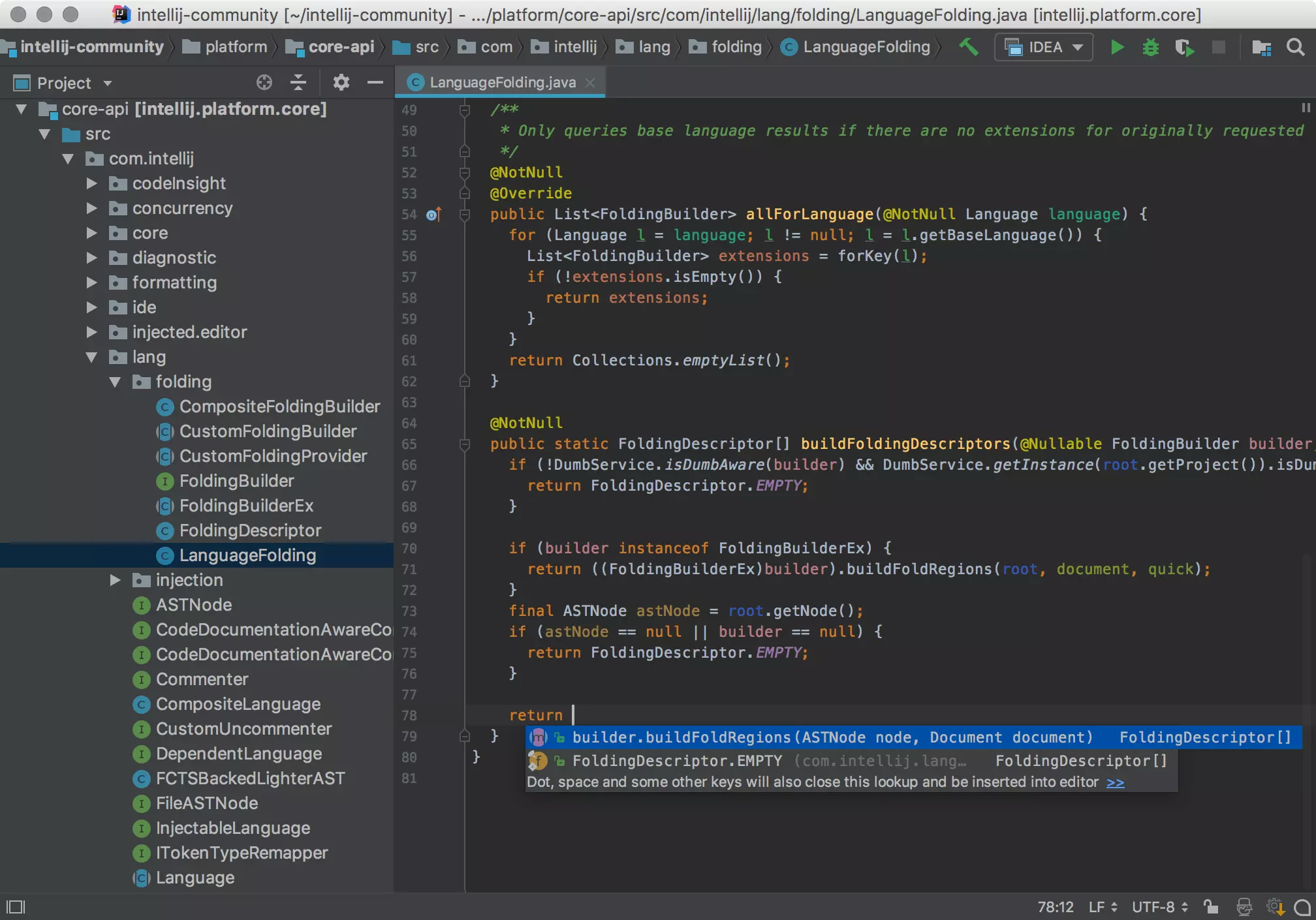
Within JetBrains' extensive catalog, IntelliJ IDEA is probably its best-known tool and the one that marked a before and after in IDEs.
Released in 2001, IntelliJ IDEA was one of the first Java environments to include advanced code navigation and powerful refactoring features . Over time, it has become the de facto standard for Java developers and has extended its support to other languages such as Kotlin, Python, Scala, Groovy, JavaScript, and SQL, among others.
IntelliJ IDEA is available in two versions : Community Edition (free, with basic but very complete functionalities) and Ultimate Edition (paid, with the full arsenal of advanced tools for professional development, business frameworks, version control, support for application servers, databases, etc.).
Some of its most relevant features are:
- Multiplatform support: Works on Windows, macOS, and Linux.
- Integration with version control systems: Git, GitHub, Mercurial, Subversion, CVS.
- Autocomplete and smart suggestions- The IDE “understands” your code and helps you write it faster and with fewer errors.
- Real-time analysis and refactoring tools: detects problems on the fly and proposes solutions.
- Extensive support for Java frameworks and technologies: Spring, Hibernate, Android, Play, JSF, Struts, Maven, Gradle, among others.
- Plugins and customization: You can expand its capabilities to work with other languages and technologies (Python, Ruby, Scala, PHP, etc.).
An interesting fact: Android Studio, Google's official IDE for Android app development, is based on the community edition of IntelliJ IDEA, which demonstrates the robustness and reputation of this tool.
Other featured JetBrains tools and IDEs
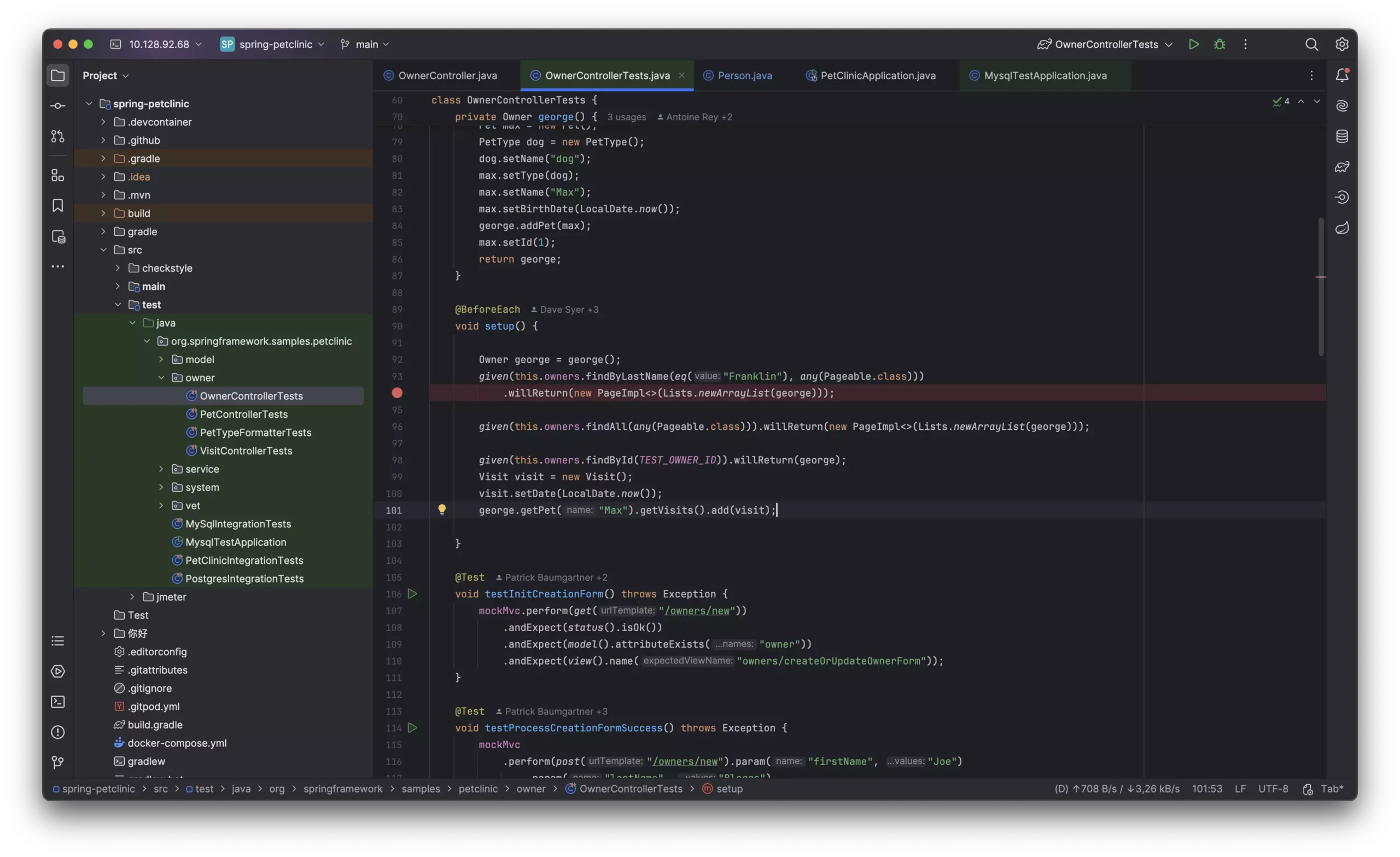
Java isn't the only way for developers to live. JetBrains has launched a whole range of specialized IDEs, each designed to take full advantage of the specific features of its target language. We'll summarize the most popular ones:
- PyCharm: oriented toward Python development, widely used for both web and scientific applications. Available in a Community (free) and Professional (paid, with integration for programming learning and specific framework support) edition. There is also a special version, PyCharm Edu, designed for students.
- PhpStorm: An IDE specialized in PHP and modern web technologies (HTML, CSS, JavaScript, TypeScript, Sass, Less, etc.). It supports frameworks such as Symfony, Laravel, WordPress, Drupal, Magento, Yii, and many more. Its main advantages are its in-depth, real-time code analysis, support for databases/SQL, and all the tools inherent to the PHP ecosystem.
- webstorm- Focused on frontend development, JavaScript, TypeScript, and web technologies. It integrates seamlessly with the latest frameworks and tools such as React, Angular, Vue.js, and Node.js, and provides debugging, unit testing, continuous integration, and other services for modern web development.
- Rider: An IDE dedicated to .NET and C# development. It combines the IntelliJ platform with the popular ReSharper extension, making it one of the most powerful tools for Microsoft environments outside of Visual Studio. It runs on Windows, macOS, and Linux and supports technologies such as ASP.NET, Unity, Xamarin, and SQL Server databases, among others.
- RubyMine: Designed for development in Ruby and Ruby on Rails, with all the classic utilities for programming, debugging, testing, and deploying web applications in an agile manner.
- clion: Targeting C and C++, it includes integration with major build systems such as CMake, compatibility with GCC and Clang, and support for advanced debugging.
- GoLand: A specialized IDE for developing with the Go language (Golang), providing intelligent coding aids, real-time analysis, full integration with tools like Docker, and version control.
- datagrip: Platform for administration and development of SQL databases, compatible with the most popular systems: MySQL, PostgreSQL, Oracle, MS SQL Server, SQLite, and many more.
- MPS (Meta Programming System): an open source tool focused on creating domain-specific languages (DSLs) and projection editing, aimed at language designers and custom solutions.
Beyond IDEs: Other JetBrains Tools and Solutions
JetBrains isn't content with IDEs. It also offers a wide range of complementary products focused on collaboration, continuous integration, code analysis, and project management. Among the best-known:
- ReSharper: A plugin for Visual Studio that transforms the development experience in C# and .NET, adding advanced code analysis, refactoring, navigation, and automated testing.
- teamcity: A powerful continuous integration and continuous delivery (CI/CD) server that automates build, testing, and deployment processes. It's very popular with DevOps teams and collaborative projects.
- YouTrack: Issue and task management system for agile teams, compatible with Scrum and Kanban methodologies, and packed with automation, customizations, and advanced user and permission controls.
- Upsource: A solution for code review and management of Git, Mercurial, Perforce, and Subversion repositories with static code analysis and collaborative tools.
- datalore: intelligent web environment for data analysis and visualization, focused on machine learning with Python.
- Toolbox App: application to easily manage the installation, update and maintenance of all JetBrains products on your computer.
- Hub: Free connector to centralize user and team management across JetBrains tools.
Common features of JetBrains IDEs
One of JetBrains' great strengths is having created a common extensible platform , on which all its IDEs share basic functionalities, but adapting certain features to the particular needs of each language or framework.
Among the general features most appreciated by users are:
- Cross-platform environments: You can work on Windows, macOS and Linux interchangeably.
- Flexible licenses: Most tools are available in free versions for open source projects, students, or educational institutions, and freemium options for small teams.
- Constant support and updatesJetBrains releases new versions and betas regularly, incorporating improvements and fixing bugs quickly.
- Full integration with version control systems, frameworks and servers.
- Plugins and advanced customization to adapt the environment to the preferences of each user.
- Real-time analysis and refactoring to minimize errors and increase code quality.
Differences between editions and licenses
Almost all JetBrains IDEs differentiate between Community (free) and Ultimate (paid, with advanced features) versions . The free versions cover the essentials and are perfect for students, personal projects, and much of traditional web development, but if you work professionally or need enterprise-level options (enterprise frameworks, application server integration, advanced database tools, CI/CD, etc.), you'll probably want to upgrade to the Ultimate edition.
JetBrains also offers specific plans and pricing for individuals, teams, and businesses, as well as free licenses for teachers, students, and open-source projects. This has made it easier for many people to access its tools and establish them as a standard in education, businesses, and tech startups.
JetBrains and the contemporary programming ecosystem
JetBrains' success lies not only in its individual products, but in the way it has managed to create an integrated ecosystem of tools that cover all phases of software development : from code editing and debugging, to team management, continuous integration, testing, and data analysis.
Furthermore, the company has invested in creating and maintaining its own languages, such as Kotlin, which has been officially adopted by Google as the preferred language for Android application development . Thanks to its interoperability with Java and its modern design, Kotlin has established itself as a serious and powerful alternative to other traditional languages.
Why choose a JetBrains IDE over other options?
Choosing JetBrains means choosing quality, innovation, and ongoing support . Their IDEs are designed to maximize productivity, reduce errors, standardize teamwork, and generally make a developer's life easier.
Many professionals and companies choose these IDEs because:
- Centralize all the necessary tools in a single application, without having to rely on multiple external programs.
- They reduce the learning curve thanks to their coherent and homogeneous interface across the entire product range.
- They facilitate collaboration and project management through native integration with versioning systems and teamwork tools.
- They offer outstanding performance even in complex and large-scale projects.
- They pay attention to productivity and automation: automatic refactorings, intelligent code analysis, and on-the-fly bug fixes.
Table of Contents
- 1 What is JetBrains?
- 2 What are JetBrains IDEs and what are they used for?
- 3 IntelliJ IDEA: JetBrains' flagship
- 4 Other featured JetBrains tools and IDEs
- 5 Beyond IDEs: Other JetBrains Tools and Solutions
- 6 Common features of JetBrains IDEs
- 7 Differences between editions and licenses
- 8 JetBrains and the contemporary programming ecosystem
- 9 Why choose a JetBrains IDE over other options?