- PSeInt: an educational environment in Spanish that uses pseudocode to learn logic and algorithms without strict syntax.
- It offers an editor with autocomplete, flowcharts, step-by-step interpreter, and conversion to several languages; it is cross-platform and free.
- Ideal for secondary and high school students, it fosters logical thinking, is adaptable by teachers, and serves as a bridge to Python, Java, or C.

In the world of programming, taking the first steps can be an overwhelming experience due to the number of languages and tools available. However, PSeInt stands out as a perfect solution for beginners, offering a user-friendly environment that simplifies the learning process through the use of pseudocode in Spanish.
This tool has become a leading option in education, not only for its ease of use but also for the wealth of features it offers students. From editing algorithms to visualizing flowcharts, PSeInt facilitates the understanding of fundamental programming concepts without the complexities of high-level languages.
What is PSeInt?
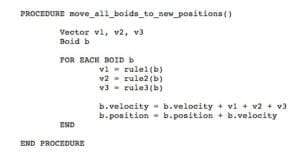
PSeInt , short for "Pseudo-Interpreter," is an educational tool designed to support students in their first steps in programming. It uses a simple, configurable pseudolanguage in Spanish, allowing users to focus on learning the fundamentals of computational logic without worrying too much about technical details or strict syntax.
Its main objective is to provide an intuitive introduction to the world of algorithms and computational thinking, preparing users to move on to more advanced languages such as Python , Java , or C. Furthermore, its cross-platform compatibility ( Windows , Linux , and macOS ) and its free availability under the GPLv2 license make it an accessible tool for everyone.
Main features of PSeInt
PSeInt stands out for its set of features designed to facilitate both learning and practicing programming. Below, we explore the most relevant characteristics.
Pseudocode editing in Spanish
PSeInt 's pseudocode editor is robust and highly customizable, making writing algorithms a quick and educational experience. Among its most useful tools are:
- Autocomplete: Simplifies typing commands by automatically suggesting correct options.
- Emerging Aids: Provide explanations and examples as you write.
- Syntax coloring: Highlights Keyword, operators y logic blocks to make the code easier to read.
- Automatic indentation: Automatically organizes code to improve its visual structure.
Flowcharts
PSeInt allows users to generate and edit flowcharts from their algorithms. This is especially useful for visualizing the structure and behavior of a program. Furthermore, it supports both classic flowcharts and Nassi-Shneiderman style flowcharts.
Interpretation and debugging of algorithms
The tool includes an interpreter that allows the algorithms to be run directly in the environment. During execution, the user can:
- Modify the code in real time: View changes at runtime without having to restart the program.
- Execute step by step: Monitor the speed and watch how the variable values change line by line.
- Identify errors: Receive detailed alerts about errors syntax or execution, along with suggestions for solving them.
Conversion to programming languages
PSeInt includes a feature that allows you to transform pseudocode into code for multiple programming languages, including C , Java , Python , and PHP . This makes it easier for students to transition to more advanced development environments.
Educational resources
The tool also provides an integrated help system with practical examples covering different levels of complexity. These resources are ideal for students and teachers looking for guided activities or support materials for their classes.
Advantages of using PSeInt in education
In the educational field, PSeInt has established itself as a leading tool, especially at the secondary and high school levels . Its design allows for a gradual progression from graphical languages like Scratch to complex text-based programming languages. Its main advantages include:
- Easy to use: Its intuitive interface reduces the learning curve.
- Flexibility in configuration: Teachers can adjust the degree of rigidity of syntax to suit the level of the students.
- Encourages logical thinking: Promotes the development of computational reasoning before facing the demands of high-level languages.
- Cross-platform compatibility: It can be used on different operating systems without requiring advanced hardware.
Getting started with PSeInt
Installing and starting to use PSeInt is a simple process. Just download it from its official website , choose between the installable or portable version, and configure it according to your needs. Once installed, you can begin with basic exercises such as writing an algorithm to calculate the areas of geometric figures or solving quadratic equations.
The interface is divided into several sections, including a right-hand menu with basic programming commands and a left-hand menu with mathematical functions and logical operators . This allows users to quickly become familiar with fundamental programming structures.
Who is PSeInt aimed at?
This tool is primarily intended for:
- Students: Those looking to enter the world of programming without complications.
- Teachers: Who need an effective tool to teach logic computation.
- Hobbes: Who want to develop their programming skills in a friendly environment.
Thanks to its versatility and educational focus, PSeInt is also useful for people looking to learn programming on their own.
PSeInt is an indispensable tool for those who want to get started in the fascinating world of programming. Its balance between simplicity and functionality makes it the perfect bridge between graphical and text-based languages, ensuring progressive and effective learning.