- Zorin OS is a Linux distribution based on Ubuntu LTS, designed to make it easy to switch from Windows or macOS with a very familiar interface.
- It offers several editions (Core, Lite, Education and Pro), very low requirements and great performance even on old computers.
- It includes a unified software store, compatibility with Microsoft Office documents, and support for Windows applications via Wine.
- Zorin OS 17 provides extended support, good hardware recognition, and a focus on security and ease of use for novice users.
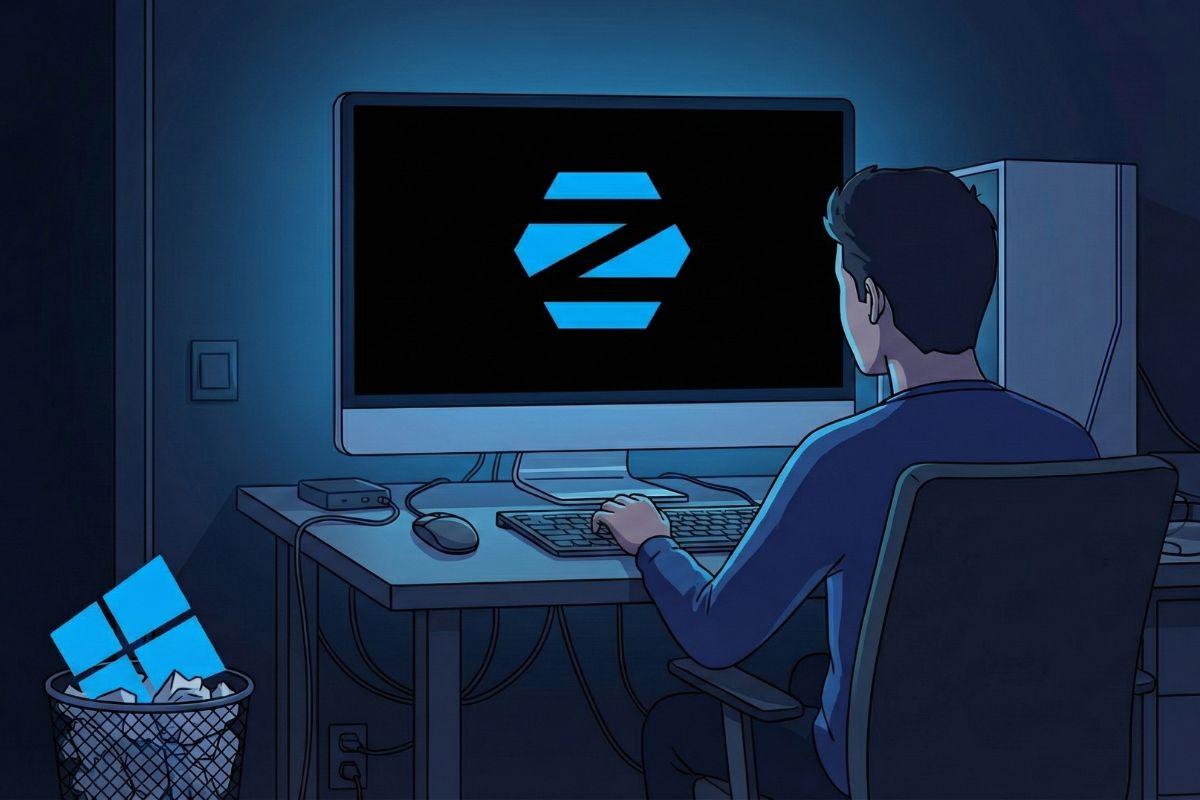
Zorin OS has become one of the most recommended Linux systems For those who are fed up with Microsoft's constant changes of direction or Apple's restrictive ecosystem, but don't want to complicate their lives with strange commands and configurations. If your PC loses support for Windows 10, isn't compatible with Windows 11, or you simply fancy a lighter system And without so much shoehorned artificial intelligence, this distribution might be just what you were looking for.
Zorin OS's goal is very clear: to make the jump from Windows or macOS as short as possible.Instead of forcing you to relearn where everything is, it adapts the desktop to resemble what you already know: Start button, taskbar, system tray, recognizable context menus, and a polished environment from top to bottom. This is complemented by a good selection of pre-installed programs, a comprehensive software store, compatibility with Windows applications, and editions designed for education, older computers, and users who want a more professional desktop experience.
What is Zorin OS and why are so many people interested in him?
Zorin OS is a GNU/Linux distribution developed in Ireland and based on Ubuntu Long Term Support (LTS).This means it inherits a very stable foundation, with security updates for years and compatibility with a wide range of hardware. On top of that, the Zorin team adds its own layer of customization, proprietary tools, and desktop designs that mimic Windows XP, Windows 7, Windows 10, Windows 11, macOS, ChromeOS, classic Ubuntu, elementary OS, Linux Mint, and other familiar styles.
The system uses GNOME as its primary desktop environment in its modern editionsWhile the Lite version uses XFCE to minimize resource consumption. In practice, the visual experience is so refined that many people coming from Windows barely notice they're using Linux: the start menu, the taskbar, the icons, and even the window effects feel familiar. Zorin isn't trying to reinvent the wheel, but rather to be a "bridge" between the Microsoft or Apple ecosystem and the Linux world.
One of the great attractions of Zorin OS is its visual and design consistencyWhile Windows typically features modern menus mixed with dialog boxes inherited from decades ago, here the entire system shares the same aesthetic: from the settings and the notification panel with its integrated calendar to the system dialog boxes. The overall impression is of a finished product, polished and polished, with no half-baked elements.
The project originated as a school project by brothers Artyom and Kyrill Zorin.who ended up building a company around the operating system. His own father, not very tech-savvy, served as a tester to ensure everything was as intuitive as possible. This focus on simplicity for beginners is evident in the installation, the settings panel, and how key features are presented to avoid overwhelming those coming from Windows for the first time.

Versions, editions and evolution of Zorin OS
Zorin OS has several editions designed for different types of users and equipment.They all share the same Ubuntu LTS base, but differ in desktop environment, pre-installed software, and some customization or support extras:
- Zorin OS Core: standard and free edition, with GNOME as the main desktop and everything needed for daily use on modern 64-bit computers.
- Zorin OS LiteDesigned for older machines, with XFCE as a lightweight environment, ideal for very old laptopsIt replaces resource-intensive apps with less resource-intensive alternatives. It can run on devices up to 15 years old, with 1 GB of RAM and a 1 GHz single-core processor.
- Zorin OS Education: aimed at schools and students, it includes pre-installed educational applications and training games that facilitate classroom work.
- Zorin OS Pro: paid edition focused on productivity and creative work, with exclusive desktop themes that mimic macOS, Windows 11, Ubuntu, ChromeOS or classic Windows, plus a set of wallpapers and a pre-installed professional software package.
The Pro edition also adds additional services and benefits.It includes a selection of creative applications (such as Blender, password managers, and Miracast streaming tools) ready to use right out of the box, as well as priority installation support. In terms of licensing, it can be installed on multiple personal computers with a single purchase, although businesses and educational institutions must purchase licenses per device.
One of Zorin OS's defining characteristics is its long and consistent trajectorySince the first version 1.0 released in July 2009, the distribution has evolved while remaining tied to specific Ubuntu versions: Zorin 3 was based on Ubuntu 10.04 LTS, Zorin 6 on Ubuntu 12.04 LTS, Zorin 9 on Ubuntu 14.04 LTS, Zorin 12 on Ubuntu 16.04 LTS, Zorin 15 on Ubuntu 18.04 LTS, Zorin 16 on Ubuntu 20.04 LTS, Zorin 17 on Ubuntu 22.04 LTS, and Zorin 18 is even planned for Ubuntu 24.04 LTS. This provides a clear roadmap and a guarantee of long-term support.
In terms of desktop compatibility, Zorin OS is one of the distributions closest to the Windows experience.Competing in this area with Linux Mint, AnduinOS, and Q4OS, its themes allow you to switch almost instantly between a look similar to Windows XP, 7, 10, or 11 and a macOS or Ubuntu style. Since it's based on GNOME, you can install extensions to further customize the behavior of the dock, windows, and notifications.
Zorin OS 17: Basic Information and Support
Zorin OS 17 is the current generation based on Ubuntu 22.04 LTS It uses the Linux 5.15 kernel series, with the option to upgrade to newer kernels using the system's update tools. It was released in December 2023 and has since received minor updates, such as Zorin OS 17.3, which refine details, add compatibility with more hardware, and improve performance.
The editions available in Zorin OS 17 are Core, Pro, and EducationAll of these features are focused on providing a smooth transition from other systems. Zorin OS 17 will continue to receive software updates and security patches until at least June 2027. That is the planned end-of-support date, aligned with the lifecycle of Ubuntu 22.04 LTS, on which it is based.
In terms of licensing, Zorin OS Core remains completely free and open source.Zorin OS Pro, on the other hand, requires a paid subscription (around $48, with variations depending on the currency) that grants access to premium themes, an additional creative software suite, and priority installation support. This license is tied to the main version (e.g., Zorin OS 17 Pro) and its minor updates, but does not automatically include future versions like Zorin OS 18 Pro.
Regarding the deployment model, Zorin OS is designed to be installed directly on the computer. You can boot from a USB drive, although you can also run it in virtual machines if you just want to try it out. Live mode lets you boot the system from the USB without touching the hard drive, which is ideal for checking hardware compatibility, basic performance, or whether you like the interface before deleting or repartitioning anything.
Technical requirements and experience with legacy equipment
Zorin OS 17 is optimized to work well on a very wide range of computersfrom relatively recent desktop computers to laptops over a decade old. The official minimum requirements for the Core edition are:
- Processor: Intel or AMD dual-core, 64-bit, 1 GHz or higher CPU.
- RAM: minimum 1,5 GB, 2 GB or more recommended for extra storage.
- Storage: 15 GB free for Zorin OS Core, 32 GB for Education and 40 GB for Pro.
- Screen: minimum resolution of 1024 × 768 pixels.
- Others: standard USB port for installation from external memory.
These moderate requirements make Zorin OS a very attractive option for giving a second life to old PCs. that suffer with Windows 10 or 11. In fact, it has been proven to run smoothly on computers with modest processors, such as an Intel J4105 with 8 GB of RAM, or veteran laptops like the Dell Latitude E6510 with a first-generation Core i5 and barely 4 GB of memory.
RAM consumption after startup is usually lower than that of Windows in most scenariosThis leaves more room for applications, browsing, and multitasking. The desktop feels immediate: the system boots up quickly, animations are smooth, and there are no noticeable background processes consuming resources for no apparent reason.
That doesn't mean there aren't some situations where it's wise to be careful.For example, browsers like Brave or Chrome can quickly saturate RAM if you tend to keep dozens of tabs open for days, and in that context, Zorin might show more memory strain than Windows 11 on some specific computers. With 16 GB of RAM or more, you probably won't even notice, but if you're running low on memory, it's a good idea to be more organized with your browser tabs.
Installation, Live mode and first impressions
Installation is one of the things that usually scares someone who has never tried Linux the most.However, in Zorin OS it's quite simplified. The process begins by downloading the ISO image from the official website and creating a bootable USB drive using tools like Rufus (on Windows) or similar utilities on other systems. Once you have it, you can boot your computer from that drive.
Before installation, Zorin offers a complete "Live Mode"In other words, you can use the entire operating system from a USB drive without touching your hard drive. This allows you to browse the internet, test Wi-Fi, check if the touchpad, Bluetooth, laptop's special keys, or graphics drivers are working—all without uninstalling Windows or risking your files. If something doesn't work as expected, simply restart and you're good to go.
In tests on laptops with very common hardware, Zorin OS detects almost everything on the first try.Wi-Fi networks, Bluetooth, touchpad, function keys, screen brightness… Because it's based on Ubuntu and modern kernels, it inherits a wide range of pre-installed drivers. It also includes an integrated driver manager for installing, for example, proprietary NVIDIA drivers graphically.
The installation wizard is fully translated into Spanish and a step-by-step guide on typical options: installing alongside Windows in a dual-boot configuration, erasing the disk and using only Zorin, or managing partitions manually if you have experience. If your current Windows uses BitLocker, it's advisable to prepare a free partition beforehand to avoid problems. In most cases, the procedure takes only a few minutes, and the computer restarts directly into the new system.
Interface, Zorin Appearance and Customization
Where Zorin OS truly shines is in its interface and the tools to customize it to your liking.The centerpiece is Zorin Appearance, a proprietary application that allows you to change the desktop design with a couple of clicks, without having to delve into advanced menus.
The free edition includes several predefined schemes that mimic well-known styles., such as the classic Windows 10 with the menu on the left and the traditional bottom bar, or the Windows 11 layout with centered icons and a floating menu. The Pro edition adds more layouts that are very reminiscent of macOS, classic Ubuntu with a sidebar, or environments like ChromeOS, elementary OS, or Linux Mint.
All of these designs integrate with a light, dark, or mixed themeCombining accent colors, dynamic wallpapers, and remarkable visual consistency, the dark mode is much more polished than in Windows 11 in its current state: virtually all windows and dialog boxes adhere to the dark theme, without the light "patches" still visible in certain parts of Windows.
For those who want to further refine the experience, Zorin is fully compatible with GNOME extensions.This allows you, for example, to force the dock to always be visible, add application indicators, change how workspaces are displayed, or add minor improvements to the panel. With just a few extensions, you can create a desktop very similar to macOS, with a bottom dock, a clean top bar, and smooth multitasking gestures.
Pre-installed software, app store, and Windows compatibility
Out of the box, Zorin OS includes a fairly comprehensive selection of ready-to-use software.In the regular version you will find the Brave browser as the default option (it used to be Firefox, which is still available in the store), media players like Rhythmbox for music, GIMP as an image editor, a document viewer, a modern file manager and other basic utilities.
The default office suite is LibreOfficeFully compatible with Microsoft Office/365 documents, you can open, edit, and save DOCX, XLSX, or PPTX files seamlessly for most uses. For even more robust compatibility with Microsoft formats, simply install OnlyOffice from the store; it works perfectly on Zorin and integrates well with your desktop.
Zorin's Software Store is one of the system's strengths.It acts as a unified hub, combining its own repositories, Ubuntu packages, Snap, and, most importantly, Flatpak. Thanks to this mix, you have access to thousands of updated applications directly from a single interface: cloud clients like Synology Drive, messaging apps like Slack, streaming services like Spotify, editing suites, programming IDEs, and much more.
If something isn't in the store, you can always resort to DEB files.These are the Linux equivalent of Windows EXE files. Simply double-click and follow the installation wizard. For users who prefer not to use the terminal, this approach is very familiar and convenient.
Regarding compatibility with Windows programs, Zorin OS integrates Wine and associated tools. Under the name "Windows App Support" or "Windows App Compatibility," when you try to open an EXE file, the system first checks if there's a native Linux alternative and suggests one, prioritizing stability and performance. If there's no equivalent, or if you prefer to use the original program, it guides you through installing the necessary support and running it.
With this layer you can run everything from simple utilities to certain gamesHowever, it's important to remember that this is additional compatibility, not native support: performance won't always be identical to Windows, and not all applications will work perfectly. For professional use, native Linux tools or, failing that, web applications remain the ideal solution.
Zorin Connect and other integrated features
A very interesting extra feature of Zorin OS is Zorin Connect., a tool that links your Android phone to your computer in a way similar to what Microsoft offers with "Link to mobile", but integrated into the Linux desktop.
With Zorin Connect you can receive mobile notifications on your PC screenYou can reply to messages, send and receive files (like photos or documents) wirelessly, share links between devices, and even use your smartphone as a remote control for your computer. For those who work constantly on their mobile devices, this integration saves time and avoids having to unlock the screen repeatedly.
Beyond this tool, Zorin OS incorporates small details that greatly improve daily life.A notification center with a calendar and quick controls, backgrounds that change with the time of day, power options (balanced, power saving, or high performance on compatible systems), and a simple update manager. All of this is packaged in unobtrusive menus, designed for users who may have never used Linux before.
Security, support and stability
In terms of security, Zorin OS benefits from the inherent advantages of the Linux ecosystem.It is less susceptible to traditional Windows viruses and malware, has a stricter permissions system, and receives regular security patches through the Ubuntu LTS base. This makes it a solid choice for both home use and educational or office environments.
No specific serious vulnerabilities in Zorin OS 17 are highlighted The available information goes beyond the usual bug fixes that are addressed through updates. The open-source nature of the distribution allows the community to audit the code and quickly identify problems.
In terms of encryption and authentication, Zorin inherits the standard capabilities of Linux.This includes the ability to encrypt the disk during installation and the use of strong passwords or additional methods (such as physical keys or external tools) to protect access. The general recommendation, as always, is to keep your system updated and apply standard best practices: strong passwords, backups, and caution when installing software from unknown sources.
Hardware support and compatibility with other systems
Being based on Ubuntu 22.04 LTS, Zorin OS inherits excellent hardware support. For 64-bit Intel and AMD processors, on both desktop and laptop computers. Most Macs with Intel processors work without major issues, while Macs with T2 chips or Apple Silicon require additional steps or virtualization.
On Microsoft Surface devices with Intel or AMD CPUs, Zorin usually works reasonably well.However, some very recent models may require adjustments or additional drivers. Framework systems are also compatible, and generally, any standard laptop with common hardware should work without major issues.
Version 17.3 incorporates modern NVIDIA drivers, such as the 570 series.It also maintains good recognition of older devices, such as USB Wi-Fi adapters that caused problems in other distributions. For cases requiring specific proprietary drivers, the control panel offers a dedicated section for selecting and installing them from official repositories.
If you want to use Zorin OS alongside Windows on the same computer, dual booting is entirely possible.The installer detects the Microsoft system and allows you to reserve a partition for Zorin. This way, you can choose whether to work in Linux or Windows when you turn on your computer, facilitating a gradual transition or allowing you to keep specific tools that only run on Windows.
Real-world performance and user reviews
In practical tests and user testimonials, Zorin OS 17 offers very responsive performance.With reduced boot times, faster application launches, and smooth desktop animations, even on modest computers, Windows offers a noticeable improvement over Windows on the same hardware, especially if the system was already under-resourced. While comprehensive numerical benchmark data is unavailable, real-world use cases demonstrate a significant improvement over Windows on the same hardware, particularly for systems with limited resources.
Power modes allow you to get more out of the battery or prioritize performance.depending on your needs at any given time. This is especially useful on laptops, where balancing power consumption and speed is key to a good user experience.
Among the points most valued by the community, several ideas are repeated.: a very easy-to-understand interface for those coming from Windows or macOS, excellent performance on older computers, a very polished appearance, extensive desktop customization, good compatibility with Windows applications thanks to Wine and Bottles, and a software store that brings together APT, Snap and Flatpak to cover virtually any need.
Criticisms usually focus on a few specific detailsThe Pro edition is paid, and not everyone is convinced that the cost is worth it compared to sticking with the Core version and manually adding the additional software; the Ubuntu LTS base means that certain system packages may not be the latest, which might put off users who are enthusiastic about the latest features; occasionally, minor bugs have been noted in the search function or in the optimization of the on-screen keyboard, which are usually fixed with updates.
In general, Zorin OS is perceived as one of the best entry points to Linux. for three very clear profiles: those who do not want to or cannot buy new hardware just to meet the requirements of Windows 11, people who have grown tired of Microsoft's drift and its constant changes and AI additions, and users who want to revive an old computer for office tasks, browsing, multimedia or study.
All these features make Zorin OS a very serious alternative to Windows and macOS For most home and educational users, it offers a fast, stable, visually appealing and privacy-friendly system, without bloatware or intrusive features you haven't asked for, and with the added benefit that your PC stops being a mere platform for ads and becomes, once again, a tool at your service.
Table of Contents
- What is Zorin OS and why are so many people interested in him?
- Versions, editions and evolution of Zorin OS
- Zorin OS 17: Basic Information and Support
- Technical requirements and experience with legacy equipment
- Installation, Live mode and first impressions
- Interface, Zorin Appearance and Customization
- Pre-installed software, app store, and Windows compatibility
- Zorin Connect and other integrated features
- Security, support and stability
- Hardware support and compatibility with other systems
- Real-world performance and user reviews