- BTF 3.0 centralizes power in a 50-pin connector (up to 2.145 W) and reserves 1.680 W for CPU and GPU.
- GC-HPWR allows the GPU to draw power from the motherboard, reducing visible cables and enabling hybrid builds.
- ASUS BTF already offers motherboards with rear connectors, compatible cases, and graphics cards ready for a clean interior.
- Challenges remain: PSU cooling, fan standardization, and global ecosystem availability.
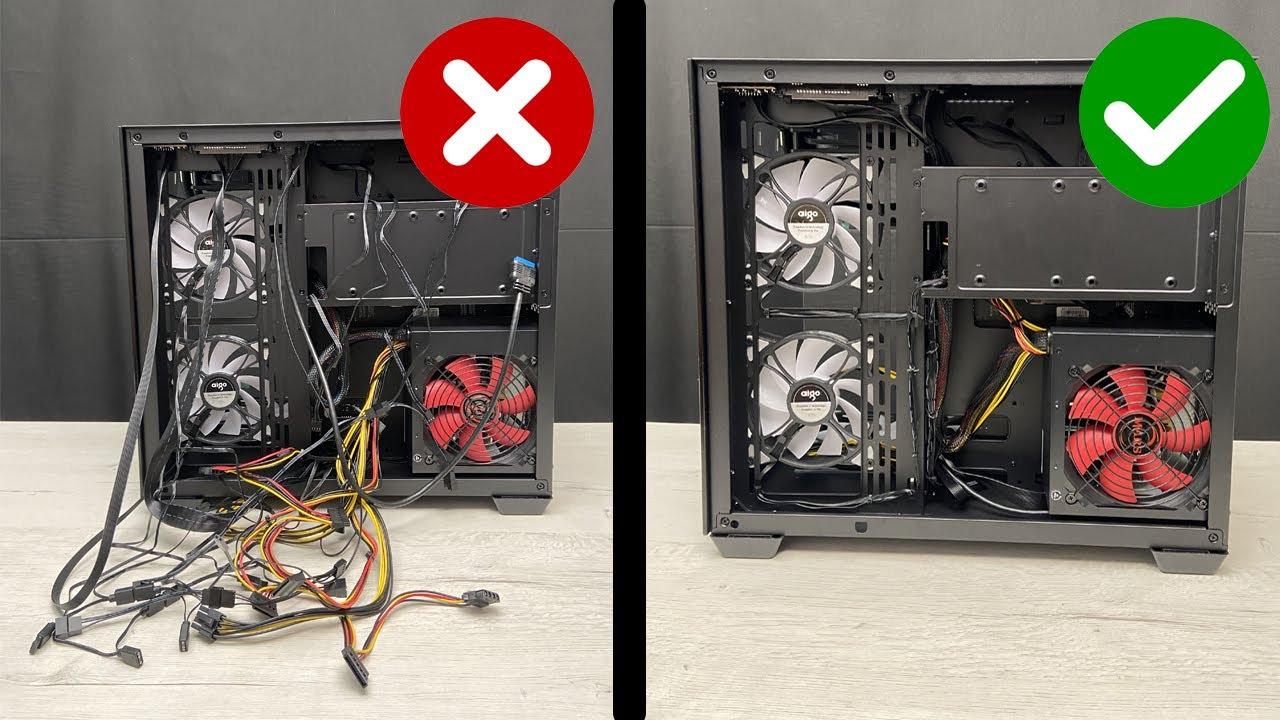
Anyone who's ever built a computer knows that the real headache isn't screwing parts together, but battling the tangle of cables. Cable management affects thermal performance, visual cleanliness, and even the overall building experience . That's why the community's recurring dream is a PC where cables finally stop getting in the way.
In recent years, two approaches have emerged: cleverly concealing everything or redesigning the hardware so it's not even necessary to see it. Manufacturers have tried everything, from motherboards with rear-mounted connectors to graphics cards that draw power directly from the socket . But the big question remained: is a truly wireless desktop PC even possible, and ideally, one with fewer cables inside?
What does it mean to build a wireless PC today?
When we talk about a wireless system, we're usually referring to more than just aesthetics. Hiding the cables is half the battle; the other half is reducing or integrating them for simplicity, even through wireless connectivity like Wi-Fi networks . Until now, the best approaches relied on chassis and motherboards that move connectors to the back, so that, although the cables are still there, they disappear from the front.
This approach has clear advantages: the interior remains clean, airflow is improved, and the build looks better. The qualitative leap, however, comes with the idea of unifying the power supply at a single point and delivering energy to the CPU, GPU, and other components without tangles of cables everywhere . That's where a standard that has generated a lot of buzz comes into play: BTF 3.0.
BTF 3.0: from concept to a testing standard
The BTF proposal, spearheaded by the creator known as DIY-APE (also referred to as DIYAPE), didn't emerge from nowhere. The idea of redesigning the motherboard to integrate power delivery began circulating in 2015 , and years later, the 2019 Mac Pro served as confirmation that a tidy, modular interior was indeed viable. From there, the plan accelerated in several phases.
First, collaborations were established with manufacturers to gain a detailed understanding of motherboard and chassis design, leading to joint products with SAMA and ASUS. Then came patents and open licenses to facilitate the unhindered adoption of this approach by other brands . The result has been more than just a novelty: in China alone, there are already over two hundred towers and around twenty graphics cards inspired by and compatible with this philosophy, a path poised for expansion beyond the country.
To bring it to life in a physical machine, DIY-APE collaborated with Colorful and ID-Cooling and built a fully functional first prototype. The finish is so clean it's reminiscent of professional sealed systems, and according to its creator, the assembly achieves very high efficiency, which can still be improved with wireless fans . It's not just an engineering feat: it questions whether the ATX standard, after more than three decades, can't truly evolve.
The unique 50-pin connector and how it redistributes power
The core of BTF 3.0 is a unique 50-pin 'gold-finger' connector based on CRPS technology, the same technology used in servers. This interface centralizes power delivery and supports up to 2.145 W in total, of which 1.680 W are reserved for the CPU and GPU , and the remainder is distributed among the other devices connected to the motherboard.
To make it feasible for home use, the ATX 3.0 standard was retained instead of Intel 12V. The 12V format was discarded because it caused errors in sleep mode in home computers , and practical details such as 4-pin connectors for SATA hard drives and SSDs were added. In parallel, the structural design shifts the power supply to the right side of the chassis for thermal and electrical distribution reasons; they even considered manufacturing a power supply in the form factor of a graphics card, but the cost made it unfeasible.
This approach takes the strengths of previous versions and pushes them further: instead of simply hiding the usual components, it aims to power everything through the motherboard and power supply, minimizing the use of traditional cabling. The current prototype places the PSU in line with the motherboard, a controversial decision due to aesthetics and the potential for hot air buildup , but one that demonstrates the concept works and can be refined in future iterations.
The graphics card and the GC-HPWR connector: power from the motherboard
One of the components that historically disrupted the aesthetics was the cables running from the power supply to the GPU. The GC-HPWR connector allows the graphics card to connect to the motherboard and receive power without a dedicated cable , utilizing the edge of the PCB and an additional connector aligned with the PCIe socket.
The proposed implementation combines the best of both worlds: you can use traditional side-mounted power or adopt a 'gold-finger' adapter for a completely clean build . This means the user isn't tied to a single option; they can choose a hybrid configuration and maintain compatibility and resale value for their graphics card if they prefer.
Other cables that are still needed: front panel and fans
Front panel wiring is often a bit of a mess: pins for buttons, audio, USB and Type-C … BTF 3.0 opts for a standardized block that unifies all these connectors , so that connecting them is a simple gesture and not ten loose cables that you have to guess one by one.
The fans represent the other front. The concept features mounting brackets with integrated power and RGB connectors , so simply screwing and snapping them in is all it takes to get them ready. In the future, automatic connection is being considered when the fan is attached. In the prototype shown, however, the fans and case ports are the last components that still use cables.
ASUS BTF: The tangible experience you can now build
While the BTF 3.0 standard matures, ASUS has built its own BTF ecosystem that you can buy and build today. The key is a motherboard with all the connectors on the back of the PCB and a case designed to access them from behind . Since over 90% of the cabling goes to the motherboard, the interior remains virtually clean.
In practice, ASUS has handled this brilliantly. One example is the ASUS Z70-BTF WiFi, a motherboard for Intel LGA1700 (13th and 14th generation Core processors) with high-end features and all sockets located on the back . It doesn't sacrifice performance or connectivity, and it comes with a fully integrated BTF design to simplify assembly.
Combined with a case from the ecosystem, such as the GT302 ARGB in white, the setup looks and performs wonderfully. These towers are designed so that the cabling runs out of sight and the side panels enclose a clean interior , enhancing airflow and the clean aesthetic that many users seek.
The icing on the cake is the graphics card. ASUS offers models that eliminate the visible power connector and add a contact in line with the PCIe 5.0 socket , so the GPU draws power directly from the motherboard. To power this graphics card, the motherboard doesn't fall short on the back end: it has a 12VHPWR of up to 600W compliant with ATX 3.0, and also three standard 8-pin PCIe connectors to accommodate other configurations.
If you're worried about the hidden side, don't be: there's no chaos behind it. The layout of cutouts and cable management channels is designed to easily channel and organize everything , so adding or replacing a cable doesn't require disassembling half your PC. ASUS already sells a good number of back-to-the-box (BTF) components and has partnered with brands like Silverstone and Thermaltake to expand compatibility.
Clear advantages and limitations that still need to be resolved
The advantages are obvious: faster assembly, fewer errors, a clean interior, and impeccable aesthetics . A chassis without cable clutter facilitates airflow and makes future upgrades or cleaning easier.
But we have to be realistic about the project's current state. BTF 3.0 is a testing standard and it will take time to reach the general public with the variety and price we would expect . Furthermore, availability may be slower in markets outside of China, and some BTF hardware is still not inexpensive.
The biggest technical challenge lies in the power supply. Positioning it in line with the motherboard means drawing air from inside the chassis, which, with powerful graphics cards, can reach temperatures around 40°C . This hot air could trigger a chain reaction of rising temperatures in heatsinks and radiators if the airflow isn't designed correctly. Solving this puzzle is crucial for everyone, from manufacturers to users, to view the concept favorably.
It's also worth remembering that two loose ends remain: fans and front ports still use cables in many implementations . Standardizing front panel blocks and cable-free fan mounts are very promising steps, but they still need to mature and become established as a widely available commercial offering.
How the single connector fits with the PSU and motherboard
The magic of this design lies in the fact that the power supply connects to the motherboard via a single high-amperage connector. Instead of distributing cables for the CPU, GPU, EPS, PCIe, and SATA, a single interface delivers all the power , and the motherboard handles the internal distribution to each socket. This distribution includes specific power reserves: the aforementioned 1.680 W for the CPU and GPU, enough for extreme systems.
The fact that ATX 3.0 has been retained is good news for overall compatibility. The Intel 12V standard caused suspension issues in home PCs, which is why it was avoided in this iteration . With ATX 3.0 and auxiliary connectors for storage, it's easier to coexist with current components until mass adoption arrives.
Real progress in the ecosystem: from China to the rest
One of the most striking aspects is that we're no longer talking about an isolated prototype. In the Chinese market, over two hundred boxes and around twenty models of graphics cards compatible with the concept have been seen , indicating that industrial interest exists. From there, it's logical that it will spread to other markets as technical details and commercial agreements are finalized.
There are obstacles: the standard's origin could hinder its universal adoption, and some may prefer to wait for global certification. However, the idea is so simple and powerful that it's hard not to imagine it taking hold once the price drops and availability improves . At the very least, we are facing a game-changer that is forcing us to rethink practices that have been in place for over thirty years.
Practical tips if you want a wireless setup now
If you're keen to try it, you can play it safe with the ASUS ecosystem and its rear-mount connector approach. Choose a Back-to-Front (BTF) motherboard, a case compatible with rear cable routing, and a GPU designed to draw power from the motherboard . This combination will give you a near-ideal result without waiting for BTF 3.0 to become standard.
Regarding airflow, avoid blocking intakes and exhausts, and plan the placement of radiators and fans. Just because the interior is clear doesn't mean we can neglect ventilation : check pressures and temperatures, and if your case allows it, use low intakes and high exhausts to take advantage of convection.
Even with hidden cables, take the time to organize them at the back. Smooth curves extend the life of the cables and facilitate future upgrades . If you're testing fan mounts with integrated connectors, make sure they fit snugly and don't put stress on the contact points.
Personalize your gear smart
If you want to fine-tune your system, the best approach is to build your configuration component by component. A PC configurator lets you adjust your CPU, GPU, RAM, storage, and cooling to suit your daily needs , whether for gaming, office work, or video editing. This way, you not only achieve a clean build but also optimize performance for what you actually do every day.
All of the above points to a shift in hardware culture: we're moving from patching up cables to designing PCs so that they're barely needed . Between the single 50-pin connector that centralizes up to 2.145W, direct GPU power with GC-HPWR, the unified front panel block, and ASUS's advancements with rear connectors, the path is clear. There's still work to be done on refining the PSU's positioning and cooling, expanding the standardization of wireless fans, and making the price more accessible; but the direction is clear, and if it takes hold, that old cable-routing ritual could become a distant memory for enthusiasts.
