- Transforming NAS storage into a central name resolution node to improve local network stability.
- Implementation of forwarding zones and A records to manage custom domains in home and professional environments.
- Overcoming SSL certificate conflicts by using valid domains and proper security configuration.
You've probably experienced this: when setting up your own home lab, you start accumulating devices and services that eventually become a chaotic mess of IP addresses that are hard to remember. Having a NAS is great for storing files, but if you really get the hang of it, you can turn it into the cornerstone of your network infrastructure , leaving behind basic routers that sometimes fall short in name management.
When we delegate name resolution to a more robust system, we not only improve organization but also achieve significantly greater stability and technical control . Moving the DNS server to the NAS makes the network more predictable, reduces latency, and allows storage to become an active component that interacts with other services, whether in the cloud or virtualized environments.

The problem of certificates and local domains
It's very common that when configuring NAS access using a short name like 'nas', the browser starts displaying annoying warnings saying the certificate is not trusted . This happens because, even though you see the certificates marked in green within the security panel, the system doesn't recognize the local domain as a valid entity. For applications to stop complaining, it's not enough for the certificate to exist; it must also be linked to a valid and recognized domain , since an internal name doesn't meet the validation standards of the certificate authorities.
To solve this problem, the key is to establish your own domain within your local network. This way, you can issue certificates that match the URL you use in your browser, preventing the browser from marking the connection as insecure every time you try to access port 5001 or any other service on your server.

Steps to set up the DNS server on Synology
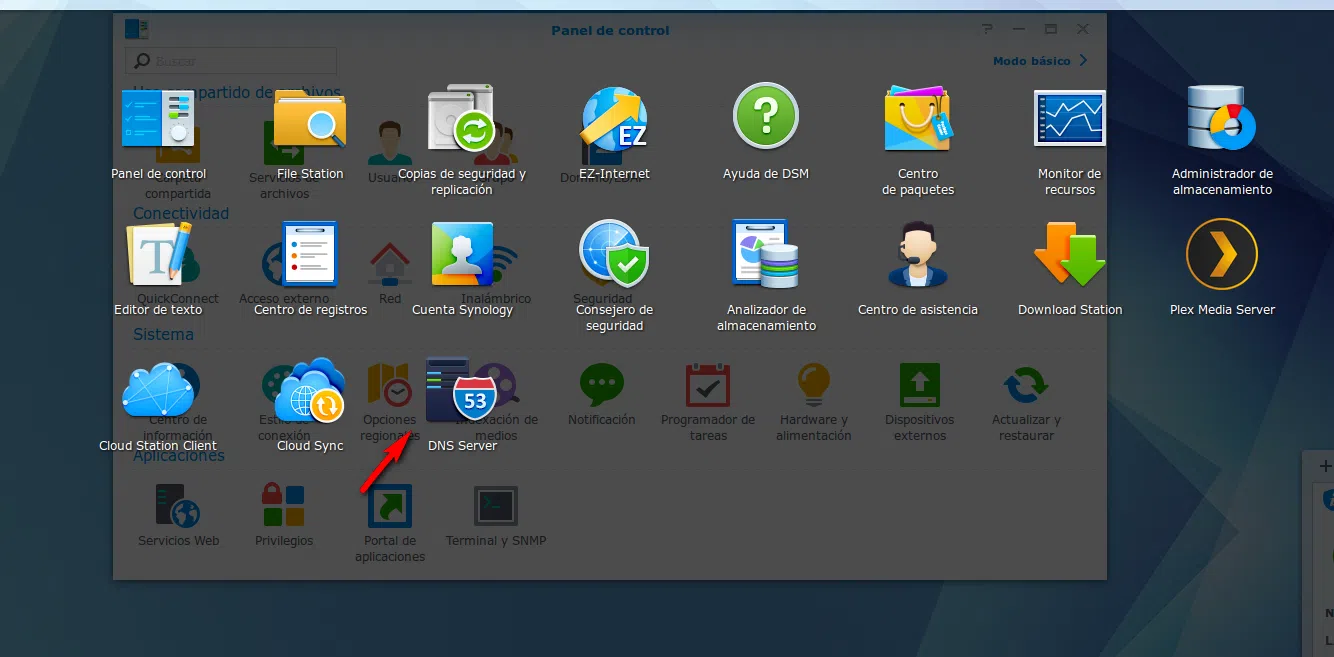
If you have a Synology device, the process is quite straightforward. The first thing to do is ensure that the NAS has a static IP address configured in the network control panel, so that it doesn't change and disrupt name resolution for all the devices. Once this is done, go to the Package Center and install the DNS Server application.
Within the tool, the next step is to create a Master Zone. Here, we must choose the type of Forwarding Zone , assigning it the desired domain name and linking it to the NAS's IP address. For the system to resolve names from outside our network (such as Google or Facebook), we must activate the resolution services and add forwarders, which can be the best DNS servers to use or Google's public DNS servers.

Client configuration and host registration
Once the server is up and running, you need to tell the computers on your home network that the NAS is now the DNS server. On a Linux client, for example, you configure a static IP address and set the NAS address as the primary DNS server. For everything to work smoothly, you need to add A records, which are essentially instructions that say: "this name corresponds to this IP address."
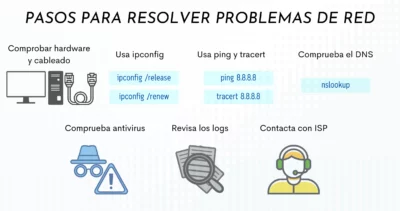
To verify that everything is working correctly, we can use the `nslookup` command in the terminal . If, when querying a computer's name, the response is the correct IP address, we know the system is operational. The final step is to access the router and change the DNS settings in the DHCP configuration so that all devices are automatically configured upon connecting to the network.
Advanced optimization and professional jumps
Despite being a robust solution, Synology's DNS server has one small weakness: it doesn't automatically register IPs assigned by DHCP, forcing us to create the records manually . For those looking to automate this, there are scripts that simplify the task, preventing the management of a small network from becoming an endless manual chore.
If we want to scale this to an enterprise level, the logic is the same as in the Home Lab, but on a larger scale. Integrating these services with cloud environments like AWS or Azure allows for a flexible and secure infrastructure. Implementing layers of artificial intelligence to automate the network or using server monitoring to track performance transforms DNS management into a business intelligence and cybersecurity tool , preventing misconfigurations from becoming an open door for attacks.
Having complete control over name resolution via a NAS allows you to do everything from blocking unwanted domains to integrating custom filtering rules . Ultimately, what starts as a simple trick to avoid typing IPs into the browser evolves into a mature system architecture that brings complete predictability to the operation of any home or business network.
