- n8n offers an advantage in AI agents: mature ecosystem, native integrations, and self-hosting with cost control.
- Key patterns: persistent memory, error control, rate limiting, and monitoring for reliability and scale.
- Practical workflows: connecting CRM, Slack, Notion, and Sheets; orchestrating tools with well-designed prompts.
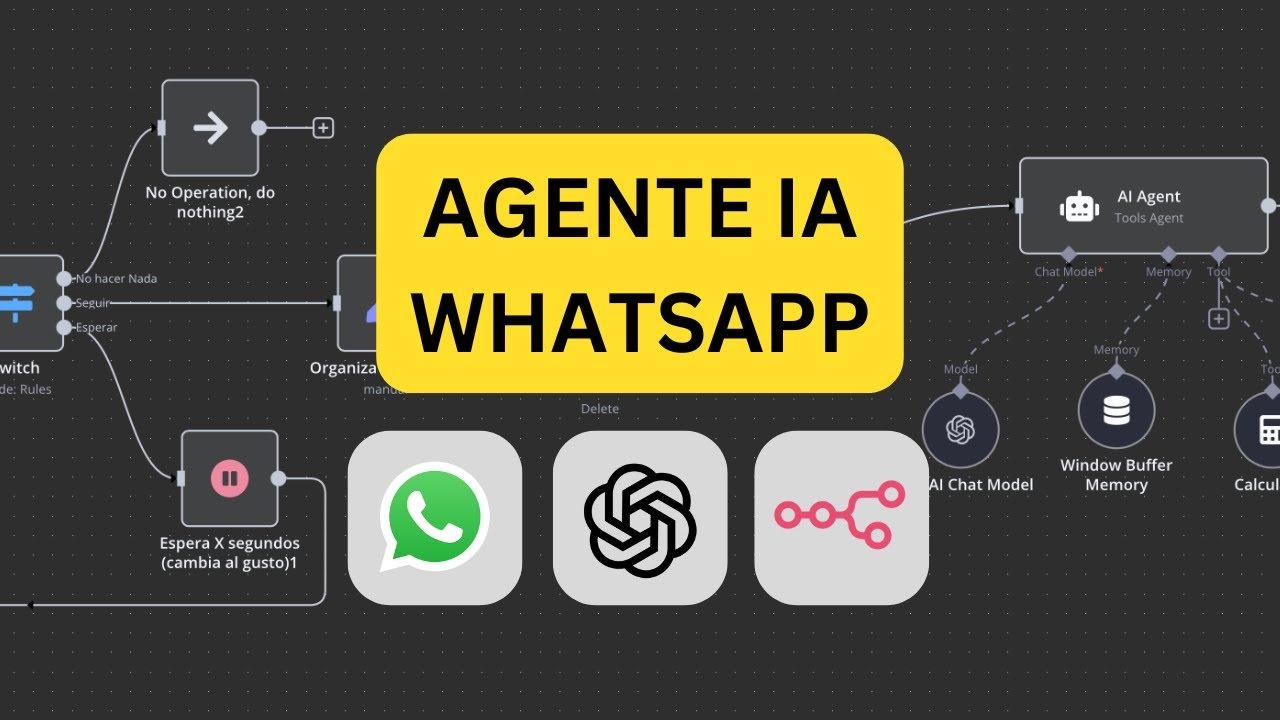
If you're interested in AI agents and curious about building your own, you've probably already wondered which platform to use to orchestrate it. The combination of simplicity, power, and integrations makes n8n a particularly attractive option for those who want to automate conversations, connect models like OpenAI or Gemini, and deploy business logic without having to program everything from scratch.
Furthermore, there's a recurring debate: why choose n8n over alternatives like Make or Zapier? There are compelling reasons: the maturity of the agent ecosystem, flexibility in linking services, and the self-hosting option that reduces recurring costs . And yes, while many videos and posts promise that "creating an AI agent is a piece of cake," practical reality calls for a more methodical approach: there are tricks, patterns, and best practices that make all the difference.
Why choose n8n for your AI agents
First of all: n8n was ahead of many others when it came to AI agents. While platforms like Make officially incorporated their agents in April 2025, n8n had a head start of several months , allowing its community ample time to develop integrations, patterns, and real-world use cases.
Second: it stands out for its ability to "plug in" to almost anything. With n8n you can connect an agent to CRM, Slack, Notion, Google Sheets, or any API that exposes HTTP endpoints, with a native node library that reduces the need for fragile patches or ad-hoc scripts.
Third: costs and control. The option to self-host n8n on your own server or VPS allows you to avoid high subscription costs and keep the infrastructure under your control . This self-hosted model is also ideal for environments where privacy and regulatory compliance are paramount.
Overall, n8n offers a formidable testing ground for unconstrained experimentation and production deployment when the time is right. Its balance of flexibility, price, and autonomy makes it a pragmatic hub for ambitious AI agents that need to communicate with multiple systems, persist context, and run tools.
What is an AI agent in n8n and what can it do?
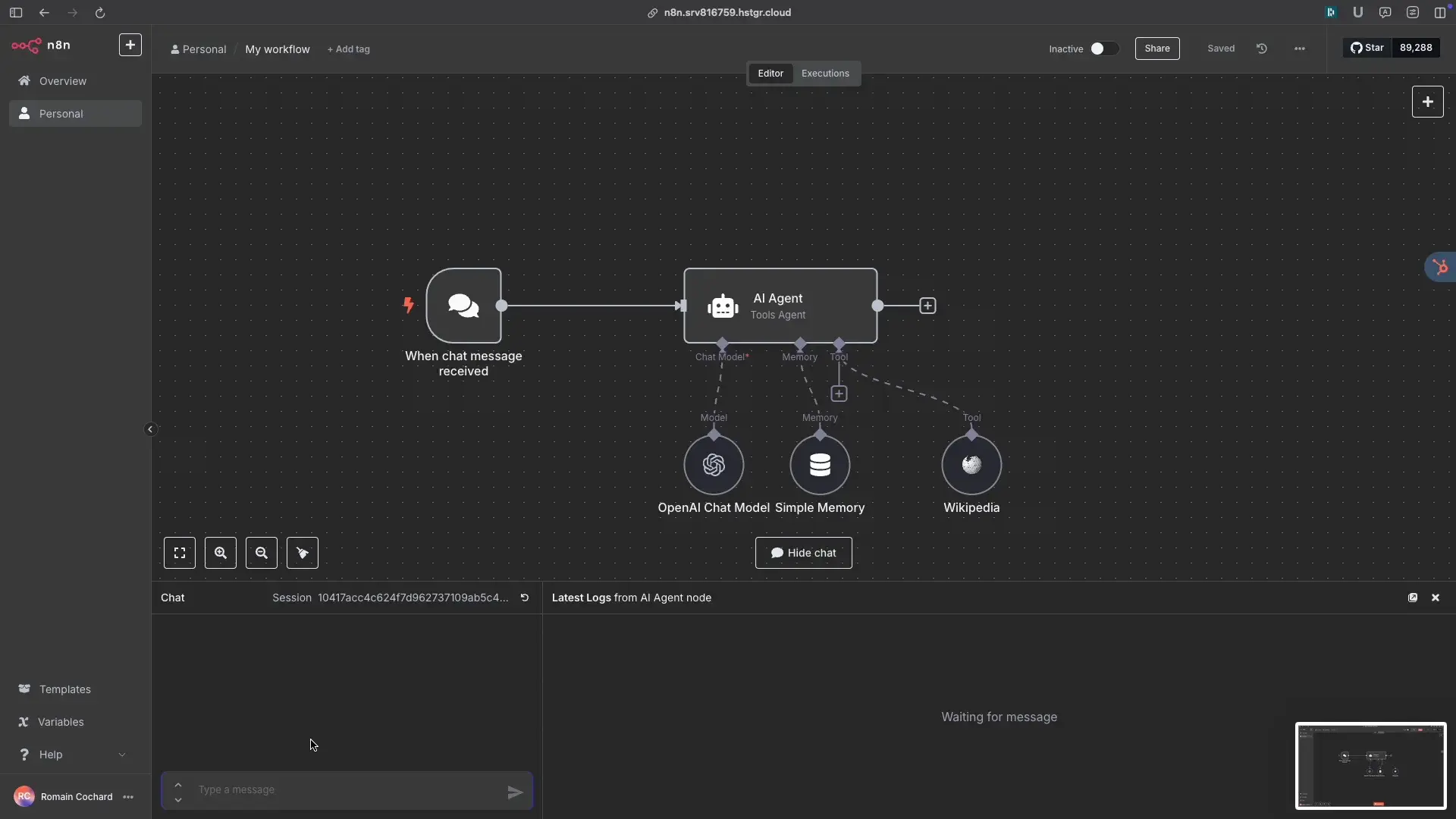
When we talk about “agents,” we are referring to systems that combine a language model with external tools, memory, and orchestration rules. In n8n, this orchestration is modeled as a flow of communicating nodes: one invokes the model, another queries a database, another performs calculations, another writes to a CRM , and so on.
An agent built in n8n can respond to conversations, request additional information, execute functions, and return results. The key is its integration of diverse tools: from calculators and database connectors to CRM and spreadsheets . Thus, the AI not only "talks," but also "does."
Models? The most common are OpenAI and Gemini, among others, and they are integrated via native nodes or through HTTP calls. The prompts layer defines the agent's character, its boundaries, and its style , and the tools layer gives it operational capabilities: "query this table," "create this record," "calculate this metric."
This approach doesn't require programming, although a technical mindset helps. As seen in popular tutorials, it's possible to start from scratch, create basic prompts, and attach connectors so the agent can query, calculate, and automate daily tasks ; essentially, like a virtual companion who knows how to operate your systems.
There are even publications that share the process with a didactic and approachable style (“create your agent without being a programmer”, “step by step”). In more than one case, they accompany the explanation with a demonstration video (for example, the link https://linktw.in/EGJXxY) , which makes it easier to visualize the flow structure and the key settings of the model node.
Real difficulties you will encounter (and how to overcome them)
Many tutorials oversimplify, and it's normal to encounter difficulties when you actually start working on it. Connecting AI APIs, maintaining context, debugging, and scaling aren't always trivial , and it's wise to anticipate this to avoid frustration.
Integration with AI APIs. The first hurdle is often, “Why is my model call failing or not returning the expected result?” In n8n, use native OpenAI/Gemini nodes when available; otherwise, fall back to HTTP requests with proper authentication, headers, and a well-defined payload scheme . Keep API examples handy and validate the JSON response step by step.
Memory and context. “Making the agent remember” isn't magic, it's design. Implement state storage: a database, Redis, or, failing that, a Google Sheets document for prototypes ; save a thread_id for each conversation and apply dynamic summarization to keep the context window under control.
Debugging without tears. Flows can fail silently if you're not careful. Enable logging, add check nodes (IF statements) and intermediate messages, handle errors with try/catch blocks and notifications . Validate each sub-block and, before scaling, freeze a stable version to avoid chasing phantom bugs.
Scalability and API limits. The worst experience is getting out of hand with concurrent calls. Introduce rate limiting, queuing, batching, and concurrency control in n8n ; when working with models, group requests and cache temporary results to avoid overloading the API and causing costs to skyrocket.
Architecture patterns that work
To move from a friendly prototype to a reliable agent, think in terms of architecture. Divide the solution into layers: orchestration (n8n), model (OpenAI/Gemini), tools (APIs/DBs), memory (persistence), and monitoring (logs/alerts).
Orchestrator. n8n is the ideal coordinator: it receives the trigger (chat, webhook, Slack), decides which tools to invoke and when, and composes the final response. It uses branches for special cases and flow control nodes to manage retries and timeouts.
Memory. Don't leave it to chance. Define how you will store the history: complete per conversation, plus an incremental summary to reinject as context ; this way you avoid consuming tokens absurdly while the agent "remembers" the essentials.
Tools. Each tool should be a self-contained unit. Connect CRM, Slack, Notion, or Google Sheets with native nodes, and for custom APIs, use HTTP Requests with secure authentication . Document the inputs and outputs of each tool as if they were contracts.
Monitoring and traceability. It will save you hours. Log relevant inputs/outputs (anonymized if there is sensitive data), tag sessions with an ID, and save latency and error metrics . When something breaks, you'll know and be able to reproduce it.
Is it necessary to combine n8n with other libraries or services?
The question pops up in every forum: n8n on its own, or bundled with LangChain, Zapier, and the like? The pragmatic answer: start with n8n alone and add components if you need them . For many people, n8n more than covers their needs.
When should you add something else? If you require complex cognitive flows (multi-tool agents with recursive planning), LangChain/LangGraph can be useful . Even so, n8n remains the high-level orchestrator and "glues" the parts together.
What about Zapier/Make? You can combine them if you already have automations there, but consider the duplication. n8n shines when it centralizes integrations and reduces dependency on third parties ; moreover, if you're going to self-host, consolidating to n8n makes economic sense.
Advantages of n8n: integrations and extreme flexibility
The n8n node library covers the usual suspects: Slack, Notion, Google Sheets, popular CRMs, email, webhooks… This eliminates 80% of the “pick and shovel” work you endure when everything is custom integrations.
If you need a complex API, no problem. The HTTP Request node lets you authenticate, define headers, send payloads, and parse responses . Add validations (IF statements) and map the data to your next node.
The result is a visual canvas where AI has ready-to-use tools. Your agent doesn't just converse: it queries, transforms, writes, and notifies with the same ease with which an employee uses various apps throughout the day.
Practical guide: step-by-step self-hosted deployment
One of n8n's biggest advantages is that you can host it yourself on a server or VPS. This gives you complete control, better value for money, and less reliance on subscriptions . Here's a step-by-step guide to getting it up and running with best practices.
- Prepare the infrastructureRent a VPS with adequate CPU/RAM, set up a domain/subdomain, and open the necessary ports (HTTPS). Install Docker and Docker Compose.
- Launch n8n with DockerUse the official image, define environment variables (in .env) for public URL, credentials, and encryption. Optional: reverse proxy with Nginx and Let's Encrypt for SSL.
- PerseveranceMount volumes to avoid data loss on reboots. If you plan to save memory/conversations, connect a database (PostgreSQL, Redis) according to your chosen memory pattern.
- SecurityEnable HTTPS, restrict the admin panel by IP address if necessary, use strong credentials, and manage API keys using secure environment variables. Consider using secrets in Docker/Swarm.
- Webhooks and queuesConfigure incoming webhooks for your channels (e.g., Slack or web chat) and apply rate limiting. If you anticipate spikes, add a queue (RabbitMQ/Redis) between the incoming webhook and n8n.
- ObservabilityActivate persistent logs, export metrics (even better if you use Prometheus/Grafana), and set up alerts for errors or outages. A good health dashboard saves you from unpleasant surprises.
- backupsSchedule backups of key volumes and databases. Test the restore process periodically to ensure the plan works.
- DeploymentsStandardize with Compose or Terraform/Ansible if your infrastructure grows. Maintain fixed versions and maintenance windows for smooth updates.
This provides a robust environment for experimentation and, if the project takes off, allows for cost-controlled scaling. n8n's self-hosted solution is not only viable; it's often the preferred option when privacy is a concern or budget optimization is desired.
Prompts, tools, and tests: how to fine-tune the agent
The prompt is the agent's compass. It defines a clear "system": objectives, tone, limits, available sources, and output format . It describes the tools at their disposal as functions with expected inputs/outputs.
It includes instructions for decision-making: when to ask, when to run a tool, and how to gracefully fail if there isn't enough data. In n8n, it adds nodes that validate preconditions before invoking each tool to avoid unnecessary calls.
Iterative testing. Design a set of sample conversations: frequently asked questions, edge cases, and malformed inputs. Run the flows with registration enabled and compare results, latencies, and costs . Adjust prompts and branching based on your observations.
Error handling. It establishes try/catch blocks around API calls and models. In case of failure, it generates helpful responses for the user, logs the incident, and notifies an internal channel . It prevents the agent from becoming "unresponsive."
Cost optimization. Models aren't free, and mistakes have consequences. Cache intermediate results, summarize histories, and intelligently limit context size . If a calculation or query doesn't change often, reuse it.
Use cases that bring the concept to life
Slack support with lightweight memory. An agent can answer questions, consult a knowledge base, and open tickets in your CRM . Maintain memory for each channel with a conversation ID and regular summaries.
Lead enrichment in CRM. When a new contact comes in, the workflow queries data, normalizes it, and requests summaries with useful tags from the model . Everything is recorded and ready for the sales team.
It operates using Google Sheets. The agent receives instructions, performs calculations, writes results, and shares a link . For prototypes, Sheets is an inexpensive storage solution; for production, it switches to a database.
Built-in reporting assistant. Combines API extractions with a model that generates a clean report for management . Integrates email/Slack notifications upon completion of the workflow.
Tricks they don't usually tell you about
Prompt templates. Create a template for each agent "role" and version changes. A small adjustment (e.g., "if in doubt, ask before acting") can save unnecessary calls to tools.
Context markers. Use a text-based "scratchpad" that the agent updates with decisions and pending tasks. Reinject that scratchpad into the prompt to reinforce consistency between turns without cluttering the window.
Tool contracts. Document inputs/outputs and validate types before invoking. If an API expects a number and receives a string, correct or warn before breaking the flow . Fewer surprises, more reliability.
Test the "canary" scenario. Prepare a brief conversation and run this test with every deployment. If it fails, don't promote changes until you understand why . This will prevent incidents during critical times.
Is it really possible to build a functional agent in n8n?
The short answer is yes. The long answer: yes, with discipline. Some have shared their experience building agents that query, calculate, and automate , from step-by-step tutorials to videos that teach the entire workflow.
However, there are also posts that rightly vent their frustrations: connecting models, maintaining memory, and debugging complex flows can feel like assembling furniture without instructions. The key is to apply memory patterns, error control, and rate limits, and to leverage the native node library.
"Secret" tricks? More like best practices. Start small, log everything, control concurrency, validate input, and design prompts with intention . Once you've mastered that, everything else falls into place.
Costs and value for money: why self-hosted accommodation is so appealing
By self-hosting n8n, you reduce your reliance on cloud plans and gain control of your infrastructure. If your workload is stable and your workflows are well-optimized, the savings compared to SaaS alternatives can be significant.
Furthermore, hosting on your VPS allows you to adjust sizing to your actual peak usage, without paying more than necessary. If you grow in the future, you can scale horizontally and separate functions (orchestration, memory, queues) with complete freedom.
All this, without sacrificing high-level integrations and a community that has already walked this path. n8n's accumulated advantage in AI agents is evident in the examples, snippets, and answers to frequently asked questions , saving you time.
Community, frequently asked questions, and "likes" that matter
You're not alone: there are conversations where people are asking about shortcuts, model compatibility, memory tricks, or how to debug without struggling. There are also posts with reactions ("likes") that show the growing interest in AI agents on n8n , even among those who don't program professionally.
If you're wondering whether it's worth "bundling" n8n with other tools, the community agrees on one point: try n8n first and add components only if they offer a clear benefit. This minimalist approach avoids accidental complexity and minimizes duplication of functionality.
Building useful AI agents with n8n isn't a walk in the park, but it's not an insurmountable obstacle either. With a sensible architecture, well-thought-out memory, good debugging practices, and a robust self-hosted deployment, you'll go from theory to real-world value faster than you think.