- PipeWire-centric compatibility and separate jamesdsp-pulse package under maintenance.
- Installation from the AUR with light consumption and modular flow of effects.
- Recommended initial settings: dynamic bass boost and "Clear" type EQ.
- EEL2 scripting with mini IDE to automate presets and behaviors.
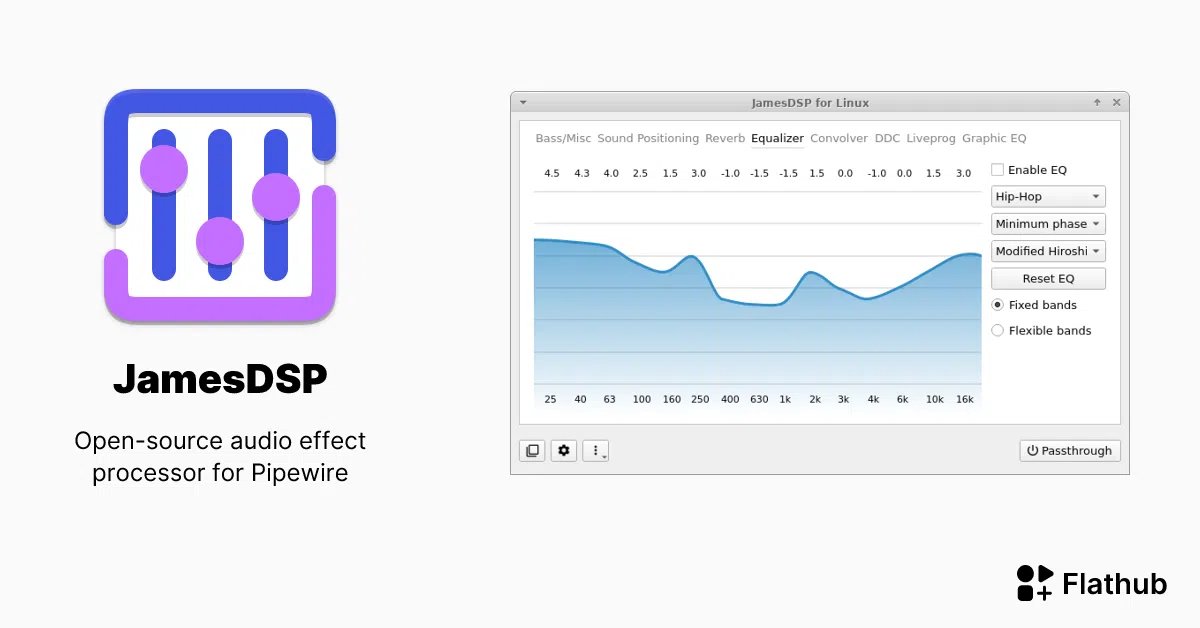
If you're looking to improve the audio on your Linux system with an advanced effects processor, JamesDSP is a powerful and surprisingly lightweight option. This guide will show you how to install it, its compatibility, and practical adjustments you can immediately apply to notice the difference: cleaner sound and controlled bass.
JamesDSP originated on Android and has been ported to Linux by several community developers. Today you can use it in PipeWire (and in PulseAudio via a separate maintenance package) and enjoy a suite of high-quality effects, from equalizers to advanced reverb. It also includes the EEL2 scripting engine and a small IDE , designed for users who want to take things a step further.
What is JamesDSP and where did it come from?
JamesDSP is a high-level audio effects processor originally created for Android by James Fung, and ported to the Linux world by Tim Schneeberger and the community. It follows a modular philosophy , so you don't burden your system with unnecessary features.
On Linux, JamesDSP has evolved in several ways: on the one hand, there's the app/service for PipeWire (with an option for PulseAudio via a separate maintenance package), and on the other hand, there was a plugin for GStreamer 1.0 released by ThePBone. It adapts to different workflows , although PipeWire is the recommended approach today.
Compatibility: PipeWire as the base and PulseAudio under maintenance
The main Linux version is focused on PipeWire. In fact, the official package emphasizes that it only supports PipeWire and refers to the README for the legacy PulseAudio variant, jamesdsp-pulse , but be aware that its maintenance is limited.
Some tutorials mention that JamesDSP works with PipeWire and PulseAudio; the correct clarification is that PulseAudio uses a separate package (jamesdsp-pulse) and its support is for maintenance purposes, while the more polished and active experience is found in PipeWire. Keep your audio stack up to date.
Key features and available effects
JamesDSP offers a suite of effects designed both for precise sound tuning and for adding creative coloration. These include automatic bass boost, dynamic range compression, various types of equalization (parametric and band), advanced reverb, and stereo amplitude controls, surround control, and convolve.
The Linux implementation created by ThePBone mentions several specific modules: Bass Boost, analog modeling (12AX7), mid/side widening, BS2B, an advanced reverb engine based on Progenitor2, a 15-band equalizer interpolated with cubic spline, compressor, convolver, and a parametric equalizer packaged as ViPER DDC, smooth adjustments, or classic emulation.
One of its strengths is its scripting engine with EEL2 language and a small integrated IDE with syntax highlighting, autocompletion, and basic debugging functions. It also allows you to automate presets and profiles , all without leaving the application.
An interesting detail about the project's distribution is that the icon you'll see in the Flathub store (if you've seen it listed there) was created by the Papirus team. The icon, created by Papirus , is explicitly mentioned in the Papirus icon theme on GitHub.
Installation on Arch, Manjaro and derivatives via the AUR
JamesDSP is available in the Arch User Repository, so if you use Manjaro, EndeavourOS, or another Arch-based distribution, you can compile and install the package from there. Read the AUR guide first.
Install the basic build dependencies and clone the repository from the AUR. Reference commands :
sudo pacman -Syu git base-devel

git clone https://aur.archlinux.org/jamesdsp.git

cd jamesdsp

makepkg -sric
Once the jamesdsp package is installed, you can launch it from your desktop environment or the launcher. The initial setup wizard will guide you through choosing components and basic settings.
First start: quick adjustments and caution with the volume
When you open JamesDSP for the first time, the wizard will allow you to activate key modules. It's advisable to lower the system volume before touching anything, as some effects can increase the gain. Adjust gradually until you find the point you're happy with.
A basic and effective setup consists of two steps: in the first tab (Bass/Misc) enable “Dynamic bass boost”, and in the equalization tab (the fourth) activate “Enable EQ” and try the “Clear” preset. The “Clear” preset can be aggressive , so adjust its values or switch to other profiles if you notice fatigue or excessive treble.
Remember that many more modules are available, and not all of them are necessary for every case. Activate only what you need , maintaining a balance between quality and resource consumption.
If you want to share or load profiles, JamesDSP uses a presets folder in your home directory. Use ~/.config/jamesdsp/presets :
~/.config/jamesdsp/presets
Example preset of the “ClearPenguin” type and how to incorporate it
In some guides you'll see a sample public preset for clear and controlled listening. You can save it with any name you prefer (for example, ClearPenguin.conf) in your user presets folder and load it from the interface. Reformatted variant of the preset :
Show example configuration
bass_enable=true
bass_maxgain=5
compander_enable=false
compander_granularity=2
compander_response=95.0;200.0;400.0;800.0;1600.0;3400.0;7500.0;0;0;0;0;0;0;0
compander_time_freq_transforms=0
compander_timeconstant=0.22000
convolver_enable=false
convolver_file=
convolver_optimization_mode=0
convolver_waveform_edit=-80;-100;0;0;0;0
crossfeed_bs2b_fcut=700
crossfeed_bs2b_feed=60
crossfeed_enable=false
crossfeed_mode=0
ddc_enable=false
ddc_file=
graphiceq_enable=false
graphiceq_param=GraphicEQ: 25 0; 40 0; 63 0; 100 0; 160 0; 250 0; 400 0; 630 0; 1000 0; 1600 0; 2500 0; 4000 0; 6300 0; 10000 0; 16000 0
liveprog_enable=false
liveprog_file=
master_enable=true
master_limrelease=60
master_limthreshold=-0.1
master_postgain=0
reverb_bassboost=0.25000
reverb_decay=2.09000
reverb_delay=0.00000
reverb_enable=false
reverb_finaldry=-7.00000
reverb_finalwet=-9.00000
reverb_lfo_spin=0.70000
reverb_lfo_wander=0.30000
reverb_lpf_bass=600
reverb_lpf_damp=9000
reverb_lpf_input=18000
reverb_lpf_output=17000
reverb_osf=1
reverb_reflection_amount=0.30000
reverb_reflection_factor=1.00000
reverb_reflection_width=0.70000
reverb_wet=-8.00000
reverb_width=1.00000
stereowide_enable=false
stereowide_level=60
tone_enable=true
tone_eq=25.0;40.0;63.0;100.0;160.0;250.0;400.0;630.0;1000.0;1600.0;2500.0;4000.0;6300.0;10000.0;16000.0;1.52727;3.45974;4.51948;6.51429;5.45455;3.95844;1.52727;0.966233;0.52987;3.02338;4.51948;6.01558;6.45195;7.01299;5.95325
tone_filtertype=0
tone_interpolation=0
tube_enable=false
tube_pregain=200
As with any preset, use it as a starting point and adjust its parameters to suit your equipment and preferences. Every device responds differently , so it's advisable to make small adjustments until it's just right for you.
Scripting engine and mini IDE: automate your audio
If you enjoy tinkering, EEL2's support lets you create your own effects and advanced logic. With the integrated mini IDE, you can write scripts with syntax highlighting, autocompletion, and basic debugging functions, load device-specific profiles , and much more.
JamesDSP also allows the community to share scripts and presets, which accelerates learning and experimentation. Learn with community scripts.
Performance: memory and CPU usage
One of the advantages of JamesDSP over other solutions is its low resource consumption. Tests shared by the community report an additional memory usage of around 100 MB when active and low single-digit CPU consumption, around 1% in the reference scenario, only during idle playback when there is no audio.
This performance profile, combined with its modular approach, makes it a good candidate for laptops and modest-end systems. It enables only the necessary modules and keeps the rest disabled.
Project, repositories and community
The modern Linux implementation is often referred to as JDSP4Linux, and its live documentation is on GitHub. There is also a repository for the GStreamer plugin. Repositories on GitHub :
- Main repository of JDSP4Linux
- JDSP4Linux by ThePBone
- GStreamer plugin jamesdsp
- Papirus icon theme (icon used on Flathub)
In addition to GitHub, there's a Telegram support group, including a joint community with Viper4Linux. The user ThePBone is also available on Telegram for specific questions.
Quick comparison with EasyEffects and PipeWire context
Some threads start with guides that make Linux using EasyEffects over PipeWire sound "luxurious." It's a great tool, but JamesDSP offers a user-friendly interface, modularity, and, in many cases, a lighter footprint—a solid alternative to PipeWire without overcomplicating things.
The beauty is that you can replicate typical enhancements (clarity, bass control, soundstage) with less overhead and a straightforward workflow. Scripting and convolving are available.
Notes on PulseAudio and the separate package
If you continue using PulseAudio, you're not out of luck, but you must use the jamesdsp-pulse package, which is in "maintenance" mode. PipeWire's development focus is on this , and you might encounter some limitations or fewer features than in PipeWire.
The general recommendation today is to migrate to PipeWire whenever possible, especially if you want stability, greater compatibility, and the best performance with JamesDSP. PipeWire is the standard , and many tools (including EasyEffects) are built around it.
Warning: Android information you see online does not apply to Linux
Since JamesDSP originated in Android, you'll find tutorials designed for phones rooted with Magisk. These steps don't make sense on a Linux desktop, but it's worth clarifying what they refer to to avoid confusion. Specific steps for rooted Android , then returning to Canary.
You'll also see installation flows with Kitsune Mask using "direct installation," reboots between steps, the optional Audio Modification Library (AML) if you use or plan to use Viper4Android, and finally, the installation of JamesDSP for Android. These instructions do not apply to Linux . Again: all of this is for rooted Android, not Linux.
Derivative project for Retroid Pocket 5 (Android) and equalization chain
There is also a recent development for the Retroid Pocket 5 (Android), with its own repository and APK that interacts with the device's privileged interface. It can launch at startup and apply equalization profiles to the streams, achieving a noticeable improvement in its speaker. The Flip2 chain was added on June 19, 2025 , and provides step-by-step instructions in its repository.
If you're interested in the mobile area, you can check out the repository and its release 0.1: jdsp4rp5.app and APK 0.1 . It's not applicable to desktop Linux , but we've included it because it's mentioned in the documentation you'll likely consult during your search.
Practical tips for fine-tuning your sound
Start with moderate settings and experiment with your favorite songs, games, or videos. Adjust the parameters until you find the balance between clarity and naturalness. Pay attention to the bass and the 2-4 kHz range , where an excessive boost can cause fatigue or sibilance.
If you listen with headphones, the differences between models can be huge; a profile that shines on some might sound dull on others. Create profiles for each device and switch between them with shortcuts or scripts if your workflow requires it.
History: GStreamer plugin and ecosystem
Before the current focus on PipeWire, there was a GStreamer 1.0 plugin maintained by ThePBone. You can still check it out out of curiosity or for specific projects that rely on GStreamer. The plugin code is available on GitHub for those who need specific integrations.
This history explains why you'll find mixed documentation online: some guides discuss the plugin, others the main PipeWire app, and still others the PulseAudio package. Choose the PipeWire branch for support and user experience.
Where can I learn more and get my questions answered?
Besides the README on GitHub, the communities on Arch, Manjaro, and Reddit forums are a goldmine. Many guides are created by users who share their learning curves, profiles, and comparisons with other tools. Telegram with Viper4Linux is useful if you get stuck on a specific setting.
If you're new to the AUR, the Manjaro wiki has a clear introduction that will guide you through best practices and the process of building packages from user repositories. Mastering the AUR opens up opportunities.
Reminder of good practices
Make copies of your presets before experimenting with major changes. Note what you touched and why, so you can revert to the previous settings. Check limiter thresholds , not just the master volume.
When using a convolve, make sure you understand which IR you're loading and for what purpose (acoustic correction, room emulation, coloration). A poorly adjusted convolve can make things worse , so proceed step by step.
With all of the above, you now have a solid foundation to install, start, and begin using JamesDSP on Linux. It's versatile, from tweaks to complex strings , and with PipeWire support, you'll achieve stable and efficient integration.