- Secure download from blender.org or Microsoft Store with support in Spanish.
- New features: ACES/HDR, Volumes and SDF, improvements to VSE, Grease Pencil with motion blur.
- Aligned with VFX Reference Platform 2025; check add-on compatibility.
- Free project supported by donations: contribute if it helps you with your projects.
If you've come here looking for how to download Blender 5.0 for free in Spanish, you're in the right place: I'll explain where to download it safely, what's new, and what to look out for to avoid surprises. Blender is free and open-source software , so it's important to distinguish between official sources and the "miracle" packages that are all over the internet.
In addition to guiding you through the download, we'll cover key changes such as color management with ACES, improvements to the Video Sequencer, and new features in Grease Pencil, along with compatibility notes and pipeline updates. You'll also see why the Blender Foundation encourages support for the project through donations (starting at $5) , a gesture that keeps this professional program alive without subscriptions, paid licenses, or limits.
Secure download of Blender 5.0 in Spanish
The correct way to obtain Blender 5.0 is through its official channels. From blender.org, you can download installers and portable builds for Windows, macOS, and Linux, all in 64-bit and with Spanish language support available in the interface. If you prefer the Microsoft ecosystem, it's also listed in the Microsoft Store for Windows as a free download.
On the internet, you'll see posts with headlines like "Full + Portable Spanish Mega" promising the full version and direct links. Some even mention a file of around 332 MB, highlight the "full license," and indicate version v5.0.0 with multilingual support (including Spanish) , attributing the "loader" to third-party packagers like "Artistapirata." All of that sounds enticing, but it's not official.
Beware of supposed steps to "activate" the program by copying files from folders with names like "Medicine." This practice is illegal, unnecessary in free software like Blender, and also puts your computer at risk . You won't find instructions here for violating licenses or dangerous shortcuts: always download from the original sources.
One curious detail is that these unofficial websites often feature giant "Download Now" buttons and sometimes even encourage users to "try the original program." The reality is that the original program is the only one you should install ; anything else adds uncertainty and potential security risks.
Key new features of Blender 5.0
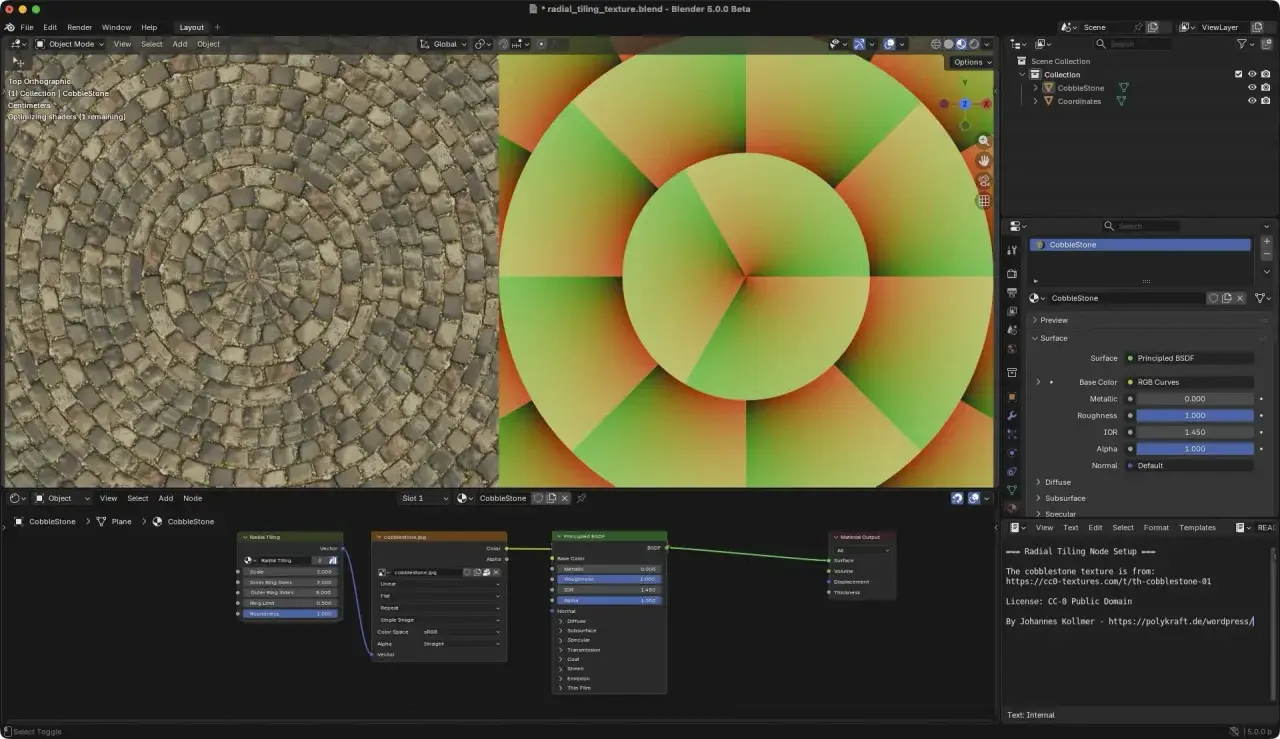
Blender 5.0 arrives with significant advancements for technical artists, storytellers, and professional pipeline users. Full integration with ACES, improved color management, and HDR support are probably the most celebrated changes for those working on demanding projects.
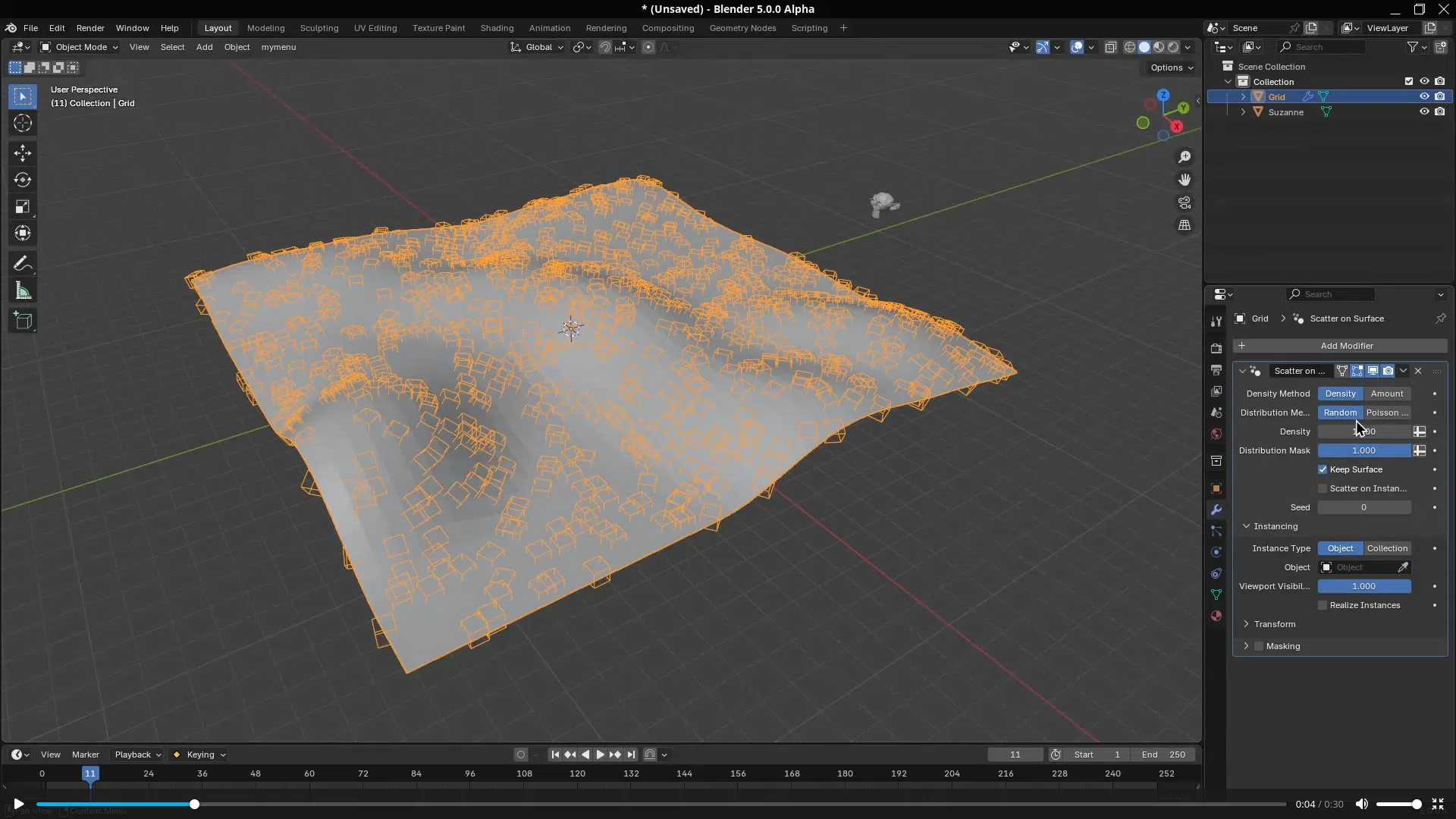
In the procedural realm, Geometry Nodes incorporates Volume and SDF nodes that open creative doors to field-based effects and modeling, as well as practical day-to-day refinements such as new Array or Scatter on Surface modifiers for flexibly distributing elements.
UV editing also gets some TLC with a revamped UV sync that speeds up mapping and reduces errors; if you combine this with the shading tools, you'll notice a smoother workflow from start to finish.
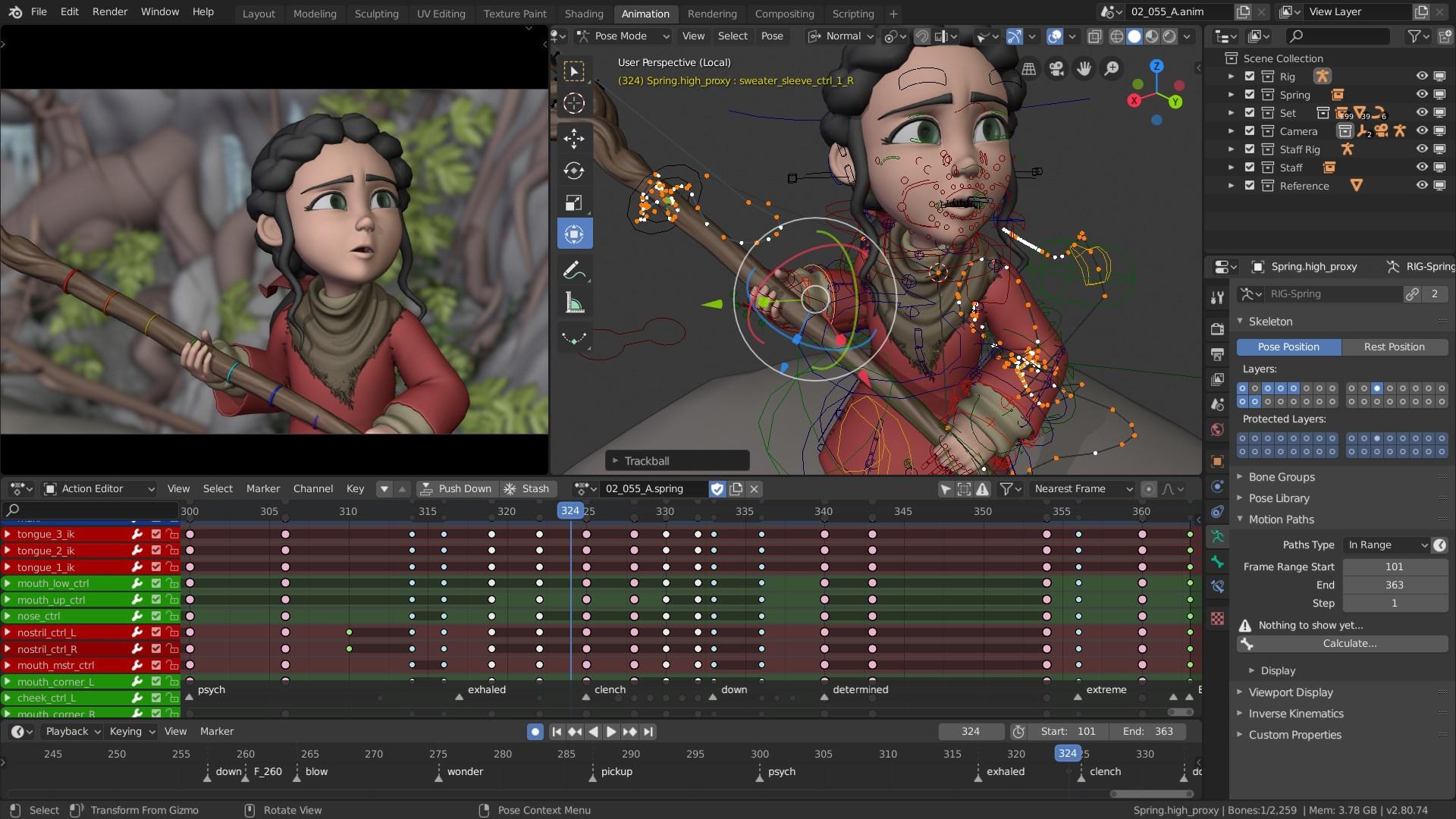
Animation and rigging are not left behind: there are adjustments spread throughout that improve the experience of keying, curves and deformations , small changes that together speed up repetitive tasks and polish behaviors.
In rendering engines, an interesting note points to improved "unbiased" sampling. In a test scene, two 30-second renders were compared, with more efficient results , indicating that optimization work continues to progress in getting the most out of the CPU and GPU.
Agile material demos have been documented, such as wireframe shading on a minimal mesh (a plane with four vertices) , useful for debugging topologies and exploring visual styles without complication.
The visual touch of the launch comes with the welcome screen: the Blender 5.0 “splash” bears the signature of Juan Hernández , an artistic detail that accompanies each startup and reminds us of the role of the creative community in each version.
Finally, it's worth noting that version 5.0 arrives after a cycle with 588 bugs fixed , a figure that translates into greater stability and confidence in production. The overall feeling is that everything performs more consistently.
Grease Pencil, storyboarding and the Sequencer in the center
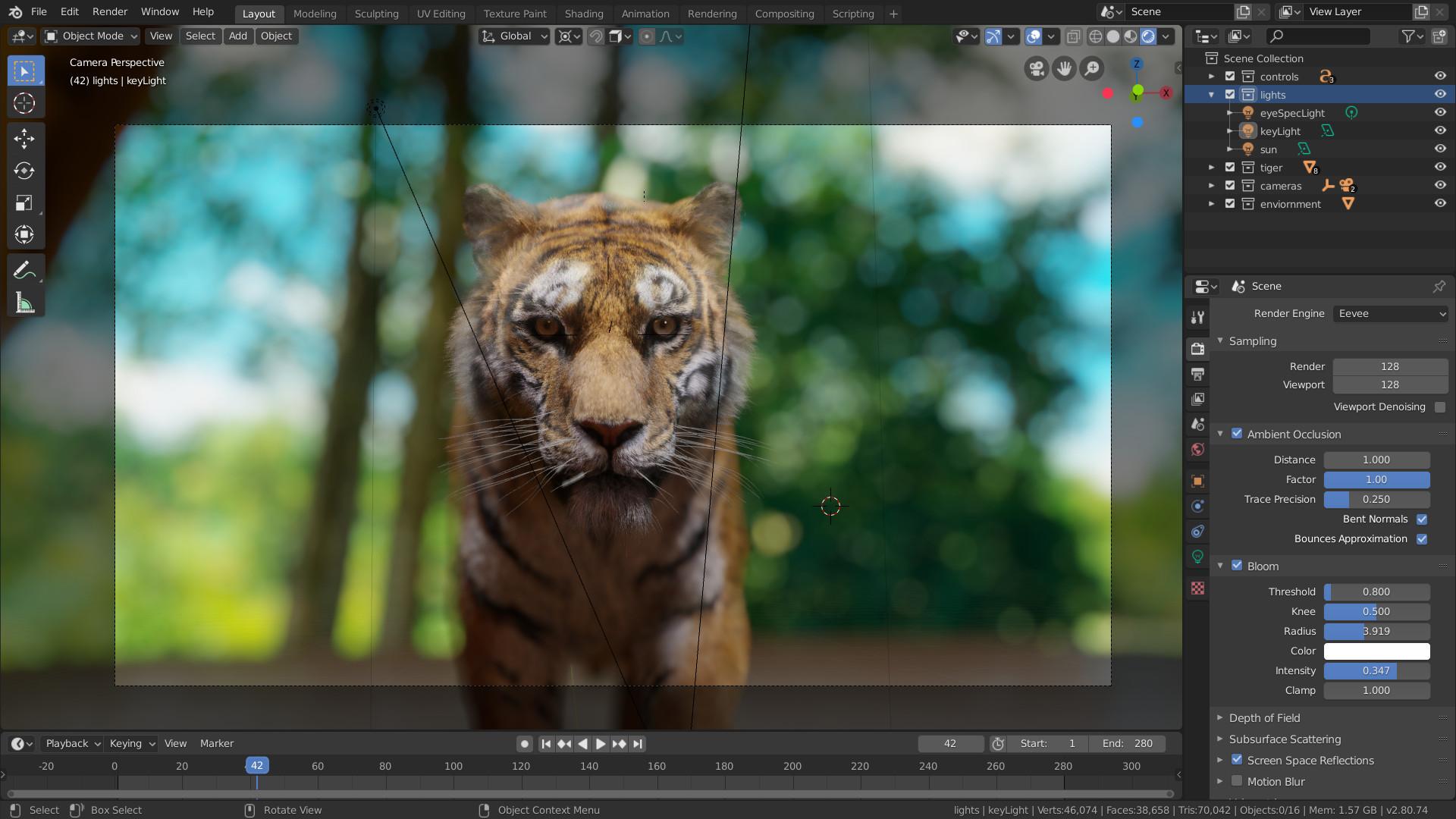
In Blender 5.0, the Video Sequencer is more fully integrated with the other areas, as we explained in our guide to the best free video editors . It offers "new places, new tools, and new workflows" with the same Sequencer , but now more accessible and connected to editing, 2D/3D animation, and storyboarding.
This focus is complemented by a dedicated storyboarding template , allowing you to create shots, rhythms, and visual annotations without leaving the environment. If you work with short films, advertising, or pre-production, you'll feel right at home.
Grease Pencil also takes a leap forward: it now supports motion blur , with control over the number of steps to adjust quality and performance depending on the scene. These improvements make it easier to integrate 2D and 3D with greater temporal consistency.
The “Video Sequencer + Grease Pencil” combination is presented as an ideal pairing for storyboarding , with an overview and examples shared from Blender Studio. Among the materials shared, the work of Pablo Fournier stands out, showcasing the potential of the new storyboarding tools.
In addition to all this, there are a handful of extra "sweet treats" for the Sequencer that aim at quality of life: access, operations and small adjustments that, added together, speed up editing within Blender itself.
Library, add-on, and studio pipeline compatibility
Like the other major releases this year (such as 4.4 and 4.5 LTS), all the libraries included in Blender 5.0 follow the VFX Reference Platform 2025. For a studio, this means less friction when integrating tools and maintaining consistent environments.
This alignment with the VFX Reference Platform makes it easier to ensure compatible versions of critical dependencies, reducing surprises in render farms and mixed workstations . If your pipeline demands reproducibility, you'll appreciate it from day one.
Important: Python 5.0 includes changes to the Python API that may temporarily disable some third-party plugins. If you rely on external add-ons, it's advisable to check compatibility and updates before upgrading your entire project to the new version.
Main features you get when you download Blender
Blender has earned its reputation as a comprehensive 3D suite. It includes modeling, sculpting, texturing, lighting, animation, compositing, and a video editor , all within a customizable interface and with support for shortcuts, scripts, and plugins.
- 3D modeling with polygons, N-Gons, cutting tools, edge slides, inserts, grids, and bridges.
- Sculpture with advanced brushes, dynamic subdivision and multi-resolution.
- Effective UV unwrapping for texturing and image-based painting.
- Node-based shading with PBR materials and lighting HDRI.
- CPU/GPU rendering, modern color control, and HDR support.
- VR rendering and stereoscopic views for immersive experiences.
- High-control physics, fluid, and fabric simulations.
- Camera tracking with automatic and manual options, planes and tripod.
- Nodal compositor for post-processing and effects.
- Video editor with tracks, transitions, effects and audio mixing.
- Animation with keyframes, curves, Dope Sheet, sound synchronization and onion skinning in 2D.
- Rigging with deformations, automated skin, B-spline bones and custom bone shapes.
- Grease Pencil for 2D drawing within 3D, with layers, colors and stroke sculpting.
- Python API for automation, custom tools, and community add-ons.
Some historical listings mention the "integrated game engine" as the starting point for interactivity. Today, the focus is more on modern pipelines and external extensions , but the ecosystem still offers avenues for interactive prototyping and the development of custom tools.
Recent versions and release schedule
Blender is evolving at a good pace with stable and LTS versions. Here are some recently released 64-bit builds to help you understand the timeline:
- Blender 5.0.0 (64-bit) – Released on November 19, 2025.
- Blender 4.5.3 (64-bit) – Released on September 10, 2025.
- Blender 4.5.0 (64-bit) – Released on July 15, 2025.
- Blender 4.4.3 (64-bit) – Released on April 30, 2025.
- Blender 4.4.1 (64-bit) – Released on April 16, 2025.
- Blender 4.4.0 (64-bit) – Released on March 18, 2025.
- Blender 4.3.2 (64-bit) – Released on December 19, 2024.
- Blender 4.3.1 (64-bit) – Released on December 11, 2024.
- Blender 4.3.0 (64-bit) – Released on November 20, 2024.
- Blender 4.2.3 (64-bit) – Released on October 16, 2024.
- Blender 4.2.2 (64-bit) – Released on September 24, 2024.
- Blender 4.2.1 (64-bit) – Released on August 20, 2024.
- Blender 4.2.0 (64-bit) – Released on July 17, 2024.
- Blender 4.1.1 (64-bit) – Released on April 17, 2024.
- Blender 4.1.0 (64-bit) – Released on March 26, 2024.
- Blender 4.0.2 (64-bit) – Released on December 6, 2023.
- Blender 4.0.1 (64-bit) – Released on November 17, 2023.
- Blender 4.0.0 (64-bit) – Released on November 16, 2023.
- Blender 3.6.4 (64-bit) – Released on September 26, 2023.
- Blender 3.6.3 (64-bit) – Released on September 23, 2023.
As you can see, there are frequent iterations, including LTS releases that offer extended stability for long-term projects . If you work in production, it's worth considering which LTS release best fits your schedule.
Community, financing and loans
Blender exists thanks to its community and open-source model. “Publications are made possible by community donations” is more than just a slogan: keeping this tool free requires resources and ongoing support.
Throughout 2026, the Blender Foundation is launching a very simple appeal: if Blender has helped you this year, please consider contributing $5 . The idea is that if every active user contributes this small amount, the annual funding goal will be met, allowing the project to move forward unhindered.
This reminder comes with a clear message: you've been using professional software without subscriptions, strict licenses, or limits . If it allows you to learn, work, or create art and business, perhaps it's worth giving back a little to the system that makes it possible.
As for acknowledgments, each version comes with a "Credits" section. Behind every splash screen, every bug fix, and every tool are developers, artists, and testers who keep things moving. It's only right to acknowledge them when we update.
Official step-by-step installation guide for Windows, macOS, and Linux
Installation from official channels is straightforward. Choose between the traditional installer or a portable build (compressed file) from blender.org , depending on your operating system and preferences.
On Windows, the installer guides you through the usual steps: accept the free license (GPL), choose your language, installation path, and components . If you're using the portable version, simply extract and run it; it won't modify your system.
On macOS, simply drag the app to Applications and you're done. On Linux, you can choose the official tarball, Flatpak, Snap, or repositories, depending on your distribution. In all cases, the interface language is changed in Preferences.
If you're coming from unofficial builds, the sensible thing to do is to "clean up": uninstall suspicious versions, delete leftover folders, and review user profiles . This will prevent conflicts and ensure a clean and secure environment.
Regarding unofficial listings and promises of “Full + Portable Spanish Mega”
On some websites, you'll see descriptions advertising "Blender 2025 Full + Portable Spanish Mega," with labels like "full version," approximate size of 332 MB, version v5.0.0, multilingual with Spanish , and references to third-party "loaders." These listings, while detailed, do not guarantee a reliable source.
Some even include supposed "activation" instructions that involve copying files from folders with enticing names (like "Medicine") to the installation directory . We repeat: this is unnecessary, illegal, and unsafe. Blender is already free and open source; its value lies in its open-source code and the community that supports it.
If those websites invite you to "try the original program," take the right shortcut: go directly to the official sources and forget about intermediaries . Your team and your projects will thank you.
First steps and learning resources
Once installed, a wealth of learning resources awaits you. The community maintains video tutorials, documentation, and forums covering everything from basic modeling to advanced VFX.
If you're drawn to 2D art within 3D, Grease Pencil is a great entry point for storyboards, animation, and overlays. For pipelines, check out the color settings with ACES and the VSE for creating quick cuts.
Those who enjoy coding will find the Python API a valuable tool for automating and extending Blender . You can create custom tools, assemble repetitive workflows, or integrate with other systems in your studio.
Finally, remember to check your add-ons after upgrading to version 5.0. Due to API changes, some add-ons may need updating . It's good practice to check repositories and compatibility notes before deploying to production.
It's clear that Blender 5.0 isn't just a free download in Spanish: it's a powerful update that refines color, expands node options, improves Sequencer integration with Grease Pencil, and strengthens pipeline compatibility . With the security of official sources, the support of a vibrant community, and the invitation to contribute through donations, you have a professional tool ready for your projects without fees or restrictions.