- Virtualization runs multiple isolated operating systems on a single physical computer, sharing resources without interfering with each other.
- Optimize resources and reduce costs by consolidating servers and enabling independent testing and environments without the need for additional hardware.
- There is server, desktop, application and profile virtualization; popular tools include: VirtualBox, VMware, Parallels, Hyper-V, Docker and DosBox.
- The future brings AI integration for management, greater multicloud capabilities, and improved security and privacy for corporate and remote virtual environments.
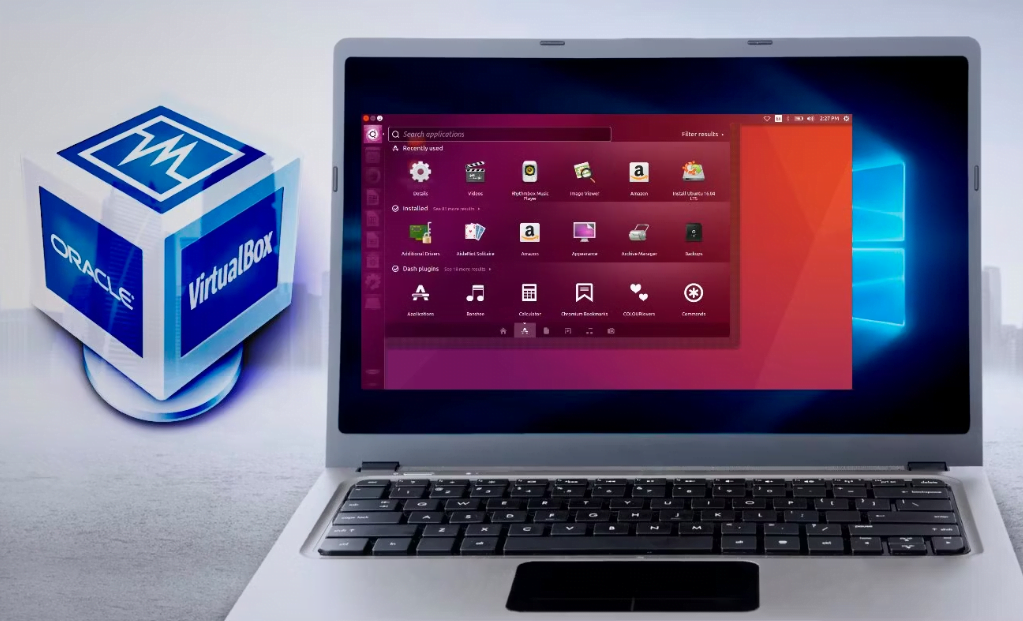
Welcome to the fascinating world of operating system virtualization! In this article, you will discover everything you need to know about virtualized operating systems, from their definition to their advantages and the best programs to use them. If you are passionate about computing or are simply looking for a more efficient and secure way to work with multiple operating systems on a single computer, this article is for you! These virtual machines behave as if they were real computers, but they operate within the same physical computer and share its resources.
This technique has revolutionized the world of computing, as it allows users to work with different operating systems without having to invest in multiple computers or partitions. In addition, thanks to virtualization, it is possible to increase security and improve performance by isolating each operating system in its own virtual machine.
What is operating system virtualization used for?
Operating system virtualization allows for the creation of multiple independent environments on a single server, resulting in more efficient use of resources. This means that multiple operating systems can be run simultaneously without having to invest in additional hardware.
Another important benefit is the ability to test and experiment with different operating system configurations without affecting the main system. Virtualization also allows businesses to reduce costs by consolidating physical servers and improve security by isolating vulnerable applications. Virtualization offers flexibility and efficiency to maximize the performance of existing hardware.
Types of virtualization used in operating systems
There are several types of virtualization used in operating systems. One of them is server operating system virtualization, which allows users to create multiple virtual machines with different operating systems and applications on a single physical server. This way, multiple tasks can be run at the same time without compromising performance.
Another type of virtualization is desktop virtualization, which allows users to access their desktop from any connected device and work from any location. In addition, there is also application virtualization, where an application runs within a separate container that uses its own resources and does not affect the rest of the operating system. Finally, there is profile virtualization for storing individual profiles on remote servers accessible from anywhere.
Virtualizing the operating system on a server
Server operating system virtualization is a technique that allows multiple operating systems to run on a single physical server. This allows multiple virtual servers to be consolidated into one, reducing hardware and energy costs.
Additionally, virtualizing the operating system on a server improves the efficiency and availability of computing resources by allowing system administrators to allocate more or less resources to each virtual machine as needed. It also enables isolation between instances to improve security and prevent catastrophic failures that affect the entire system.
Desktop virtualization
Desktop virtualization is an efficient way to use multiple operating systems on a single device. This technique allows users to run different virtual environments, such as Windows or Linux, without the need to physically change the computer.
A significant advantage of desktop virtualization is that it can help businesses reduce costs by allowing them to use cheaper, standard devices for their employees. It also allows for greater flexibility and security by separating host and guest system data.
Application virtualization
Application virtualization is a technique that allows programs and applications to run in an environment isolated from the main operating system. With application virtualization, users can access programs that are not installed on their devices or operating systems.
This technology is widely used to improve the performance and security of software in businesses and government institutions. Application virtualization also allows multiple versions of the same application to run at the same time without conflicts between them.
Profile Virtualization
Profile virtualization refers to a technique used to host user profiles on a centralized server. This way, users can access their profiles from any device and location without losing their personalized settings.
With profile virtualization, administrators can implement global policies across the desktop environment while allowing users to maintain local customizations. This also helps reduce the time required to configure new devices and simplifies maintenance tasks through centralized profile management.
The best programs for virtualized operating systems
There are several operating system virtualization programs on the market, and each has its pros and cons. Among the best programs are VirtualBox, VMware Workstation Player/Pro, Parallels Desktop, Hyper-V, Docker, and DosBox.
VirtualBox is a free program that supports a wide variety of guest operating systems. VMware Workstation Player/Pro offers advanced features such as integration with development tools and remote control. Parallels Desktop is popular among Mac users who need to run Windows or Linux on their machine. Hyper-V comes bundled with some versions of Windows and integrates virtualization into the operating system. Docker is used for lightweight virtual containers while DosBox works especially well for older DOS games.
VirtualBox
VirtualBox is one of the most popular programs for operating system virtualization. It's a free and open-source tool that allows you to run multiple operating systems on a single machine, saving time and resources.
Additionally, VirtualBox offers many useful features such as the ability to share folders between the host and virtual machines, custom network connectivity, USB 2.0 and 3.0 support, and compatibility with almost all existing operating systems. VirtualBox is an excellent choice for those looking for an easy-to-use yet powerful program to virtualize their operating systems.
VMware Workstation Player/Pro
VMware Workstation Player/Pro is a popular virtualization tool used by businesses and individual users. This platform allows you to create multiple virtual operating systems on a single physical machine, which is useful for testing software or network configurations.
The free version, VMware Workstation Player, is ideal for those looking to virtualize basic operating systems on their desktop. Meanwhile, the professional version, VMware Workstation Pro, offers advanced features such as quick cloning and custom networking. Both versions offer flexible shared storage options and allow users to drag and drop files between the host and virtual machines.
Parallels Desktop
Parallels Desktop is one of the most popular programs for virtualizing operating systems on Mac. This program allows users to run Windows, Linux, and other operating systems on their Mac without needing to restart the computer.
With Parallels Desktop, users can enjoy a seamless experience with full integration between the host and guest operating systems. Additionally, it comes with advanced features such as DirectX 11 support and hardware-accelerated 3D graphics that enable running demanding applications in a virtualized environment.
Hyper-V
Hyper-V is a Microsoft hypervisor that enables virtualization on Windows operating systems. With this tool, you can create and manage virtual machines for various purposes, such as software testing, web development, and application execution.
A major advantage of Hyper-V is its ease of integration with other Microsoft products and services, making it a popular choice for business and corporate users. It also offers a high level of security by isolating virtual machines from the host system.
Docker
Docker is one of the most popular tools for virtualizing operating systems. It works across different platforms, allowing users to build and run applications inside containers.
These containers are like small boxes where different programs or services can be hosted without interfering with each other, making resource management much more efficient. In addition, Docker also makes it easier to implement and deploy applications on different virtual machines at the same time.
dos box
DosBox is an emulation tool that allows users to run applications and games designed for MS-DOS on modern operating systems. It's an excellent option for those nostalgic for the past who want to relive the good old days with their favorite video games .
Furthermore, DosBox is highly customizable, meaning it can be adjusted to work best according to the individual user's needs. This includes graphics settings, keyboard mapping , and other important elements related to emulating older games.
Advantages of using virtualized operating systems
Using virtualized operating systems has several advantages. First, it allows a single server or computer to host multiple different operating systems simultaneously, saving space and resources. Furthermore, it provides quick access to a variety of platforms without requiring each operating system to be installed on a separate machine.
Another advantage is the ability to quickly create multiple copies of the same operating system for use in testing or software development. This not only streamlines the process but also reduces the costs associated with purchasing and maintaining additional hardware. Additionally, virtualization also provides increased security as user data is protected within the virtualized environment.
What future developments can we expect in virtualized operating systems?
In conclusion, operating system virtualization is a technology that has a significant impact on the business and personal world. It allows users to have flexibility and efficiency in their daily work while reducing costs. With the increase in cloud usage, virtualization is expected to continue to evolve to meet the changing needs of the market.
As for future developments, artificial intelligence is expected to play an increasingly important role in the administration of virtual systems. Furthermore, with the growing interest by companies in adopting hybrid and multicloud solutions, there will be a greater need for efficient tools to manage multiple platforms.
Continued improvements in terms of security and privacy are also expected in virtual systems. As more people work from home or use personal mobile devices to access business applications, ensuring that sensitive data is adequately protected will be crucial.
Although it has come a long way since its beginnings as an exclusive technique used only by advanced computer experts, there is still plenty of room for exciting innovations and major future advancements in operating system virtualization.