- iOS offers a very polished, secure, and well-integrated experience with iCloud and the rest of the Apple ecosystem, although with little customization and high prices.
- iOS 26 ushers in a new design era with the Liquid Glass interface and unifies the naming of all platforms with a year-based scheme.
- Apple Intelligence introduces discreet but powerful AI features, from real-time translations to Visual Intelligence and automatic summaries of emails and reviews.
- The App Store reinforces its central role with classic reviews and new AI-generated summaries, making it easier to understand an app's quality at a glance.
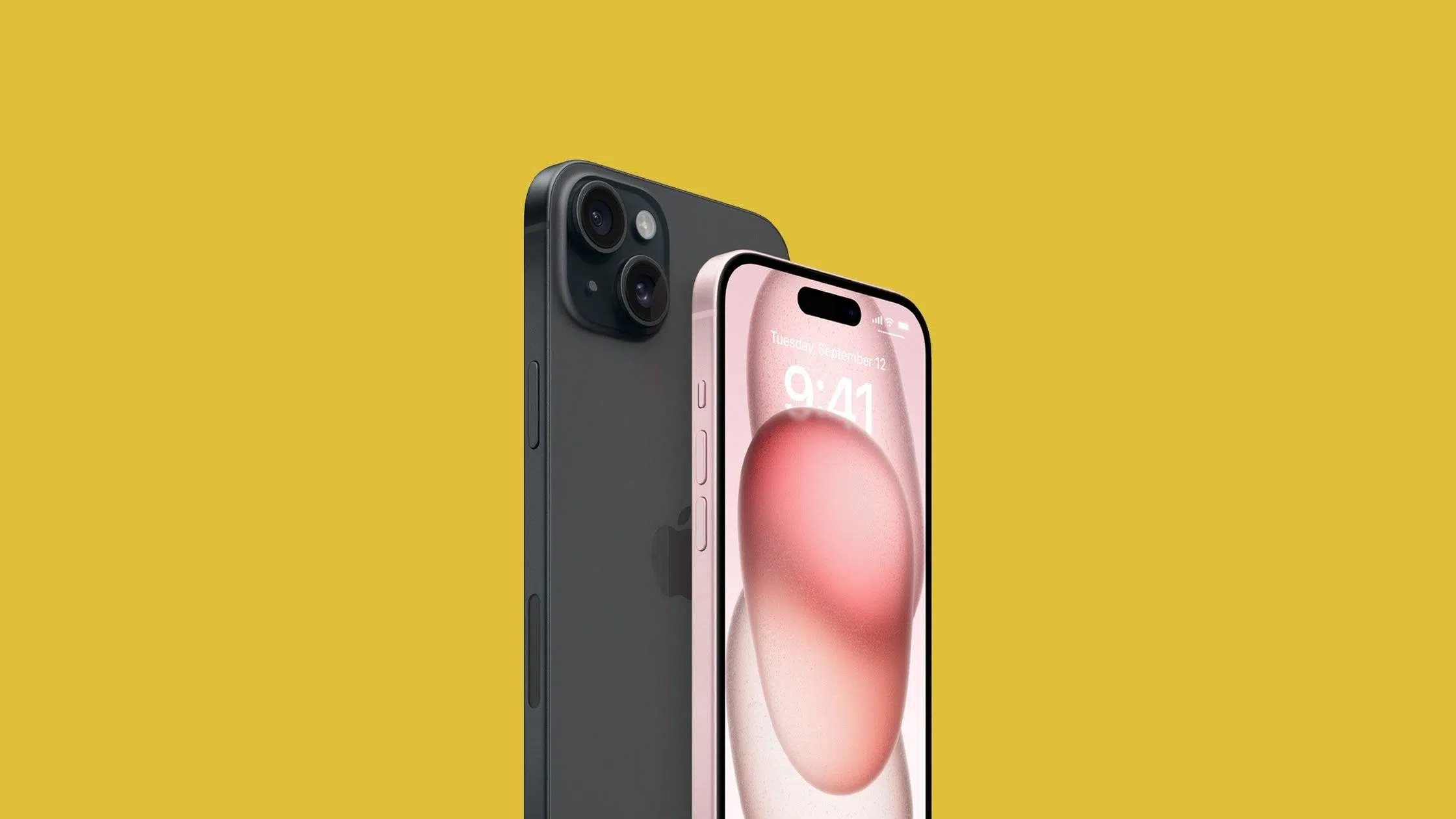
With over a billion active devices worldwide , iOS has become one of the most influential mobile platforms on the market. It not only dominates the high-end segment, but is also the preferred environment for thousands of developers and companies who see the Apple ecosystem as a highly lucrative strategic business opportunity.
Understanding what iOS offers, its strengths, and its limitations is key whether you're considering buying an iPhone or iPad, developing mobile apps, or working on digital projects related to the App Store. Below, you'll find a comprehensive guide to Apple's operating system, its advantages and disadvantages, the latest features in iOS 26, and how artificial intelligence is changing app reviews and ratings.
What exactly is iOS and how has it evolved
The heart of Apple's mobile devices is iOS, the operating system designed specifically for the iPhone and, over time, adapted for other products like the iPod touch and iPad. Initially known as "iPhone OS," it was intended to completely revolutionize the concept of the mobile phone.
The first iPhone was released in 2007, when Steve Jobs unveiled a device with a touchscreen and Wi-Fi connectivity that broke with everything that existed up to that point. A single device combined the functions of a phone, iPod, and internet communicator, and the software was the key to making the experience fluid, simple, and highly visual.
In 2008, the system began to resemble what we now understand as a modern smartphone, and by 2009 the App Store already offered some 50.000 applications , an impressive number for the time. The app ecosystem was growing at a breakneck pace, and Apple clearly saw that the software needed its own identity.
In 2010, a symbolic but important change occurred: “iPhone OS” was officially renamed “iOS .” Since then, Apple has released new versions every year focused on improving performance, security, design, and features, leading to current iterations like iOS 18.3 and, looking to the near future, iOS 26, which will mark a new era in terms of interface and integration with the company's other platforms.
Today, Apple's ecosystem encompasses everything from iPhone, iPad, and iPod to Mac, Apple TV, HomePod mini, and Apple Watch , all connected under a shared design philosophy and services like iCloud. Understanding how iOS fits within this family of devices is essential to appreciating its true potential.
Main advantages of iOS for users and businesses
One of the main reasons so many companies focus on launching their apps on iOS first is that the platform combines stability, security, and a highly engaged user base . But beyond the numbers, Apple's operating system offers a number of concrete benefits that set it apart from other alternatives.
Powerful synchronization with iCloud and iCloud+
One of iOS's greatest strengths is its cloud backup and synchronization system through iCloud . Photos, videos, contacts, notes, documents, and much more can be automatically stored, so if you lose your phone or switch devices, you can recover virtually everything in minutes.
With the arrival of iCloud+, Apple has taken this service a step further, incorporating storage plans and privacy-focused features . Everything stored in the cloud is protected against unauthorized access and malware attacks, reinforcing the idea that the user maintains control over their data.
In addition, the system integrates tools like "Find My iPhone" to remotely locate, lock, or erase a device if it's lost or stolen. This combination of security, continuous backup, and location options makes iOS a very solid choice for those who value their photos, files, and messages like a treasure.
A very polished and consistent user experience
If there's one thing that has always characterized Apple devices, it's their intuitive and consistent interface across all models . Even people with little technological experience usually feel comfortable using an iPhone or iPad after just a few minutes.
Siri, Apple's virtual assistant, lets you control your device with your voice : play music, create reminders, send messages, make calls, or jot down notes without having to navigate through menus. For everyday use, this layer of intelligence adds efficiency and simplifies repetitive tasks.
The App Store is no slouch either. Its recommendations are highly refined and it features advanced filters, such as searching by developer or content type . This level of curation is rarely found with the same depth in other app stores, resulting in less noise and higher average quality.
The system's organization is designed for clarity: an app grid, a separate panel for quick tools, and a dedicated area for notifications and widgets . Unlike other systems where notifications, widgets, and shortcuts share space, iOS has a well-defined visual hierarchy, reducing the feeling of clutter.
In addition, features like the smart notification summary help prioritize what really matters, and apps like Maps or Safari have received constant improvements: more detailed city maps, reviews of places, new views for navigation, and a browser with frequent updates that expand its functionality and security.
One particularly useful feature of the ecosystem is Live Text , which recognizes numbers, addresses, and text within photos. Imagine taking a picture of a business card and being able to call or save the contact with a single tap, without having to type anything. It's one of those features that seems small, but once you try it, you won't want to lose it.
Fast and constant software updates
Another clear advantage of iOS is its centralized update policy, delivered directly by Apple . Each new version includes security patches, performance improvements, and new features for most compatible models simultaneously.
It is estimated that more than 70% of iOS devices are on the latest version or the immediately preceding one , a figure much higher than that of the Android ecosystem, where fragmentation means that there are many mobiles with old versions of the system.
This ability to keep the device fleet up-to-date is due to the tight integration between hardware and software . Apple designs both the chips and the system, so it can optimize, test, and distribute updates without relying on third parties such as manufacturers or carriers.
Connected ecosystem: iPhone, iPad, Mac and more
With each new generation of iOS, the idea of an isolated device fades in favor of a unified experience . iPhone, iPad, Mac, Apple Watch, Apple TV, and even HomePod communicate with each other so users can move seamlessly between them.
Among the features that strengthen this ecosystem are improvements such as Face ID with a mask , which allowed users to unlock their phone and authorize passwords without removing their mask, something especially useful in the context of recent years.
SharePlay is another interesting tool: it allows you to share your screen, watch shows, or listen to music simultaneously while on a FaceTime call. It's ideal for watching content with friends or family remotely without relying on external apps.
In the realm of messaging, iMessage has been gaining strength with better file organization options, more detailed Memojis, and deeper integration with the rest of the system . In terms of performance and features, it far surpasses many messaging services, although its major limitation is that it only works between Apple users.
Smart personalization using the Focus function
Although iOS isn't the most flexible system in terms of aesthetic customization, in recent years it has taken a different approach: modifying the device's behavior depending on the user's situation . This is where the "Focus" feature comes in.
This tool lets you create specific profiles for work, study, leisure, sleep, or driving, among others, and choose which notifications are allowed in each mode . For example, you can mute social media while working remotely, but still receive important calls or calendar reminders.
You can also create fully customized modes, adjusting not only notifications but also home screens and the apps visible in each context . This directly impacts time management, concentration, and digital well-being, helping to reduce the constant bombardment of stimuli.
Disadvantages and limitations of iOS that should be taken into account
Like any other operating system, iOS isn't perfect. Along with its strengths, it has a number of drawbacks that can be decisive depending on the user . For some people, these will be minor issues, but for others, they can be real deal breakers.
Rather limited customization options
One of the most common criticisms of iOS is that all the interfaces look quite similar . Despite the arrival of widgets and certain visual tweaks, the possibilities for fundamentally changing the system's appearance are limited compared to what can be done on Android.
Widgets have predefined sizes and very specific layouts , and although you can play with backgrounds, icons, and some settings, the result is still quite limited. For those who enjoy customizing every last detail of their home screen, iOS may fall short.
Furthermore, in the realm of app development, the ecosystem is tightly controlled by App Store policies . Any app that wants to reach the general public must undergo Apple's review, comply with its guidelines, and face potential rejection. This ensures quality and security, but also limits certain types of projects or business models.
The price of the devices is quite high.
Another of iOS's less favorable aspects is the cost of entry into the ecosystem . iPhones and other compatible devices are typically priced in the mid-to-high and high ranges, requiring a considerable investment if you want to enjoy all the system's advantages.
Part of the price is justified by the build quality, hardware-software integration, camera, update support, and resale value. Even so, for many users, the main drawback of using iOS remains the cost of the devices , especially when compared to Android devices that offer powerful specifications for less money.
Uneven battery performance in older models
In recent models, iPhone battery life has improved considerably, but as devices age, battery capacity noticeably decreases . This is normal for any mobile phone, but it becomes particularly apparent on iOS after a few years.
Over time, the system may reduce performance to prevent unexpected shutdowns , and the user may perceive the phone as slower and with shorter battery life. The solution usually involves replacing the battery or upgrading to a newer model, which entails an additional expense.
No support for external storage via microSD
Regarding storage, Apple continues to opt for fixed internal capacities and a complete absence of microSD card slots . It's not possible to expand the storage of an iPhone or iPad by adding a card, something very common in the Android world.
This decision is justified from the point of view of security, privacy and performance , since the fact that the memory cannot be easily removed helps to protect the user's information and maintain more stable read and write speeds.
The downside is that if you run out of space, you can only use the internal storage you choose when you buy the device or purchase additional iCloud storage . Both options increase the cost. If you compare iOS and Android solely on this point, Android devices that accept microSD cards come out on top in terms of flexibility and price.
Overall, iOS strikes a balance between security, usability, and performance , but it does so by sacrificing room for maneuver in customization, memory expansion, and final cost to the user.
iOS 26: New name, new stage, and the Liquid Glass interface
Apple is preparing for a major phase in the evolution of its mobile software with iOS 26, the star of WWDC 2025 in Cupertino . This leap not only involves new features, but also a change in approach to naming and designing its operating systems.
The first thing that stands out is the name itself. The “logical” successor to iOS 18 would have been iOS 19 , but Apple has broken with that progression. From now on, the company will use a formula based on the release year plus one: in 2025, 25 + 1 = 26. Hence iOS 26, visionOS 26, watchOS 26, tvOS 26, and iPadOS 26.
The idea behind this new scheme is to unify the language across platforms as much as possible , allowing users to easily identify which version they are using on each device. Looking ahead, versions 27 are expected in 2026, 28 in 2027, and so on, reinforcing this temporal connection between hardware and software.
But the most visible change in iOS 26 is its aesthetics. Apple has taken the design of visionOS, the operating system of the Apple Vision Pro, as a basis to build a new visual language called Liquid Glass . As its name suggests, the interface gives absolute prominence to transparencies, very rounded edges, and smooth animations , with an attention to detail that borders on obsessive.
The rounding of many interface elements has been calibrated to align with the physical curves of the iPhone itself , achieving visual consistency between hardware and software. This redesign affects the app launcher, settings menu, control center, and core system apps.
Native apps are also evolving with more sophisticated dynamic behaviors . For example, the address bar adapts to scrolling, the lock screen clock adjusts its size based on the foreground element (if depth of field is enabled), and tools like FaceTime, Photos, and Camera receive notable redesigns.
Apple Intelligence and the new way of interacting with AI
Alongside the visual redesign, Apple is heavily promoting its own integrated AI layer, Apple Intelligence , which, as explained in our article on artificial intelligence as a cross-cutting lever , aims to be both useful and unobtrusive. The company has made it clear that its goal is not to create an intrusive assistant, but rather a silent, friendly, and non-intrusive artificial intelligence that integrates naturally into daily life.
One of the most interesting developments is how apps will be able to interact with Apple Intelligence . Developers will have the option to configure their applications to connect directly to this AI layer, maintaining privacy and, in some cases, even working offline.
Some of the more advanced features won't arrive immediately in all markets, and some will remain temporarily unavailable in Europe, including the new version of Siri, heavily enhanced by Apple Intelligence . Even so, several demos of Apple's own apps have been shown, clearly indicating the direction the company is heading.
The improvements affect everyday services like Messages, Phone, and FaceTime. These apps now include real-time translation during conversations , making it much easier to communicate with people who don't speak your language.
Messages, for its part, will be able to automatically filter SMS and SPAM messages , while the Phone app will be able to identify unwanted calls, display the translation on screen and keep them on hold until the user decides whether or not to answer them.
Another key component is Visual Intelligence, which is integrated throughout the system . Simply taking a screenshot allows the AI to recognize the content. If the image shows, for example, an event poster, the system will offer the option to directly add the date and time to the Calendar without requiring any manual input.
Furthermore, from that same screenshot, you can not only request information from Apple Intelligence, but also consult ChatGPT or search for related images on services like Google, Etsy, or Pinterest , taking advantage of what appears on the screen as context.
AI is also making its way into creative features like Genmoji and Image Playground , which allow you to generate custom emojis and new visual styles with the help of ChatGPT, opening up a range of possibilities when it comes to expressing yourself and creating visual content directly from iOS.
Another very practical use of Apple Intelligence will be in email management, as it can automatically summarize order tracking details from emails, even when purchases weren't made using Apple Pay. Less time reading long emails and more time focusing on what's essential.
Specific improvements for AirPods within iOS 26
iOS 26 isn't limited to the iPhone; it also brings new features that affect other products in the ecosystem, such as AirPods, especially in the areas of audio and recording . For many users, these headphones are a natural extension of their phone, so any improvements here are noticeable in daily use.
According to Apple, the update introduces a significant improvement in voice quality during calls , something many users have been requesting for some time. However, these improvements will be most noticeable in apps within the Apple ecosystem, such as Phone, FaceTime, or any app that uses the CallKit API.
One of the most intriguing features will be the ability to use AirPods as a remote shutter release for the iPhone camera . By pressing and holding the stem of the earbuds, you can start recording a video or take a photo directly, without touching your phone.
These capabilities will be available on AirPods 4, AirPods 4 with active noise cancellation, and AirPods Pro 2 , provided the device is updated to iOS 26. For content creators, vloggers, or simply those who take a lot of group photos, it can be a very convenient tool.
iPadOS 26: The iPad gets a little closer to the Mac
Along with iOS 26 comes iPadOS 26, the version of the operating system designed for the iPad's larger screens . Although historically the iPad has been a kind of "giant iPhone," each new version has pushed it toward a role closer to that of a computer.
In this iteration, Apple wants the iPad to be even closer to the macOS experience, at least in design and basic functionality. The most striking change is the arrival of a new, more advanced windowing system , which partially breaks with the full-screen app metaphor.
This system includes buttons to close, minimize, and resize windows , similar to a computer. Apps can be moved freely, multiple apps can be placed on the screen simultaneously, and the system remembers their position, facilitating multitasking.
Exposé, a classic Mac feature that lets you see all open windows on your iPad at a glance to quickly switch between them, is also included . Alongside this, a new menu bar, very similar to macOS's, is introduced, with contextual options depending on the application in use.
Regarding availability, iPadOS 26, like the other new versions, is starting as a developer beta , with public betas expected to begin in July. From then on, bugs will be ironed out until the stable version is released.
App Store Reviews: AI-powered ratings and summaries
Reviews and ratings on the App Store are a key factor in deciding whether or not to download an app, game, or even a podcast. Apple has long allowed users to rate products with stars, write reviews, read other users' comments, and delete their own reviews if they change their mind later.
Within the App Store, any user can leave a rating and a written review explaining their experience with an app or program. These reviews directly influence the visibility of applications and the trust of potential new users, making them a central component of the ecosystem.
However, when an app has hundreds or thousands of reviews, reading them all is nearly impossible. That's why Apple is taking it a step further by introducing AI-powered automatic review summaries as part of the iOS 18.4 update, currently in public beta.
This new feature uses Apple Intelligence to analyze all the ratings for an app and generate a general summary that reflects what is most frequently mentioned in user comments: strengths, common problems, type of experience it offers, etc.
The goal is for users to get a clear idea of what the app is like without having to read dozens of reviews one by one. This saves time and makes decision-making easier, especially in highly competitive categories where the differences are subtle.
From the perspective of technology companies and development studios, these types of tools represent an interesting evolution in how we interact with digital platforms . Companies like Q2BSTUDIO, specializing in technology development and services, are closely monitoring these advances because they affect both product design and in-store positioning strategy.
The teams at these types of companies work on innovative solutions that allow their clients to take full advantage of AI and Apple's new features , both to improve their apps and to better understand their users through reviews, generated summaries, and download behavior.
With all of the above, iOS has solidified its position as a mature, highly polished operating system with a strong emphasis on integration, security, and artificial intelligence . In return, it sacrifices some flexibility and maintains a higher price barrier to entry. A thorough understanding of this balance of pros and cons, along with the new features of iOS 26, iPadOS 26, and AI-enhanced reviews on the App Store, will help you decide whether this ecosystem fits with how you want to use technology in your daily life.
