- Eclipse is a highly extensible plugin-based development platform
- Supports multiple languages like Java, C++, PHP, Python and more
- Provides tools for editing, debugging, testing, and version control
- Includes a powerful plug-in for Java development called JDT
Over the years, Eclipse IDE has established itself as one of the most powerful, flexible, and widely used development platforms on the market. Thanks to its open-source nature, versatility, and plug-in- based architecture , this environment has surpassed initial expectations of being just a Java tool and has become a true Swiss Army knife for programmers worldwide.
If you're a software developer or just starting out, you've probably already encountered the Eclipse IDE. But did you know it's much more than just a Java code editor? In this article, we explain in detail what Eclipse is, how it works, where it came from, and why it remains a top choice in 2024 for developers across a variety of disciplines.
What is Eclipse IDE?
Eclipse is a comprehensive, configurable, and extensible development platform thanks to its component-based architecture. Its core is the Rich Client Platform (RCP) , which serves as the foundation for running and managing the modules or plug-ins that provide various functionalities.
Initially created as a specialized tool for Java development, the IDE has evolved to support multiple languages such as C, C++, PHP, Python, JavaScript, among others, thanks to a vast collection of extensions developed by the community or by the Eclipse Foundation itself.
Origins and history of the project
Eclipse was born in 2001 as a project promoted by IBM, which needed a modern and powerful alternative to its aging VisualAge platform . Initial development was handled by Object Technology International (OTI), an IBM subsidiary with expertise in Smalltalk and Java.
That same year, IBM, along with other companies like Borland and Red Hat, created the Eclipse Foundation , a non-profit organization with the goal of fostering an open ecosystem. Since then, multiple versions have been released with names like Callisto, Europa, Mars, Neon, and Photon, culminating in version 2025-03 (4.35).
Key Features of Eclipse
Eclipse's appeal lies in its modularity and flexibility . Here are some of its most notable features:
Customizable perspectives and views
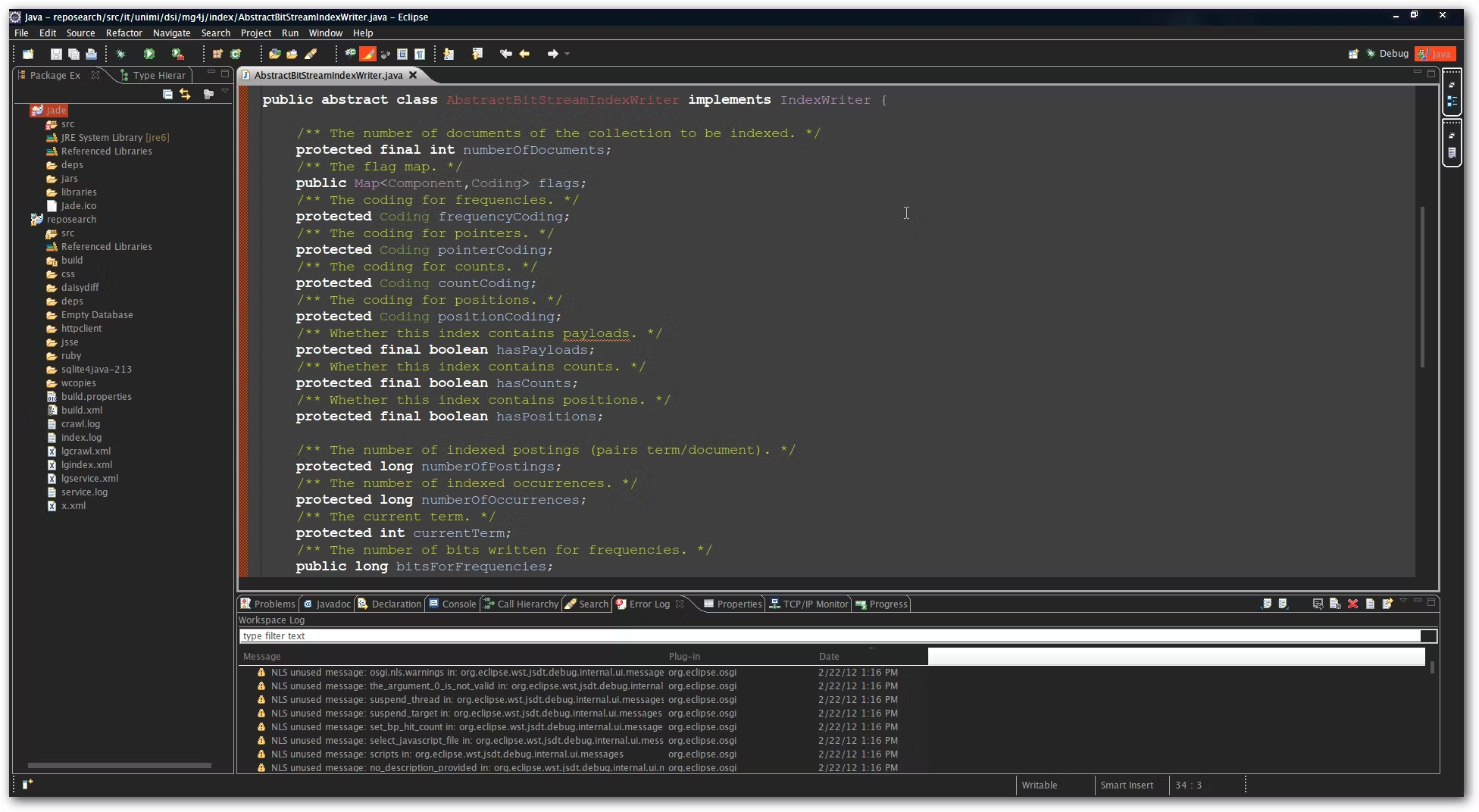
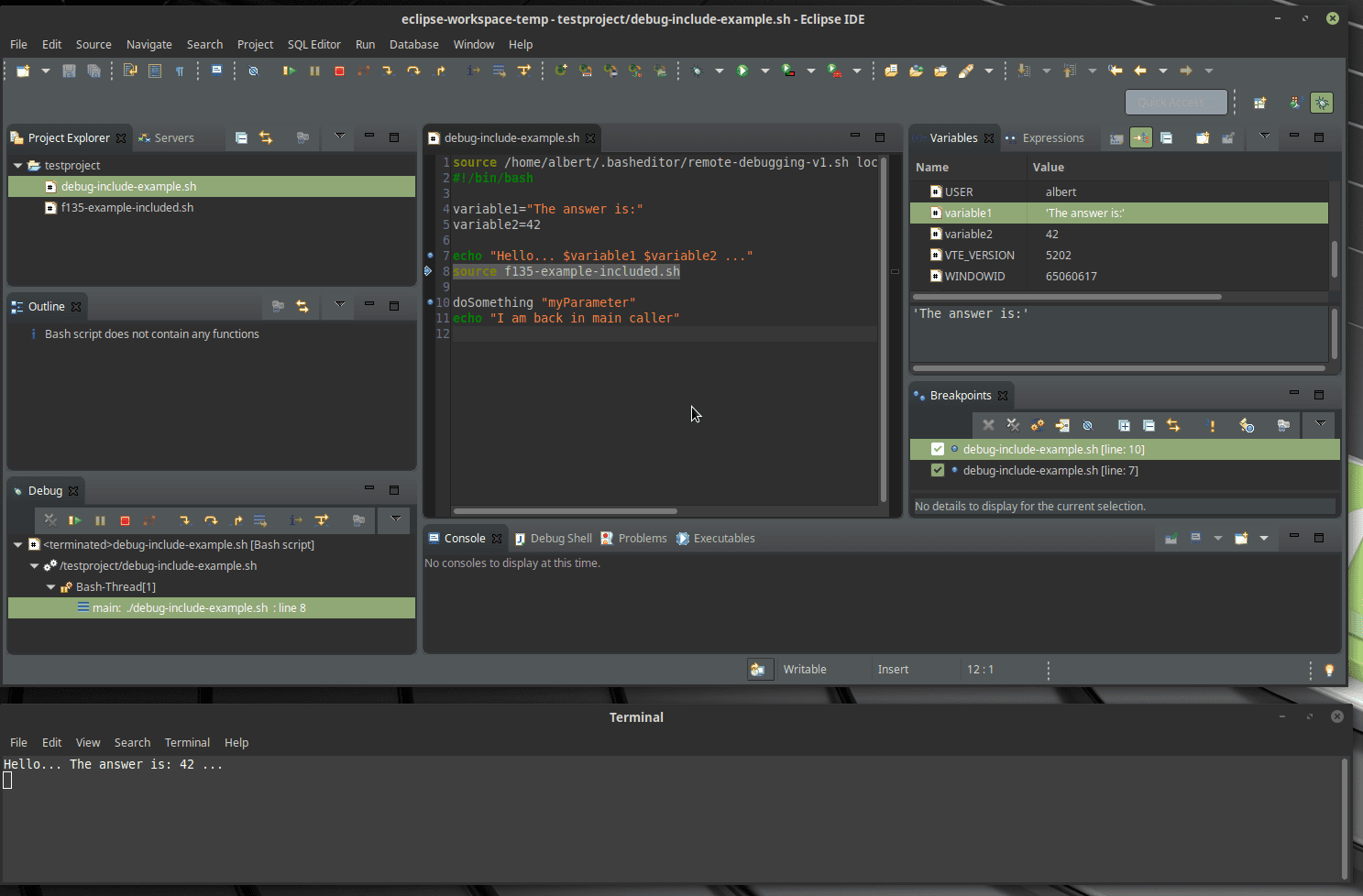
One of the key concepts in Eclipse is perspective , which defines the arrangement of editors, views, and tools within the environment. Each type of project (Java, debugging, Git, etc.) can have its own perspective tailored to its needs.
Project-based system
In Eclipse, you work with projects , which group related resources such as code, configuration files, documentation, and libraries. The IDE provides wizards for creating different types of projects, either from scratch or by importing from external repositories.
Integrated debugger
The environment incorporates a very powerful graphical debugger , which allows you to run programs step by step, manage breakpoints, explore variables, and modify the execution flow in real time.
Editor with highlighting and auto-completion
It features an intelligent code editor , with functions such as syntax highlighting, code completion , contextual suggestions, navigation between classes and methods, automatic generation of constructors, getters and setters , and support for Javadoc.
Plug-ins for everything
The heart of Eclipse lies in its thousands of available plugins , both free and paid. These allow you to integrate features such as support for new languages, server connectivity, graphical tools, databases, version control, and much more.
Most relevant technical components
The Eclipse architecture consists of these key elements:
- Main Platform: manages the loading of plug-ins and the execution of tasks.
- OSGi: underlying modular platform that allows you to manage packages and dependencies.
- SWT (Standard Widget Toolkit): graphical toolkit that uses native resources for a faster interface.
- JFace: layer on top of SWT that facilitates the creation of rich interfaces.
- Workbench: visual environment where all views and tools interact.
JDT Plug-in: The Heart of Java in Eclipse
Although Eclipse wasn't designed exclusively for Java, the Java Development Tools (JDT) is one of its best-known and most widely used components. This plug-in provides an extremely rich Java development experience.
Within the JDT we find views such as Outline , which shows the structure of the open source file, and Package Explorer , which allows us to explore the hierarchy of our packages and classes.
It features real-time inspection , automatic code generation, advanced refactoring, and compatibility with tools like Ant, Maven, and Gradle. It also integrates with JUnit for unit testing and with CVS, Git, and Subversion for version control.
Evolution and versions of Eclipse
Since its initial release, Eclipse has followed a rigorous annual release schedule . Among the most notable releases are:
- Callisto (3.2) - 2006
- Europe (3.3) - 2007
- Galileo (3.5) - 2009
- Indigo (3.7) - 2011
- Oxygen (4.7) - 2017
In its version 3.2.1, Eclipse had over two million lines of code , mostly written in Java (over 92%), followed by ANSI C, C++, and other minor languages. The estimated development cost exceeded $80 million, according to COCOMO model calculations.
Installation and initial configuration
Installing Eclipse is quite simple. Just download the file from the official website, unzip it and run the file eclipse.exe. When you start it for the first time, it will ask you to select a working folder (work space), where all your projects will be stored.

Multilanguage support and customization
Thanks to its plugin system, Eclipse can also be used to develop in Python, Perl, PHP, Kotlin, Ruby , and many other languages. It has specific versions such as:
- Eclipse IDE for Java Developers
- Eclipse for C/C++ (CDT)
- Goclipse for development in Go
- Aptana Studio focused on web development
- Spring Tool Suite (STS) for Spring applications
Complementary tools and graphical framework
One of Eclipse's greatest strengths is its ability to create interactive graphical interfaces using tools like GEF (Graphical Editing Framework) . This utility allows you to create everything from visual editors to UML diagrams within the environment itself.
GEF lives within Eclipse and integrates with its system of views and editors, delivering professional results without the need for external tools.
Collaboration, version control and testing
Version control systems like Git, CVS, or Subversion can be integrated into the environment via plugins. It also offers support for unit testing with JUnit , error tracking, and real-time compilation.
It also integrates with tools like Hibernate , Ant , Jenkins , or Docker , making it an ideal choice for complex enterprise development.
Translations and international support
Eclipse is available in over 40 languages , including Spanish, German, French, Japanese, Chinese, Arabic, and others. This multilingual support is very useful for international companies or distributed development teams.
After more than two decades of constant evolution, Eclipse remains one of the favorite tools among programmers thanks to its enormous flexibility and adaptability. Its modular design, plugin extensibility, and language-independent approach make it useful for both novices and advanced professionals. If you're looking for a solid, free platform with professional performance, Eclipse remains a safe bet.
