- The main ERP solutions vary depending on the size, sector and needs of the company.
- Microsoft, SAP, Oracle, Sage, and Odoo lead the offering for both SMEs and large companies.
- Current trends include cloud ERP, artificial intelligence, and integration with other business tools.
Choosing an ERP (Enterprise Resource Planning) software is not a simple decision for any company. Implementing this type of system affects all business processes and has direct implications for efficiency, productivity, and even profitability. Therefore, knowing what options are available, what advantages each solution offers, and how they adapt to different types of businesses is key to making the best decision.
The current ERP market is incredibly diverse, offering solutions for all types of businesses, from small and medium-sized enterprises (SMEs) to large international corporations. There are general-purpose, specialized, open-source, and cloud-based options, which can make choosing the ideal tool a real labyrinth. That's why, in this article, we clearly, comprehensively, and thoroughly break down everything you need to know before embarking on a search for the best ERP for your business.
What is an ERP and why is it essential today?
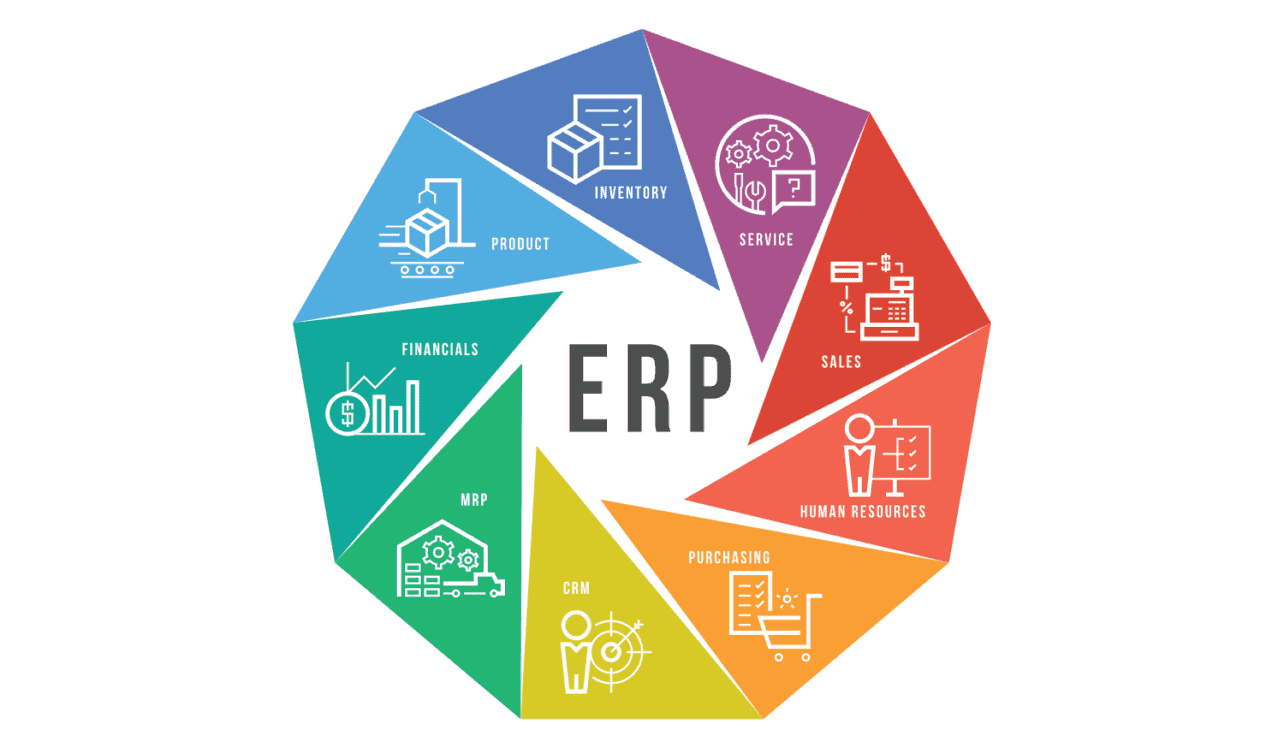
An ERP, or enterprise resource planning system, is much more than just a management program. It's the true digital brain of the company , capable of integrating all critical processes into a single platform: accounting, finance, purchasing, sales, inventory, human resources, projects, CRM, and much more.
The main advantage of an ERP system is the centralization of information . All departments share data in real time, eliminating information silos, duplication, and errors. This translates into faster and more accurate decision-making, improved internal communication, and a comprehensive and detailed view of the business's status.
Furthermore, modern ERPs allow for the automation of repetitive tasks , reduce human error, facilitate regulatory compliance, and adapt the company to new digital challenges. Ultimately, they are a strategic tool for gaining competitiveness, growing, and scaling the business, regardless of size or sector.
Main types of ERP: which one best suits your business?
The variety of ERP solutions can be overwhelming. Today we can find:
- Cloud ERPs: They allow access to information from any device and location, with automatic updates and pricing tailored to your usage. Ideal for companies looking for flexibility and mobility.
- On-premise ERPs: These are installed on the company's servers. They offer greater control over data and customization, although they require a larger investment.
- Hybrid ERPs: They combine the best of both worlds, allowing part of the information to be hosted in the cloud and part locally.
- Open source ERPs: They offer the freedom to modify, adapt, and scale the system according to business needs, while also reducing licensing costs.
- Sectoral or vertical ERPs: developed for specific industries such as food, construction, retail or metal, facilitating adaptation and rapid implementation.
The choice between one or the other will depend on the size of your company, your budget, the processes you need to cover, and the level of customization you require. It's essential to conduct a prior analysis and define priorities before selecting a solution.
What key features should a good ERP have?
Not all ERPs are the same, but there are features that are essential if you want to ensure a profitable investment:
- Financial and accounting management: It must cover the entire cycle, from general accounting to analytics, treasury, invoicing and tax management. Learn the key functions of an ERP.
- Warehouse and inventory managementA good ERP should help control stock, reduce breakages, and improve logistics.
- Purchasing, sales and CRM modules: to automate and optimize the relationship with suppliers and customers.
- Human resources and payroll, including employee control, vacations and payrolls.
- Advanced Reports and Dashboards: The ability to access real-time analytics makes a difference in decision-making.
- Process automation and customizable workflows.
- Scalability and adaptability depending on business growth.
- Accessibility in the cloud and mobile device compatibility.
- Integration capacity with other tools (e-commerce, POS, WMS, BI, etc.).
- Safety and regulatory compliance.
The best solutions also include artificial intelligence, machine learning, business intelligence, virtual assistants, and advanced automation tools.
Updated ranking of the best ERPs on the market
Based on reports from Gartner, Softdoit, Capterra, SoftwareReviews, and the most recent comparisons, as well as user and expert experience, these are the top ERP systems currently standing out in the Spanish and global markets:
Microsoft Dynamics 365 (Business Central and Finance & Operations)
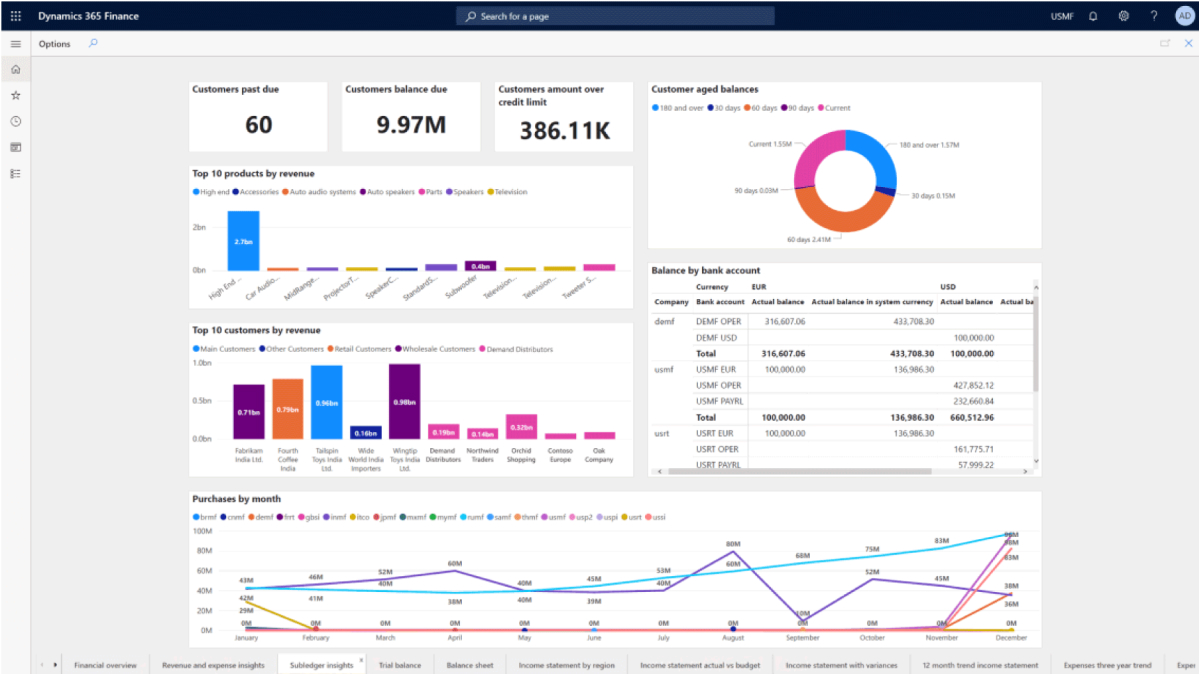
Microsoft Dynamics 365 is one of the most comprehensive and widely used ERP systems , suitable for both SMEs and large enterprises. It offers a modular suite connected to the Microsoft ecosystem (Office, Power BI, Teams, etc.), facilitating team integration and training.
- Main advantages: Scalability, native integration with Microsoft 365, modules for finance, sales, purchasing, inventory, projects, human resources and CRM, cloud and on-premise access, frequent updates, and the AI option with Copilot. It also stands out for its ease of creating advanced reports and dashboards.
- Disadvantages: Deep customization may require specialized consultants, and pricing can range from mid- to high-end depending on the configuration and number of users.
SAP S/4HANA and SAP Business One
SAP continues to lead the enterprise market with its S/4HANA Cloud solution, integrated with AI, machine learning, and advanced real-time analytics. It is ideal for corporations seeking to standardize global processes and comply with complex regulations.
For SMEs, SAP Business One offers a simpler and more flexible, yet equally robust, package with modules for all business management needs. Both products allow for cloud or on-premises deployment and are highly regarded for their power and security.
- Disadvantages: It requires training and consulting to fully utilize its potential. The cost can be high for small businesses, and the learning curve may be somewhat steeper.
Oracle ERP Cloud and NetSuite
Oracle Fusion Cloud ERP is considered by Gartner to be the global leader in cloud-based enterprise solutions, targeting large companies with complex needs in finance, planning, and supply chain. It implements AI, advanced automation, and continuous updates.
Oracle NetSuite is the "affordable" version for small and medium-sized businesses. A pioneer in cloud computing, it stands out for its flexibility, customization through modules, and ease of scalability.
- Disadvantages: Subscription and consulting costs can be high, and advanced customization requires technical support. The implementation curve is medium to high.
Sage 200 and Sage Intacct
Sage is a favorite choice for SMEs in Spain and Europe . Sage 200 Advanced offers comprehensive management of accounting, sales, finance, and projects, with integration to Office 365, business intelligence, and cloud access.
Sage Intacct , focused on advanced financial management, is ideal for companies looking for a powerful solution for accounting, reporting and automation of financial processes.
- Points to consider: Sage 200 requires initial training and is cost-average for the industry. Its cloud and on-premise versions offer flexibility for different budgets.
Odoo
Odoo is the star of open-source ERP software . Thanks to its modular structure, it allows companies to implement only the modules they need (sales, purchasing, inventory, HR, CRM, marketing, e-commerce, etc.) and tailor it to their specific requirements.
- Advantages: Freemium model (free Community version and paid Enterprise version), large community, customization options, and a wide range of external apps.
- Disadvantages: For advanced customizations or migrations, it is often necessary to hire partners, which can add cost and time.
How much does it cost to implement an ERP? (And how to calculate ROI)
The price of an ERP system varies greatly depending on the system, the number of users, the modules included, support, infrastructure, and required customizations. Solutions range from less than €20 per user per month (for example, Holded or Odoo Community) to systems that can involve initial investments of tens of thousands of euros, as is the case with SAP, Oracle, or Ekon.
It's essential to analyze the total cost of ownership (TCO): licensing, maintenance, support, implementation, training, and future expansions. In any case, a good ERP system will benefit in the medium term thanks to time savings, error reduction, and improved productivity.
Most ERPs offer free demos and trials to evaluate whether it's a good fit for your business before taking the plunge. Don't jump in without trying and comparing!
Keys to choosing the best ERP for your company
- Analyze your processes and priorities carefullyDon't be swayed by price or the "name" of the solution alone. Think medium- and long-term.
- Check out real user reviews and experiences, in addition to the rankings of consulting firms such as Gartner, Softdoit or Capterra.
- Review the ease of data integration and migration from other systems.
- Ask for references from partners and implementersA poor implementation can ruin the best tool.
- Value customization and whether the system can grow with you as your needs develop.
- Don't neglect training and support.
Current trends in the ERP world
The sector is undergoing a full digital transformation and the key trends include artificial intelligence and machine learning (to automate and predict needs), mobility and omnichannel access , integration with BI systems and collaborative tools , and security (cybersecurity and legal compliance).
SaaS and cloud systems are gaining ground by offering greater flexibility and lower entry costs. Furthermore, the emergence of virtual assistants, native integration with Copilot, ChatGPT, and mobile apps will shape the immediate future.
Differences and advantages of open source ERPs compared to proprietary ones
Open-source ERPs like Odoo, ERPNext, or Dolibarr offer technological independence and reduced licensing costs , as well as great flexibility for companies with technical teams that want to customize the system. The drawback: they require more self-management and may need external support for complex implementations.
Proprietary ERPs (Microsoft, SAP, Oracle, Sage, etc.) offer greater robustness, security, and direct support from the manufacturer, which is why they are preferred by medium-sized and large companies or regulated sectors.
ERP for specific sectors: outstanding examples
- Manufacture: SYSPRO, Epicor, IQMS, Infor, IFS Cloud
- Retail and distribution: NetSuite, Ariba, Aqua eBS, Ekon
- Consultancies and offices: a3ERP, Wolters Kluwer
- Food and agriculture: Aqua eBS, Odoo, Solmicro
- Construction: Solmicro, Cegid Sigrid ERP
- Metal industry: Lantek Integra
Key final points before deciding on your ERP
The success of an ERP project depends not only on the technology, but also on the team's commitment, training, and the quality of the implementation partner. Every company is unique and requires a thorough analysis of its needs. An ERP should help you grow, adapt to change, and simplify your daily operations, not complicate them.
