- Rescue antivirus programs boot from CD/USB and scan the system without depending on Windows or the installed antivirus.
- They allow you to detect and remove persistent malware, rootkits, and threats that load before the operating system.
- The main manufacturers (Kaspersky, ESET, Avast, Panda, Norton, etc.) offer free rescue disks.
- Creating these media is easy using official ISO images and tools like Rufus or UNetbootin.
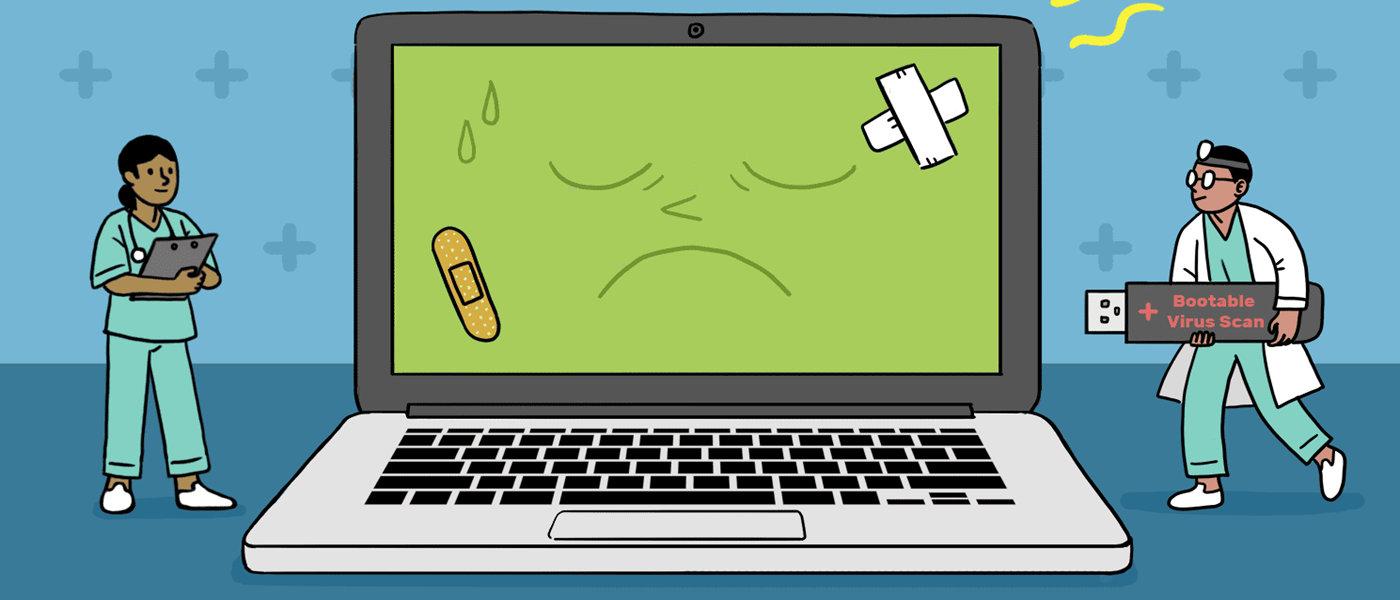
When a virus, Trojan, or ransomware infiltrates your PC, traditional antivirus programs are often too late. Some malware loads before Windows even starts, hides in the boot sector, or manipulates the system in such a way that the installed antivirus can't even boot. In this scenario, having a good bootable ransomware program goes from being an extra to being practically essential.
These rescue disks or USB drives function like an emergency medical team for your computer : they boot an independent system (almost always Linux-based), update its firmware, and thoroughly scan your hard drives without loading Windows or any potentially infected files. They don't consume system resources, aren't permanently installed, and can get you out of a tight spot when your PC is so damaged it won't even boot. They also complement guides for optimizing Windows when your PC is running slowly.
What is a rescue antivirus and why does it make a difference?
A rescue antivirus is a bootable security solution that runs from a CD, DVD, or USB drive before the installed operating system. Instead of relying on Windows or the resident antivirus, it loads its own environment into memory (usually a Linux-based Live CD/USB) from which it scans and disinfects the computer.
The major advantage is that these environments work with direct access to the disk and file system, preventing malware from activating in memory. Many rootkits, advanced worms, and persistent Trojans load right at Windows startup, even before traditional antivirus software scans, allowing them to hide or prevent their removal.
Furthermore, since it runs from an external source, a rescue antivirus doesn't negatively impact your computer's daily performance . You don't need to have it installed or consuming resources all the time; you simply connect it when needed, perform a thorough scan, and then put it away until the next maintenance check.
In a context where cyberattacks are becoming increasingly sophisticated , with unpatched vulnerabilities and users letting their guard down, these types of tools are a powerful support for both home and business users. This is especially true for Windows, which remains the most attacked operating system and where these recovery solutions truly shine, making it essential to optimize Windows services and performance.
How do rescue antivirus Live CD/USBs work?
Almost all rescue antivirus programs are built on a Linux distribution in Live CD/USB format . This means that the system is loaded directly into memory from the CD, DVD, or USB drive, without touching or installing anything on the hard drive of the PC you want to scan.
The typical procedure is simple: you download the ISO or IMG image provided by the manufacturer, burn it to a CD/DVD or copy it to a USB drive using tools such as Rufus, UNetbootin, ImgBurn or similar options, and then configure the computer to boot from that external media rather than from the internal hard drive.
Once the rescue environment is running, you'll find all sorts of interfaces: from very basic text-based modes to fairly user-friendly graphical desktops. In all cases, the essence is the same: update the signatures, choose which drives and folders to scan, check the boot sector, and then proceed to clean or quarantine anything detected.
Many of these rescue disks allow you to perform quick, full, or custom scans , adjust the heuristic level, decide what to do with each infected file, and sometimes access extra tools such as file explorers, Windows registry editors, partition managers, or backup utilities.
The minimum hardware requirements are fairly reasonable: a compatible x86 processor, at least 512 MB of RAM in most cases, the ability to boot from CD or USB, and an internet connection to download the latest virus definitions. On very old computers, it may be necessary to enter the BIOS to force booting from the optical drive or USB. Additionally, you can use helpful Windows 11 scripts to automate downloads and other tasks.
Real advantages over an installed antivirus
The main strength of a rescue antivirus is that it doesn't depend on Windows running . If malware has corrupted the system, locked the desktop, or prevented the antivirus from running, the rescue disk still has the upper hand because it boots from outside and scans the disks as if they were simple data drives—especially useful if you notice your PC freezing or showing signs of instability.
Another key advantage is that these types of tools prevent malware from loading into memory . MBR rootkits, threats that launch before your antivirus, or infections that modify the system boot process cannot defend against or camouflage themselves as easily when the scan is performed from an external environment.
It's also very useful for recovering important data from computers that no longer boot. Some rescue disks include file explorers, network clients, and even built-in backup managers. This way, you can save critical documents to another drive before proceeding with a more aggressive cleanup or a Windows reinstallation. Sooner or later, it's a good idea to know how to uninstall programs and clean your PC of leftover files.
Finally, since they don't require permanent installation, you can use them for routine maintenance even if your PC seems to be running fine. A couple of scans a year with a good rescue antivirus helps detect persistent threats or infections that may have gone unnoticed by your resident antivirus.
Top free rescue antivirus programs for Windows
Virtually all major cybersecurity vendors offer a free rescue disk or USB drive . Some have polished and up-to-date interfaces, while others retain an outdated look or text-based modes, but they all share the essentials: a powerful detection engine and updated signatures.
Below you will find a detailed overview of the most well-known and useful solutions, along with their specific features, so you can choose the one that best suits your needs.
Kaspersky Rescue Disk
Kaspersky offers one of the best-known rescue disks: Kaspersky Rescue Disk , based on Gentoo Linux (version 18.x in its latest public releases). It is downloaded as an ISO image, which you can burn to a CD/DVD or create a bootable USB drive.
Its purpose is clear: to scan and disinfect Windows systems that are normally inaccessible due to an infection. It includes Kaspersky Rescue Tool, which analyzes and cleans files and boot sectors, even in scenarios where malware blocks Windows startup or disables the resident antivirus.
Among its new features and most notable characteristics are support for modern hardware , compatibility with UEFI Secure Boot, scanning of all detected operating systems, integration with Kaspersky Security Network, adware and riskware detection, file backup before deletion, and notifications when antivirus databases are outdated.
However, it's intended as a one-off disinfection tool , not as long-term protection. Once the system is clean, the recommendation is to install a full antivirus program within Windows for daily security.
Avira Rescue System
Avira Rescue System is another long-established Linux-based option that allows you to boot a PC that won't start Windows and scan it for viruses, spyware, dialers, rootkits, and other threats. You can download an ISO image to burn to a CD or use an executable that creates the disc automatically.
This rescue system offers several configurable scan modes : full scan, smart scan, or boot sector scan only. It's also possible to adjust the actions taken upon malware detection and broaden the search to include categories such as spyware, jokes, or potentially unwanted software.
Its graphical interface is simple and unpretentious, but it more than fulfills its mission: to facilitate access to a damaged computer to try to repair the system, recover data, or clean infections that prevent a normal boot.
G Data Boot-Medium
G Data Boot-Medium combines the power of the G Data Antivirus engine with its own boot environment that runs before the operating system. It is especially useful when an infection has left your computer unstable, slow, or unbootable.
Booting from this device displays a control panel with two main options : activate the antivirus to scan and clean the system, or launch the G Data Backup utility to restore data. The "Options" menu also provides access to a system information tool and a network manager for configuring Ethernet and Wi-Fi interfaces, either via automatic DHCP or by manually entering IP address, subnet mask, gateway, and DNS.
The idea is to offer a fairly complete rescue environment , capable of both removing embedded malware and helping to return the computer to a functional state, without requiring extensive technical knowledge or complicated configurations.
Windows Defender Offline
Windows Defender Offline is Microsoft's offering for offline scanning of infected systems. It's a portable antivirus that runs from a CD or USB drive and is designed to deal with rootkits and other potentially unwanted programs that resist detection by Windows itself.
Microsoft uses constantly updated threat definition files that allow you to locate and remove the latest malware. To create one, you download the specific tool for 32-bit or 64-bit systems, depending on where you'll be using it, and then create the bootable media.
The system requirements are modest: from Windows XP SP3 to Windows 10 , with 512 MB or 1 GB of RAM depending on the version, a minimum resolution of 800x600, and 500 MB of disk space. Once the CD or USB drive is created, simply boot from it and follow the wizard to launch a deep scan.
F-Secure Rescue CD
F -Secure Rescue CD is a Knoppix Linux-based utility that loads a minimalist environment whose objective is to recover access to the system and files, as well as eliminate threats that prevent normal booting.
It allows you to include both connected volumes and the Master Boot Record (MBR) of all drives in the scan . Progress is displayed with data such as the number of files analyzed and the amount of malware detected, and the engine is automatically updated with the latest definitions.
In some cases, disinfection routines may not be enough to clean certain files, but the disk can also be used to copy clean data to another medium before more drastic measures. If you need to boot from USB, you'll have to use tools like UNetbootin or Rufus to transfer the ISO to a USB drive.
Dr.Web LiveDisk
Dr.Web LiveDisk is the rescue disk for the well-known Russian antivirus program Dr.Web. It functions as an emergency kit that can be burned to a CD/DVD or a bootable USB drive and is designed to clean Windows systems rendered unusable by malware.
This standalone environment automatically detects available disk drives and the local network , and allows you to update the virus database before scanning. In addition to scanning and cleaning infected files, it offers the option to copy important information to removable media or other computers, which is useful before formatting.
Dr.Web LiveDisk is designed to run on PCs with 32-bit and 64-bit versions of Windows, provided the BIOS supports booting from a USB hard drive. The download is offered in ISO format for CD or as a USB image, allowing you to choose the media format that best suits your needs.
Trinity Rescue Kit
Trinity Rescue Kit (TRK) is a bootable ISO rescue suite that goes beyond traditional antivirus software. It integrates up to five anti-malware engines (ClamAV, AVG, F-Prot, Bitdefender, and Avast) under a unified command-line interface , with online updates, and also includes two anti-rootkit tools.
Although its appearance is more technical and less user-friendly, TRK includes a powerful arsenal of system utilities: Winpass for resetting Windows passwords , NTFS write support, Winclean for deleting temporary files, deleted file recovery, network tools with proxy support, lost partition recovery, and much more.
It is downloaded as an ISO image for burning to a CD or as an executable that automates that burning, and is intended primarily for administrators and advanced users who need a Swiss Army knife to solve complex problems arising from malware or system failures.
Panda SafeCD / Panda SafeDisk
Panda SafeCD or Panda SafeDisk is Panda Security's rescue solution. Its purpose is to scan and disinfect your system without installing anything within Windows, booting directly from a CD or USB drive.
The tool stands out for its ease of use : it doesn't offer too many customization options, but instead loads a wizard that automatically searches for the most recent definitions and, when you press "start", begins to scan the entire system for malicious files.
Panda offers the ISO image for download and burning to a CD-ROM, or the option to create a bootable USB drive using UNetbootin . This requires another working computer to download the image and create the bootable media. Once ready, simply boot the infected PC from the CD/USB and let Panda's engine do its work.
AVG Rescue CD
AVG Rescue CD is a comprehensive suite of tools housed in a text-based rescue environment. It is available in two versions: an ISO image for CDs and a bootable USB drive.
When you boot your PC from this media, a main menu appears from which you can scan the system , review previous scan logs, configure the network, inspect the virus vault, or remount Windows volumes. It also includes scripts that AVG technical support can recommend to resolve specific issues, including false positives.
One of its great advantages is access to various additional Linux utilities : ping tool, file explorer, Windows registry editor, disk data recovery utility, and even SMART tests to check the physical condition of the drives.
Due to its nature and text-based interface, AVG Rescue CD is especially recommended for users with some experience , as it allows very fine control but requires a good understanding of what is being done at each step.
Trend Micro Rescue Disk
Trend Micro Rescue Disk is a portable solution that allows you to scan your PC from a CD/DVD, USB drive, or even an external hard drive without loading Windows. It's designed to locate and remove persistent or hard-to-clean threats, such as rootkits hidden in the MBR.
Its main advantage is that, because it operates outside of Windows , it can analyze hidden files, system drivers, and the Master Boot Record without malware interference. Furthermore, it includes a rollback mechanism to undo changes if something doesn't go as planned.
To begin, download the installer, save it to a working computer, and prepare a blank CD/DVD or USB drive of at least 128 MB . The Trend Micro wizard will take care of the rest. As for system requirements, it requires a 500 MHz Intel Pentium processor, 256 MB of RAM, and the ability to boot from CD or USB (USB 3.0 support may be limited in some versions).
VBA32 Rescue
Vba32 Rescue is a lesser-known but very practical tool that allows you to restore system functionality after malware threats. Its philosophy focuses on fast startup and highly configurable scanning , with the ability to attempt to cure infections with maximum effectiveness.
In addition to anti-malware scanning, the utility facilitates the backup of important files in critical situations , allowing you to save data before making significant changes. Its advantages include signature updates without having to re-download the entire image, the ability to save an updated version directly to the USB drive, and the inclusion of tools like mhdd and memtest for hardware testing.
Comodo Rescue Disk
Comodo Rescue Disk (CRD) is a bootable image that runs the Comodo Cleaning Essentials engine in a pre-boot environment. It offers both a graphical interface and text mode and is designed to deal with malware so deeply embedded that a standard antivirus program cannot remove it.
Because it runs before the system loads, CRD is especially effective against deeply embedded rootkits and infections that prevent Windows from booting. It automatically downloads the latest virus signatures and, in addition to scanning, includes tools for exploring files on the disk, taking screenshots, and browsing the internet.
It requires no hard drive installation: it runs directly from USB or CD/DVD . It is compatible with Windows XP, Vista, 7, and 8 (both 32-bit and 64-bit), and requires at least a Pentium II 233 MHz processor, 512 MB of RAM, and approximately 210 MB of disk space to operate.
Norton Bootable Recovery Tool
The Norton Bootable Recovery Tool (NBRT) is Symantec's go-to solution when an infection prevents the proper installation or use of Norton products, or even blocks Windows from booting. It allows you to scan your computer by booting from a DVD or USB drive and remove persistent threats.
Its primary function is to repair infections affecting system files that cannot be removed from the normal Windows environment. The process involves downloading the ISO image, creating the rescue media, and configuring the BIOS to boot from that device. It can also create a bootable USB drive, although doing so will erase all previous contents.
Once the environment is loaded, the tool offers a minimalist graphical interface with clear options for scanning and cleaning. In some versions, integration with utilities like Norton Power Eraser is limited, but it remains a very solid option for recovering severely compromised systems.
ESET SysRescue Live
ESET SysRescue Live is ESET's solution for scanning and cleaning systems from outside of Windows. It can be installed on a USB drive, CD, or DVD, and its Live USB Creator includes a very clear wizard for creating the bootable media (formatting the drive in the process, so it's advisable to back up its contents).
Upon startup, ESET SysRescue directly accesses the file system and hard drive , enabling thorough analysis of the boot sector, partitions, external drives, and specific folders. It offers intelligent, full, or custom scan profiles, allowing you to specify exactly what is scanned.
The tool can be configured to report suspicious files without deleting them, or to automatically clean and quarantine them. Results are logged, and the program provides detailed statistics and graphs on protection and the items analyzed.
With a robust detection engine and a modern interface, it has become one of the best maintained and easiest to use rescue disks , suitable for both home users and professional environments.
Avast Rescue Disk (created from installed Avast)
Avast 's case is somewhat different: it doesn't offer a directly downloadable rescue ISO; instead, the rescue disk is generated from an Avast Antivirus for Windows installation . The good news is that the free desktop version is sufficient; the bad news is that you need to have it pre-installed on a clean PC.
To create it, you need another computer free of malware, with Avast installed, and an empty USB drive of at least 2 GB or a recordable DVD . From within Avast, you choose to create the Rescue Disk, select whether you want a USB drive or an ISO file, and the program will prepare the media, displaying a progress bar until completion.
If you choose the ISO file, you can then use the Windows disc image burning tool or similar software to create the DVD. For USB drives, simply select the correct drive and let Avast copy all the necessary files.
To use this rescue disk, turn on the infected PC, insert the USB drive or DVD, and access the computer's boot menu (usually using keys like F8, F9, F11, F12, or Esc, depending on the manufacturer). From there, select the corresponding device and follow the on-screen instructions to launch the Avast rescue environment.
Once loaded, you can run a scan with AvastPE Antivirus , update the definitions if you have an internet connection, and choose whether to scan all hard drives or only specific folders and drives. When finished, the report will display the threats found, and you can choose between automatic remediation or manually scanning for infected files.
Practical tips for creating and using these rescue tools
In practice, creating a good rescue antivirus always involves following the same procedure: download the official ISO image , burn it with a reliable program, and verify that the target computer supports booting from the chosen medium.
On modern computers, a message usually appears briefly when you turn on the PC indicating the key to enter the boot menu. On older machines, you may need to enter the BIOS and change the boot order to place the CD/DVD or USB drive before the hard drive.
Tools like Rufus, UNetbootin, ImgBurn, and other utilities recommended by each manufacturer greatly simplify the creation process. Basically, you select the ISO image, the destination drive, and let the application prepare the bootable Live CD/USB without you having to adjust any advanced settings.
A good practice is to always have at least one or two updated rescue disks on hand , and to learn how to free up space in Windows to improve performance. It's a good idea to boot from them occasionally, update firmware signatures, and run a full scan, even if you don't notice anything unusual. There is silent malware that loads into memory at startup and is very difficult to eradicate once the system has booted up.
Ultimately, having a well-prepared rescue antivirus makes the difference between blindly fighting a complicated infection and having a powerful, operating system-independent tool capable of locating and disinfecting persistent malware without crippling daily computer performance or depending on whether Windows wants to boot.