- osTicket centralizes and automates incident management with workflows, SLAs, and metrics.
- Flexible installation (repository/Softaculous) with clear requirements and best practices.
- Key features: multi-channel, custom forms, reporting, and collision avoidance.
- Managed service frees your team: security, high performance, and expert support.

As a systems manager, you know that when your inbox gets out of control, your day becomes complicated. Responding to incidents, prioritizing tasks, and not missing a single detail can eat up valuable hours that you'd rather dedicate to improving infrastructure and key projects.
In this context, osTicket emerges as a powerful solution for organizing support, and if you also delegate the technical layer to a partner, the value multiplies. osTicket brings order and automation to the ticket flow , and a specialized managed service (like that of a provider such as Nettix) takes care of installing, hosting, securing, and maintaining the platform so you can focus on strategic matters.
What is osTicket?
osTicket is open-source software designed to centralize, prioritize, and automate support requests. It unifies all tickets created via email or forms into a simple web interface and manages their lifecycle with clear rules, traceability, and metrics.
Furthermore, it is primarily developed in PHP and uses MySQL , making it a lightweight alternative to more complex and expensive commercial solutions. It offers automated email responses upon ticket opening and a portal where users can check the status and history using their ticket ID and email address, without requiring prior registration to open requests.
Their philosophy is pragmatic: simplifying service , reducing noise, and ensuring that every incident has a responsible party and follow-up, with a clear focus on productivity and end-user satisfaction.
For more technical information and downloads, you can visit the official osTicket website , where versions and reference documentation are published .
Why are you interested in implementing it?
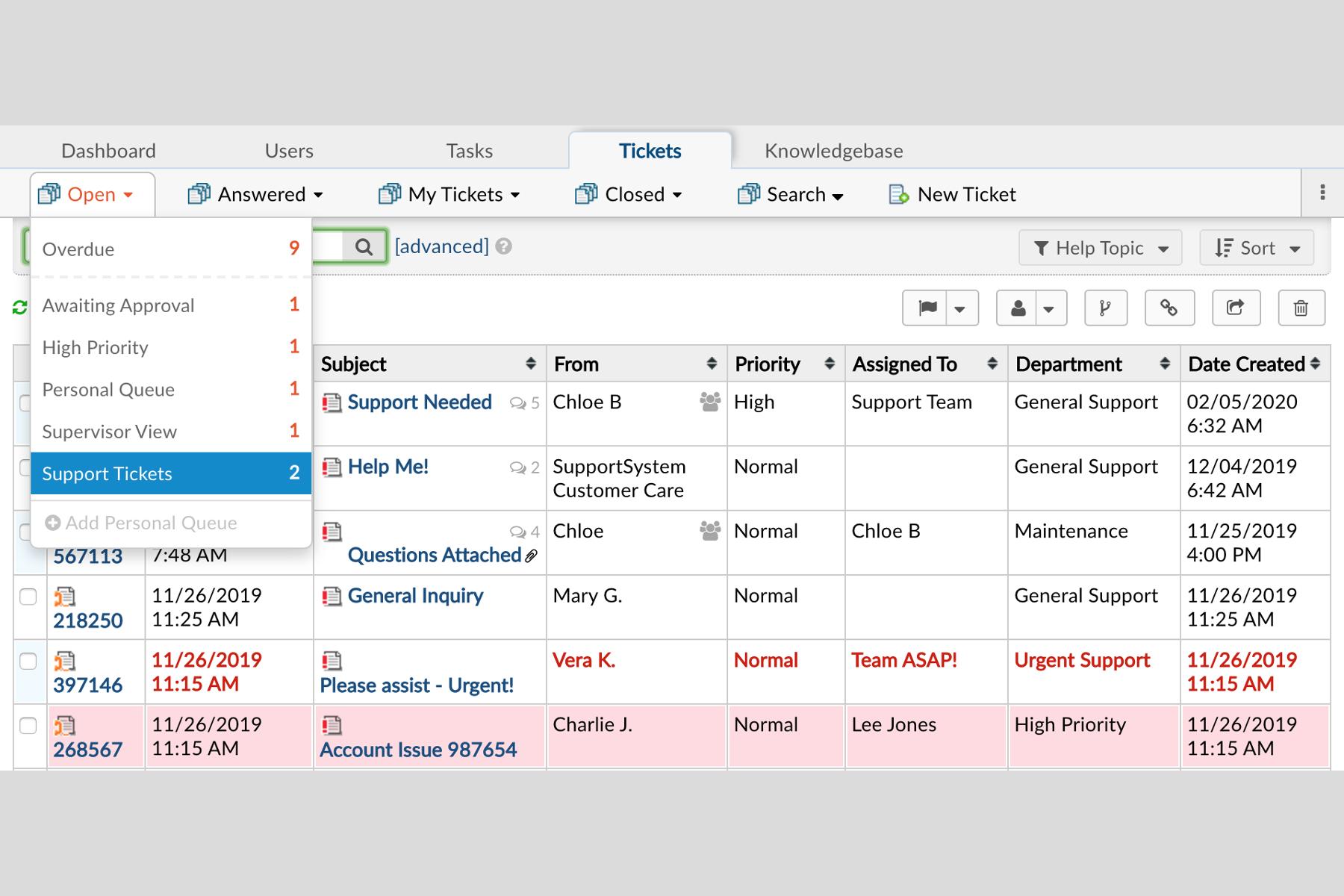
Because it brings together everything that matters about support in one place. It centralizes incidents , allows you to configure workflows, and provides data for decision-making. In practice, it reduces chaos, improves response times, and increases customer and employee satisfaction .
Among its advantages are automated task assignment and prioritization , advanced customization of forms and categories, and secure remote access for distributed teams. The platform adapts to the organization , not the other way around.
If you've ever experienced double intervention on the same ticket, osTicket also addresses this: it prevents simultaneous responses from multiple agents and assigns ownership to a person or team, reducing rework.
Its community is large and active, which translates into continuous improvements, extensions, and best practices that evolve the product over time.
Key features of osTicket
The list of features is extensive, designed for real-world support operations. These are the most relevant for the day-to-day work of a technical team:
- Business Rules and SLAs: Define service level agreements, target times, and business rules to prioritize what's truly urgent.
- Filters by department: Automatically routes tickets to the relevant area (IT, HR, logistics, etc.) to shorten response times.
- Workflows and auto-responses: Configure automatic responses and steps based on the incident type to standardize processes.
- Multimedia attachments: Allows you to include images, videos or audios in tickets and add internal notes with the history of actions.
- Multi-channel capture: Ticket registration by email, web, telephone, fax and via API, unifying all entries.
- Custom Fields: Create custom forms for collect critical data from the first contact.
- Editor with rich HTML: Write with format for clearer communications with users.
- Help Topics and Categories: Organize the reasons for the request and offers resources to resolve without opening a ticket whenever possible.
- Collision avoidance: Blocks simultaneous responses for avoid duplications and confusions.
- Assignment and transfers: Route tickets between departments or assign them to team members so they can are managed by the right person.
- File and user portal: : Everything is archived; the user consults status and history with his email and ID without create accounts.
- Reports and analytics: Resolution time metrics, agent loads, and trends for detect areas of improvement.
Furthermore, osTicket stands out for three pillars that, when well implemented, make all the difference in any help desk:
Workflow customization
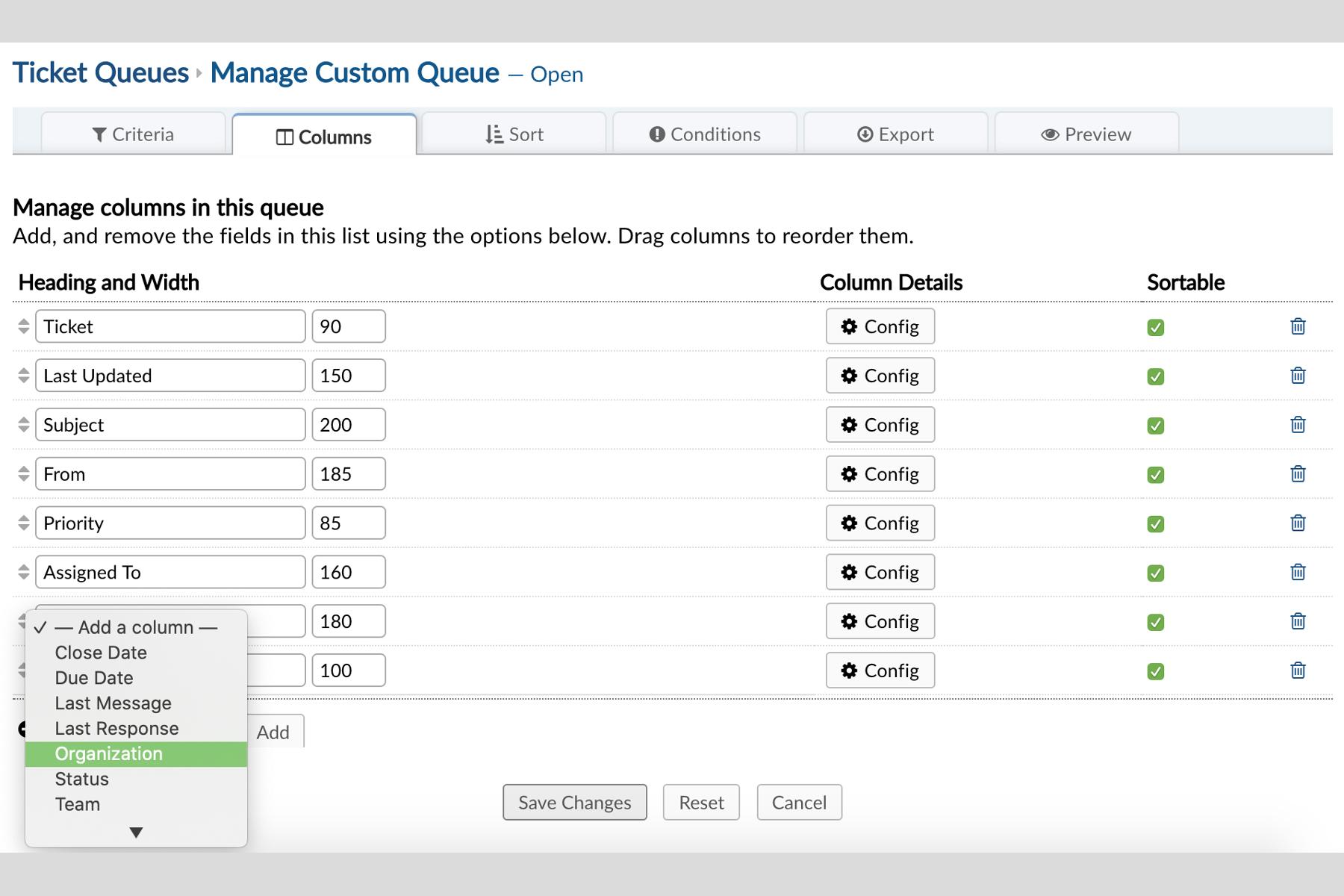
With osTicket, you can adapt the process to your specific needs. Custom forms , criteria-based routing rules, and personalized auto-responses ensure that each type of incident follows its ideal path.
- setup custom forms according to category or department.
- Automate shipping and allocation according to criteria predefined.
- Send receipt confirmations and coherent messages with your support tone.
Detailed reports
Transparency and continuous improvement stem from measurement. Native reports offer useful indicators for team management and leadership.
- Query average times, SLA compliance and agent loads.
- Analyze peaks and patterns to size resources.
- Export data for presentations and analysis advanced.
Multi-channel integration
The user makes contact through multiple channels. osTicket centralizes everything in a single system without losing traceability, regardless of the origin.
- Unifies entries of email, web forms and telephone (among others).
- Publish a knowledge base for self service and reduce repetitive incidents.
- Keep all recorded interactions for auditing and learning.
Requirements and installation
Implementing osTicket is not complex, but it does require meeting certain minimum requirements. These are the usual technical requirements and recommendations:
basic requirements
- HTTP server (preferably Apache) correctly configured.
- PHP 5.4 or higher (5.6 was recommended in classic guides; in current environments, supported versions of PHP with equivalent extensions).
- mysqli extension for PHP enabled.
- MySQL 5.0 or higher as a database.
Recommendations
- PHP Extensions: gd, gettext, imap, json, mbstring, xml.
- APC module (or equivalent cache) enabled and configured to improve performance.
A common deployment method is to clone the public repository and deploy using the included utilities. Example of the classic workflow :
git clone https://github.com/osTicket/osTicket
cd osTicket
mkdir -p /var/www/htdocs/osticket/
php manage.php deploy --setup /var/www/htdocs/osticket/
To update, from the repository folder: synchronize changes and redeploy to your installation directory.
git pull
php manage.php deploy -v /var/www/htdocs/osticket/
If you prefer a more guided approach, the application is available on Softaculous for many hosting control panels, simplifying installation. In either case, review permissions, cron, and outgoing mail settings to ensure a smooth experience from day one.
The challenge of implementing and maintaining osTicket
Although osTicket is very user-friendly, its setup and stable operation require time and expertise. Installing, securing, monitoring, updating, and backing up add technical burden to already tight schedules.
Furthermore, each organization has its own particularities: specific forms, workflows, SLAs, and permissions that should be carefully adjusted to achieve maximum performance and avoid friction with internal users.
If there is no experience with transactional email, DNS, SPF/DKIM, or cron queues, small problems may arise that result in tickets without notifications or irregular response times.
The alternative: delegate to a managed service
To offload the IT team, a specialized partner can offer full osTicket hosting and management . With this model, you can forget about the technical side and have access to expert infrastructure and support.
The typical benefits of a quality managed service include:
- High-performance hosting: Reliable servers with high availability so support never stops.
- Reinforced security: encryption, firewalls, hardening, automatic backups and tested restorations.
- Expert support: support for doubts, incidents and best practices Of configuration.
This way, the IT team can focus on high-value projects and leave the hardware and platform to specialists. Less friction, more focus.
How it helps you in your daily life
1. Less technical burden : the partner manages deployment, configuration, patches, and monitoring. You focus on the continuous improvement of the service and infrastructure.
2. Real time savings : By combining osTicket automation with delegated operation, you reduce repetitive tasks and free up hours for strategic initiatives.
3. Security and compliance : data protected with good practices and aligned with data protection regulations ; less risk of leaks and unauthorized access.
4. Painless scaling : If the company grows, the service adapts seamlessly, expanding platform resources and capacity.
Extra benefits of choosing a managed service
- No initial investment: You don’t buy any additional servers or licenses to get started.
- global access: secure connectivity to manage support from anywhere.
- Best experience: Internal users and customers notice responses faster and more consistent.
- Complementary cloud services: possibility of adding private cloud and other services that fit your environment.
How osTicket works in practice
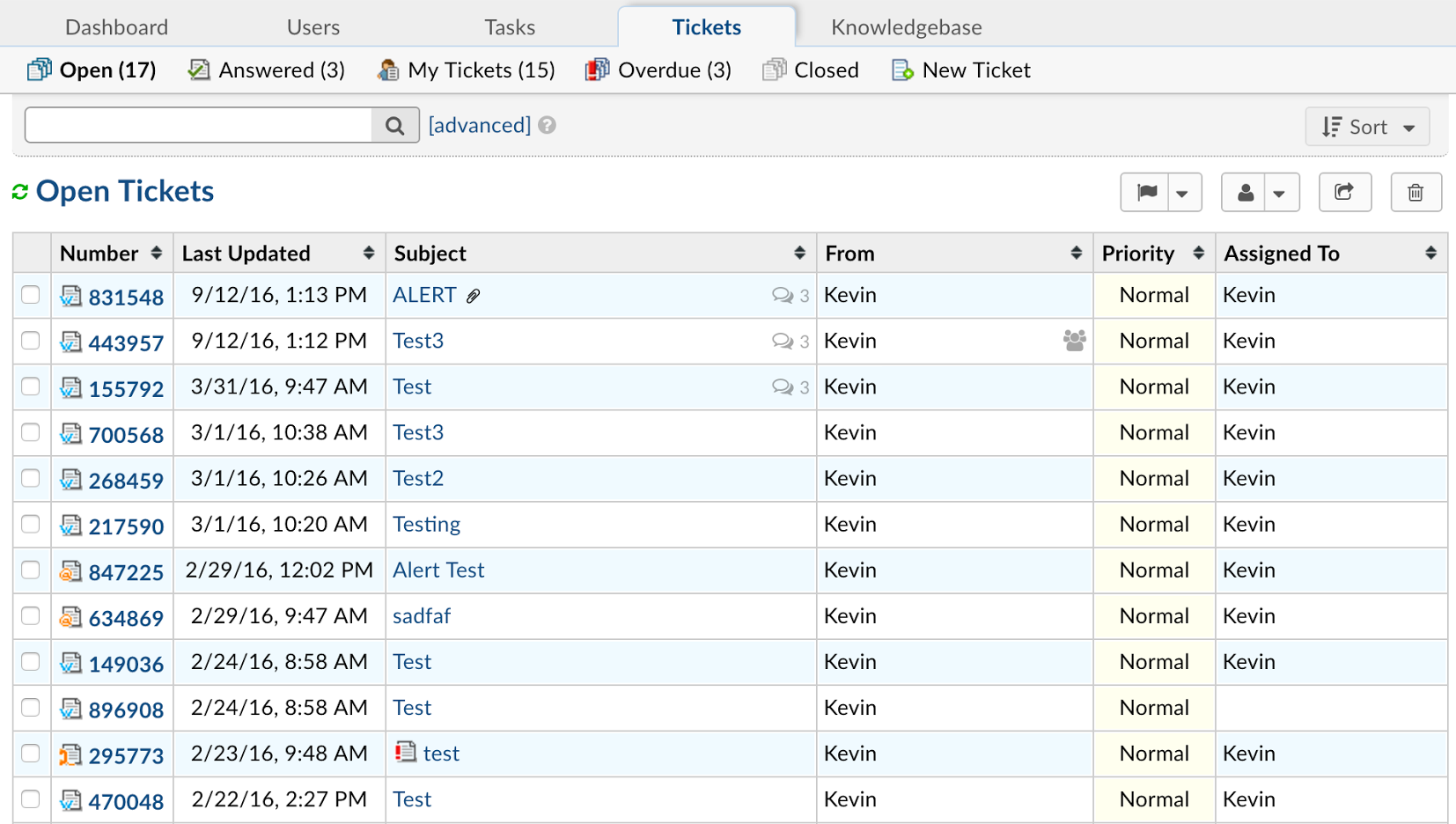
Users submit requests through available channels, and the system routes them to the appropriate channels. Agents respond from a centralized interface , and all interactions are tracked. Users can view status, messages, and history through a user-friendly portal.
By customizing the forms, you'll obtain the essential data for diagnosis from the very beginning ; and with predefined responses, signatures, and templates, communication becomes standardized without losing a personal touch.
Visual editing helps with better writing, and the internal action log facilitates collaboration between teams . When necessary, the case is transferred to another department or reassigned to the appropriate person.
Real case: when support is doubled
Imagine your company grows and, in just a few months, the volume of tickets doubles. There's no time to build a robust and secure platform from scratch. With a managed service, you receive osTicket ready to use, with customization, security, and ongoing support.
While someone else is dedicated to maintaining the platform at 100%, you can use the time saved to improve networks, deploy tools , or plan migrations. The result is faster support, less noise, and a much better perception of your team.
Comparisons and experiences
In real-world evaluations against alternatives like RT (Request Tracker), OTRS, and GLPI , osTicket consistently stands out for its lightweight design, ease of use, and gentle learning curve. Departmental routing and single-ticket ownership reduce rework and internal friction.
Being open source and having a large community, it evolves rapidly and remains competitive. Furthermore, it's easy to adjust interface styles by editing the CSS stylesheet to integrate it with your organization's branding.
Essential FAQs
What is a ticketing system?
It's software that manages and prioritizes incidents and requests. It's used in support centers, customer service, and internal teams to create, update, and close cases with complete tracking.
Will my employees be able to enter?
Of course. Agents and employees are registered and organized by department, so that incidents reach the right person more quickly.
What can agents and clients do?
Agents can create users, departments, and templates , and define common responses and signatures. Customers can open tickets from the website and check their status, responses, and history through a user-friendly interface.
Is osTicket a CRM?
It's common to confuse these concepts. Some describe it as a customer relationship management tool because of its focus on interaction , but osTicket is primarily designed for support and incident management. It doesn't replace a CRM , although it can coexist and integrate with one.
Little things that make a difference
The ability for a user to open a ticket without creating an account, and then check with their email and ID, reduces barriers to entry and speeds up communication.
The online archiving of all requests simplifies audits and facilitates historical analysis , which is essential for prioritizing investments in support.
If you're concerned about multichannel communication, osTicket captures incidents from email, forms, phone, fax, and API, allowing you to centralize the chaos in a single system and eliminate information silos.
Do you want to learn more about how it works?
With a well-executed implementation, you'll see its full potential: smart forms, helpful auto-responses , actionable metrics, and a knowledge base that prevents repetitive tickets. Mastering these elements accelerates resolution and improves user satisfaction .
If you're looking for reference materials, official documentation and the community share guides and examples. Taking these best practices and adapting them to your own situation shortens the adoption curve.
Take the leap without burdening your team
osTicket can transform support management. If you choose a managed service, you'll have a ready, secure, and monitored platform , with expert support from day one.
Ready to move forward? The right partner will help you implement, customize, and scale, while you focus your time on what matters most to your business . Contact us and request a demo or trial to see how it fits into your environment.
Mastering support isn't about endlessly putting out fires, but about making it a clear, measurable, and user-friendly process. With a well-configured osTicket—and even better if it's managed by experts— you gain order, speed, and confidence in every interaction with your users, freeing up resources to push your company's technology towards what truly matters.