- Assembling custom-made network cables allows you to save money and adapt the exact length to each installation.
- Only a few basic materials are needed: twisted pair cable, RJ-45 connectors, crimping tool, and scissors.
- The key is to respect the correct order of the wires and crimp the connector well to ensure contact.
- With some practice, manufacturing reliable cables becomes a quick and almost automatic process.
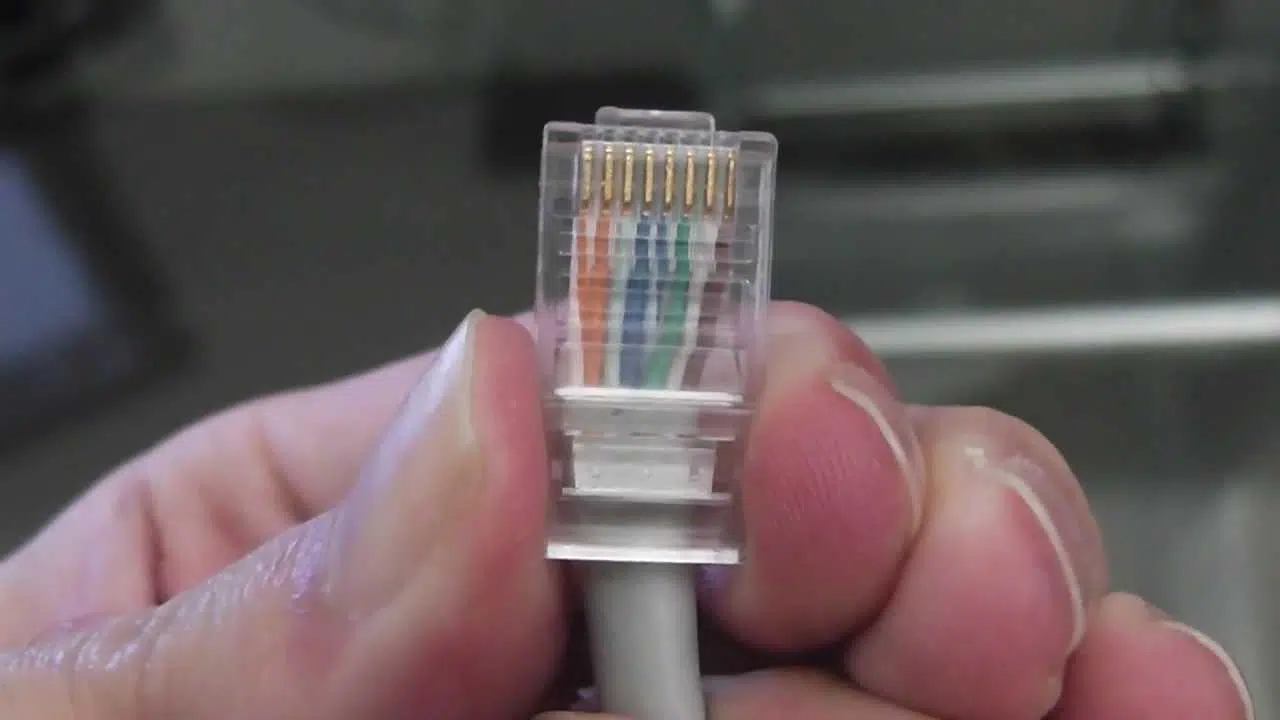
If you need to wire a room, set up your own home network , or simply connect several devices without spending a fortune on pre-made cables, creating your own network cables is a very interesting solution. Many people are intimidated by networking, but the reality is that making a custom Ethernet cable is a fairly simple and quick process that doesn't require advanced technical knowledge.
With a few basic tools, some patience, and by following the correct wire order in the RJ-45 connector , you can assemble cables of the exact length you need, pay much less than at large retailers, and gain a better understanding of how your home or office wiring works. In this comprehensive guide, we'll walk you through the entire process step by step, from the basics to the little tricks that make all the difference when you want a cable to work perfectly the first time.
Why make your own network cables
There are several compelling reasons to consider manufacturing your own network cables instead of buying them pre-made . Beyond the cost savings, there are practical and performance advantages worth considering.
First, there's the price: Ethernet cables sold in physical stores are often significantly overpriced compared to the actual cost of the material . If you need several cables or unusual lengths (for example, 3,7 meters instead of 3 or 5), you'll easily end up paying much more than necessary.
Secondly, flexibility: by making them yourself, you can adjust the length to the centimeter , avoiding excess cable that gets tangled behind furniture or becomes a mess of wires. This is especially useful when you want a clean and tidy installation.
Finally, there's the control factor: by crimping your own connectors, you know exactly what type of cable you're using (category, quality, shielding) and how it's assembled. If something ever goes wrong, you'll be able to detect and correct the problem much more easily than if you're relying on a mass-produced cable.
For most home or small office setups , you'll use a straight-through cable , which is the standard type for connecting a computer, game console, or Smart TV to a router, switch, or access point. The process for creating a crossover cable is almost identical; only the order of the wires changes at one end.
Essential tools and materials
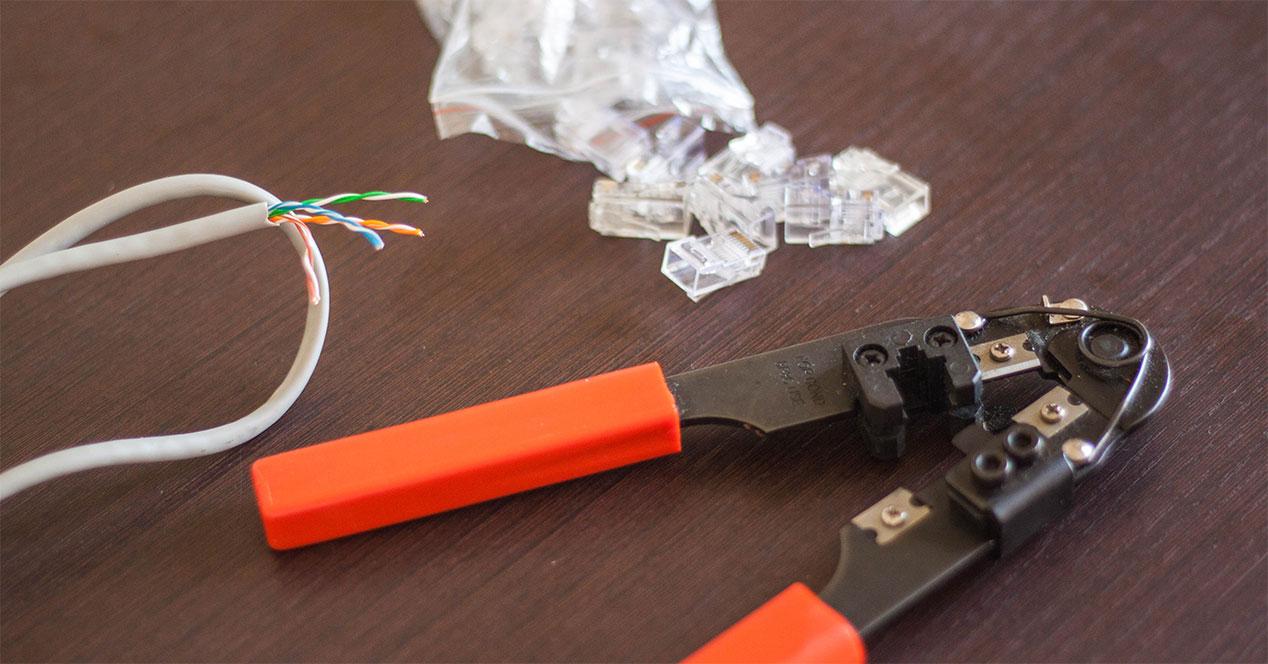
To start assembling your own Ethernet cables, you'll need a very short list of tools and components . Most of them can be easily found in any online electronics or computer store.
These are the basic elements:
- Network cable (twisted pair)It is usually UTP or FTP cable of categories such as Cat5e, Cat6 or higher.
- RJ-45 Crimping Tool: specific tool for attaching connectors to the cable.
- Scissors or cable cutters: for stripping and cutting the cable precisely.
- RJ-45 connectors (two for each cable you want to make).
The most "special" component is the crimping tool. It's used to press or crimp the RJ-45 connector onto the cable sheath and internal wires, ensuring they are firmly secured and make good contact with the connector's metal pins.
A decent crimping tool can be found for around €15 in online stores . If you don't plan on crimping cables frequently, it might be worth asking a friend, family member, or colleague if they can lend you one. Many people who have set up a home network already have one and hardly ever use it.
There are "multi-format" crimping tools on the market that allow you to work with both RJ-45 (network) and RJ-11 (telephone) connectors . If you know you won't be working with telephone wire, you can easily opt for a simple model focused on RJ-45, which is usually more economical and sufficient for home or small office use.
Regarding the cable, it's standard to use twisted-pair cable of at least Category 5e for 1 Gbps networks. If you're preparing a more demanding installation, you can go for Cat6 or Cat6a. Make sure you buy cable by the meter or on a reel, and that it comes without connectors at the ends, as the idea is to assemble them yourself.
Understanding network cables: twisted pairs and connectors
Before you get started, it's helpful to have a basic understanding of what's inside a network cable and how an RJ-45 connector works . You don't need a master's degree in telecommunications, but you should be able to visualize what you're working with.
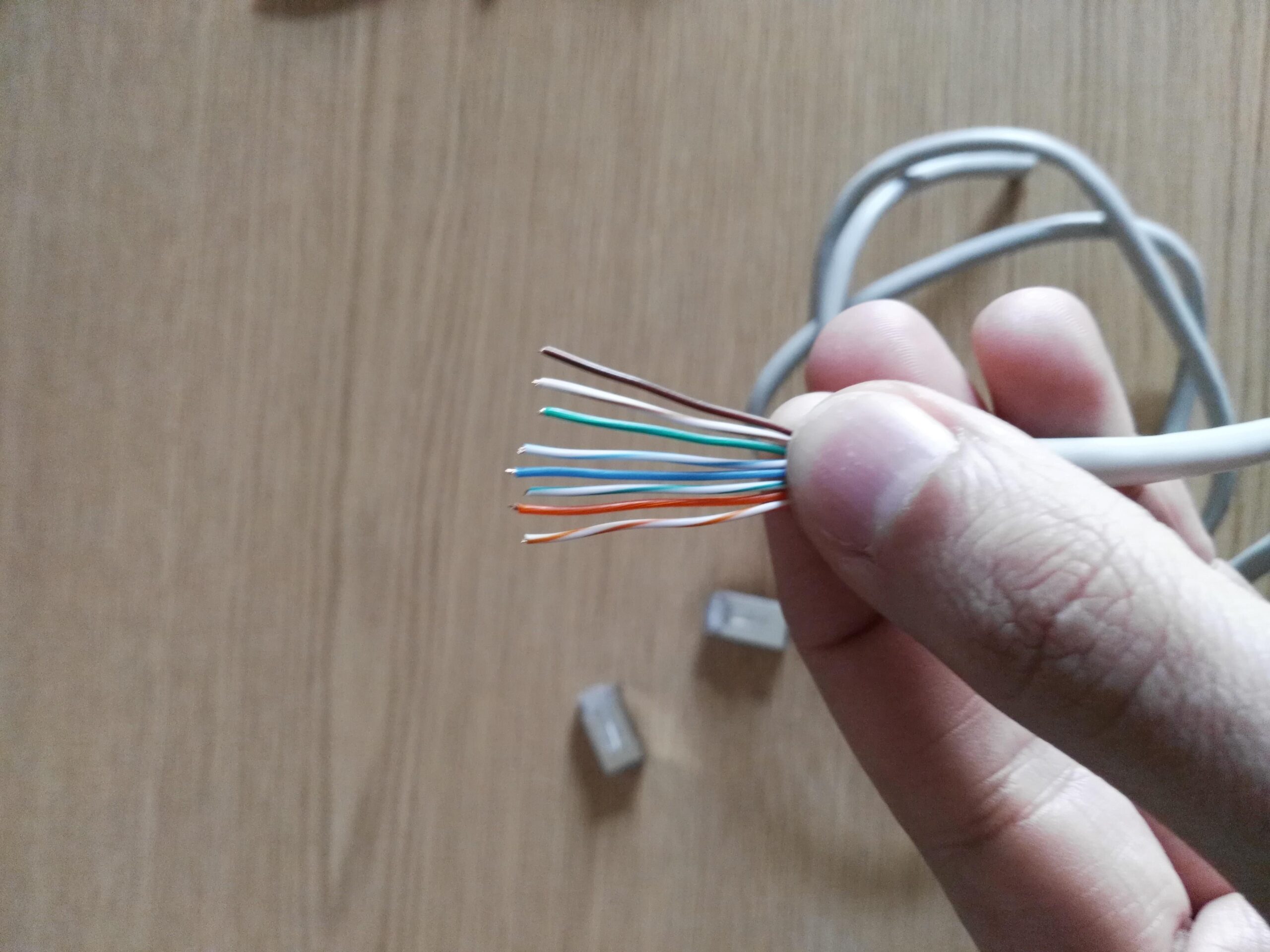
Inside the cable you'll find four pairs of wires, each pair consisting of two thin wires twisted together . That's where the name "twisted pair" comes from. Each wire has a color or combination of colors, usually following an international standard. The most common are: white-orange, orange, white-green, green, white-blue, blue, white-brown, and brown.
The RJ-45 connector has eight small slots on the front where the eight wires are aligned. Inside the connector are metal contacts that, when crimped, press lightly into the copper of each wire, ensuring electrical contact.
In a typical straight-through cable installation, the wires are arranged according to a specific color scheme (for example, T568B at both ends) . This order is not arbitrary: it has been defined to minimize interference, guarantee performance, and ensure compatibility with all types of network equipment.
When you look at the RJ-45 connector with the tab facing down and the opening facing you, pin 1 is the one on the far left . From there, the pins are numbered up to pin 8 on the right. Keeping this mental orientation clear is key to avoiding confusion with the wire order.
Step 1: Carefully peel off the cable cover
The first physical step involves removing the outer plastic sheath from one end of the cable, exposing the internal wire pairs. It's a simple operation, but it should be done carefully to avoid damaging anything.
Ideally, you should strip approximately 3 centimeters of the insulation . If you remove less, it will be difficult to maneuver and arrange the wires inside the connector; if you remove much more, you will lose mechanical stability and increase the possibility of interference, as the twisted pairs will be too exposed.
You can use the blade that often comes integrated with many crimping tools, designed specifically to score the sheath without cutting the internal threads . However, many people find it easier to use regular scissors, as long as they do it gently.
The technique involves wrapping the scissors around the cable, applying light pressure to score the insulation , and then gently pulling with your fingers to separate the plastic and remove it. It's not about sawing or piercing the cable, but rather making a shallow slit in the insulation.
If, upon removing the sheath, you notice any internal wires that are damaged, cut, or have exposed copper, it's best to cut that section of cable and repeat the process . It's preferable to lose a few centimeters than to install a cable that will later cause intermittent faults that are difficult to diagnose.
Step 2: Separate, untwist, and stretch the threads
Once you peel off the outer covering, you'll clearly see the four braided pairs of colored threads . The next step is to separate these pairs, untwist them, and straighten them as much as possible.
Work in pairs, holding the base of the exposed section with one hand and twisting the threads in the opposite direction of the braid with the other to loosen them. You don't need to unravel too many centimeters, just the portion that's no longer covered.
As you untwist the wires, take the opportunity to smooth them with your fingers , removing any small waves or curves. The straighter they are, the easier it will be to align them in the correct order and insert them into the RJ-45 connector without them crossing.
Another useful trick is to slightly separate the threads by color, forming a sort of fan shape. This will help you in the next step, when you have to place them in the correct sequence according to the chosen standard.
Try not to untwist the wires more than about 3 centimeters. The twisting of the pairs is there to reduce interference and electromagnetic noise , and the more you respect that structure near the connector, the better performance you'll get at high speeds.
Step 3: Arrange the wires according to the straight-through cable standard
With the wires straightened and separated, it's time for the crucial part: arranging them in the correct order before cutting and inserting them into the connector . This is where most mistakes are made, so take a moment to double-check each color.
For a typical straight-through cable connecting a PC, console, or network device to a router or switch , the T568B standard is usually used on both ends. The color arrangement, from left to right with the connector tab facing down, would be: white-orange, orange, white-green, blue, white-blue, green, white-brown, and brown.
The important thing is that the threads are perfectly parallel, without crossing or overlapping each other . Hold them firmly between your thumb and forefinger as you place them in position, and visually check the order a couple of times before cutting.
If you make a mistake in the color sequence and crimp the connector incorrectly, the cable will likely not work, or will work unstable. That's why it's better to be meticulous at this stage than to have to cut the connector later and repeat the process.
If you want to make a crossover cable (less common nowadays, but still useful in some situations), the mechanical procedure would be the same; you simply change the order of the wires at one end following the corresponding diagram. The other end usually remains T568B.
Step 4: Cut to size and insert the wires into the RJ-45 connector
Once you have all eight wires clearly arranged and securely in the correct order, it's time to trim off the excess and place them inside the connector . This is where you can see if you've pulled them taut and left them the right length without going too long.
The idea is that from where the outer cable sheath ends to the tips of the wires, there should be approximately 1,5 centimeters of exposed length . More exposed length can make the cable too fragile at the connector; less, and you'll have trouble getting the sheath to reach the RJ-45's internal locking tab.
With the wires aligned between your fingers, use sharp scissors or the crimping tool to trim all the ends to the same length . This step is important: if any wire is too short, it may not make contact with its corresponding pin inside the connector, and the cable will fail.
Next, hold the RJ-45 connector with the tab facing down and the opening facing you, so that pin 1 is on your left . Without letting go of the wires too much, slowly insert them into the connector slots, making sure each one goes into its channel and doesn't cross over.
Before pushing all the way in, pause and double-check the order of the colors you see through the clear plastic . If everything matches the chosen pattern, finish pressing until you feel the wires stop at the inner front of the connector.
It's also essential to check that the cable's outer sheath (the solid-colored one covering all the pairs) fits a few millimeters into the connector, up to the area where a small plastic tab will hold it in place when you crimp it. This is what provides mechanical strength to the assembly, preventing a sudden pull from tearing out the wires.
Step 5: Secure the connector with the crimping tool
With the connector in place and the wires properly inserted, it's time to crimp, that is, permanently attach the RJ-45 to the cable . From this point on, if something goes wrong, you won't be able to undo it without cutting the connector and starting over, so make sure everything is correct.
Insert the connector into the corresponding cavity of the crimping tool (usually marked 8P8C or RJ-45 ), with the tab in the correct position as indicated by the tool. Make sure it is fully inserted and that no wires have been bent during insertion.
Close it firmly but without applying excessive force. You'll notice how, when you reach the necessary pressure point, the internal metal pins of the connector dig into the copper wires and the retaining tab of the sheath closes over the outer plastic of the cable.
Many crimping tools emit a small click or have a ratchet mechanism that indicates you've applied the correct minimum pressure . When you reach that point, you can open the tool and remove the connector, which should be firmly anchored and without any play.
Visually check the result: make sure all the wires reach the front, that none are clearly shorter , that the outer sheath is caught by the inner tab, and that the connector does not move laterally relative to the cable.
Step 6: Repeat at the other end and check the cable
Now that you have one end finished, it's time to repeat the entire process on the other end of the cable . The procedure is exactly the same: strip about 3 cm of insulation, untwist and straighten the pairs, arrange the colors, trim to 1,5 cm, insert into the connector, and crimp.
If you want a standard straight-through cable to connect a device to a router, you'll need to use the same color scheme (for example, T568B) on both ends. This ensures the cable is straight and compatible with the vast majority of current networking equipment.
Once both ends are assembled, it's time to test the cable. The easiest way is to connect it between a computer and a router or switch that you know are working correctly . If the link LEDs light up on both devices and you have connectivity, that's a very good sign.
If no indicator lights up or the connection is intermittent, the problem is most likely with the wire order or that one of the wires hasn't fully seated in the connector . Don't worry; it's normal to make a few mistakes the first few times.
In that case, the usual procedure is to cut off the faulty connector and repeat the process on that end . RJ-45 connectors are inexpensive, so there's no point in struggling with one that's not working properly. With a little practice, you'll find that after assembling two or three cables, the process becomes almost automatic.
Ultimately, making your own network cables combines savings, flexibility, and a certain degree of personal satisfaction: knowing that your home or office network is wired by you and that you understand what's inside each connector gives you a level of control that's hard to achieve when relying solely on prefabricated cables. Once you've mastered the technique, you can adapt any installation to your needs without waiting for anyone or paying extra.
