- Apple laptops stand out for their integration with iPhone, iCloud, and continuity features such as calls, messages, and Universal Clipboard.
- Choosing the right Mac requires evaluating intended use, performance, memory, storage, and features such as screen, ports, and battery life.
- Apple Store and specialized stores offer new and refurbished models, with different warranties, configurators, and advisory services.
- Services such as extended warranty, expert technical support, express collection and battery coverage enhance the security and convenience of the purchase.
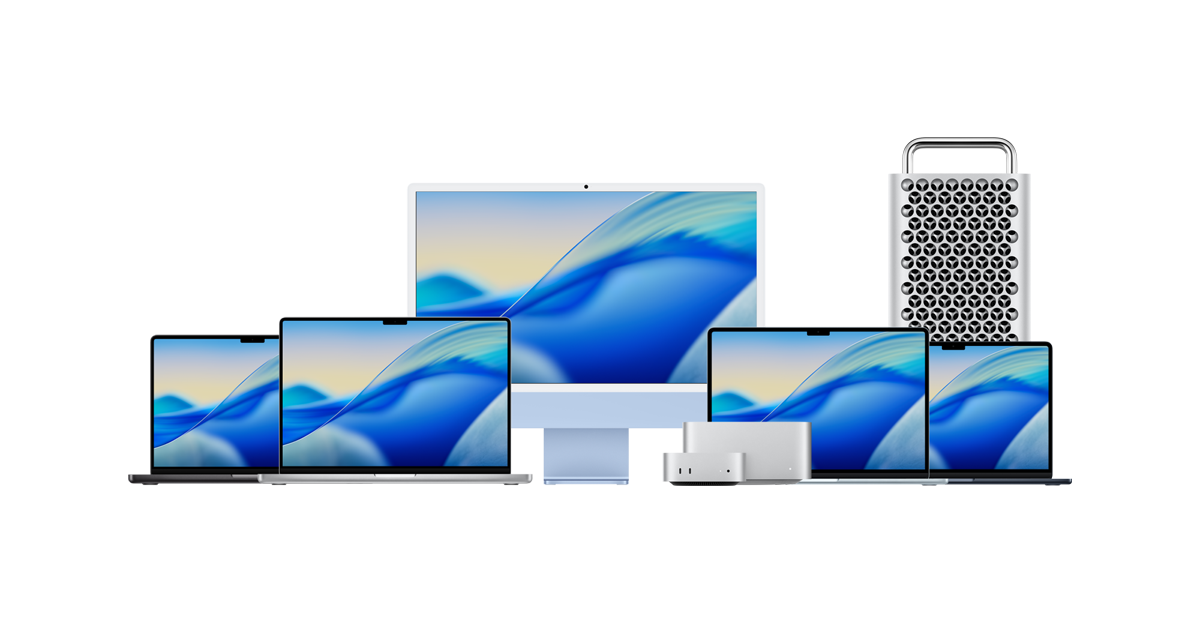
If you're thinking about getting an Apple laptop or making the switch from a Windows PC to a Mac, you probably have a lot of questions: which model to choose, whether you'll really be able to manage with macOS, what about the warranty, or whether it's worth buying refurbished. In this article, you'll find a complete guide, written in easy-to-understand language, to help you choose wisely and get the most out of your future Mac.
Throughout this text we will see what the Apple ecosystem offers when you combine MacBook, iPhone and iCloud , how the different Mac models compare depending on your needs (work, study, video editing, basic use, etc.), what advantages there are to buying from official channels and specialized stores, and what kind of coverage, technical support and additional services you can expect, including extended warranties, express pickups and repairs.
Why Apple laptops are so special
One of the great strengths of a MacBook is that it integrates perfectly with the iPhone and the rest of the brand's devices, offering exclusive continuity features that greatly facilitate daily life and that you rarely find so well implemented in other ecosystems.
With a Mac, you can answer and make calls from your iPhone directly from your laptop, without having to pick up your phone. If you're working and a call comes in, you can answer it on your Mac, use its microphone and speakers, and get back to work without leaving your seat.
The same applies to messages: you can reply to SMS messages and messages that arrive on your iPhone from the Messages app on your Mac, allowing you to have all your communication centralized on the big screen, which is very convenient when you're working, studying, or simply browsing.
Another key feature is the Universal Clipboard . This means you can copy text, images, or even videos on your iPhone and paste them directly into any Mac application, and vice versa. For example, you can copy a photo from your iPhone and paste it into a Pages document or a presentation on your laptop without any cables or intermediate transfers.
Cloud storage with iCloud also plays a key role, as your files are automatically synced between your Mac and iPhone (and other Apple devices). This means you can start a document on your Mac and continue on your iPad, or review a presentation on your iPhone, without having to worry about transferring anything with a USB drive.
Learning to use a Mac when you're coming from a PC
If you've never used a Mac, it's normal to feel a bit intimidated at first, but the truth is, adapting to macOS is much easier than you might think. Most users who switch from Windows get used to the new environment in just a few days.
The macOS operating system is designed to be intuitive and consistent , with clear menus, logical keyboard shortcuts, and a highly visual approach. Common tasks like browsing the internet, managing files, checking email, or using office applications are performed much like they were on your PC.
When switching from PC to Mac, what usually stands out most is the feeling that everything is optimized to work together : the hardware and software are designed to work in harmony, and that translates into stability, fluidity, and fewer compatibility problems.
Apple also provides numerous help resources and step-by-step guides to make the migration process from Windows quick and easy . You can transfer your documents, photos, email accounts, and even some settings using dedicated migration tools, without needing to be an advanced user.
In a short time, trackpad gestures, window management, and using Spotlight to search for files become completely natural . Even those who were initially reluctant to switch end up acknowledging how comfortable working on a Mac can be.
How to choose the right Mac laptop for your needs
Choosing the ideal Mac depends primarily on what you're going to use it for and what level of performance you need . A laptop for studying or working remotely is not the same as a machine for professional video editing or 3D design, and it's important to be very clear about this before buying.
The first question you should ask yourself is: where will you be using your Mac most of the time? If you're looking for a computer that will stay put on your desk or living room table, an iMac or a desktop Mac might make more sense. But if portability is your priority, then a MacBook laptop is the way to go.
Among Apple laptops, the MacBook Air is usually the best option for users who prioritize lightness, battery life, and more general use: browsing, social media, office applications, multimedia, some photo editing, and similar tasks. It's a very well-rounded and portable machine.
If you need extra power, for example because you do graphic design, video editing, music production , or work with demanding development applications, the MacBook Pro range is the most suitable. Its processors, graphics cards, and cooling systems are designed to perform well during long, demanding work sessions.
You should also consider your screen size preferences. Apple laptops are offered in various screen sizes, and choosing the right size means finding the balance between ease of use and portability . A larger screen makes it easier to work with multiple windows, but it also makes the laptop heavier and bulkier in your backpack.
In any case, the ideal thing to do is to carefully compare the specifications of each model using a Mac comparison or configurator tool , where you can see side-by-side differences in processor, RAM, storage, and other key details before making a final decision.
Performance, memory, and storage: what you should look for
In addition to the general model (Air or Pro), there are certain technical aspects that really mark the daily user experience: the processor performance level, the amount of RAM and storage capacity.
If your work includes demanding tasks such as high-resolution video editing , graphic design with large files, software development with multiple open environments, or intensive work with virtual machines, it's advisable to choose a Mac with a more powerful processor and, above all, a good amount of RAM.
For simpler use, focused on browsing, consuming multimedia content, answering emails, and minor document editing, a MacBook Air or a basic iMac can offer more than enough performance . In these cases, you don't need the maximum power available, and you can prioritize portability or price.
RAM is key to keeping multiple applications open simultaneously without lag. The more RAM you have, the smoother your multitasking will be. For many users, a mid-range RAM option is perfectly adequate for years , but if you know you'll be pushing your computer to its limits, it's best to invest in a higher-end configuration.
Internal storage also deserves attention: if you manage many projects, RAW photos, video libraries, or large work files, it's worth investing in a higher-capacity SSD . While you can use cloud storage and external drives, having sufficient internal space greatly simplifies your daily tasks.
Don't forget to check details such as available physical connections : USB-C, Thunderbolt, possible HDMI adapters, card readers, etc. Although Apple has tended to simplify ports, it's still important that the laptop is compatible with the peripherals you already use or plan to use.
Other important features to consider when choosing your Mac
In addition to raw power, there is a set of features that make a difference in real-world use: screen quality , camera, battery life, and the range of ports and connections, among others.
The screen is one of the Mac's greatest strengths. Retina displays offer exceptional sharpness and color accuracy , which is especially important if you work in design, photography, or video. Even if that's not your area of expertise, a high-quality screen is always appreciated when reading text or watching movies.
Another increasingly important factor is the resolution and quality of the built-in camera , especially if you frequently make video calls for work or study. The combination of camera, microphones, and speakers in MacBooks is designed for clear and hassle-free video conferencing.
In terms of physical connections, it's worth checking how many USB-C or Thunderbolt ports the model you're interested in has and whether you need additional video outputs like HDMI to connect external monitors, projectors, or other peripherals. While adapters are always an option, it's best to start with what you'll actually use.
Battery life is also usually one of the biggest selling points of Apple laptops. Being able to get through a work or study day without looking for a power outlet is a huge advantage, and the latest models have improved even further in this area, offering several hours of intensive use on a single charge.
Finally, it's worth considering ergonomic details such as the keyboard, trackpad, and build quality . The typing feel, trackpad responsiveness, and chassis sturdiness all contribute to the laptop's comfort for everyday use.
Reasons to buy your Mac at the Apple Store
When it comes to choosing where to buy an Apple laptop, the Apple Store—whether online or in-store—remains one of the most comprehensive options. The company itself emphasizes that it's the best place to buy your Mac for several reasons.
First, you have access to the full range of models and configurations , and in many cases, you can select your processor, memory, and storage to your exact specifications. This allows you to tailor the computer precisely to your needs, without being limited to predetermined combinations.
Furthermore, the shopping experience is usually very well taken care of: you can receive personalized advice, resolve specific doubts about the use you are going to give it and learn in detail the functions of the Apple ecosystem, from integration with the iPhone to iCloud and AppleCare services.
Another advantage is access to additional services such as extended warranties, direct technical support from Apple, and financing options. All of this, combined with the manufacturer's official backing, provides great peace of mind when investing in a high-end laptop.
It's also interesting that, from the Apple Store, you usually have access to device renewal and buyback programs, which allow you to trade in old equipment to get a discount on the purchase of your new Mac, making it even easier to upgrade when the time comes.
Advantages of buying Apple laptops in specialized stores
Beyond the Apple Store, there are many stores specializing in Apple products that offer advice and services highly focused on the user . A clear example is authorized resellers whose catalog is almost entirely dedicated to Apple.
In these types of stores, you can find both new and refurbished Macs , as well as display models, accessories, and customized solutions for businesses or educational institutions. They typically have staff who are very familiar with the Mac ecosystem and can recommend the most suitable model based on your budget and needs.
Some specialized stores also have their own Mac configurator or comparator , where you can review technical specifications, compare ranges and see which option offers the best balance between price, performance and features in your specific case.
Another important added value is after-sales support: many of these stores have their own technical service and are authorized to repair Apple devices with appropriate parts and procedures , which greatly speeds up any management in case of an incident.
In short, buying from a specialist retailer can be a very good idea if you value personalized service, want to receive detailed explanations in person, or prefer to have a trusted store to turn to if any problems arise.
Refurbished, display, and new Apple laptops: what to consider
When looking for an Apple laptop, you'll likely encounter different product conditions: new, refurbished, or display model . Each has its advantages and implications, especially regarding warranty and price.
Refurbished products are devices that have been inspected and refurbished for resale, usually at a discount from the original price . In many specialized stores, these laptops undergo thorough functional and cosmetic checks before being put back on the market.
There are also display models, which have been in the store but haven't been used extensively. These are usually in very good condition and have a more competitive price , making them an attractive option if you're looking for a nearly new Mac at a better price.
In both cases, refurbished and display models, it's crucial to check the warranty. Many stores offer 12 months of coverage for these types of products, provided you keep the purchase receipt and follow the proper procedure if any issues arise.
New Apple laptops typically come with a 24-month warranty when sold to end consumers, in accordance with current regulations. This warranty allows for product repair if a manufacturing defect appears, again upon presentation of the corresponding proof of purchase.
Regardless of the condition of the device, it's worth considering whether the cost savings outweigh the warranty and the feeling of owning a brand-new device. In many cases, quality refurbished and display units offer a very attractive price-performance ratio , especially if you want to enter the Mac world without making a huge investment.
Guarantees, technical service and incident coverage
A key aspect when buying an Apple laptop is knowing what kind of warranty and technical support you'll have. Both Apple and many specialized stores offer comprehensive solutions so you won't be left stranded if any problems arise.
For refurbished or display products, a 12-month warranty is usually included . During this period, if the equipment malfunctions due to reasons other than misuse, you can request a repair by presenting the purchase receipt, which serves as proof of coverage.
For new products, the most common warranty is 24 months , which protects you against manufacturing defects and problems that may arise during that period. Again, the invoice is key when processing any claims.
Many stores also have their own technical department specializing in Apple products . This means that if your camera stops working, a button malfunctions, the battery behaves erratically, or you detect any other problem, you'll have access to professionals who know these devices very well.
Some of these companies allow you to start the review and repair process directly from your user account on their website in just a few steps. From there, you can request assistance, manage the pickup, and track the status of the issue without any hassle.
It is important to emphasize that, in many cases, "few things are unsolvable," meaning that the vast majority of problems that occur in an Apple laptop can be effectively repaired if you have the right tools and knowledge.
Express collection and product management when it fails
Some stores specializing in Apple laptops offer extra services designed to make the after-sales experience as convenient and quick as possible . One of the most interesting is the so-called express pickup.
Express pickup basically means the store sends a courier to collect your Mac from your home or the address you specify when a potential product defect is detected. This way, you don't have to physically go to the store to drop off the device.
Once the laptop arrives at the repair center, specialists analyze the problem and verify if it's covered by the warranty . If it's confirmed that the fault isn't due to improper use, this express collection is usually free of charge for the customer, as it's included in the after-sales service.
If the device is beyond repair, many stores offer a replacement with a similar unit or, if that's not possible, a full refund. These policies provide an extra layer of security for your purchase.
This entire process, from collection to resolution of the incident, is usually managed by trying to keep the user informed at each stage and with the fastest possible response times, something that is especially appreciated when the Mac is your main work or study tool.
The battery and its coverage under the warranty
The battery is one of the most frequently used components and, over time, one of those that suffers the most wear and tear. Therefore, it's very important to know what kind of maintenance and warranty this component has on Apple laptops purchased from certain stores.
In many specialized stores, the batteries of refurbished or display models are inspected and tested by a technical team before the laptop is put on sale. This ensures that battery life remains at adequate levels and that there are no obvious defects.
The most interesting thing is that, in some stores, the battery is included in the product warranty at no extra cost . In other words, it's not considered a separate part with more limited coverage, but rather falls under the general protection of the device during the warranty period.
This approach provides a lot of peace of mind , especially if you're buying a refurbished or display Mac and want to make sure you won't find yourself with a worn-out battery after just a few months of daily use.
In any case, it is always important to check the specific warranty conditions at the store where you buy, to know exactly to what extent the battery and other components are covered and under what circumstances.
Everything we've seen throughout this article shows that Apple laptops combine a very well-integrated ecosystem with iPhone and iCloud, a simple user experience even if you're coming from a PC, several ranges designed for very different needs, and a wide range of purchasing options—from Apple Stores to specialized stores with refurbished products, extensive warranties, and express pickup—that make it much easier to find the right Mac and keep it protected for years , as long as you choose the right model, configuration, and purchasing channel that best suits your work style and budget.