- Recommended options based on user experience, from very simple environments like Linux Mint to more advanced proposals like Arch Linux.
- Key factors for choosing a distro based on hardware compatibility, system stability, and community support.
- Specialized alternatives for specific profiles: gaming, extreme privacy, older equipment, or aesthetics similar to Windows and macOS.
If you're curious to step outside your usual ecosystem and try something new, Linux is the way to go. While years ago it was seen as something reserved for highly technical people, the reality is that today there are such polished options that anyone can install it without getting overwhelmed by the configuration. It's a fascinating world where you're back in control of your machine.
The best part is that there isn't just one way to use this system; instead, there are the well-known Linux distributions. These are essentially different combinations of the Linux kernel with various graphical environments and tools, allowing for a perfect distro for every need, whether it's reviving an old PC or setting up a professional work environment.
Essentials for making the right choice
Before diving in, it's worth knowing that not all Linux distributions are created equal. For a beginner, the most important thing is to look for a moderate learning curve and a visual environment that isn't a daily puzzle. We don't want installing a browser to become an impossible mission.
Another critical point is hardware compatibility. Although most modern PCs work without problems, it's vital to check that the graphics card and Wi-Fi drivers are well supported to avoid the common headache of a black screen at startup.
We cannot forget the support of the community. In the world of free software, forums and documentation are a user's lifeline. Choosing popular distributions ensures that, if a bug arises, thousands of people will have already solved it and posted the solution online.

The most recommended layouts to take the first step
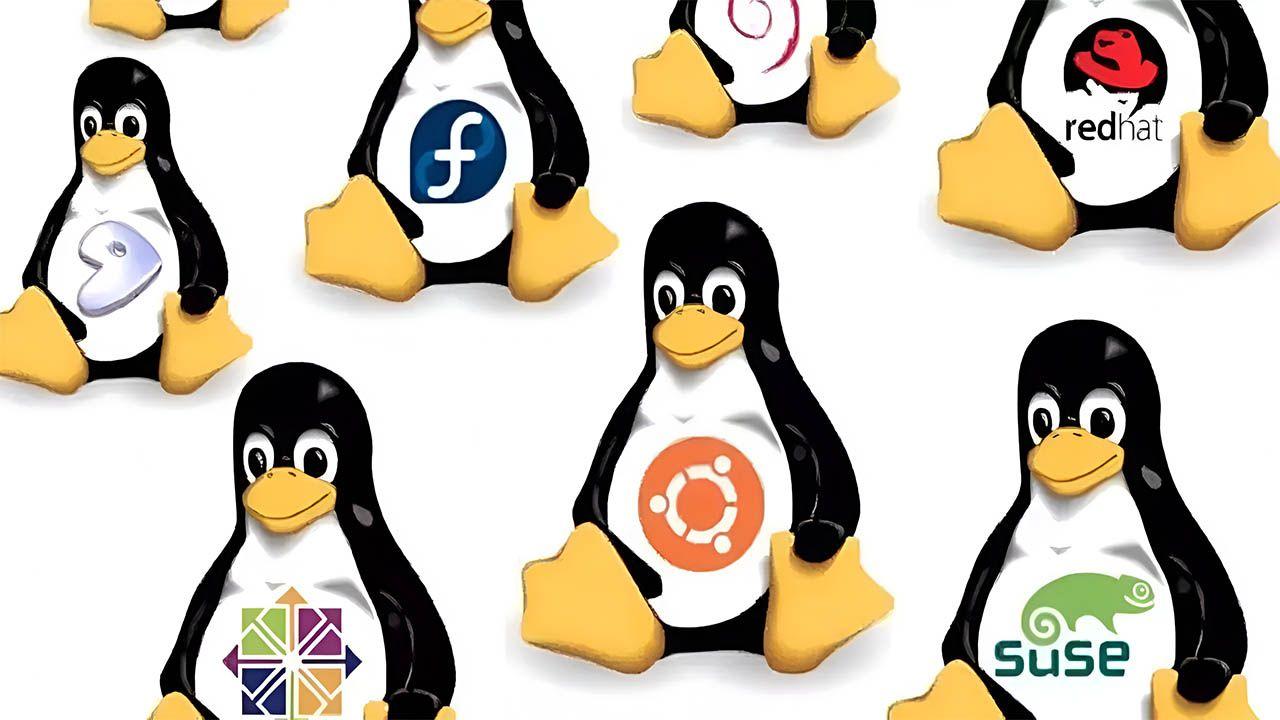
If you want to avoid complications, Ubuntu is a safe bet . It's probably the most famous distro and serves as the foundation for many others. Its biggest advantage is stability, especially in the LTS versions, which offer support and security updates for several years—ideal for those seeking peace of mind.
For those coming from Windows who don't want to feel lost, Linux Mint is the ideal choice . It's based on Ubuntu but offers a much more classic and predictable experience. It's a system that "just works" from the start, even though visually it might seem a bit more conservative than other options.
If aesthetics are important to you and you want something visually appealing, Zorin OS is fantastic . It allows you to customize the interface to resemble Windows or macOS with just a few clicks, making the transition seamless and visually pleasing.

On the other hand, we have Kubuntu , which is basically Ubuntu but with the KDE Plasma desktop. It's a powerful and highly customizable option that satisfies those who want a traditional environment on steroids , while also simplifying software management.
Versatile and specialized options
Some users are looking for something more geared towards productivity or gaming. In this case, Pop!_OS stands out considerably . Developed by System76, it's fantastic for programmers and gamers, as it includes pre-installed NVIDIA drivers and a very efficient window management system.
For those who want to be at the forefront of technology, Fedora Workstation is the way to go . It's the distribution that implements new features before anyone else, being based on Red Hat. Although it's very stable, it requires the user to be willing to experiment with the latest software versions.
If you're looking for something extremely stable and purist, Debian is the wise grandfather of this ecosystem. It's the foundation upon which many other distributions are built and is the preferred choice for servers due to its unparalleled robustness.

Distributions for older or low-resource computers
There's no need to throw your old computer away. Lightweight distributions can give a second life to machines with very little RAM. Puppy Linux is a brilliant example , as it's so small it can run entirely from RAM, performing flawlessly even on older hardware.
Along the same lines, we find Lubuntu and Xubuntu , which are versions of Ubuntu optimized to consume fewer resources. They are ideal for those who want Ubuntu compatibility but without their computer freezing when opening three browser tabs.
For extreme cases, Tiny Core is the epitome of minimalism . With a base image of just a few megabytes, it allows you to build your own system by adding only the extensions you truly need, making it the definition of technical efficiency.

Systems focused on privacy and security
If absolute privacy is your priority and you don't want to leave a trace, Tails is the ultimate tool . It runs live and redirects all traffic through the Tor network, ensuring your browsing is anonymous and your data is protected.
Another powerful alternative is Qubes OS , which uses virtualization to isolate applications in watertight compartments. If one application becomes infected with malware, the rest of the system remains safe thanks to this sandboxing-based isolation.
We also have Whonix , which separates the network gateway from the workstation, preventing the user's real IP address from being leaked, making it a digital fortress for those handling sensitive information.
Advanced level: For those who want total control
Once you've mastered the basics and the terminal, you can move on to Arch Linux . It's not for everyone, as its installation is manual and requires reading the documentation, but it allows you to install only what you want, creating a system optimized down to the last detail.
If you're looking for something similar to Arch but more affordable, EndeavourOS is the solution , as it offers a graphical installer and maintains a rolling release model, avoiding the need to reinstall the system every few months.
Finally, for professional environments and servers, Rocky Linux and CentOS are the standards. They offer full compatibility with RHEL, making them the logical choice for businesses that need enterprise stability and extended support.

Quick installation guide and first steps
Installing Linux today is a breeze. The first step is to back up your data and download the official ISO image. A great tip for beginners is to use VirtualBox to test the distro in a virtual machine before installing it on your actual hardware.
For booting, the most common method is to create a bootable USB drive using tools like Rufus or balenaEtcher. When starting the PC, simply enter the BIOS and change the boot order so that the computer reads the USB drive first.
Once installed, the first thing you should do is run system updatesIn Debian or Ubuntu-based distributions, commands like sudo apt update y sudo apt upgrade They are essential for keeping everything up-to-date and secure.
Don't be intimidated by the terminal. Although the graphical environment is great, learning it is still a challenge. basic commands like ls to list files or cd To navigate through the folders, it will give you a operational agility that the mouse simply cannot offer.

At this point, it's clear that Linux has ceased to be a cryptic system and has become an accessible and powerful tool. Whether you're looking for the simplicity of Mint, the modernity of Zorin, or the lightweight nature of Puppy, there's an environment waiting to adapt to your pace and your hardware, giving you the freedom to manage your computing without restrictions or corporate surveillance.