- Systematic diagnosis of physical and logical failures to reduce downtime in the company.
- Advanced IP address management and DNS server configuration to avoid network conflicts.
- Implementation of redundancy and bandwidth control to ensure service stability.
- Importance of perimeter security and technical training of IT staff.
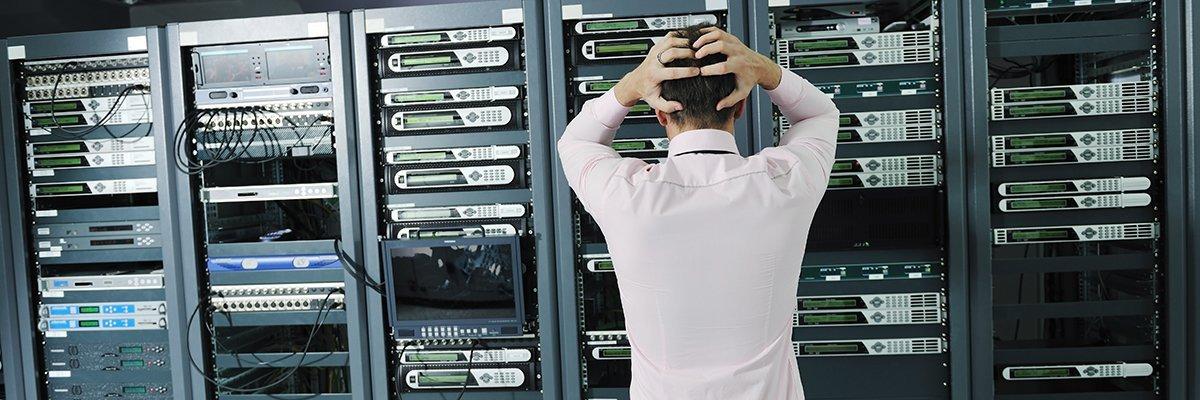
Any systems administrator knows that network infrastructures in a corporate environment are veritable labyrinths. Between switches, routers, and clouds, there are countless reasons why something might fail and performance could plummet, leaving users bewildered and productivity at rock bottom. Sometimes it seems like applications are running at a snail's pace, but the reality is that behind this malfunction there's usually a technical problem that, while it may seem complex, has a solution.
To avoid going crazy trying to find the fault, the ideal approach is methodical and systematic . It's not about randomly changing cables, but about analyzing the symptoms, ruling out the most obvious causes, and delving deeper into the logic layer. In this sense, having professional measurement tools and a guide for diagnosing problems in a business network makes all the difference between restoring service in ten minutes and spending hours wrestling with the command prompt.

Hardware and Physical Connectivity Problems
We often rush into configuring the software, forgetting that the foundation of everything is the cabling. It's very common for a network cable to be damaged by rubbing against sharp surfaces or for someone to accidentally disconnect a patch cord while moving equipment in the rack. Finding a broken wire piercing the ceiling can be a nightmare, so it's crucial to check that the RJ45 connectors are properly seated and that the fiber optic cable is not contaminated.
On the other hand, we can't forget network cards. If a particular device is experiencing intermittent failures, the first thing to check is the card's status LED ; if it's not blinking or is off, the problem is physical. Similarly, disorganized cabling, such as daisy-chaining switches without planning, creates extremely long routes that increase the likelihood of failures and degrade the signal.

Challenges of Wi-Fi and Wireless Signal
Wi-Fi is treacherous. A space that worked perfectly yesterday can become a dead zone after moving a metal filing cabinet or rearranging the furniture, since dense objects block the signal . Furthermore, external interference from microwaves or Bluetooth devices can make the connection unstable and frustrating for the end user.
When the signal is weak, it's advisable to use spectrum analysis tools to identify congested channels. If the intermittent connection persists, trying to connect the PC via Ethernet is the best way to determine if the problem lies with the wireless adapter or if a wireless network latency troubleshooter is needed.
IP Address Conflicts and DHCP Management
One of the most common headaches is duplicate IP addresses . This usually happens when someone manually configures a static IP address without notifying the administrator, causing it to conflict with an address automatically assigned by the DHCP server. The result is chaos where neither computer can reliably browse the internet.

There is also the risk of IPv4 addresses running out . To mitigate this, Network Address Translation (NAT) is used, which allows the use of private ranges (such as 192.168.xx) to save space in the global addressing pool. Maintaining an up-to-date record of static IPs is the only way to prevent the network from becoming a battleground of conflicts.
Slow Performance and Bottlenecks
When users complain that "the network is slow," the problem may be insufficient bandwidth . This happens when traffic demand (video calls, streaming, or large downloads) exceeds the capacity of the switches or the contract with the provider. Having a fast fiber connection isn't enough; if you have an old 10/100 switch in the middle of a Gigabit network, you've created an insurmountable bottleneck.
To address this, Quality of Service (QoS) can be implemented to prioritize critical traffic over recreational traffic. Additionally, it's vital to monitor CPU usage on endpoints through the Task Manager, as a frozen application or a resource-intensive process can create the false impression that the network is failing.

Name Resolution Errors (DNS)
DNS is the translator that converts names like google.com into IP addresses. If this system fails, you'll see the dreaded "NAME NOT RESOLVED" error , even if the network icon indicates you have a connection. This can be due to a corrupted system DNS cache or an overloaded DNS server from your internet service provider.
A quick and effective solution is to flush the DNS cache or switch to more robust servers, such as Google's (8.8.8.8) or Cloudflare's (1.1.1.1). If the problem persists, there's likely a slow link in the resolution path that the administrator needs to reconfigure.
Security, Malware and Insider Threats
It's not all about configuration; sometimes the network goes down because of a virus. Spyware or Trojans can overwhelm the network by sending massive amounts of data to external servers without the user's knowledge. A single infected computer can generate thousands of spam emails that completely clog up local traffic.
To prevent this, it is imperative to keep antivirus software updated and implement the latest cybersecurity trends that are redefining digital protection . Regular scanning of endpoints is the best defense against these infections, which degrade service quality and put company data at risk.

Advanced Infrastructure: PoE, VLAN and VPN
In modern networks, Power over Ethernet (PoE) is essential for powering cameras and access points. However, if the switch's power budget is exceeded , devices will begin to reboot erratically. It is crucial to calculate the total electrical load before adding more devices to the system.
On the logical side, VLAN configuration errors and network security issues can completely isolate segments of the company. VPNs, meanwhile, often fail due to credential problems or firewalls blocking necessary ports. Testing the connection from a different network usually helps to isolate whether the problem lies with the VPN provider or the local network.
Preventive Management and Maintenance
Redundancy shouldn't be seen as a luxury, but as a lifeline. Implementing backup switches and alternative routes using protocols like BGP prevents a simple hardware failure from paralyzing the entire workforce. Similarly, performing frequent backups of equipment configurations allows the network to be restored in minutes after a disaster.
Finally, the most important element is the human factor. Training technical staff is the best investment, since a trained technician resolves issues much faster and avoids critical configuration errors that leave the door open to intruders. Continuous training is the only way to keep pace with a technology that changes every day.
Maintaining a stable network requires a balance of quality hardware, impeccable logical configuration, and proactive maintenance. From checking for exposed wires and properly managing IP addresses to optimizing DNS and strengthening security against malware, every detail counts to prevent work stoppages. The key lies in not ignoring small symptoms and acting with accurate diagnostic tools before a minor problem escalates into a complete system failure.

Table of Contents
- 1 Hardware and Physical Connectivity Problems
- 2 Challenges of Wi-Fi and Wireless Signal
- 3 IP Address Conflicts and DHCP Management
- 4 Slow Performance and Bottlenecks
- 5 Name Resolution Errors (DNS)
- 6 Security, Malware and Insider Threats
- 7 Advanced Infrastructure: PoE, VLAN and VPN
- 8 Preventive Management and Maintenance