- Collabora Office and LibreOffice share a code base, but are geared towards different profiles: Collabora focuses on businesses and simplicity, while LibreOffice focuses on flexibility and community.
- On the desktop, LibreOffice offers more applications and advanced options, while Collabora Office opts for a modern, lightweight interface consistent with its online edition.
- In the cloud, Collabora Online inherits the LibreOffice engine and prioritizes open formats, compared to alternatives like OnlyOffice that convert everything to DOCX/XLSX/PPTX.
- The choice depends on whether you prioritize open formats, professional support, server resources, or a more polished and familiar experience for users accustomed to Microsoft Office.

If you're considering which office suite to use and you've come across these two options, it's very likely that when you opened Collabora Office you got the feeling you were looking at LibreOffice disguised with a different interface . You're not far off: they share a lot of technology, but they aren't exactly the same, nor are they aimed at the same type of user or organization.
In a home or small business environment, choosing between Collabora Office and LibreOffice can make a significant difference in ease of use, support, online collaboration, and resource consumption . Both are free and open-source software, but each has its own focus, limitations, and advantages, whether on desktop, online, or mobile.
What are Collabora Office and LibreOffice and how are they similar?
LibreOffice is a free and open-source office suite developed primarily by The Document Foundation. It includes a word processor (Writer), spreadsheet (Calc), presentation software (Impress), database (Base), mathematical formula editor (Math), and vector graphics editor (Draw). Its goal is to offer a complete and free alternative to Microsoft Office , with a special emphasis on open formats such as OpenDocument (ODT, ODS, ODP).
Collabora Office , for its part, is also an open-source office suite that uses the LibreOffice engine and code, but is packaged, optimized, and maintained by the company Collabora. This company specializes in offering professional office solutions, enterprise support, and optimized versions for both desktop and cloud (Collabora Online). Therefore, many people see Collabora as the "corporate" or professional version of LibreOffice.
Both suites share a very broad technological foundation: rendering engine, format compatibility, core office functions, and open-source philosophy . This means that, in terms of what you can do with text documents, spreadsheets, and presentations, the similarities are significant: opening and editing DOCX, XLSX, and PPTX files, working with open formats, exporting to PDF, and managing styles and templates.
Furthermore, both LibreOffice and Collabora Office are available for Windows, macOS, and Linux systems , thus covering virtually any commonly used desktop environment, whether at home, in offices, SMEs, or public administrations. And in all cases, without having to pay a mandatory license fee as is the case with Microsoft Office.
An important point is that these office suites are integrated into broader ecosystems: LibreOffice can be combined with third-party cloud solutions , and Collabora Office has Collabora Online, which integrates with platforms like Nextcloud or OwnCloud to offer real-time collaborative editing.
Key differences between Collabora Office and LibreOffice desktop
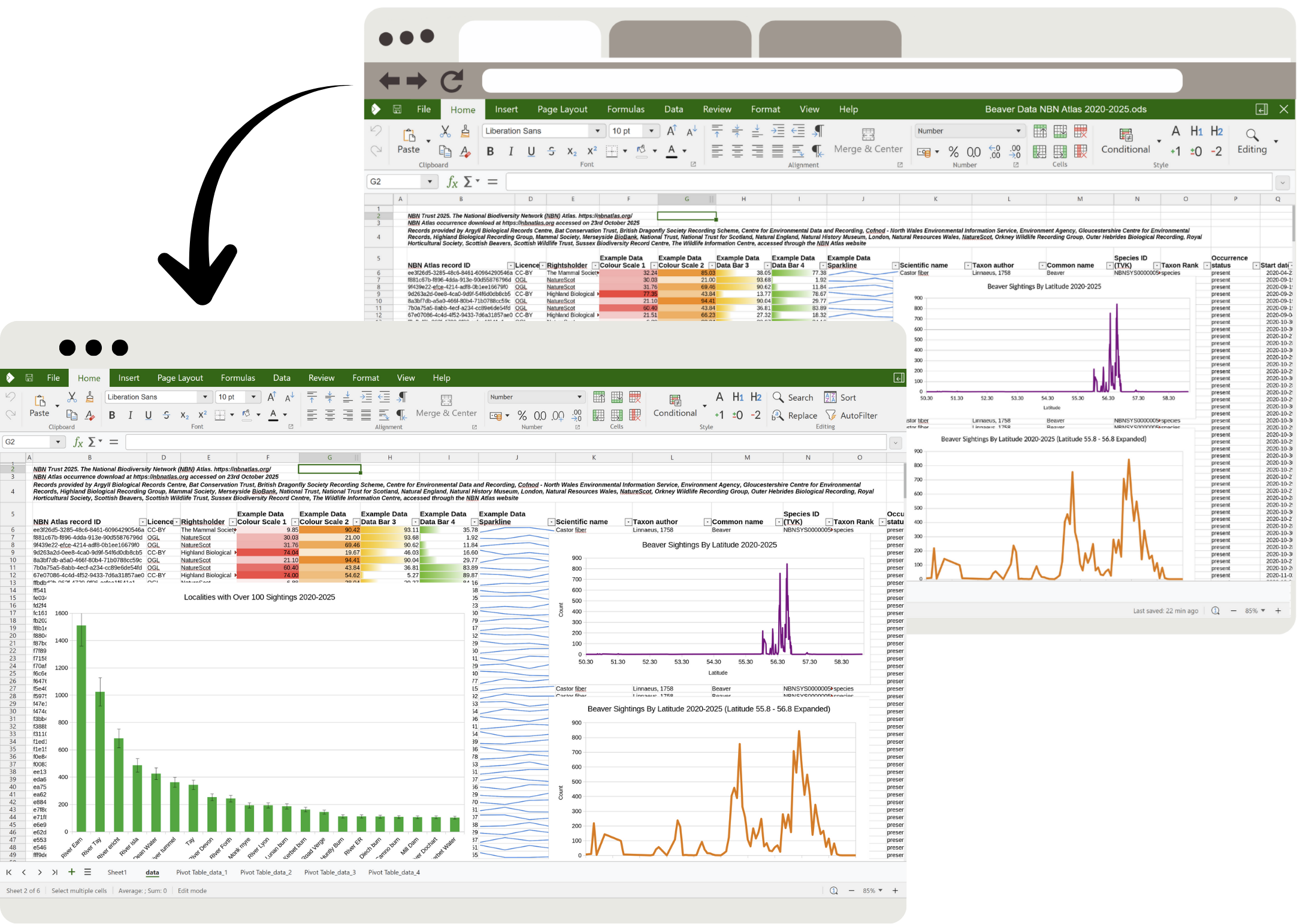
Although they share much of the same code internally, when it comes to using them on a daily basis there are clearly noticeable differences between Collabora Office for desktop and classic LibreOffice , both in the interface and in the product model and the available options.
User interface and layout
LibreOffice has evolved over the years and now allows users to choose different interface modes: a traditional menu-based interface, a tabbed ribbon interface, and simplified versions . Even so, many users feel that the visual experience remains somewhat outdated and less consistent than alternatives like Microsoft Office or OnlyOffice.
Collabora Office, in its new desktop version, prioritizes a more modern, clean, and productivity-focused interface . Visually, it resembles the Microsoft Office Ribbon style (with tabs and ribbons), but is optimized to display the most frequently used functions in work environments, without overwhelming the user with panels and secondary menus. The goal is for anyone familiar with Office to be able to adapt with relative ease.
While LibreOffice is designed to provide access to a wide range of features and customizations , Collabora Office tends to prioritize simplicity, displaying the most frequently used office options first, with a more predictable interface. This is especially noticeable if you're coming from Microsoft Office and value the familiarity of the ribbon.
Internal technologies and performance
One technical detail that makes a significant difference is that classic LibreOffice is based on the VCL toolkit for its desktop interface, while the new Collabora Office is built entirely on web technologies: JavaScript, CSS, Canvas, and WebGL, the same ones used by Collabora Online in the cloud.
This web-based approach in Collabora Office allows companies to develop more efficiently, maintain consistency between the web and desktop versions , and implement a more modern design without being limited by the traditional LibreOffice toolkit. Furthermore, it facilitates convergence: improvements made for the online version can be leveraged in the desktop version, and vice versa.
Another striking feature is the absence of Java dependencies in modern Collabora Office. Unlike some LibreOffice variants or earlier versions, Collabora Office eliminates Java-based components , reducing the package size, simplifying installation, and resulting in a more self-contained binary—especially useful in corporate environments where minimizing dependencies is a priority.
LibreOffice, for its part, continues to offer a broader ecosystem of advanced features, some of which rely on additional technologies. This can make the suite somewhat heavier or more complex to configure, but also more flexible for users who need very specific features, especially in databases or macros.
Included applications and advanced features
Both LibreOffice and Collabora Office include the essential applications: word processor, spreadsheet, presentation software, and graphics/drawing editor . In LibreOffice, these modules are called Writer, Calc, Impress, and Draw, and in Collabora Office, you'll find them with very similar names and nearly equivalent functions.
The most significant difference lies in the extras. LibreOffice adds two crucial components not included by default in the new Collabora Office: the Base application (for databases) and the advanced mathematical formula editor (Math). Furthermore, it offers a powerful macro system and deep customization, designed for advanced users or departments that automate complex office tasks.
In contrast, Collabora Office, especially in its modern web-based edition, focuses on what most offices use daily: text documents, spreadsheets, presentations, and diagrams , adjusting the default settings so that the average user doesn't have to struggle with overly technical options.
If in your small business or in your daily work you need very fine control over editing, integrated databases, advanced macros or complex mathematical formulas, LibreOffice is likely to be more complete and versatile than Collabora Office, at least in its modern standard edition.
Format compatibility and working with Office documents
In terms of formats, both suites share a very solid foundation: they support OpenDocument (ODT, ODS, ODP) as a native format and open Microsoft Office formats—DOCX, XLSX, and PPTX—without any problems . This is key if you need to exchange documents with clients or suppliers who primarily use Office.
Collabora Office, like LibreOffice, is heavily focused on ensuring good interoperability with Microsoft's OOXML formats , allowing you to edit complex documents without breaking the design. On the desktop, they function very similarly in this respect, although Collabora tends to focus on refining corporate use cases and templates commonly used by businesses.
In the online sphere, comparisons are often made between Collabora Online and other solutions like OnlyOffice. In this area, OnlyOffice tends to automatically convert documents to DOCX, XLSX, and PPTX , while the LibreOffice-based Collabora maintains open formats (ODT, ODS, ODP) by default, although it also allows working with Microsoft formats.
If you are particularly particular about using open and standard formats , the LibreOffice and Collabora product line is usually the most consistent option, compared to alternatives that silently convert everything to Microsoft's proprietary formats, with the risks of data loss that this can entail in certain cases.
Resource consumption and ease of use
One of the arguments in favor of Collabora Office is that the new desktop suite is designed to be lightweight to install and have moderate resource consumption , largely thanks to the absence of Java and a more compact package. This is particularly appealing for computers with less powerful hardware or servers with many concurrent users, especially in enterprise environments.
LibreOffice, despite improved performance over the years, can be somewhat resource-intensive in certain configurations and, above all, more overwhelming for users who only need the basic functions . Its wide range of customization options is an advantage for advanced users, but it can complicate the learning curve for those who simply want to write and create spreadsheets without further complications.
In terms of simplicity, Collabora Office aims to offer more accessible, frequently used actions and fewer intermediate steps for typical office tasks. It comes with more refined default settings, avoiding complex configurations as much as possible. LibreOffice, on the other hand, allows for a greater degree of manual adjustment, at the cost of requiring more exploration of menus and panels in some areas.
Collabora Online, LibreOffice Online and OnlyOffice: differences in the cloud
When we move beyond the desktop and talk about collaborative cloud environments, Collabora Online, LibreOffice Online, and other alternatives like OnlyOffice come into play . This is where many organizations, universities, and companies compare options for simultaneous editing and remote work.
Collabora Online is, in practice, the browser-based "server version" of LibreOffice , maintained and packaged by Collabora. It uses the same office suite as LibreOffice, but runs in a server environment and is presented through a modern web interface. LibreOffice Online as a source code project was the foundation, but the polished, commercially supported product is Collabora Online.
In this context, many people wonder if “LibreOffice Online and Collabora are the same thing.” Essentially, they are two sides of the same project: the open-source base of LibreOffice Online and the enterprise solution Collabora Online . Collabora adds professional support, long-term maintenance, targeted bug fixes, and packages ready to integrate with private cloud platforms like Nextcloud or OwnCloud.
On the other hand, OnlyOffice has become popular as an alternative for collaborative editing. It also needs to be integrated with a web-based file system like Nextcloud or OwnCloud, which acts as an interface for opening and managing documents, while OnlyOffice's editing engine handles the office functions from the browser.
Connection limits and server resources
In self-hosted installations, both Collabora Online and OnlyOffice typically share a limitation in their free versions: a maximum of 10 documents open simultaneously or around 20 concurrent connections . To overcome these limits and scale to tens or hundreds of users, it is necessary to purchase a paid license directly from the solution provider (Collabora or OnlyOffice).
In terms of execution, the difference is significant: Collabora Online processes most of the load on the server , sending a relatively lightweight interface to the browser, while OnlyOffice runs the editor more intensively on the client side, constantly exchanging data with the server.
This means that, in environments with many users, Collabora can demand more server resources but less load on client computers, which is ideal when you have users with modest devices. OnlyOffice, on the other hand, saves some server work at the expense of placing more demands on each user's browser.
Depending on your server's power and the profile of the people who will be using the system (modern versus older computers, for example), one model might be a better fit than another. If your clients have powerful computers, OnlyOffice could be a good choice; if you're looking to minimize requirements for workstations, Collabora Online might be a better fit.
Editing and collaboration options
In terms of functionality, many administrators point out that OnlyOffice usually offers a somewhat wider range of advanced editing options in the browser , coming very close to what its desktop version offers, and including extras such as integrated chat to collaborate directly while editing a document.
Collabora Online, for its part, quite faithfully replicates the editing capabilities of LibreOffice, with full support for styles, tables, images, comments, controlled changes, and other typical office productivity features. While it may seem simpler at first glance, it adequately covers most common tasks in academic and corporate environments.
However, there are reports of users experiencing data loss when editing ODT documents with OnlyOffice , especially those containing comments or complex tables. These isolated cases make Collabora (based on LibreOffice) a more "native" and reliable option if you plan to work extensively with open formats like ODT/ODS/ODP.
In both cases, we're talking about real-time collaboration solutions that allow multiple users to edit the same document simultaneously, with selection highlighting, comments, and automatic saving. The choice between Collabora Online and OnlyOffice will depend more on formatting requirements, compatibility, resources, and interface preferences than on a lack of basic capabilities.
Cloud file formats and open standards
A key difference between these solutions is how they handle file formats. OnlyOffice tends to convert documents to DOCX, XLSX, or PPTX upon opening , meaning it always works internally with these OOXML formats. While this offers very high compatibility with the Microsoft ecosystem, it can also pose minor conversion risks for open formats.
In contrast, the LibreOffice-based suite (including Collabora Online) uses OpenDocument (ODT, ODS, ODP) as its default working format , also allowing you to open and edit OOXML formats when needed. If you're interested in promoting the use of open standards in your organization (common in universities and public administrations), this approach is usually more aligned with that philosophy.
In fact, many educational institutions and public bodies seeking to promote open standards and avoid vendor lock-in are opting for Collabora Online as an editing layer on top of platforms like Nextcloud. Collabora itself highlights success stories of universities that have adopted this solution to unify the office environment for students and staff.
When should you choose Collabora Office and when should you choose LibreOffice?
At this point, the choice between Collabora Office and LibreOffice depends heavily on your specific context: individual user, small business, government agency, university, or a hybrid environment . There's no single answer, but there are certain profiles for whom each option is a better fit.
If you prioritize ease of use, a modern interface, and moderate resource consumption , Collabora Office (especially its modern desktop version) is a very strong contender. It's designed to help the average office user feel comfortable quickly, without a steep learning curve or the need to adjust too many settings.
Furthermore, Collabora is a great fit if you want to align your desktop environment with a cloud solution . By sharing technologies with Collabora Online, the experience of editing in the browser and on the desktop is seamless, and the company has a clear goal of convergence between both platforms, making better use of operating system features such as advanced clipboard, printing, and presentation projection.
On the other hand, if you're looking for maximum control over your documents, extensive customization options, and a wider range of applications (including databases, a formula editor, and an advanced macro system), LibreOffice is usually the best choice. It's geared toward users who aren't afraid to explore menus and fine-tune the suite to their exact needs.
LibreOffice is also a great option for those who want a purely community-driven free software project , where development doesn't depend directly on a specific company, but rather on a foundation and a broad community. If transparency, independence, and the possibility of the community continuing the project even if the sponsor disappears are key values for you, LibreOffice is a perfect fit.
In environments where professional support, maintenance contracts, and guaranteed incident response are highly valued , Collabora Office and Collabora Online have a distinct advantage. The company offers support services, controlled updates, and specific packages for organizations that require guarantees beyond what a volunteer community alone can provide.
Relationship with Microsoft Office and other alternatives
While we're focusing on Collabora Office and LibreOffice here, it's impossible to ignore the industry leader: Microsoft 365 and its subscription version. It's the de facto standard in many companies, boasts a vast ecosystem, and offers deep integration with cloud services like OneDrive.
Microsoft Office stands out for its polished user experience, applications for Windows, macOS, Android, and iOS , and seamless compatibility with its own formats. Furthermore, its web versions allow users to edit documents from any browser with real-time collaboration, without needing to install anything.
However, the most obvious drawback is the cost. It requires paying for a license or subscription , something not everyone is willing or able to afford, especially small businesses, freelancers, students, or home users who only need basic functions.
In contrast, LibreOffice and Collabora Office offer a free and open-source alternative that more than adequately meets the needs of most users. They can read and write DOCX, XLSX, and PPTX formats, open and edit PDFs, and in the case of Collabora, offer a familiar interface for those coming from Microsoft Office.
If you add to this the ecosystem of other alternatives such as Google Docs or OnlyOffice , the current landscape makes paying for Microsoft 365 only make sense if you really need very advanced and specific features, deep integration with the Microsoft ecosystem, or direct formal support from the company.
On mobile devices, however, Microsoft still holds a clear advantage thanks to its well-integrated and powerful apps for Android and iOS . LibreOffice lacks full-fledged official mobile editing clients, and in this area, you often have to resort to third-party applications, OnlyOffice, or Google's own suite of desktop applications. If your priority is editing on your mobile device, you'll be more dependent on the app ecosystem than on the desktop suite you choose.
Looking at the whole picture, many people opt for a mixed strategy: using LibreOffice or Collabora Office on the desktop as their main free tool and relying on Google Docs, OnlyOffice or the free versions of Microsoft Office online for occasional collaborations, depending on what best suits each case.
Taking all of the above into account, those looking to save on licenses, favor open formats, and have a solid experience both locally and in the cloud will often find LibreOffice and Collabora Office to be two very reliable, complementary, and flexible pillars , capable of covering everything from the simplest home use to serious deployments in universities, SMEs, and organizations that want to regain control over their documents.