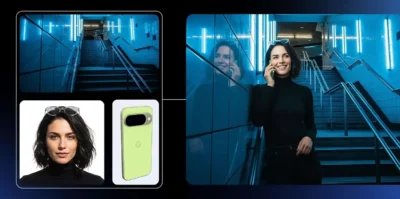
- The free version of Nano Banana offers limited access to the Pro model and reverts to the base engine when the quota is exhausted.
- Nano Banana Pro, based on Gemini 3 Pro, dramatically improves readable text, visual consistency, and advanced editing.
- The paid plans expand generations, resolution up to 4K, and professional integration via API and tools like Photoshop.
- The choice between free and Pro depends on the volume of images, the quality requirement, and the need for professional workflows.

The arrival of Nano Banana Pro has completely changed the landscape of AI-powered image generation within the Google ecosystem. While the standard version of Nano Banana was already impressive for its speed and quality, the new Pro version enters the professional arena and opens the door to much more serious workflows, from product design to the creation of complex infographics.
At the same time, Google maintains a free model with clear limitations and a much more generous Pro layer , and this is where the doubts begin: what can you really do with the free version? Is it worth paying for a Plus/Pro/Ultra plan? How noticeable is the jump in quality and daily use? Let's calmly break down all the differences between the free version and Nano Banana Pro so you can clearly see what's best for you depending on how you work.
What is Nano Banana and what exactly does Nano Banana Pro add?
Nano Banana Pro , on the other hand, is a direct evolution built upon Gemini 3 Pro , Google's most advanced multimodal model for text, images, video, and audio. This Pro layer inherits the advanced reasoning of the linguistic model and combines it with a completely revamped visual engine, offering significant improvements in detail, consistency, and technical control.
In practice, this means that the free version of Nano Banana usually relies on the base model , while the Pro experience connects you to Gemini 3 Pro Image , the "studio" quality model capable of interpreting complex scenes, interfaces, graphics, data, and even frame-by-frame animations.
Google defines Nano Banana Pro as the professional visual generation and editing layer within Gemini , and uses it as a spearhead in products such as Google AI Studio, integrations with Photoshop, and advanced design and content creation workflows.
Key differences between the free version and Nano Banana Pro
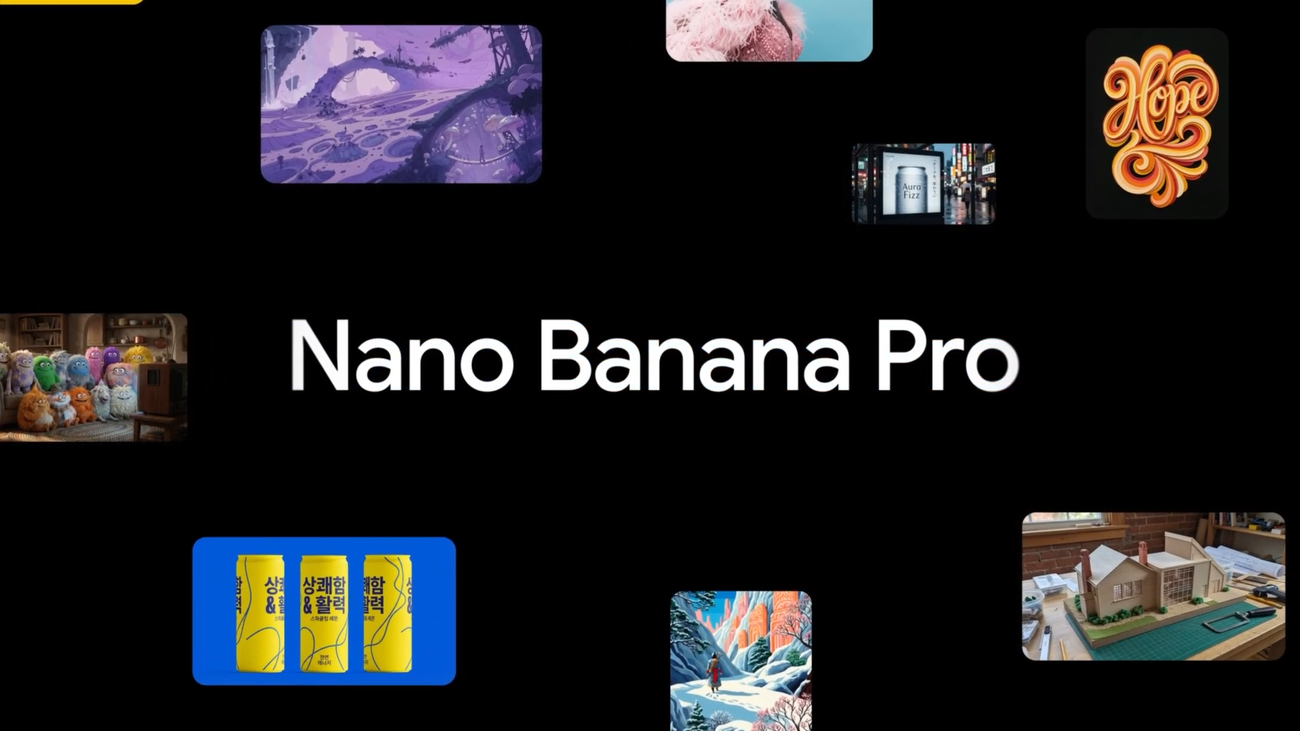
The big question is how far the free version goes and what Nano Banana Pro actually adds . Google doesn't publish an official table with all the fine print, but it does clearly outline several differences in usage, quality, and limitations that become apparent in practice when working with both versions.
The first thing to understand is that the free version gives you limited access to Nano Banana Pro itself : users without a subscription have a reduced quota of generations with the advanced model and, once exhausted, the system automatically reverts to the base Nano Banana model (Gemini 2.5 Flash) to continue generating images.
Meanwhile, subscribers to Google AI Plus, AI Pro, and AI Ultra receive significantly higher quotas , along with better access to higher resolutions and the API under more favorable conditions. Although Google doesn't publicly specify how many extra generations each plan offers, the logic behind its services is clear: the increase isn't just "five more images per day," but a much larger boost designed for those who regularly or intensively generate visual content.
Beyond the number of uses, the difference is especially noticeable in four areas: resolution, stability of the Pro model, workload, and programmatic access . Let's take a closer look at these, because this is where you decide whether the free version is enough for you or if it's worth upgrading.
Image quality, text, and visual consistency
One of the most obvious changes between the base Nano Banana and the Nano Banana Pro is in pure visual quality: sharpness, detail control, and, above all, legible text within images . The original model was already capable of creating eye-catching photos, but it struggled with labels, thin fonts, or signs with small letters.
With Nano Banana Pro, Google boasts "studio-quality" image generation . The model recreates highly complex scenes with crisp text, well-written labels, and dense compositions where every element maintains clear coherence. This is evident, for example, when requesting:
- Complete application or operating system interfaceswith menus, buttons, icons and legible text without distortion.
- Infographics and explanatory diagrams with titles, legends and annotations in several languages, without any invented words or mixed letters appearing.
- Product Mockups with realistic packaging and brand names spelled correctly on the box, label, or front.
In direct comparisons, infographics generated with the base Nano Banana show frequent errors : jumbled letters, nonsensical words, or unusual fonts. The same request in Nano Banana Pro produces much more readable graphics, with recipes, step-by-step lists, or technical summaries that are far better structured.
Furthermore, Nano Banana Pro has a better understanding of spatial relationships and anatomy . This reduces, though doesn't completely eliminate, classic problems such as hands with extra fingers, duplicate objects, or perspectives that don't align in scenes with many elements. The base version, on the other hand, tends to make these mistakes more frequently, especially in complex prompts.
Advanced editing and technical control functions
Another key difference between the free and Pro versions lies in the depth of the editing tools . With the base layer, you can crop, change backgrounds, adjust some parameters, and make simple modifications using text instructions, but Nano Banana Pro goes much further.
The Pro model allows you to select specific areas of an image and modify them with precision , whether by changing the style, altering the lighting, or retouching the composition. This includes, for example, modifying the camera angle, adjusting the depth of field, or correcting the color in specific areas without affecting the rest.
Furthermore, the Pro version understands drawings, sketches, and annotations on top of the image . You can literally hand-draw a hat, a garment, or a new object on the photo and ask it to render it with correct lighting, realistic shadows, and consistency with the rest of the scene. This is closer to what professional editing tools offer than a simple image generator.
In specialized contexts, Nano Banana Pro also excels in restoration and visual analysis : it can remaster old video game captures, reconstruct scenes with a modern style, interpret medical scans by marking possible injuries (always with professional caution), or redesign application interfaces while keeping the original text intact and modernizing the layout.
In contrast, the free experience usually limits itself to more general editing capabilities , sufficient for everyday or light creative use, but insufficient if you want to do fine retouching work or need technical consistency in client projects.
I work with data, graphics, and text within images.
One of Nano Banana Pro's most striking features is its ability to manipulate data embedded in images . This isn't just about reading a chart or recognizing a table, but about editing the visualization in a way that's consistent with the new data you provide.
With the Pro layer, you can ask it, for example, to update a line graph with new values and automatically adjust axes, legend, and curves so everything fits together. Where other models only change the visible numbers and leave the graph inconsistent, Nano Banana Pro recalculates the visual representation to maintain consistency.
It is also capable of converting handwritten notes into clean diagrams , transforming hand-drawn sketches into diagrammed workflows, and generating heat maps, depth maps, or contours for more technical analysis.
In the free version, you can request infographics or charts, but real-time data integration and accuracy are more limited . The connection with Google Search and the use of up-to-date information works better and more consistently when you use the Pro plan with a larger subscription.
In many cases, the key is that Gemini 3 Pro combines advanced linguistic reasoning with visual analysis , so that it not only draws a pretty graph, but also "understands" what that graph represents and can modify it while respecting the basic rules of the data it contains.
Integration into Google products and external platforms
Another practical difference between using Nano Banana in free mode and opting for its Pro version lies in the depth of integration with Google tools and third-party services . Both layers benefit from Gemini's presence, but the Pro version opens more doors.
In everyday use, the easiest way to use Nano Banana is through Gemini , either on the web or the mobile app. From there, you can create and edit images, add reference photos, and combine text and image instructions in a natural conversation. Free users also have access to Nano Banana Pro, but with a daily quota limit; once this is exhausted, they revert to the basic version.
Beyond chat, Nano Banana Pro is integrated with Google Photos and Android's built-in editing tools . This allows you to adjust a photo's lighting, change the background, add elements, or correct imperfections directly from your phone. Free users enjoy many of these features, although usage limits and, in some cases, the maximum output quality depend on the account type.
In the professional sphere, integration with Photoshop is one of Nano Banana Pro's strongest points . Being able to expand a canvas (outpainting), fill missing areas, or generate consistent variations without leaving the Adobe workflow is a major advantage for designers, agencies, and creators already working within the traditional creative ecosystem.
Finally, external platforms such as LoveArt, FAL, Replicate, Higgsfield, and WaveSpeed have incorporated the Nano Banana Pro model via APIs . These solutions are typically aimed at advanced users or SaaS tools that want to offer integrated image generation. In many cases, free access is limited to trials with a few images, while intensive use requires payment through credits or specific subscriptions.
Plans, prices, and limitations of the free version vs. Pro
In terms of cost, the difference between the free version and Nano Banana Pro isn't about buying a "new program," but rather how you access it and what usage limits apply . Google offers a subscription system where the same Pro model is available to everyone, but with usage restrictions depending on the plan.
On the one hand, the free Gemini tier allows you to generate a limited number of images with Nano Banana Pro at low resolution (around 1 megapixel, which is roughly equivalent to 1K). Once that quota is used up, the service continues to function, but using the base Nano Banana model, with reduced text accuracy and detail.
If you spend your days creating images, the next step is a "Gemini Pro" subscription , which costs around $19,99 USD per month. This plan gives you more stable access to the Nano Banana Pro model, more daily generation, and reasonable processing power for frequent creators who don't need extreme volume or constant 4K resolution.
Above these are advanced plans like Gemini Ultra or equivalent plans geared towards heavy users , which cost around $124,99 per month. These are designed for businesses, agencies, or professionals who generate hundreds of images, work in 4K, and take advantage of integration with other Google products on a large scale.
Those needing direct integration into their own products or projects can use Google AI Studio or Vertex AI and pay per use via API . Typical prices range from $0,13-$0,15 per 2K image and $0,24 per 4K image using Nano Banana Pro, with third-party platforms offering similar rates or monthly packages starting at just over $5.
Resolution, technical limitations, and real-world usage differences
Beyond the cost, one of the most notable practical differences between the free and Pro versions is the maximum resolution and format flexibility . In the standard web interface, Google typically limits most users to around 1K resolution and restricted aspect ratios (usually 1:1), especially on the free plan.
In contrast, with Nano Banana Pro via subscription or API, you can generate 2K and 4K images , as well as define custom aspect ratios—key if you design banners, headers, mockups, or print materials. For a casual user, 1K might be more than enough, but for a professional delivering commercial pieces, the difference is noticeable.
It's also important to note that the free Pro plan has a relatively small quota ; it's intended for testing, experimenting, small personal projects, or completing occasional tasks. If your workflow involves dozens of images per day, that quota quickly disappears, and the system switches you to the basic plan, where the text starts to become unreliable and consistency suffers.
Conversely, paid plans improve both the number of available generations and processing priority . This results in shorter queues, more consistent response times, and, above all, continuous access to the Pro model without having to "manage" each generation to avoid exceeding the quota.
With the API, flexibility is at its peak: you choose the resolution, aspect ratio, volume, and call distribution according to your budget. It is by far the most suitable format for SaaS products, platform integrations, or companies that need complete control over how and when images are generated.
Advantages, limitations, and ideal uses of each version
To decide whether the free version of Nano Banana is worth it for you, or to upgrade to Nano Banana Pro with a subscription or API, it's important to understand what each one offers and what their weaknesses are in everyday practice.
On the plus side, the free version is perfect for curious users, students, and casual creators who want to experiment with AI without spending a penny. You can generate infographics, test compositions, edit personal photos, or create resources for your notes or small presentations, knowing that the system will revert to the basic model once you use up your Pro subscription.
The true value of Nano Banana Pro becomes apparent when you start working on serious projects: design, branding content, product development, or professional training . There, the text consistency, anatomical accuracy, lighting control, and ability to manipulate data within images make all the difference, and that's where the free version falls short due to limitations in data allowance and resolution.
However, the Pro model isn't perfect and still has technical limitations . Clocks and timekeeping continue to be problematic, tiny text on products or backgrounds can appear blurry, and certain animals or rare species aren't always rendered with complete realism. Caution is also advised with highly technical or scientific tasks, where it's best to thoroughly review the results before using them in official materials.
Regarding prohibited uses, privacy and ethics remain key considerations in both the free and Pro versions . Uploading sensitive documents, delicate personal photos, or medical images without considering internal policies can be problematic in educational, healthcare, or corporate environments. Furthermore, European AI regulations are moving towards requiring transparency when using AI-generated images in public or commercial contexts.
The free version of Nano Banana is a powerful entry point for experimenting with visual AI , while Nano Banana Pro establishes itself as a production-ready engine : it generates legible text, better respects the physical laws of the scene, integrates with tools like Photoshop, and can be automated via API with 4K resolution and full aspect ratio control. Choosing between the two, or combining them, depends on how many images you generate per month, the level of quality you require, and whether your work justifies the cost of a subscription or API usage.