- GeoGebra excels in the visual teaching of geometry, functions and basic calculus, with an intuitive and multi-platform interface ideal for secondary and early university courses.
- SageMath integrates engines like Maxima and uses Python-like syntax to offer a very powerful computer algebra system, more geared towards advanced studies and research.
- The main practical difference is the approach: GeoGebra focuses on graphical manipulation and immediacy, while SageMath prioritizes programmatic work, notebooks, and deep symbolic and numerical calculation.
- The choice between the two depends on the user's skill level, the type of problems they want to solve, and their comfort level with programming; often, combining them offers the most complete solution.
Anyone who studies or works with mathematics sooner or later ends up looking for something more powerful than a simple mobile phone calculator. Whether it's to check a university exercise, visualize a complex geometric figure, or tackle derivatives, integrals, and huge matrices, having a good support program on your computer saves hours of effort and more than one headache.
Within the open-source and cross-platform software ecosystem, two names clearly stand out when it comes to mathematics: GeoGebra and SageMath (often simply called Sage). Both can be used on Linux, Windows, and macOS, and even from a web browser, but they are designed for very different audiences and uses. Choosing the right one can make the difference between feeling like everything is running smoothly and constantly struggling with the tool.
What is GeoGebra and who is it for?
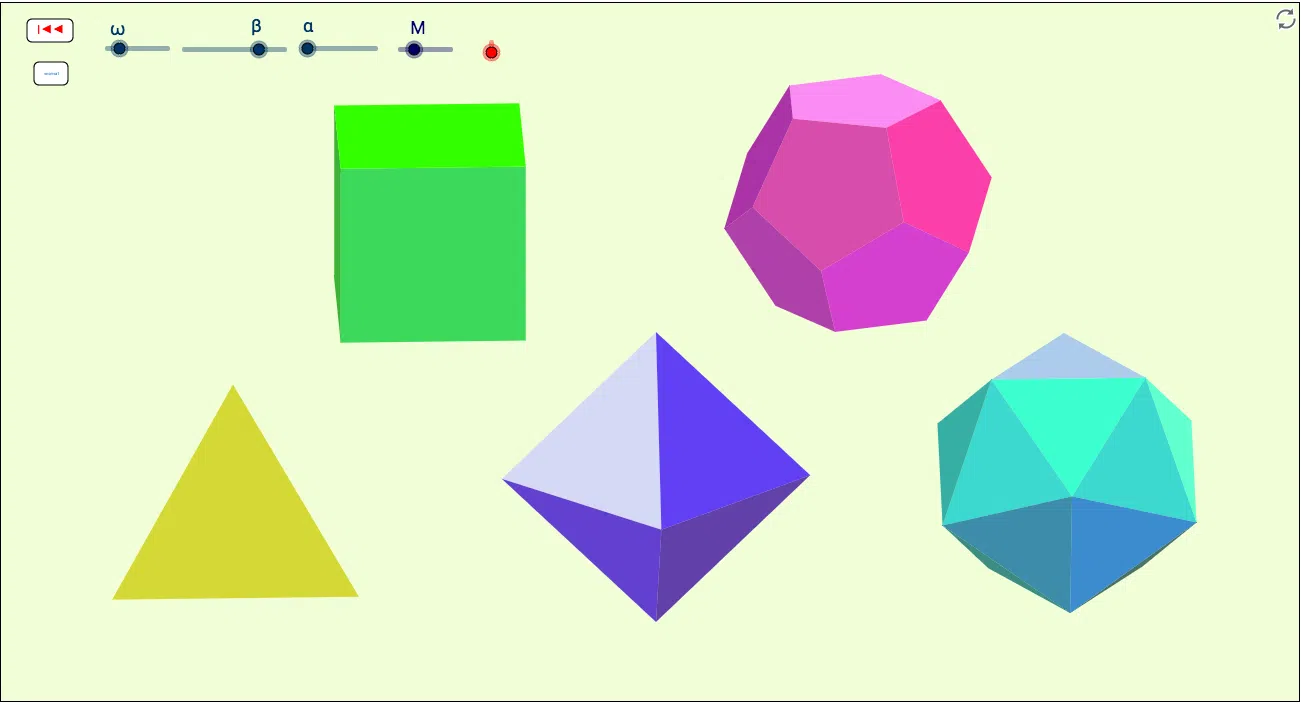
GeoGebra is, first and foremost, a visual mathematics program , focused on geometry and graphical representation. If you're more familiar with terms like triangle, circle, line, or vector than "vector space" or "linear algebra," you're on the right track with what GeoGebra does best.
GeoGebra's origins are closely linked to secondary school and early university education. It is used in the classroom to illustrate the Pythagorean theorem, show how the area of a circle changes with varying radius, visualize functions, and represent lines and points on the Cartesian plane. It allows users to drag elements with the mouse and see in real time how the relationships between them change, which is incredibly useful for understanding concepts that, on paper, can seem very abstract.
In the realm of calculus , GeoGebra is also quite capable: it can perform derivatives, integrals, and other relatively simple symbolic calculations. It's not as advanced a computer algebra system as SageMath, but it's usually more than sufficient for most high school and introductory course exercises.
A key feature of GeoGebra is its graphical approach . Almost everything revolves around a drawing window where objects appear: points, segments, polygons, curves, etc. From there, figures are constructed and relationships are added: a point lying on a line, one segment being perpendicular to another, the radius of a circle coinciding with the length of a vector… This way of working is quite engaging, because you feel like you're actually "touching" the mathematics.
GeoGebra is programmed using cross-platform technologies and for a long time relied heavily on Java, making it easy to find on virtually any operating system. There are versions for Windows, macOS, and, of course, Linux. On many GNU/Linux distributions, it is installed directly from the repositories: on Debian- or Ubuntu-based systems, it can be found by searching for it in the software manager, and on Arch Linux and derivatives, it is usually available through the corresponding package in pacman.
In addition to the desktop version , GeoGebra has versions for tablets and apps for mobile devices, as well as a powerful online version accessible through a web browser. This makes it perfect for use in the classroom with a digital whiteboard, sharing constructions with students, or preparing interactive activities without the need for complicated installations.
Limitations of GeoGebra compared to more advanced systems
Although GeoGebra includes symbolic computation functions , its primary purpose is not to replace large computer algebra systems, but rather to serve as a teaching tool and visual aid. When you start working with more serious algebra problems, large systems of equations, advanced symbolic computations, or intensive numerical analysis, its limitations become apparent.
In fields such as advanced linear algebra (for example, studying high-dimensional vector spaces, complex linear transformations, or sophisticated matrix decompositions), GeoGebra does not offer the same depth or flexibility as an environment specifically designed for large-scale symbolic and numerical computation.
Something similar happens with advanced calculus : although you can differentiate, integrate and graph functions, when multiple integrals, differential equations or problems that require more demanding numerical routines come into play, it is much more convenient to have an environment like SageMath at hand, where that type of operation is their bread and butter.
In short, GeoGebra's strength lies in its immediate interaction with geometric figures, functions, and relatively accessible objects; it's not meant to replace a full computational mathematics lab. It clearly has its place in teaching and visualization tasks, but if your work resembles a notebook filled with long formulas and complex calculations, it might fall short.
What is SageMath and what makes it different
SageMath (or Sage) is a powerful computer algebra system designed to offer, in open-source software, performance comparable to that of commercial tools such as Mathematica, Maple, or MATLAB (in combination with other scientific libraries). Its philosophy is clear: to unify a multitude of existing open-source mathematics projects under a single environment.
Internally, SageMath integrates various engines , and one of the most important is Maxima, another classic of open-source software for symbolic computation. This means that when you perform derivatives, symbolic integrals, simplifications, or equation solving, SageMath relies heavily on Maxima's power to carry them out, even though you use everything from a single, unified interface.
One particularly interesting feature of SageMath is its syntax, which is very similar to Python's. In fact, you can write expressions and short scripts by reusing what you already know about Python, which is a huge advantage for many people. This approach makes it especially attractive to students and researchers who already program or want to automate tasks.
Unlike GeoGebra, which is primarily visual , SageMath is more text-based and programmatic. Instead of dragging points on a plane, you write instructions to define functions, matrices, data lists, algebraic objects, and so on. You can then represent them graphically, but everything stems from the commands you write.
SageMath excels in fields such as advanced linear algebra, number theory, combinatorics, statistics , algebraic geometry, and many other areas requiring intensive symbolic and numerical computation. This has made it a highly valued tool in research and advanced university teaching.
One of the most common ways to use SageMath is through an interactive notebook environment, similar to the popular Jupyter notebooks. The idea is simple: Sage creates a local server, and you access it through a web browser via a web interface where you can write text, formulas, and Sage code in cells.
These notebooks allow you to combine explanations and calculations in a single document. You can write a theoretical introduction, add a code block with a demonstration, display the result, insert graphs, and continue adding sections. It's a very convenient way to document your work, prepare notes, share with students, and even publish teaching materials.
Historically, there was a classic Sage notebook format that functioned directly as a local server. Over time, cloud-based solutions have been promoted, allowing users to access SageMath from a web browser without installing the entire system on their computer. The official SageMath website has focused on services like "Sage Cloud," or online platforms that provide ready-to-use accounts and environments.
In any case, the notebook's philosophy remains the same: to work interactively, combine code and explanatory text, and maintain a record of what has been done. This is especially useful when performing complex calculations or lengthy mathematical explorations, as you can redo steps, change parameters, and see how the results vary without starting from scratch.
SageMath Installation and Requirements
In terms of local installation , SageMath is considerably larger than GeoGebra. The complete set of packages, libraries, and components that make up Sage can take up around 1 GB once installed, which is understandable considering everything it includes.
Many GNU/Linux distributions include SageMath packages in their official or community repositories. Simply search for them in your package manager to install them, although there are sometimes differences between versions, and it might not always be the latest one. It's a convenient option for trying it out without too much hassle.
Some users advise against a casual local installation on computers with limited storage or resources, precisely because of its size and dependencies. If you're short on storage or using a modest machine, it might be worth considering using SageMath in the cloud or on an external server, accessing it via a web browser.
The good news is that SageMath has documentation in English and other languages, including Spanish. This significantly eases the learning curve, as the tool is powerful but not as immediately intuitive as a program designed specifically for beginners. Consulting guides, tutorials, and real-world examples is very helpful for getting the most out of it.
Relationship between SageMath, Maxima and wxMaxima
To better understand where SageMath fits in, it's worth mentioning Maxima and its most well-known graphical interface, wxMaxima. Maxima is a veteran computer algebra system, capable of performing derivatives, integrals, working with matrices, polynomials, and countless symbolic and numerical operations.
The wxMaxima interface aims to bring that power to users who don't want to struggle with a pure console. It offers menus, buttons, and dialog boxes that make it easy to access functions without having to memorize all the commands. Even so, it's sometimes necessary to consult the official documentation, which has historically been largely in English, to discover all the possibilities.
SageMath integrates Maxima as one of its internal engines , but wraps it within a broader environment, providing its own Python-based language, a large number of additional libraries, and visualization and notebook tools. In other words, it relies on Maxima for many symbolic computation tasks, but combines it with much more.
In terms of ease of use , wxMaxima and Maxima are somewhat more difficult to handle than GeoGebra, even compared to proprietary alternatives with more polished interfaces. However, once you become accustomed to their logic, it's hard to give up the computational power they offer. In this respect, SageMath goes a step further and is geared directly towards users who don't just want to "push buttons," but rather program and automate entire routines.
GeoGebra vs SageMath: Key Differences
If we compare GeoGebra and SageMath side by side , the first major difference is their target audience. GeoGebra is designed for the general education environment: secondary school, high school, and the first years of university. SageMath, on the other hand, is aimed at advanced students, university professors, and researchers who need a comprehensive computational system.
In terms of interaction , GeoGebra relies almost entirely on graphical manipulation and the visual interface. You drag, click, define elements in the drawing, and see the results instantly. SageMath, on the other hand, is more text-based and programmable: you write code, execute cells in notebooks, and generate numerical, symbolic, or graphical outputs.
Another important difference lies in the depth of the calculations . GeoGebra can solve simple derivatives and integrals, graph functions, and handle certain symbolic operations, but it doesn't aim to cover the entire spectrum of advanced mathematics. SageMath, by integrating engines like Maxima and many additional libraries, can tackle very complex problems in algebra, analysis, number theory, statistics, and more.
The learning curve also differs . GeoGebra is quite intuitive; so much so that many people use it without hardly looking at the documentation, simply by experimenting. SageMath requires investing time in learning its syntax, understanding how the notebooks work, and becoming familiar with its modules. It's a steeper learning curve, but very rewarding once you get the hang of it.
In terms of technical requirements , GeoGebra is lightweight, easy to install, and doesn't take up much space. SageMath, on the other hand, comes with many components and can approach or exceed 1 GB installed. In return, it offers a true mathematical laboratory on your computer or the server where it runs.
Advantages and disadvantages of each tool
GeoGebra's advantages include its simplicity, visual approach, and ease of use in the classroom. Teachers can quickly prepare activities, students can check exercises instantly, and anyone can experiment with geometric figures without struggling with code or complicated configurations.
The main drawback of GeoGebra is its limited computing power compared to more specialized systems. For tasks requiring large volumes of data, advanced algebra, or the automation of lengthy processes, it falls short and necessitates switching to other tools.
In the case of SageMath, its greatest strength lies in its power and versatility. It allows users to perform everything from basic symbolic operations to highly sophisticated calculations, work with large matrices, generate all kinds of graphs, and utilize advanced techniques typical of mathematical research.
Its biggest drawback for many users is the barrier to entry. It's not a tool you can just "open and tinker with." It's advisable to read the documentation, look at examples, and dedicate some time to learning how it works, especially if you want to fully utilize everything it offers.
Maxima, with its wxMaxima interface, occupies an interesting middle ground , offering powerful calculations with a somewhat more user-friendly interface, although it remains less visual and accessible than GeoGebra. Depending on your skill level and needs, this combination could also be a viable alternative.
Which one to choose based on your profile and needs
If you're a high school or college student , GeoGebra will most likely cover almost everything you'll need: geometry, functions, graphing, some calculus, and a very intuitive interface. It's ideal for visualizing topics like the Pythagorean theorem, areas and volumes of simple shapes, vectors in the plane, or the graph of a function.
If you're in your first years of university , especially in STEM fields, GeoGebra is still very useful as a visual aid. However, you'll start to notice the advantages of moving to more powerful tools, especially when dealing with large matrices, intensive symbolic computation, or scientific programming.
For those conducting research or studying advanced subjects in mathematics, physics, engineering, or statistics, SageMath becomes much more appealing. Its integration with Python allows for the automation of tasks, data processing, the generation of reproducible reports, and the systematic exploration of complex problems.
It's also key to consider your affinity for programming . If you enjoy writing code, structuring your calculations, and saving reusable scripts, SageMath is a great fit for that way of working. If you prefer something more immediate, with buttons and draggable elements, GeoGebra will be much more user-friendly.
In teaching contexts , a combination of both tools and other educational tools such as Scratch may be the most appropriate: GeoGebra to visually explain concepts and make quick demonstrations in class, and SageMath (or Maxima/wxMaxima) to prepare advanced materials, correct complex exercises or perform calculations behind the scenes.
Additional practical aspects and usage environment
When browsing the web for information about these tools , you'll often come across pages that require JavaScript to be enabled to function correctly. Social media platforms, online notebook services, and other modern websites may display messages like "we've detected that JavaScript is disabled in this browser" if you have it disabled, prompting you to enable JavaScript or switch to a compatible browser.
These messages are often accompanied by links to the help center, legal notices such as terms of service, privacy policies, cookie information, or imprint details. They are not directly related to GeoGebra or SageMath, but they are part of the usual digital context when accessing documentation, forums, or cloud services linked to these tools.
In the field of technical documentation , it's also common to find resources in PDF and other formats that explain mathematical concepts and related tools. Typical examples include LaTeX drawing manuals using TikZ, tutorials on Cartesian coordinate systems, and guides on how to represent triangles and other figures—very useful content when you want to go from the whiteboard to a well-formatted document.
Many of these materials include buttons and controls for downloading the file, saving it to your account, printing it, sharing it, or even asking questions of AI assistants integrated into the platform. While not part of the software itself, they complement the learning experience and help you master the entire ecosystem of mathematical and documentation tools.
Given this panorama, GeoGebra and SageMath stand out as key players within the universe of free software for mathematics: one shining in intuitive visualization and in basic and secondary education, and the other standing out as a complete environment for advanced calculation and scientific programming that can grow with you as your mathematical needs become more demanding.

Table of Contents
- 1 What is GeoGebra and who is it for?
- 2 Limitations of GeoGebra compared to more advanced systems
- 3 What is SageMath and what makes it different
- 4 The user experience: notebooks in the browser
- 5 SageMath Installation and Requirements
- 6 Relationship between SageMath, Maxima and wxMaxima
- 7 GeoGebra vs SageMath: Key Differences
- 8 Advantages and disadvantages of each tool
- 9 Which one to choose based on your profile and needs
- 10 Additional practical aspects and usage environment