- Advantages of using compact equipment to give a second life to storage and memory components.
- Possibilities for transforming an old Mini PC into NAS servers, multimedia centers, or retro consoles.
- Essential criteria for choosing the right hardware according to professional, domestic or industrial use.

I'm sure it's happened to you: you have a small computer lying around that you no longer use because Windows 11 is too demanding or because you've bought something more powerful. Many people think these machines are basically junk that should end up in the recycling bin, but the reality is that they retain a complete x86 architecture that is still incredibly useful for a multitude of tasks that don't require extreme raw power.
The magic of these devices lies in their ability to reuse components like SSDs and RAM from older laptops or obsolete equipment, preventing perfectly functional parts from becoming scrap. It's not just about saving money; it's about pushing the boundaries of technology to create efficient systems that consume very little energy and operate silently—ideal for leaving on 24/7 without feeling guilty when you see your electricity bill.

Transform your old equipment into a useful tool
If you have a Mini PC gathering dust, you have a blank canvas in your hands. One of the most brilliant ideas is to turn it into a home NAS . If the processor is Intel, it probably has Quick Sync, which is fantastic for using software like Jellyfin or Plex and transcoding multimedia content on the fly, creating your own private cloud without relying on monthly subscriptions.
For those who enjoy tinkering with computers, these machines are the ideal learning lab . You can install Linux distributions, experiment with Docker containers, or set up test servers without the fear of damaging your main computer. If you mess up and the system stops booting, no problem; you can format in a flash and start from scratch.
Another highly regarded option is installing Pi-hole. Essentially, the Mini PC acts as a DNS filter for your router , eliminating annoying ads from your entire network, including mobile apps and Smart TVs, making browsing much smoother and cleaner.
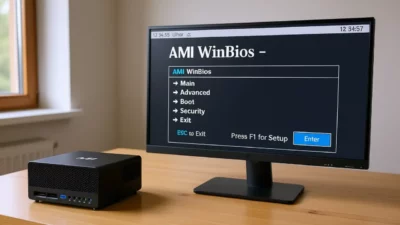
If you're a fan of classic video games, you can install Batocera and turn your device into a retro emulation station . Surprisingly, many of these systems have more than enough power to run GameCube or PlayStation 2 titles, and their compact size makes them a perfect fit for your living room.
You can also use it as an advanced streaming player , avoiding the cheap Android boxes that often cause problems. Since it's a real PC, any service like Netflix or Disney+ works perfectly in the browser. And if you have a powerful gaming PC in another room, you can use Sunshine and Moonlight to stream the image to the Mini PC and play on the TV without moving the tower.
Finally, they're perfect for home automation projects , controlling 3D printers, or simply as a backup computer. If your main computer crashes, having a spare drive with internet access and documents can be a lifesaver on a busy workday.
Keys to choosing the right Mini PC for your needs
Not all Mini PCs are created equal, and depending on your needs, you should consider different features. If you're looking for something for office work and remote tasks , it's ideal to start with a 10th generation processor or later, ensuring at least 16 GB of RAM and fast NVMe storage so multitasking doesn't become a nightmare.
For everyday use , balance is key. You don't need to break the bank; a quiet device that can be hidden behind the monitor and handles streaming and basic browsing smoothly without bottlenecks is sufficient.
In the industrial or business sector, there are options like the NUC Atlas alternatives. Devices with processors like this one are ideal for point-of-sale (POS) systems or inventory management. Interestingly, some include serial port connectors and safety locks to prevent the cable from accidentally coming loose in a retail environment.
If your budget is very tight, refurbished computers are a very smart option. It's not just about buying something used, but about acquiring hardware that has been inspected and refurbished, which extends the lifespan of professional components and supports environmental sustainability by reducing electronic waste.
Components and certifications to consider
When assembling or purchasing a Mini PC, compatibility is crucial. For example, if you want to reuse the RAM and SSD from a laptop (as with an HP Zbook), you must verify that the Mini PC accepts the (NVMe or SATA) drive. A device like the Beelink SER8 typically offers a significant performance boost compared to older laptops, allowing for a much smoother experience.
Furthermore, nowadays, it's a valuable asset to look for environmentally friendly equipment. Certifications like the one guarantee that the product contains at least 50% recycled material, verified throughout the supply chain. This is not only good for the planet, but it's also usually backed by reputable organizations like GCL International Ltd.
For those looking for the cheapest option, there are second-hand options for under €100, such as some Lenovo M700 models. These devices allow you to install an M.2 SSD for the operating system and reuse older mechanical hard drives for mass data storage and phone backups.
The versatility of these devices allows us, with a little skill and knowing which hardware to choose, to transform a seemingly obsolete piece of equipment into a specialized computer or server, maximizing the investment and giving a second chance to components that still have a long life ahead of them.
