- An old PC can be repurposed as a server, NAS, media center, advanced router, test lab, or arcade machine.
- Components such as the case, hard drives, power supply, and monitor are the easiest to reuse or integrate into new projects.
- If it is not going to be reused, it is better to sell it, donate it or take it to a recycling center than to leave it forgotten or throw it in the regular trash.
- Some special computers or those from highly valued brands can become collector's items over the years.
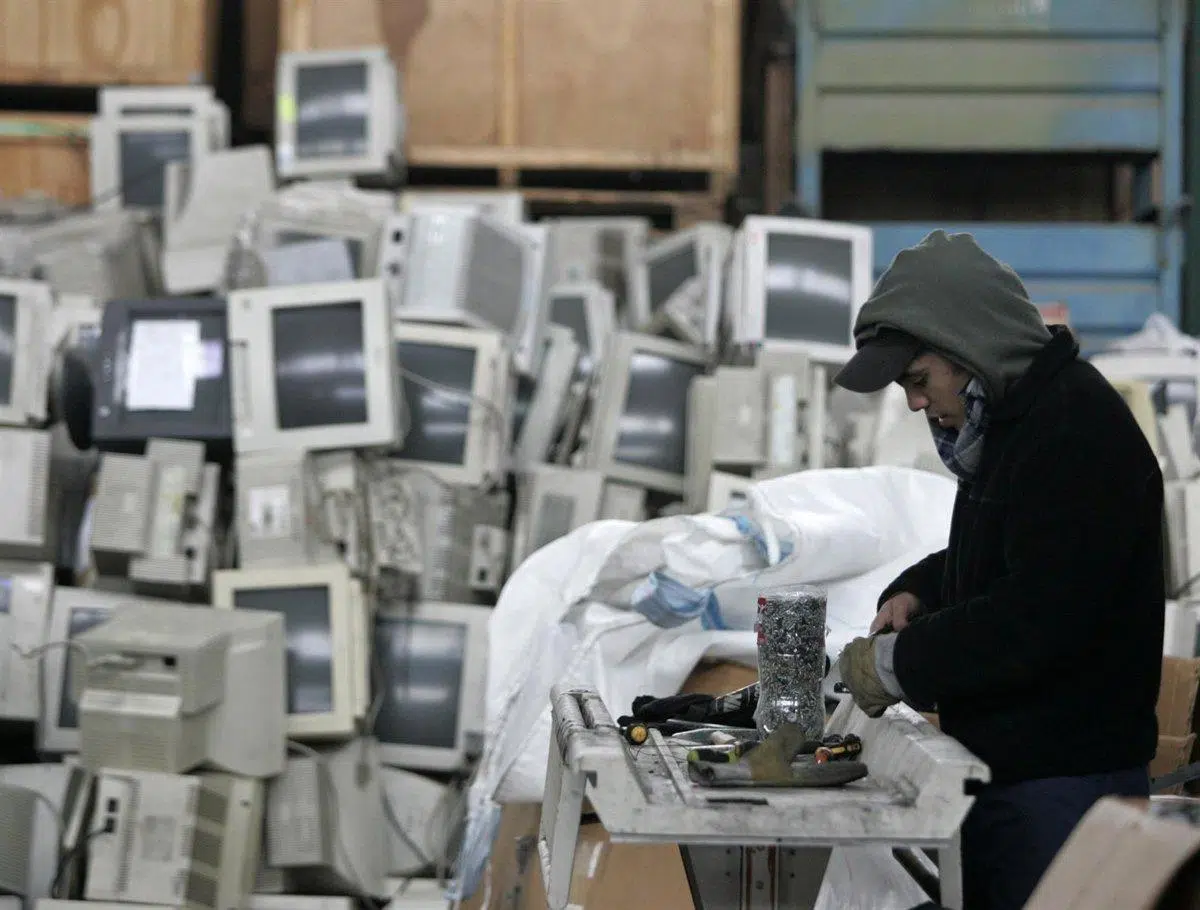
If you have several old computers taking up space on a shelf, in the storage room, or in a corner of your office, you've probably wondered whether it's worth keeping those old PCs, reusing them, or getting rid of them . They not only take up space, but it's also a bit sad to throw them away, considering how much they cost at the time and the countless hours you spent using them.
Before putting your PC in a box and relegating it to the garage under a blanket of dust, it's worth calmly considering whether it can still have a second life . Sometimes, with a small upgrade ( like adding an SSD or a bit more RAM ) or a change of focus, that machine can become something very useful: a server, an arcade machine, a test bench for tinkering, a mini home automation lab, or even a collector's item in a few years.
Is it worth keeping an old PC for the future?
One of the most common questions is whether it's worth keeping the tower or specific components for a future build . For example, a quality aluminum case (like Lian Li or other "premium" brands) with good airflow and a removable side panel can still make a lot of sense as a chassis for a future gaming or work PC, even if the rest of the hardware is obsolete.
In contrast, components like the CPU, motherboard, or RAM from older platforms tend to become obsolete very quickly. Unless you want to maintain a complete system as a "retro PC" for playing games from that era or using older software, it generally doesn't make sense to keep old processors for a modern build, because the leap in performance and energy efficiency between generations is significant.
If you're planning to build a new gaming PC in a year or two, it might be worth keeping the case, a large hard drive, the SSD if it's in good condition, and perhaps the power supply (if it's high-quality and powerful enough). The rest is generally better suited to being sold, donated, or recycled.
The emotional component also comes into play: many users feel conflicted about throwing away a computer that has been with them for years . In these cases, giving it a secondary use (server, testing machine, computer for the family, etc.) is often the perfect balance between not accumulating more junk and not feeling like you're wasting it.

Using the old PC as an experimentation and learning station
An old computer can become an ideal machine for tinkering without fear . Instead of risking your new PC by trying out obscure operating systems, crazy configurations, or unreliable software, you can dedicate the old one to this type of testing.
For example, it's perfect for installing and testing FreeBSD or lightweight Linux distributions that get the most out of low-resource machines. Some of the most interesting ones for reviving old computers are:
- Puppy Linux, extremely lightweight and capable of running almost entirely in RAM.
- Tiny Core Linux, one of the smallest distros in existence, with a tiny graphical environment.
- antiX, based on Debian but without systemd, very fast on older hardware.
- Lubuntu or Linux Lite, with lightweight desktops (LXQt, Xfce) and a familiar look for Windows users.
- Bodhi Linux, Peppermint OS, MX Linux, Slax or Zorin OS Lite, all focused on providing decent performance on older machines.
On that PC, you can also set up a simple virtualization workstation with solutions like Proxmox VE or XCP-ng and experiment with LXC containers , which consume far fewer resources than traditional virtual machines. It's a fantastic way to learn about networking, services, and system administration without touching your main computer.
It's also a great option for learning Linux or programming with complete peace of mind. Having a dedicated machine, however old it may be, is usually more convenient than using virtual machines on your main PC, and if something breaks, you just reinstall and you're good to go.
Turning an old PC into a server: files, backups, and multimedia
One of the most effective uses for an old computer is as a "go-to" home server . Although it might be slow for everyday use, it usually performs more than adequately as a server, since most tasks are not CPU-intensive.
The most basic option is to set it up as a file or backup server . If it has several high-capacity hard drives (it's not uncommon to find computers from 8-10 years ago with 2 TB HDDs or more), you can configure it to store your important documents, photos, and videos, or to make regular backups from your main PC.
On Windows, you can share folders over a network with just a couple of clicks, and on Linux, you have very efficient solutions for creating a NAS-type storage server without spending a penny extra on dedicated hardware. However, since it's an older machine, patience is key: moving very large files might take a bit longer.
Another very interesting use is turning it into a media server . If the processor is at least a Core 2 Duo or equivalent and it has some storage, you have enough to set up a content center accessible from the TV or any device on the network.
For this, you can use tools like Plex, Kodi, or even Windows Media Center if you still have a license. You configure folders with your movies, TV shows, and music, and if you want to watch it on a screen, you can connect your device to the TV (ideally via cable), and the other devices will be able to stream it. It's a great way to have your own "streaming platform" without monthly fees , with your entire catalog available.
Build your own NAS with an old computer
If you want to go a step further, you can transform that PC into a complete NAS with advanced features : automatic backups, network sharing, remote access, media server, etc. This is usually done using specialized distributions that turn the computer into a true storage server.
The most well-known options include FreeNAS/TrueNAS Core, TrueNAS Scale, Unraid, OpenMediaVault, XigmaNAS, and Rockstor , among others. All of them allow you to manage multiple disks, create volumes, share folders over the network, configure users, and even install additional services.
In terms of requirements, ideally the PC should have at least a dual-core processor, 4 GB of RAM (8 GB is better), and a stable Ethernet connection . For some solutions like FreeNAS/TrueNAS, a significant amount of RAM is recommended, especially if you're using ZFS and many advanced features.
The advantage of using a PC as a NAS is that, in addition to storing data, you can centralize backups of all your home devices , have your multimedia library, serve files to other computers, or even expose certain services to the Internet with the appropriate security precautions.
You can also activate clients for distributed computing such as BOINC, Folding@Home, Asteroids@Home or World Community Grid, taking advantage of machine downtime to collaborate on medical research projects, physics or astronomical data analysis.
Advanced router, firewall and home WiFi repeater
Another very powerful option is to use your old PC to improve your home network . With two network cards (or one plus a USB-Ethernet adapter), you can turn it into an advanced router/firewall with features far superior to most routers provided by internet service providers.
There are specialized systems like OPNsense, pfSense, IPFire, OpenWRT, RouterOS, and ClearOS that handle everything: they offer a simple web interface, firewall rules, NAT, VPN, IDS/IPS with Suricata, deep packet inspection (DPI), and even load balancing across multiple WAN connections. Your entire home network would run through this equipment, adding a significantly higher layer of security and control.
If we're talking about older laptops, you can even use them as a makeshift Wi-Fi repeater : place it where the signal reaches, connect it to your router via Wi-Fi, and share the connection again to extend the coverage. It's not as sleek as a modern repeater or mesh system, but it can get you out of a pinch without spending any money.
It's also possible to set up an IP camera surveillance server with it . You just need a hard drive with sufficient capacity (250-500 GB to start), a PoE switch if the cameras require it, and the appropriate management software. This way, you can record any areas of your home or vacation property 24/7 using equipment you already have lying around.
Home automation and home automation with an old PC
An increasingly popular use is to dedicate that unused PC to controlling your entire smart home . Instead of relying on each manufacturer's cloud, you can centralize lights, plugs, sensors, locks, cameras, and other gadgets in a single local system.
The leading software in this area is Home Assistant , a solution that can be installed as a complete system and consumes very few resources. With 2 GB of RAM and around 32 GB of storage, it can function reasonably well, even on modest processors like the Celeron from a decade ago.
To connect your PC to your home automation devices, you need to add "ears," usually through USB adapters such as Zigbee, Z-Wave, or other technologies . For example, a SONOFF Zigbee dongle gives you access to most current sensors, light bulbs, and accessories.
The great advantage of this approach is that your data stays on-premises : it doesn't depend on external servers or a manufacturer's cloud service being up and running. If your internet connection goes down, the system continues to function, and you can control everything from your local network without any problems.
In addition to Home Assistant, there are other platforms such as Node-RED, OpenHAB or Domoticz that can also run on that PC and serve as the brain of home automation, integrating everything from DIY sensors to simple industrial devices.
Old PC as a cybersecurity testing ground
If you're curious about cybersecurity, an old computer is perfect for setting up your own hacking and defense lab . Instead of relying heavily on virtual machines on your main computer, you can have a dedicated PC for these tests, isolated from the rest of your network.
In it, you can install vulnerable systems designed for practice , such as OWASP Juice Shop, DVWA (Damn Vulnerable Web Application), WebGoat, or bWAPP, as well as VulnHub images like Metasploitable and other similar challenges. This will give you targets on which to conduct penetration testing.
From your main computer, or from another PC, you can attack that old computer using distributions like Kali Linux, Parrot OS or BlackArch and tools like Wireshark, nmap, Metasploit, Burp Suite, Hashcat, Nessus, Aircrack-ng, OWASP ZAP and many more.
If you decide to use your PC as a "sandbox" to test potentially dangerous software or to see how malware behaves, it's crucial to keep it disconnected from your home network while you're experimenting, and to have a rescue antivirus program handy . Never connect a USB drive that has been in the infected machine to your main PC, and if you want to take it a step further, you can even use virtual machines within the old PC itself to add another layer of isolation.
This type of practice helps you better understand real security risks, what vulnerabilities are exploited, and what bad practices to avoid on a daily basis, without jeopardizing your personal data or your main network.
Electronics, Microcontrollers and Embedded Hardware Laboratory
If you're into electronics, robotics, or the maker movement, an old PC can be the centerpiece of a development lab for microcontrollers and embedded hardware . The advantage is that if something goes wrong when connecting unusual devices, it's the old computer that suffers, not your brand-new PC.
In it you can install tools such as PlatformIO to program boards like ESP32, STM32 or Arduino, as well as sigrok + PulseView to analyze digital signals with logic probes, or OpenOCD for debugging and programming via JTAG/SWD.
There are also peripherals that utilize the PC's sound card as an oscilloscope or measuring system , perfect for setting up a small, inexpensive test bench. Combining this with development boards, FPGAs, EEPROM programmers, or microcontrollers opens up enormous possibilities for DIY projects.
This type of use fits very well with PCs that may not be powerful, but are still perfectly adequate for running lightweight development software and debugging tools.
Game server, voice and retro arcade machine
Old computers can also be quite versatile (literally). For example, a very common use is setting up a Minecraft server . Although the client can be resource-intensive, the server, when properly configured, runs smoothly on relatively modest machines as long as they have enough RAM.
For a Minecraft server running Java, a minimum of 4 GB of dedicated RAM is generally recommended , although if you plan to create large worlds or play with several friends, 8 GB or more will be significantly better. As for the CPU, almost any quad-core processor from a few years ago will suffice.
You can also turn it into a TeamSpeak 3 server to chat with your friends while you play. The tool itself offers free licenses for small channels (up to about 25 users), and resource consumption is negligible, so an old PC is more than enough.
And if nostalgia is your thing, nothing beats transforming it into an arcade machine/retro emulator . With software like RetroArch you can emulate a huge number of classic consoles and systems, and with MAME you can focus on original arcade machines from the 70s, 80s, and 90s. Requirements: something like an Intel Core 2 Duo at 2 GHz and 4 GB of RAM, not much more.
If you connect an arcade controller with a joystick and large buttons , and if you're even up for building a wooden cabinet around it, you can recreate a pretty convincing arcade machine for little money, taking advantage of that PC you had relegated to oblivion.
Reusing loose components and learning how to disassemble a PC
After thinking it over, you might not want to reuse the entire computer, but you could repurpose individual parts . An old monitor, for example, can be a fantastic second screen for your new PC, or even become an inexpensive TV if you connect a Fire TV device or something similar.
Hard drives and SSDs are usually among the most reusable parts: you can mount them in external USB enclosures to have portable drives, or even install them in a console like PlayStation or Xbox (depending on compatibility) to speed up loading times.
Regarding the power supply, if it's a good quality one and still has plenty of wattage, it could work for your new build, provided it has the correct connectors and is in good condition . The RAM and processor will only be reusable if the new motherboard is compatible with the same socket and memory type, something that's becoming less common with each new generation.
If you don't want to keep anything at all, an old PC is the perfect "guinea pig" for learning how to disassemble and reassemble computers . You can practice removing RAM, the CPU, the graphics card, heatsinks, cleaning thermal paste, managing cables... without fear of breaking an expensive piece of equipment.
However, if you intend to sell specific components (for example, an older graphics card that's still in demand, or specific RAM modules), it's advisable to research how to remove them without damaging them . Many parts are delicate, and forcing the connectors or bending the pins will render them unusable.
Donate, sell, or recycle your PC responsibly.
If, after considering all the options, you decide you don't want to keep the PC, the logical alternative is to donate it, sell it, or recycle it properly . Throwing it in the regular trash should never be an option, both due to regulations and environmental impact.
Donating your computer to a non-profit organization, local association, or educational project is a great way to extend its lifespan. There are foundations and NGOs that combat the digital divide and collect PCs to distribute to individuals or groups without access to technology, provided the computer still has some basic functionality.
If you'd rather make some money, you can sell your entire PC or its individual parts on secondhand platforms like Wallapop and similar sites. There are users looking for older power supplies, motherboards with specific sockets, optical drives, or even towers and monitors with particular form factors, so you might be surprised by what people still pay for certain hardware.
When the equipment can no longer be donated or sold, the proper course of action is to take it to a recycling center or electronic waste collection point . By law, cities of a certain size must have facilities dedicated to collecting this type of material, which is then sent to recycling plants where metals are recovered and hazardous components are properly managed.
Before handing it over, check which pieces you might be interested in keeping for nostalgia or future use (records, CD/DVD drive if you like tinkering with old formats, some peripherals, etc.), because it's easy to regret it later when there's no way to find certain things on the current market.
What if I want to keep it for decades as a collector's item?
Beyond practical use, some people choose to keep an old PC as a collector's item . Certain machines from highly regarded brands (like some Apple models) or with unique configurations (3D screens, brightly colored laptops, special editions) become highly sought after over the years.
To preserve a computer for many years and ensure it 's still functional when you need it , the ideal solution is to store it in a dry place, free from sudden temperature changes and protected from dust. It's not a good idea to wrap it in greasy substances (like oils or similar), as you would with weapons or metal tools, because the electronic and plastic components don't react well to that type of treatment.
Ideally, it should be stored clean, disconnected from the mains, with all cables checked, and, if possible, with the capacitors in good condition . Occasionally plugging it in briefly can help prevent further deterioration, although this is a bit of a stretch. In any case, a piece of equipment carefully stored for 10 or 20 years can become quite valuable to collectors, especially if it's complete and in good cosmetic condition.
Something similar can happen with your current gaming PC : in a couple of decades, that hardware you see as "normal" today can become a perfect retro machine for playing titles that will then seem prehistoric... with the added fun of doing it on the same computer you originally played on.
When deciding what to do with your old PCs, the wisest thing to do is to assess their condition, power, and sentimental value to decide whether to convert them into a server, NAS, router, arcade machine, test bench, electronics lab, donate them, sell them, or recycle them; with a little imagination, it's almost always possible to give them a second life or preserve the truly valuable parts instead of leaving them eternally gathering dust in a corner.
Table of Contents
- 1 Is it worth keeping an old PC for the future?
- 2 Using the old PC as an experimentation and learning station
- 3 Turning an old PC into a server: files, backups, and multimedia
- 4 Build your own NAS with an old computer
- 5 Advanced router, firewall and home WiFi repeater
- 6 Home automation and home automation with an old PC
- 7 Old PC as a cybersecurity testing ground
- 8 Electronics, Microcontrollers and Embedded Hardware Laboratory
- 9 Game server, voice and retro arcade machine
- 10 Reusing loose components and learning how to disassemble a PC
- 11 Donate, sell, or recycle your PC responsibly.
- 12 What if I want to keep it for decades as a collector's item?