- AMD Ryzen CPUs and Radeon RX 7000 Series offer great gaming performance with good efficiency and long-term support.
- A balanced AMD Gaming PC combines processor, graphics card, RAM and storage appropriate to the resolution and intended use.
- Choosing between a gaming laptop and desktop depends on whether you prioritize portability or maximum power and upgradeability.
- Guarantees, promotions, and sustainability certifications add value to your AMD Gaming PC purchase.
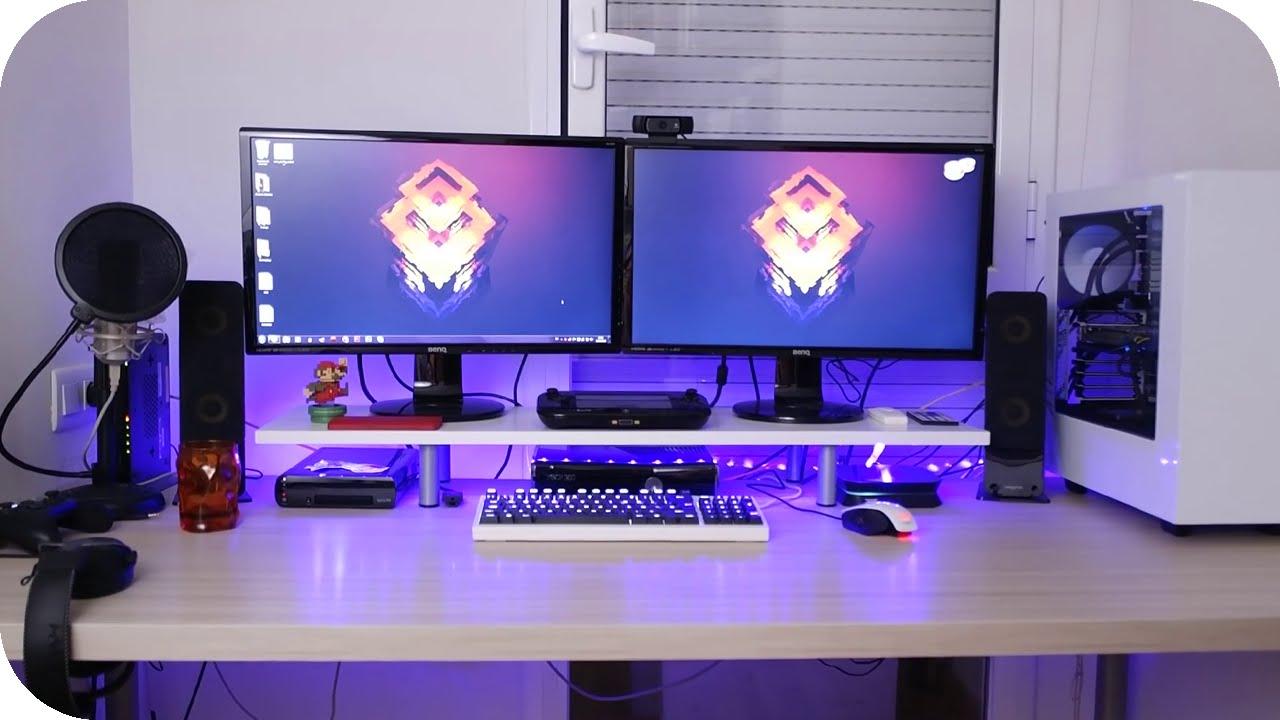
If you're looking for a high-performing AMD gaming PC without breaking the bank ( check out our guide to choosing a budget gaming PC ), you've probably already noticed the sheer volume of conflicting and sometimes confusing information out there. Ryzen processors, Radeon RX 7000 graphics cards, pre-built systems, custom PCs, desktops versus laptops… it's easy to get lost if you're not entirely sure what you need or how much you're willing to spend.
In this article, you'll find a comprehensive and straightforward guide to AMD gaming PCs : from choosing Ryzen processors and graphics cards, to selecting the best configuration for your budget, the differences between gaming laptops and desktops, what to look for in warranty and assembly, and which accessories are truly essential. Everything is explained clearly, with concrete examples, and based on the key concepts used by leading retailers and brands in this sector.
AMD Radeon RX 7000 Series Graphics Cards: The Visual Heart of AMD PC Gaming
The AMD Radeon RX 7000 Series graphics cards represent the brand's most advanced range for PC gaming. They are the world's first gaming GPUs based on the AMD RDNA 3 chiplet architecture , a technology that distributes different GPU elements into optimized "blocks" to improve performance and energy efficiency.
This new generation is designed to deliver high performance at 4K and higher resolutions , with very stable FPS rates even in demanding current games. Furthermore, AMD has focused heavily on balancing power and energy consumption, which is key to maintaining reasonable temperatures and avoiding a hefty electricity bill during extended gaming sessions.
One of the strengths of these graphics cards is the AMD Radiance Display Engine , the engine responsible for image processing. Thanks to it, very accurate color reproduction, improved HDR, and compatibility with high resolutions and refresh rates are achieved, resulting in a very clean visual experience with good color fidelity on modern monitors.
Finally, the Radeon RX 7000 Series integrates upscaling technologies like AMD FidelityFX Super Resolution (FSR) and Radeon Super Resolution (RSR) . These tools allow you to render the game at a lower internal resolution and then upscale it, gaining FPS without losing too much image quality. This is especially useful if you want to push your GPU a little harder in demanding titles or achieve very high frame rates on monitors with 144Hz or higher refresh rates.
How to choose the best AMD gaming PC according to your budget
When we talk about value for money in an AMD gaming PC , the processor plays a key role, but the most expensive one isn't always the best fit. The most practical way to choose is to divide the options into several user profiles, based on what games you want to play, the resolution, and your budget.
For those on a tight budget, a smart option is to opt for AMD Ryzen "G" series processors , such as the Ryzen 5 5600G. These chips include integrated graphics, allowing you to build a functional PC for playing popular and less demanding games without investing in a dedicated graphics card upfront. It's a way to enter the gaming world while spending the bare minimum, with the option to add a GPU later.
If you're looking for the sweet spot for 1080p gaming, the typical setup is a Ryzen 5 (for example, the 5600) with a mid-range graphics card . This combination offers very balanced performance: you'll be able to play practically everything at 1080p with good detail settings and decent FPS. For most gamers, this range is usually the most recommended because it's budget-friendly and performs more than adequately.
However, if you want to take it a step further and combine gaming with demanding tasks like streaming, video editing , or professional software, you'll want a Ryzen 7 or even a Ryzen 9. With more cores and threads, these processors handle intensive multitasking better, so you can play games, record videos, stream content, and have resource-intensive applications open without performance plummeting.
The key is to choose an AMD processor that suits your actual goal : there's no point in paying for an enthusiast-level CPU if you're only going to play a few titles at 1080p, just as it's a bad idea to fall short if you already know you're going to use the PC for much more than gaming.
AMD Ryzen Gaming CPUs: What makes them special and which models are worth considering
AMD Ryzen gaming CPUs have gained significant market share in recent years thanks to their modern architecture, efficiency, and attractive performance per euro. The current gaming range stands out for several technologies that differentiate it from previous generations.
On one hand, we have 3D V-Cache , a technology that adds a large amount of L3 cache stacked vertically on the chip. This reduces latency and improves performance in games that rely heavily on fast data access, which in practice translates to more FPS and less stuttering. Models like the Ryzen 9 7950X3D are clear examples of this approach.
The Zen 4 and Zen 5 architectures , manufactured using a 5nm process, make these CPUs highly efficient: they consume less power while delivering more performance compared to previous generations. For gamers, this translates to more controlled temperatures, quieter fans, and less need for extreme cooling, unless you're looking for aggressive overclocking.
Another key advantage is its compatibility with PCIe 5.0 and DDR5 memory , ensuring your system is ready for the next generation of graphics cards and ultra-fast SSDs. Furthermore, the AM5 socket is designed as a long-term platform, meaning you can upgrade to future Ryzen CPUs without changing your motherboard anytime soon.
If we're talking about specific models, the Ryzen 9 9950X and 9900X shine in the high-end , ideal for 4K gaming, streaming, and heavy multitasking. For pure gaming, the Ryzen 7 7800X3D is considered a benchmark for its incredible FPS in most titles thanks to its massive 3D cache. The Ryzen 5 series dominates the mid-range, offering a perfect balance for affordable yet highly capable gaming PCs.
When choosing your AMD gaming CPU, it's advisable to define your budget , check compatibility with AM5 motherboards and DDR5 RAM, and be clear about your intended use. For competitive gaming, models with 3D cache usually offer a significant advantage; for productivity and multitasking, processors with more cores and threads are the best investment.
AMD Gaming PC Configurations: What a Balanced System Needs
Beyond the CPU and GPU, a well-balanced AMD gaming PC needs a coherent selection of components that work together. It's pointless to pair a high-end processor with a very weak graphics card, or vice versa; you need to find a balance to avoid bottlenecks.
The processor is, in a way, the "soul" of your gaming PC . For desktops, the Intel Core i5, i7, and i9 ranges, along with the latest generation AMD Ryzen 5, 7, and 9, provide a solid foundation for demanding gaming. On the AMD side, the ideal is to pair a Ryzen processor with the graphics card you'll be using, ensuring that neither component significantly limits the other.
The graphics card is probably the most crucial component for gaming performance . Both NVIDIA and AMD have been competing for years, releasing models with new technologies to improve textures, shadows, sharpness, and FPS. In an AMD gaming PC, you have complete freedom to choose between NVIDIA or Radeon GPUs, but if you opt for an AMD RX 7000 series graphics card, you can take full advantage of technologies like FSR and Radeon driver optimizations.
Regarding RAM, nowadays it's highly recommended to have at least 16 GB for comfortable gaming, although many guides still recommend 8 GB as the minimum. In practice, 16 GB allows you to run current games and other applications in the background without experiencing constant lag. If you also work with video editing, 3D modeling, or virtual machines, 32 GB might be a good idea.
For storage, it's best to opt for an SSD of at least 500 GB or combine an SSD for the operating system and main games with an HDD for data and larger libraries. Games are becoming increasingly demanding, so a small SSD will fill up very quickly. A fast NVMe SSD reduces loading times in modern titles and makes the system feel much more responsive.
The case, power supply, and cooling system are often overlooked, but they have a direct impact on the reliability and lifespan of your PC . A well-ventilated tower, with ample space for good airflow, will prevent your components from constantly running at high temperatures. The power supply should be from a reputable manufacturer, with sufficient wattage and appropriate efficiency certification. In a high-performance gaming PC, cutting corners on the power supply is a bad idea. For advanced cooling options, you can consult specific guides on liquid cooling for gaming.
Of course, factors like the case form factor (ATX, micro ATX, mini-ITX) also come into play , as this will determine the space it occupies, its expandability, and the number of fans or radiators you can install. If you have limited space or are looking for a compact system, a smaller form factor can be a good choice, as long as you don't excessively compromise on ventilation.
Buying a pre-built AMD Gaming PC: advantages, warranties, and customization
If you don't feel like the hassle of building a PC from scratch, PC gaming specialists offer pre-assembled , tested, and ready-to-use AMD configurations. These are typically designed by experienced technicians who fine-tune each component to maintain a balance between performance, price, and future upgradeability.
A highly valued feature of these computers is that they include extended warranties (for example, 3 years) , with technical support that can assist you remotely if any problems arise. If the fault is due to hardware or assembly, the store will arrange to collect the computer, inspect it, and repair or replace the defective components, usually at no additional cost to the customer.
Furthermore, these types of proprietary gaming PCs typically use only components from well-known manufacturers (Asus, Gigabyte, MSI, Corsair, etc.), which greatly reduces the likelihood of premature failures. They also take care to use current parts so the system doesn't become obsolete in no time, thus avoiding very old motherboards and processors.
Another advantage is the meticulous assembly: neat cabling, good ventilation, and stress tests before shipping. The system undergoes stability testing, BIOS and drivers are updated, and an unactivated version of Windows is installed so the customer only needs to power it on, configure it, and start gaming. If you purchase an official Windows license from the store, it's usually activated and ready to use.
Regarding shipping, reputable assemblers protect PCs with anti-static padding and original component boxes to minimize damage during transit. Furthermore, shipments are usually insured against loss or serious damage. If the computer arrives damaged, the store will typically request photos, handle the issue with the shipping company, and offer repair, replacement, or a refund, depending on the situation.
Many of these pre-built AMD gaming PCs allow for some degree of customization . The product page usually includes a "Configure" or "Customize" button to change RAM, add more storage, upgrade the CPU cooler, add fans, and so on. And if you want more extensive upgrades (a different graphics card, CPU, or motherboard), they typically offer a PC configurator for building a custom PC from scratch or support via email, WhatsApp, or phone.
AMD gaming laptop vs gaming desktop PC: which one is right for you
One of the most common dilemmas when considering a gaming PC with an AMD platform is choosing between a laptop and a desktop. There's no single answer, as it largely depends on your lifestyle, available space, and how important portability is to you.
Gaming laptops have one clear advantage: portability. You can take them to class, to work, on trips, or simply move them around the house without any hassle. They come with an integrated screen, keyboard, touchpad, and battery, so you don't have to buy as many peripherals from the start, and they take up very little space on your desk.
Furthermore, modern laptops typically come well-equipped in terms of connectivity : multiple USB ports, HDMI or DisplayPort, audio output, network connection, and, in many models, support for connecting external monitors and all kinds of gaming peripherals. If you want a machine that can do it all without tying you to one place, they're a very attractive option.
On the other hand, a gaming desktop PC generally offers superior performance. Tower PCs can accommodate more powerful GPUs and CPUs, with better cooling and more space for additional RAM modules and drives. This translates to higher FPS, greater thermal stability, and more upgrade potential in the medium and long term.
There's also a clear advantage in terms of value for money : for the same price, a desktop PC usually performs better than a gaming laptop, since the latter has to integrate a screen, battery, and a very compact motherboard. And when it comes to replacing components, it's much cheaper and easier to change the graphics card, add RAM, or expand storage in a desktop PC.
If noise or temperatures are a concern, desktop PCs also come out on top. Cooling is better thanks to larger cases with more fans, bigger heatsinks, and, if you want, liquid cooling. This helps extend the lifespan of components and maintain peak performance for longer without thermal throttling.
Ultimately, if your main priority is being able to play anywhere with a single computer , an AMD gaming laptop is perfect for you. However, if you're looking for the best possible performance, upgradeability, and don't mind having your computer permanently in one place, a gaming desktop PC is the more sensible choice.
Gaming accessories and complete setup for your AMD Gaming PC
A good AMD gaming PC won't look or perform at its best if you pair it with very basic or uncomfortable peripherals . The right gaming accessories can make all the difference in immersion, precision, and comfort during long gaming sessions.
A gaming mouse and keyboard are two key components. A mouse with a good sensor, adjustable DPI, and programmable buttons greatly improves control in shooters, MOBAs, and competitive games. A keyboard with quality switches (mechanical or advanced membrane) and good responsiveness will give you more precision with each keystroke and less hand fatigue.
Headphones are also important: a headset with surround sound or good stereo , a clear microphone, and good noise isolation allows you to better locate enemies, immerse yourself in soundtracks, and communicate smoothly in online games. You don't need to spend a fortune, but you should avoid very cheap models with poor sound and flimsy construction.
Don't forget the monitor: although this article focuses on the PC itself, a good panel with a high refresh rate (at least 75 or 144 Hz), low latency, and a resolution that matches your GPU is essential. A Radeon RX 7000 Series is of little use if you're playing on a very limited monitor; the jump in smoothness when going from 60 to 144 Hz is enormous.
The furniture also makes a difference. A spacious gaming desk and an ergonomic chair help maintain good posture and prevent back or neck pain after many hours in front of the screen. It might seem like a luxury, but if you spend a lot of your free time gaming, it's practically an investment in your health.
Finally, it's always a good idea to check what other accessories suit your playing style : a large mouse pad, quality external speakers, a dedicated microphone if you stream, a decent webcam, etc. You don't have to buy everything at once, but it's important to be clear about which items will truly enhance your experience.
Legal aspects, sustainability and promotions in AMD products
When purchasing an AMD gaming PC or components like graphics cards and processors , you'll often find associated promotions, such as bundled games or special campaigns from the brand itself. These offers are usually subject to very specific conditions: they only apply to certain participating retailers, have an expiration date, and require the product to be installed on the system where the code will be redeemed.
These types of promotions are usually only valid for those 18 and older , may be geographically limited, and are not applicable in locations where prohibited by law. It's always advisable to read the full terms and conditions on the official website (for example, the AMD rewards website) to ensure you meet the requirements and that the game you're interested in is actually included.
Regarding trademark rights, names like AMD, the arrow logo, Radeon, and Ryzen are owned by Advanced Micro Devices, Inc., while all other trademarks that may appear on boxes or websites belong to their respective owners. They are used for identification and marketing purposes, but their legal protection is the same as for any registered trademark.
It is becoming increasingly common to find that some packaging or products themselves include recycled material . Some items have certifications such as the Global Recycled Standard (GRS), which means that an independent body has verified the recycled content at each stage of the supply chain, from the source to the final product.
For a product to qualify for this certification, and sometimes be labeled Climate Pledge Friendly, it must contain at least 50% GRS-certified recycled material . This does not affect the performance of the AMD Gaming PC, but it does reflect an effort to reduce environmental impact and promote the responsible use of resources.
Certification seals usually indicate the certifying body (for example, GCL International Ltd.) and a specific certification number that you can check in the documentation or, in some cases, on the website of the body itself to verify its validity.
Finally, keep in mind that games included in promotional packs may contain content unsuitable for children . It's advisable to check age ratings on systems like the ESRB, PEGI, or other regional rating boards before allowing children or teenagers to access certain titles.
The current AMD PC gaming ecosystem combines performance, customization options, and a wide range of purchasing possibilities : from budget-friendly systems with integrated APUs to high-end towers with Ryzen 9 and Radeon RX 7000 Series processors, as well as powerful gaming laptops and a broad selection of accessories. Understanding how processors, graphics cards, RAM, storage, cooling, warranties, promotions, and sustainability interact allows you to make much smarter decisions and build (or buy a pre-built) the system that truly fits your gaming style, budget, and future plans.
