- Always check for HTTPS, the padlock icon, and legal information before trusting a website.
- Use tools like Google Safe Browsing, VirusTotal, or SSL Labs to detect risks.
- Check reputation, payment methods, and return policies at any online store.
- Strengthen your security with good habits: avoid public WiFi, use 2FA and be wary of unrealistic bargains.
Browsing, shopping, or simply leaving your information on a website is something we do daily, often without stopping to think if that site is trustworthy. However, website security makes all the difference between a normal experience and a nasty surprise with your personal data or money . Luckily, nowadays there are clear signs and powerful tools to check if a URL is safe before trusting it.
In the following lines, you'll find a comprehensive guide, based on best practices, technical and legal indicators, and the best online tools for analyzing the security of any website . The idea is that, whether you're a user or a website manager, you'll know exactly what to check, how to interpret browser signals, and which external services can help you detect dangerous websites, scams, or phishing attempts.
What is a web security checker and what is it used for?
When we talk about a website security checker, we're referring to an online tool that analyzes a URL and returns a report on whether the site is potentially dangerous or meets minimum security and reliability standards . These solutions typically connect to various data sources and blacklists to detect malware, phishing attempts, fraudulent websites, or insecure configurations.
Some advanced checkers integrate with services like Google Safe Browsing , which maintains an up-to-date list of suspicious or compromised domains. This allows the tool to check in real time whether the website you're examining is listed as dangerous, has distributed malware, or has been involved in phishing attacks.
In addition to checking blacklists, these services evaluate domain technical parameters, detect configuration errors, and display alerts if they find elements that could compromise your data . They often also allow you to download a PDF report with all the analysis details, which is very useful for documenting security audits or justifying corrective actions.
Some checkers go beyond just the security layer and include a dashboard with metrics on SEO, performance, and the overall technical health of the site . This way, you can see at a glance whether a website is not only secure, but also properly optimized, if it has indexing problems, or if it has bugs that should be fixed as soon as possible.
Key factors analyzed by a web security verifier
Modern fact-checkers typically rely on multiple layers of information to provide a reliable diagnosis. Generally, they combine data from reputation services, malware analysis, domain information, and basic technical reviews . Let's look at the highlights.
Integration with Google Safe Browsing and blacklists
One of the most important checks is to see if the URL is on any security blacklists. Google Safe Browsing has become a go-to tool for detecting malware sites, phishing pages, and compromised websites . When a checker integrates with this service, it can instantly tell you if the domain is flagged as dangerous.
In addition to Google's database, some tools cross-reference the URL with blacklists from other security and antivirus providers . This double or triple check increases the reliability of the result, because not all platforms detect the same threats at the same time. If several platforms agree in marking a site as risky, it's best to avoid it.
Technical security testing and basic auditing
Beyond reputation, many verification tools include a simplified technical audit that detects errors affecting website security and proper functioning . Among other things, they can identify problems with the SSL certificate, mixed content (resources loaded without encryption), suspicious redirects, or questionable server configurations.
These checks are usually accompanied by an overall website security or health score . This score allows you to track how the site evolves over time: whether vulnerabilities are patched, new warnings appear, or if the domain starts generating alerts from any security provider.
Unified control panel and SEO focus
Some web analytics suites go a step further and offer a unified dashboard from which to monitor the security, performance, and SEO of multiple sites simultaneously . While the primary focus may be search engine optimization, security is typically integrated and monitored alongside other indicators.
From this dashboard, a user can review the status of multiple domains, receive alerts about new issues, and access detailed audit reports . This comprehensive view is especially useful for agencies, companies with multiple digital projects, or administrators managing dozens of websites simultaneously.
How to use a web security checking tool
Using these platforms is very simple: you enter the URL you want to analyze, click the verification button, and wait a few seconds for the results to appear . From there, the important thing is knowing how to interpret the information they return.
First, check for clear warnings about malware, phishing, or blacklisting . If any of these labels appear in red or with high-risk messages, it's best not to interact with the page, avoid downloads, and, of course, not enter any personal or banking information.
Next, check the status of the SSL certificate, the HTTPS protocol, and the overall encryption settings . Even if the tool says the website is secure from a malware perspective, an expired or misconfigured certificate is also a serious problem, especially if you're going to make payments or log in.
Finally, many verification tools allow you to download the report as a PDF or save an analysis history . This is very useful if you're tracking your own project, if you want to demonstrate that you've performed the necessary checks, or if you need to document issues to escalate to a technical provider.
Basic signs to know if a website is secure
Beyond specific tools, your own browser and common sense offer many clues. There are a number of visual indicators and content details that you should always check before trusting a site , especially if you're going to enter your card details or passwords.
Check the URL, the HTTPS, and the padlock icon.
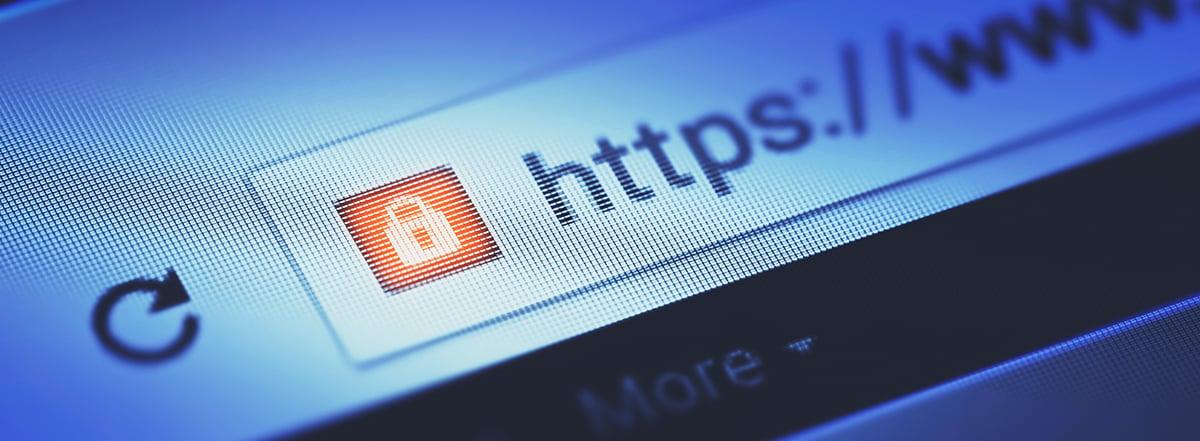
The first thing to do is check the address bar. A website that properly protects information should load using the HTTPS protocol and display a padlock next to the URL . This padlock indicates that an SSL/TLS certificate is in place and that the connection is encrypted, making it difficult for a third party to read what is transmitted between your device and the server.
However, simply seeing “https://” doesn't guarantee that the site is legitimate . Anyone can obtain a basic certificate these days, so it's important to go a step further and check the certificate details. By clicking on the padlock icon, you can verify who issued the certificate, the certifying authority, and whether it matches the domain you're visiting.
If your browser displays a red triangle, an "unsafe site" warning, or a warning screen before you enter , take it very seriously. These messages usually indicate serious problems: an expired certificate, a site marked as dangerous, or missing encryption on pages where it should be present, such as login or payment forms.
Check the URL spelling and the page appearance
Many phishing attacks rely on websites that almost perfectly mimic the appearance of legitimate sites. In these cases, the differences usually lie in small details of the address or in glaring errors within the content . That's why it's advisable to read the URL carefully and not click blindly.
Cybercriminals often register domains that closely resemble the original, replacing letters with visually similar characters or adding symbols that are difficult to detect . For example, they might replace an "l" with a "1" or a vertical bar, change the order of some letters, or add a hyphen in the middle of the name. If something seems off, it's best not to proceed.
The content also provides many clues. A page full of broken links, poorly translated text, constant spelling mistakes, and a sloppy design hardly inspires trust. While not a hard and fast rule, fraudulent websites are usually much less polished than those of legitimate companies.
Find contact information, legal notice, and privacy policy
For online stores, professional services, or corporate websites, it's essential to easily locate a section with clear legal information and contact details . This will typically appear in sections such as "Legal Notice," "About Us," "Contact," or "Contact."
The legal notice should include, at a minimum, the company name or business name, address, email address, and other contact information . If the company is a registered business entity or a professional (doctors, lawyers, etc.), this identifying information should also be included.
The privacy policy should explain what personal data is collected, what it is used for, how long it is kept, and how to exercise your rights . When a website collects information without offering any explanation about how it is processed, this lack of transparency should make you suspicious.
User reviews and online reputation
Before buying from an online store or hiring a service, it's worth looking for opinions from external sources: forums, social media, search engine reviews, or other independent platforms . Ratings that appear only on the website itself may be filtered or even fabricated.
If, after doing some research, you find repeated reports of scams, shipping problems, unauthorized charges, or difficulty processing returns , it's wisest to look for alternatives. On the other hand, a long track record with mostly positive reviews is usually a good sign, though never a guarantee.
Returns policy and payment methods
In e-commerce, a key point is to check if the website clearly explains how it handles exchanges, returns, and complaints . A transparent and detailed policy inspires confidence, while a complete lack of this information or confusing wording is usually a bad sign.
Payment methods also speak volumes about a website's reliability. Reputable stores offer well-known payment gateways (PayPal, credit/debit cards, Google Pay, Apple Pay, Bizum, etc.) that provide extra layers of protection . If the only available method is a bank transfer to an unknown account, beware: recovering your money after a scam is nearly impossible.
Online tools to check a website's security
In addition to your own judgment, it's advisable to use specialized services that analyze the URL from different angles: malware, reputation, certificate status, domain data, and more . Combining various sources of information will allow you to make much more informed decisions.
Google offers users a specific service to check if a site has been flagged as dangerous for distributing malware, hosting deceptive content, or participating in phishing attacks . Simply enter the address, and the system will tell you if the URL is listed in its risk database.
VirusTotal
VirusTotal is a very popular tool because it analyzes a URL by cross-referencing it with numerous antivirus engines and reputation lists simultaneously . It's as simple as pasting the address into the form and waiting for the various providers to issue their verdict.
If multiple search engines detect potential malware threats, phishing attempts, or suspicious behavior linked to that domain , you should avoid browsing it or downloading any files it offers at all costs.
Scamadviser and trust analysis
Scamadviser is a platform focused on evaluating a website's trustworthiness based on factors such as domain age, hosting country, user reviews, and the presence of suspicious elements . From this data, it assigns a trust score that indicates whether the site is likely legitimate or a potential scam.
SSL Labs and certificate verification
When you want to delve deeper into the encryption aspect, SSL Labs offers a comprehensive test to audit the status of a domain's SSL/TLS certificate and how it's configured . The report includes encryption strength, compatibility, known vulnerabilities, and an overall security score.
If you prefer something more integrated with your everyday browsing, tools like Norton Safe Web offer extensions for major browsers that show, in real time, whether the site you're visiting is safe according to their database . They also use icons to indicate the risk level in search results, helping you avoid problematic clicks.
Whois Lookup and Domain Data
Sometimes it's unclear who's behind a website, which makes it very difficult to trust. With Whois Lookup services, you can find public information about a domain: registration date, owner details (if they're not hidden), provider, and other relevant technical details.
If you see that a domain supposedly belonging to a major brand has been registered just a few days ago, that the owner's information is completely hidden, and that the website is poorly written or full of offers that seem too good to be true , it is very likely that you are facing a fraud attempt.
In addition to checking certificates, using verification tools, and analyzing reviews, it's advisable to adopt certain habits that greatly reduce the risk of falling for online scams or unknowingly exposing your data . These aren't complicated measures, but they are very effective if applied consistently.
To begin with, avoid making purchases or entering passwords on public Wi-Fi networks whenever possible . These types of connections are generally less secure and can make it easier for someone to intercept the information you send. It's preferable to use your own mobile data connection (by tethering) or browse from a trusted home or corporate network.
Don't trust offers with suspiciously low prices, sweepstakes that seem "too good to be true," or unsolicited bargains that arrive by mail or courier . In many cases, the lure of an incredibly low price is precisely a trap to get you to enter your information on a fraudulent website.
Always enable two-step authentication (2FA) on your most sensitive accounts , such as email, online banking, social media, and payment services. This way, even if someone accidentally obtains your password, they will need a second factor (a code on your mobile phone, an authenticator app, etc.) to gain access.
Finally, get into the habit of saving your online purchase confirmation emails, order screenshots, and any related documentation . These documents will serve as proof in case of issues with an e-commerce site, problematic returns, or charge disputes with your bank or payment provider.
In short, learning how to check a website's security by combining technical signals, online tools, and some common sense allows you to enjoy the benefits of the internet (shopping, transactions, downloads, and services) while minimizing the risk of fraud, malware, or data theft , and puts you in a much more protected position both personally and professionally.