- Converting PDFs to audio improves accessibility, multitasking, and auditory learning.
- The most commonly used formats are MP3, WAV, AAC, and M4B, depending on quality and compatibility.
- Tools like SpeechGen, Transmonkey, or Speechify offer natural and multilingual AI voices.
- It is crucial to review limits, security, and usage rights before distributing the audio.
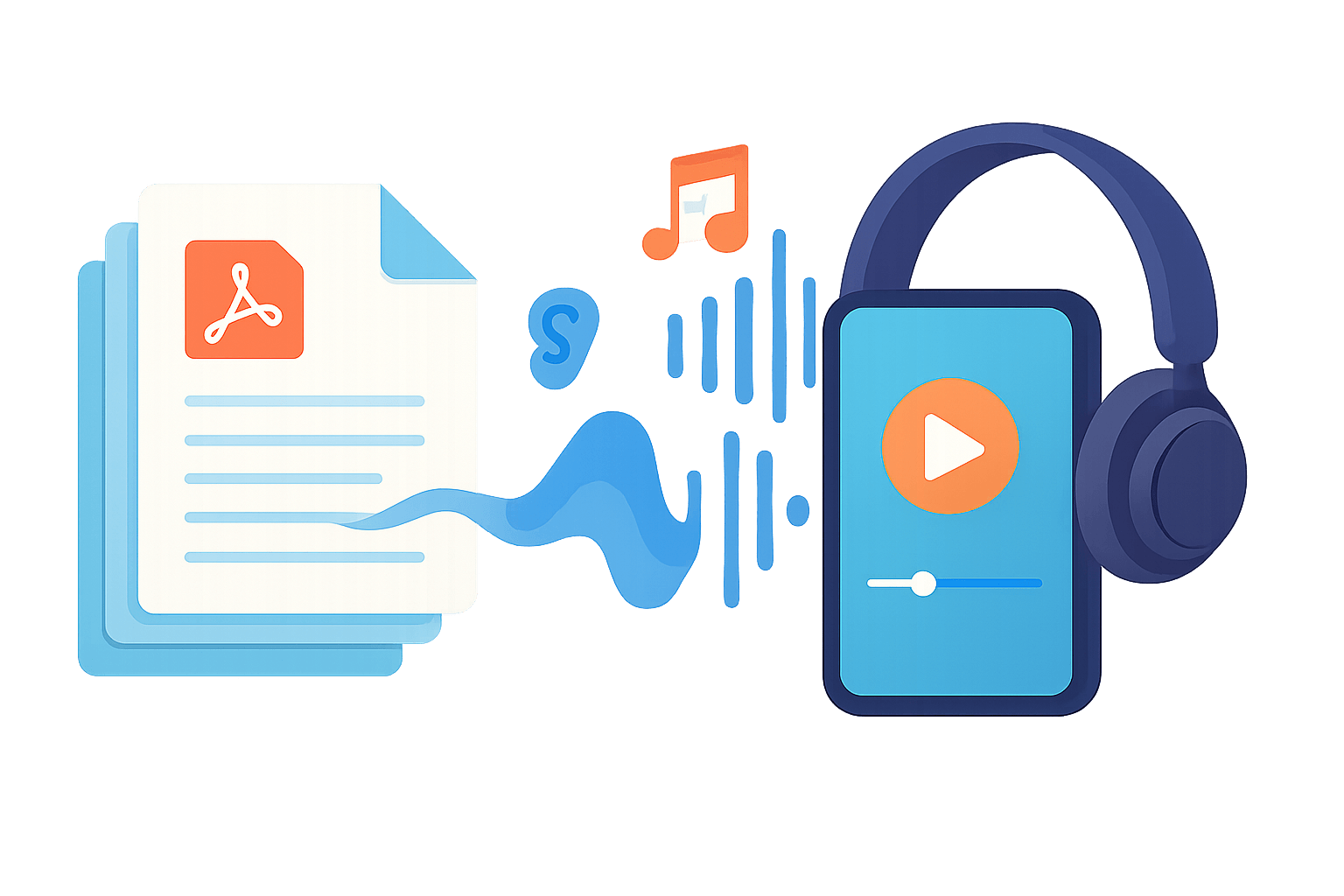
Converting a paper document into a soundtrack you can listen to on your phone while commuting, exercising, or cooking is no longer science fiction. Today, Converting a PDF to MP3 audio or other sound formats takes only seconds. thanks to tools based on artificial intelligence and text-to-speech (TTS) technology.
If you're interested in productivity, accessibility, or simply find reading long documents on screen tedious, you'll want to master these solutions. Throughout this guide, you'll see What exactly is a PDF to audio converter, how does it work, and what advantages does it offer?What output formats exist and what are the best tools and apps at the moment to do it from the browser, mobile or even integrate it via API into your own projects.
What does it mean to convert a PDF to audio, and why is MP3 so important?
When we talk about converting a PDF to speech, we mean using TTS technology capable of Read the document text aloud and save it as a sound fileThat file almost always ends up in an ultra-popular format: MP3.
MP3, acronym for "MPEG-1 Audio Layer 3"It originated in the early 90s as a method for compressing audio to create much smaller files while maintaining acceptable quality. It is a standard maintained by the ISO (International Organization for Standardization) and has become the universal format for digital music, podcasts, and, of course, audiobooks and text-to-speech.
The key is that MP3 uses a lossy compressionSome of the original audio information is discarded and cannot be recovered, but in return, the file size is significantly reduced. For listening to voice (for example, a PDF read by AI), it's more than sufficient in most cases, and you can play it on virtually any device: mobile phones, tablets, computers, car stereos, smart speakers, etc.
It is true that some people prefer higher quality formats such as FLAC or WAVEspecially in music, because they don't lose information. However, their file size is larger and they aren't always as compatible. For reading documents converted to audio, the balance between quality and file size makes MP3 the best.
Main audio formats for your converted PDFs
When transforming a PDF into an audiobook or a sound file, MP3 is not the only option. There are several popular formats with different uses which you should know in order to choose the one that best suits your needs.
The most used format is still the MP3It's the de facto standard because it works on almost any modern device, from Android or iPhone phones to Windows, Mac, or Linux computers, as well as audiobook players, tablets, and Bluetooth speakers. It's ideal if you want to listen to content anywhere without any hassle.
If sound quality is your absolute priority and you don't mind taking up more space, you have the files. WAVThis type of format is widely used in professional environments because it offers uncompressed (or very little) audio, which guarantees very high fidelity, although the files can be very large.
Another very widespread format is AAC (Advanced Audio Coding)especially within the Apple ecosystem. It typically offers slightly better quality than MP3 for the same file size, making it a good option when using an iPhone, iPad, or Mac and wanting to maintain good quality with relatively small files.
For those who are thinking specifically about audiobooks, the format appears M4BIt is designed for this type of content and, apart from the audio track, allows you to save placeholders to continue listening right where you left off, which is very convenient when converting long PDFs into audiobooks.
Most PDF-to-audio tools allow choose the output format or at least download the MP3 and, in some cases, other alternative formats depending on the platform.
Real advantages of converting PDFs to audiobooks or audio files
Beyond the "wow" effect of listening to a document read aloud, there is a very specific list of advantages that make these converters almost indispensable. It's not just about comfort, it's also about accessibility and learning.
The first big advantage is the accessibilityFor people with visual impairments or reading difficulties (dyslexia or other disorders), listening to the content of a PDF can be the difference between accessing that information or not. TTS technology converts text into clear and understandable speech, making legal documents, notes, or reports accessible to everyone.
Another key reason is the multitaskBeing able to listen to a report, manual, or book in audio format while exercising, driving, or doing housework multiplies productive time, and combining it with tricks for computer programsThe result is even greater. Instead of having to sit in front of the screen, you simply take it to your headphones and you're done—something especially useful for busy schedules.
Also comes into play learning improvementMany people retain information better when they listen to it than when they read it. Transforming educational PDFs, academic articles, or summaries into audio can help solidify concepts, review for exams, or reinforce understanding simply by letting a voice narrate it.
For language learners, PDF-to-speech converters are a gift. Listen to the text read aloud with good pronunciation. It improves listening comprehension and pronunciation.Tools that read PDFs in multiple languages, such as NaturalReader or Adobe Acrobat Reader, allow you to convert texts in English, French, German, etc., into very effective listening sessions.
Added to all this is the usability of modern apps. Most TTS solutions work on iOS, Android, Windows, and macOS; they typically allow you to adjust the reading speed, choose from AI-generated natural voices, change the pitch, and select the language or accent. You don't need to be a techie: they're designed for everyday users.
Finally, converting PDFs to audio reduces the visual fatigueSpending hours in front of a small screen reading tiny print can be tiring; switching to audio frees your eyes and makes information consumption more sustainable in the long run.
Specialized tools for converting PDF to audio: key features
There are many text-to-speech services on the market, but some are specifically designed to work with PDFs. Let's see what platforms like [insert platform names here] offer. SpeechGen.io, Transmonkey, and online PDF to MP3 converters that focus on this type of document.
SpeechGen.io, for example, presents itself as a service for Convert PDF documents into audio experiences using AI. The idea is to upload your files and have them ready to listen to as if they were audiobooks, internal podcasts, or training material.
Their typical workflow starts with the Step 1: Upload your PDFFrom a folder icon in the toolbar, you choose the file you want to convert, upload it, and the system automatically extracts the content, replacing any previous text you had in the editor.
El Step 2 involves reviewing and editing the text extracted. This is important because the system cannot read text embedded as an image within the PDF (for example, scans without OCR). In many cases, it is advisable Edit the text with PDF2Go or adapt the tables so that the audio version is clearer and does not become a confusing reading of cells and numbers.
El Step 3 involves choosing language and voice from a vast library of over 150 languages and dialects. Furthermore, you can adjust the pauses between paragraphs and sentences, and pressing the generate button produces the final audio from the uploaded PDF, usually as an MP3 file.
These types of tools have general applications: they are useful for students, professionals, or audiobook enthusiasts who want transform PDFs, Word documents, or even subtitles into audioSome platforms offer specific pages for dubbing subtitles or converting DOCX files into audio tracks, thus covering more use cases.
Transmonkey: PDF to Audio with AI, cloned voices and API
Transmonkey is another example of a service designed to get the most out of the text in your PDFs. Its approach focuses on a Very natural, multilingual audio that is easy to integrate via API in personal or business projects.
Firstly, its TTS engine boasts offering a engaging and realistic audioThe AI voices have a natural timbre, good expressiveness, and clear diction, making listening comfortable whether you're working, studying, or relaxing with long content.
The tool has a wide repertoire of voices in several languagesFrom the most widely spoken languages in the world (English, Spanish, French, Mandarin, etc.) to different regional accents, the platform aims to ensure the message is tailored to the target audience with the correct nuance and intonation.
The TTS is powered by advanced AI systems capable of offering Precise pronunciation, natural tone, and fluid rhythmThe result is audio that sounds polished, professional, and coherent, even in long documents, making it interesting for course narration, corporate material, or audiobooks.
Another strong point is its extensive voice librarywhich includes male and female options in a variety of styles: serious and corporate voices, conversational voices, and more emotional ones. This way you can choose the personality that best suits the text you are reading.
One of the most striking functions is the AI voice cloningBy uploading voice samples, the platform creates a digital version that mimics that timbre and style. The neural engine supports more than 20 languages (including Spanish, English, and Japanese), making it ideal for creating personalized audiobooks, branded content with a unique voice, and projects where sonic identity is important.
Finally, Transmonkey is betting on a Easy integration with existing workflowsIt has intuitive tools and APIs that allow you to integrate the PDF-to-audio service into internal systems, business applications, or custom projects without too much technical friction.
Online PDF to MP3 converters: features, limitations, and security
In addition to generalist platforms, there are specific online converters labeled as PDF to MP3 Converter or other similar names. Its purpose is basically to transform PDFs into MP3 files with AI-simulated human narration Quickly and safely.
These tools usually include a very simple interface: you upload your file, choose the voice, preview a few seconds, and download the MP3. In many cases, it's about cloud processingThis means that the conversion is done on remote servers and does not overload your device, while also protecting the privacy of the documents.
Among the usual functions we find the possibility of selecting different voice styles (more serious, more expressive, youthful, etc.) so that the reading tone matches the content. Furthermore, many support multiple languages, so PDFs are read in their original language to avoid intermediate translations.
Most allow save the audio files to the device's storage For offline listening, they include an integrated audio player to hear the result without leaving the web or app and make it easy to share the file via messaging, email or cloud storage services.
In terms of user experience, they usually offer a simple and friendly interface With just a few buttons, it's designed so anyone can convert without any hassle. Added to this are freemium business models: a free plan with limited features and a paid version (for example, "Pro") with advanced capabilities and a monthly subscription with automatic renewal.
A very important aspect is the security and data processingMany PDF to MP3 converters explain that they perform text extraction locally in the user's browser, sending only the processed text to their servers and not the entire PDF; to learn more Risks of using online converters It's worth reviewing these policies. In other cases, they clarify that they don't store either the original files or the final audio to protect privacy.
There are usually size and character limitsFree plans typically allow you to upload PDFs up to about 10 MB and convert around 10,000 characters per month, while paid plans extend the limits to 50 MB per file and hundreds of thousands of characters. Some even offer batch conversion for advanced users, allowing you to transform multiple PDFs into separate MP3s at once.
Frequently asked questions about converting PDF to MP3
Many people who are new to these tools have similar questions. Below are some of the most common ones. functionality, languages, usage rights, and conversion times.
One of the first questions is what which languages do the converters support?Reliable services typically include at least several variants of English (American and British), Japanese, French, German, Spanish, Simplified Chinese, and Brazilian Portuguese. Within each language, it's common to find multiple voices (for example, 27 for American English, 8 for British English, or 10 for Spanish) that can be previewed before converting the entire PDF.
Another typical question has to do with the maximum file sizeIn free plans, many services limit PDF uploads to around 10 MB and a small number of characters per month. With paid subscriptions, that maximum usually increases to 50 MB, and the amount of text per document skyrockets (for example, up to 225,000 characters), allowing you to work with very long books or reports. The most advanced plans include simultaneous conversion of multiple PDFs.
Regarding the conversion timesMost converters generate an audio preview in about 2-5 seconds. For full documents, a 10-page PDF can take between 30 and 60 seconds; for 100 pages, the process could take up to 3-5 minutes, depending on both the service and its server load. Users with higher-tier plans typically receive priority in the processing queue.
Many people ask if it's possible download the MP3 files and what you can do with them. Free plans typically include at least one MP3 download; paid plans allow you to download all generated audio files in high quality. For documents you own, you usually have complete freedom to use those MP3s however you like: podcasts, audiobooks, training materials, commercial content, or social media, without needing to pay royalties or credit the tool; it's also advisable organize files on your PC to keep track of them.
However, when the content of the PDF is protected by copyright and does not belong to you, it is the user's responsibility. make sure you have the necessary permissions before redistributing the audio. The converter only handles the technical process, not the legal aspects.
With regards to to maximise security and your enjoyment.Many providers indicate that the text is processed securely and that neither the original PDF nor the audio file is permanently stored. Some extract the text directly in the browser and only send the minimum information necessary to generate the MP3, reinforcing the privacy of sensitive documents.
Practical applications of converting PDF to audio in everyday life
Converting PDFs to audio tracks isn't just useful for ebooks. There's a long list of practical uses that They take advantage of the flexibility of the sound format in studies, work, and personal life.
One of the clearest cases is that of the accessibility to rules and regulationsBeing able to listen to building codes, urban planning laws, health and safety regulations, or any other technical document while you're on the go saves a lot of time. Instead of reading hundreds of dense pages, you can absorb the information during commutes or spare moments.
It is also very useful for bulletins, newsletters and regular updatesMany platforms allow you to transform PDF newsletters into audio files, so you can keep up with the latest news in your industry, company announcements, or press summaries without having to sit down and read them, simply by adding them to your daily playlist.
In the educational field, converting notes, slides converted to PDF, summaries, and scientific articles to audio helps to Review topics while doing other tasksStudents, those preparing for competitive exams, and professionals in continuing education take advantage of these tools to make better use of their time.
For those who work with branded content or internal training, PDF to audio converters make it easy to generate Audio versions of manuals, process guides, and corporate documentationWith advanced features such as voice cloning, a consistent vocal identity can even be maintained across all materials.
Finally, we mustn't forget the more playful use: converting novels, short stories, or essays in PDF format into impromptu audiobooks. Current AI voices sound very natural. And, in some services, there are even celebrity voices or very charismatic styles, which makes listening quite an entertaining experience.
The best apps and readers for converting PDFs to speech
In addition to web converters, there are specialized apps and readers that offer advanced features such as text-to-speech, integration with other services, and customization options. Some of the most prominent names in the current landscape are: Speechify, Adobe Acrobat Reader, Voice Dream Reader, NaturalReader, ReadSpeaker docReader and Balabolka.
These tools typically support not only PDFs but also other formats such as DOC, TXT, HTML, PowerPoint presentations and even images with text using OCRThis allows you to centralize all your reading in a single app that converts virtually any document into audio.
Speechify, for example, presents itself as the Reference app for reading PDFs and converting text to speechBesides PDFs, it can read content from Google Drive, web pages, Dropbox documents, Excel files, presentations, handwritten notes, and more, all transformed into audio with very natural AI voices.
Among its star features is the text highlighting synchronized with voiceAs the application narrates the document, it illuminates the corresponding words or phrases on the screen, which is very useful for those who combine listening with visual reading or for people with concentration difficulties who need a clear guide.
Another key point is the read speed controlSpeechify lets you adjust the speed up to 4x, so you can listen slowly for better comprehension or speed up to consume large volumes of text in less time. This is especially useful for quick reviews, summaries, or reviewing notes before an exam.
The app includes a wide catalog of Realistic AI voices in different languages and accentsThis makes it very attractive to users worldwide. The variety of accents and languages helps to create a more personal experience, avoiding the robotic feel of older TTS systems.
For premium plans, some versions offer celebrity voices Created using AI, like those of Snoop Dogg or Gwyneth Paltrow. It's more of a playful addition, but it makes listening to certain content more fun and memorable.
Thanks to its function of OCR scanningSpeechify can also transform physical documents, photos, or images (e.g., JPGs) containing text into audio. This allows you to directly convert printed books, handwritten notes, or photocopies into MP3 or other audio tracks, greatly expanding the available content sources.
How to read PDFs aloud with Speechify step by step
While Speechify isn't the only option, it is one of the most comprehensive examples of how Read PDFs aloud from web, browser and mobileThe basic flow is similar to that of other apps in the sector.
If you prefer to use the web player, simply open your browser, Go to the Speechify website and log in or create an account. From the sidebar, you can select to create a new item, choose the option to upload local documents, upload your PDF or paste the text you want to convert, customize voice and speed, and finally press the play button to start the streaming reading.
In Chrome, the Speechify extension allows Read PDFs and web pages without leaving your browserOnce installed from the Chrome Web Store, access the icon, sign in, select the text or PDF, and adjust the voice and speed settings. With a click of the play button in the popup window, the extension begins narrating the content while you continue browsing.
On mobile, the app is available for iOS and AndroidAfter downloading it from the App Store or Google Play, open the app, log in or create an account, and add content using the "add" option. You can import PDFs from your computer or phone storage, or simply copy and paste text. Then, just choose your voice, adjust the speed, press play, and take advantage of extra features like text highlighting or changing your voice to suit your preferences.
Speechify, like other similar tools, offers a Free trial This will allow you to see if this way of reading PDFs suits you. The combination of accessibility, mobility, and a personalized listening experience makes it very appealing to students, professionals, or anyone who wants to read more without being constantly glued to a screen.
How to convert a PDF to MP3 audio in practice
Although each tool has its own interface, the basic process of Convert a PDF to an MP3 audio file It always follows the same general logic.
First, you upload the PDF file to the service, either dragging and dropping the document You can open it in the browser window or select it from the file explorer. The tool extracts the text and, if it has OCR capabilities, can also recognize text in scanned PDFs.
Then you choose your preferred AI voice Among the available options, many services offer dozens of male and female voices with different timbres, styles, and accents, including several professional Spanish voices for documents in our language.
The next step is to adjust some parameters such as the reading speed and toneIf the document is very technical, it may be helpful to reduce the speed; if it is a simple text that you already know, you can speed it up to save time.
Once everything is set up, click the button convert or generateThe tool produces the audio in a matter of seconds or minutes, depending on the length of the PDF and the speed of the service. When it finishes, a preview and the option to download the file, almost always in MP3 format, are usually offered.
In some cases, the recording is automatically saved to your account, and you can listen to it directly from the app or website without needing to download it. There are also usually options to share the link or file with others, integrating it into your daily workflow.
As you can see, converting a PDF to MP3 or another compatible audio format is a very technically accessible process and opens the door to consume written information in a much more flexible wayCombining traditional reading and listening according to what your body asks for at any given moment.
Between the evolution of MP3 and high-quality formats, the current capabilities of AI to generate natural voices, and the vast array of apps and services available, we now have the ability to transform almost any PDF into a portable audio track at our fingertips. A thorough understanding of these tools, their size and usage limitations, language and voice options, and the security and copyright implications allows you to take full advantage of them and turn your static documents into dynamic, accessible, and much more easily digestible content.
Table of Contents
- What does it mean to convert a PDF to audio, and why is MP3 so important?
- Main audio formats for your converted PDFs
- Real advantages of converting PDFs to audiobooks or audio files
- Specialized tools for converting PDF to audio: key features
- Transmonkey: PDF to Audio with AI, cloned voices and API
- Online PDF to MP3 converters: features, limitations, and security
- Frequently asked questions about converting PDF to MP3
- Practical applications of converting PDF to audio in everyday life
- The best apps and readers for converting PDFs to speech
- How to read PDFs aloud with Speechify step by step
- How to convert a PDF to MP3 audio in practice