
How to use artificial intelligence without registering

Last update: 26 June, 2026

Artificial intelligence

I'm sure it's happened to you: you want to quickly resolve a question or write an email, and you find that the AI ​​tool you've chosen requires you to create an account, validate your email, and fill out an endless form. Sometimes, that small hurdle is enough to make us lazy and end up leaving the tab open without doing anything, especially when we're just looking for a specific answer and don't want to manage yet another password in our lives.

The good news is that the landscape has changed considerably. We're no longer in the days when a single company dominated the market and forced everyone to register. Today, there are powerful and straightforward alternatives that allow you to log in, type your question, and get an answer in seconds, all from your browser and without technical complications, making technology much more accessible to everyone.

Use artificial intelligence without an account
Related articles:
How to Use Artificial Intelligence Without Creating an Account: A Complete Guide

ChatGPT and OpenAI's open access

For a long time, the world's most famous chatbot required mandatory registration. However, OpenAI decided to open the doors to make it easier to experience its benefits. Now it's possible to use ChatGPT without an account , eliminating the initial friction and allowing anyone to interact with the AI ​​immediately.

However, it's important to note that without registration, you'll generally be using the underlying free model (such as GPT-3.5), which, while perfectly capable, doesn't offer the accuracy of premium or more advanced versions. Furthermore, since there's no user profile, your conversation history isn't saved , so if you close the window, you'll lose track of what you were discussing.

An important point is privacy. By default, interactions can be used to train the models, but there's an option to disable model enhancement in the settings (question mark icon, then Settings). Even so, the company typically stores chats for 30 days for security and to monitor for misuse.

Nation AI: A quick alternative in Spanish

Data and AI for SMEs
Related articles:
Complete Guide to Data and Artificial Intelligence for SMEs

If you're looking for something specifically designed for Spanish speakers, Nation AI is a very solid option. It's not the official OpenAI service, but rather a tool within the Botnation AI ecosystem that allows you to chat without registration . Its focus is absolute simplicity: you log in, type, and the AI ​​responds without you having to install anything.

This platform is ideal for those who need to write quick drafts , proofread text, or summarize lengthy content. Because it's optimized for Spanish, the responses tend to sound more natural and don't require the user to adapt their writing style to English, which greatly speeds up the workflow.

From an educational perspective, it can be used to explain complex concepts simply, as if you were ten years old, or to create study outlines and multiple-choice questions. However, since it's a generative model, it's always advisable to check that it hasn't fabricated data, as AI can be prone to hallucinations or factual errors.

Other free tools and services

In addition to conventional chatbots, there are services geared towards developers and professionals that offer very generous free tiers. For example, Google AI Studio allows you to integrate Gemini models at no cost in certain countries, providing an environment to test AI capabilities without paying for initial subscriptions.
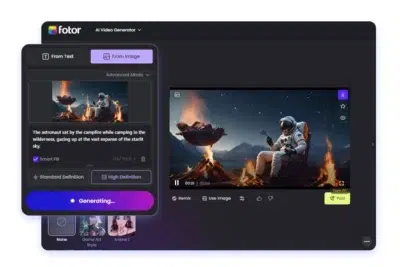
generate videos with AI
Related articles:
How to Create Videos with Artificial Intelligence for Free: Complete Guide

For those seeking programming assistance, there are AI-powered programming assistants based on Gemini that offer real-time code completion and debugging help in IDEs like VS Code, enabling a high volume of monthly completions without requiring a credit card. Similarly, tools like NotebookLM allow you to create custom assistants using your own data sources, facilitating the organization of massive amounts of information.

There are also more specific options like AI Chatting, which positions itself as a simple and fast assistant that requires no configuration . Simply open the website and start interacting in any language—ideal for those looking for an informal chat or to resolve everyday tasks without complications.

Cloud AI services and APIs

For more technical users, Google Cloud offers a range of AI tools with permanent free tiers or trial periods. These include everything from face and object detection in images (similar to AWS Rekognition) to text-to-speech with natural human intonations.

These features include the ability to analyze entities in unstructured text and to transcribe audio to text. Many of these plans allow you to process the first few characters or minutes of data per month for free, which is ideal for prototyping applications before upgrading to a paid plan.

Gemini Code Assist,-0
Related articles:
Gemini Code Assist: AI assistant for programmers is now available for free

Tips for getting better results (Prompts)

For an AI, whether it has an account or not, to function correctly, the key lies in the prompt design . Simply asking a vague question isn't enough; ideally, you should provide context, define the objective, and specify the output format. For example, instead of asking "talk about marketing," it's much more effective to request a detailed outline for an article with a professional tone and concrete examples.

If the first response isn't exactly what you expected, remember that you can request further adjustments . AI doesn't have an ego, so you can ask it to be shorter, to change the tone to a more natural one, or to adapt the text for a specific social network like LinkedIn. Iterating the response is the best way to achieve the perfect result.

Important limitations and precautions

Not everything is perfect in the world of free AI. One of the biggest limitations is the knowledge cutoff date . Many models rely on static data, and if real-time search functionality isn't enabled, they can provide outdated information. Furthermore, lighter models, while faster, are more prone to interpretation errors.

It is vital to be cautious with your privacy. You should never enter sensitive personal data , such as passwords, credit card numbers, or confidential documents, into public AI interfaces. The golden rule is to use artificial intelligence as a creative assistant or informational support tool, but never as an absolute authority , especially in medical, legal, or financial matters.

There are multiple ways to harness the power of artificial intelligence without going through the tedious registration process, from the open-source ChatGPT to platforms like Nation AI or the free tiers of Google Cloud. As long as privacy is protected and critical data is verified, these tools represent an incredibly efficient way to save time on writing, research, and programming tasks.

Use artificial intelligence without an account
Related articles:
How to use Artificial Intelligence without creating an account

How to use artificial intelligence without registering

Last update: 26 June, 2026

Artificial intelligence

I'm sure it's happened to you: you want to quickly resolve a question or write an email, and you find that the AI ​​tool you've chosen requires you to create an account, validate your email, and fill out an endless form. Sometimes, that small hurdle is enough to make us lazy and end up leaving the tab open without doing anything, especially when we're just looking for a specific answer and don't want to manage yet another password in our lives.

The good news is that the landscape has changed considerably. We're no longer in the days when a single company dominated the market and forced everyone to register. Today, there are powerful and straightforward alternatives that allow you to log in, type your question, and get an answer in seconds, all from your browser and without technical complications, making technology much more accessible to everyone.

Use artificial intelligence without an account
Related articles:
How to Use Artificial Intelligence Without Creating an Account: A Complete Guide

ChatGPT and OpenAI's open access

For a long time, the world's most famous chatbot required mandatory registration. However, OpenAI decided to open the doors to make it easier to experience its benefits. Now it's possible to use ChatGPT without an account , eliminating the initial friction and allowing anyone to interact with the AI ​​immediately.

However, it's important to note that without registration, you'll generally be using the underlying free model (such as GPT-3.5), which, while perfectly capable, doesn't offer the accuracy of premium or more advanced versions. Furthermore, since there's no user profile, your conversation history isn't saved , so if you close the window, you'll lose track of what you were discussing.

An important point is privacy. By default, interactions can be used to train the models, but there's an option to disable model enhancement in the settings (question mark icon, then Settings). Even so, the company typically stores chats for 30 days for security and to monitor for misuse.

Nation AI: A quick alternative in Spanish

Data and AI for SMEs
Related articles:
Complete Guide to Data and Artificial Intelligence for SMEs

If you're looking for something specifically designed for Spanish speakers, Nation AI is a very solid option. It's not the official OpenAI service, but rather a tool within the Botnation AI ecosystem that allows you to chat without registration . Its focus is absolute simplicity: you log in, type, and the AI ​​responds without you having to install anything.

This platform is ideal for those who need to write quick drafts , proofread text, or summarize lengthy content. Because it's optimized for Spanish, the responses tend to sound more natural and don't require the user to adapt their writing style to English, which greatly speeds up the workflow.

From an educational perspective, it can be used to explain complex concepts simply, as if you were ten years old, or to create study outlines and multiple-choice questions. However, since it's a generative model, it's always advisable to check that it hasn't fabricated data, as AI can be prone to hallucinations or factual errors.

Other free tools and services

In addition to conventional chatbots, there are services geared towards developers and professionals that offer very generous free tiers. For example, Google AI Studio allows you to integrate Gemini models at no cost in certain countries, providing an environment to test AI capabilities without paying for initial subscriptions.

generate videos with AI
Related articles:
How to Create Videos with Artificial Intelligence for Free: Complete Guide

For those seeking programming assistance, there are AI-powered programming assistants based on Gemini that offer real-time code completion and debugging help in IDEs like VS Code, enabling a high volume of monthly completions without requiring a credit card. Similarly, tools like NotebookLM allow you to create custom assistants using your own data sources, facilitating the organization of massive amounts of information.

There are also more specific options like AI Chatting, which positions itself as a simple and fast assistant that requires no configuration . Simply open the website and start interacting in any language—ideal for those looking for an informal chat or to resolve everyday tasks without complications.

Cloud AI services and APIs

For more technical users, Google Cloud offers a range of AI tools with permanent free tiers or trial periods. These include everything from face and object detection in images (similar to AWS Rekognition) to text-to-speech with natural human intonations.

These features include the ability to analyze entities in unstructured text and to transcribe audio to text. Many of these plans allow you to process the first few characters or minutes of data per month for free, which is ideal for prototyping applications before upgrading to a paid plan.

Gemini Code Assist,-0
Related articles:
Gemini Code Assist: AI assistant for programmers is now available for free

Tips for getting better results (Prompts)

For an AI, whether it has an account or not, to function correctly, the key lies in the prompt design . Simply asking a vague question isn't enough; ideally, you should provide context, define the objective, and specify the output format. For example, instead of asking "talk about marketing," it's much more effective to request a detailed outline for an article with a professional tone and concrete examples.

If the first response isn't exactly what you expected, remember that you can request further adjustments . AI doesn't have an ego, so you can ask it to be shorter, to change the tone to a more natural one, or to adapt the text for a specific social network like LinkedIn. Iterating the response is the best way to achieve the perfect result.

Important limitations and precautions

Not everything is perfect in the world of free AI. One of the biggest limitations is the knowledge cutoff date . Many models rely on static data, and if real-time search functionality isn't enabled, they can provide outdated information. Furthermore, lighter models, while faster, are more prone to interpretation errors.

It is vital to be cautious with your privacy. You should never enter sensitive personal data , such as passwords, credit card numbers, or confidential documents, into public AI interfaces. The golden rule is to use artificial intelligence as a creative assistant or informational support tool, but never as an absolute authority , especially in medical, legal, or financial matters.

There are multiple ways to harness the power of artificial intelligence without going through the tedious registration process, from the open-source ChatGPT to platforms like Nation AI or the free tiers of Google Cloud. As long as privacy is protected and critical data is verified, these tools represent an incredibly efficient way to save time on writing, research, and programming tasks.

Use artificial intelligence without an account
Related articles:
How to use Artificial Intelligence without creating an account