- Secure Boot relies on UEFI, a key hierarchy (PK, KEK) and databases (DB, DBX) to ensure that only trusted firmware and bootloaders are executed.
- The expiration of 2011 certificates in 2026 requires updating keys and databases to maintain boot protection in Windows and Linux.
- Firmware hardening combines Secure Boot with signed updates, hardware roots of trust, encryption, and continuous monitoring.
- Solutions like FirmGuard and expert embedded systems partners facilitate remote management, migration to UEFI, and the implementation of secure boot chains.
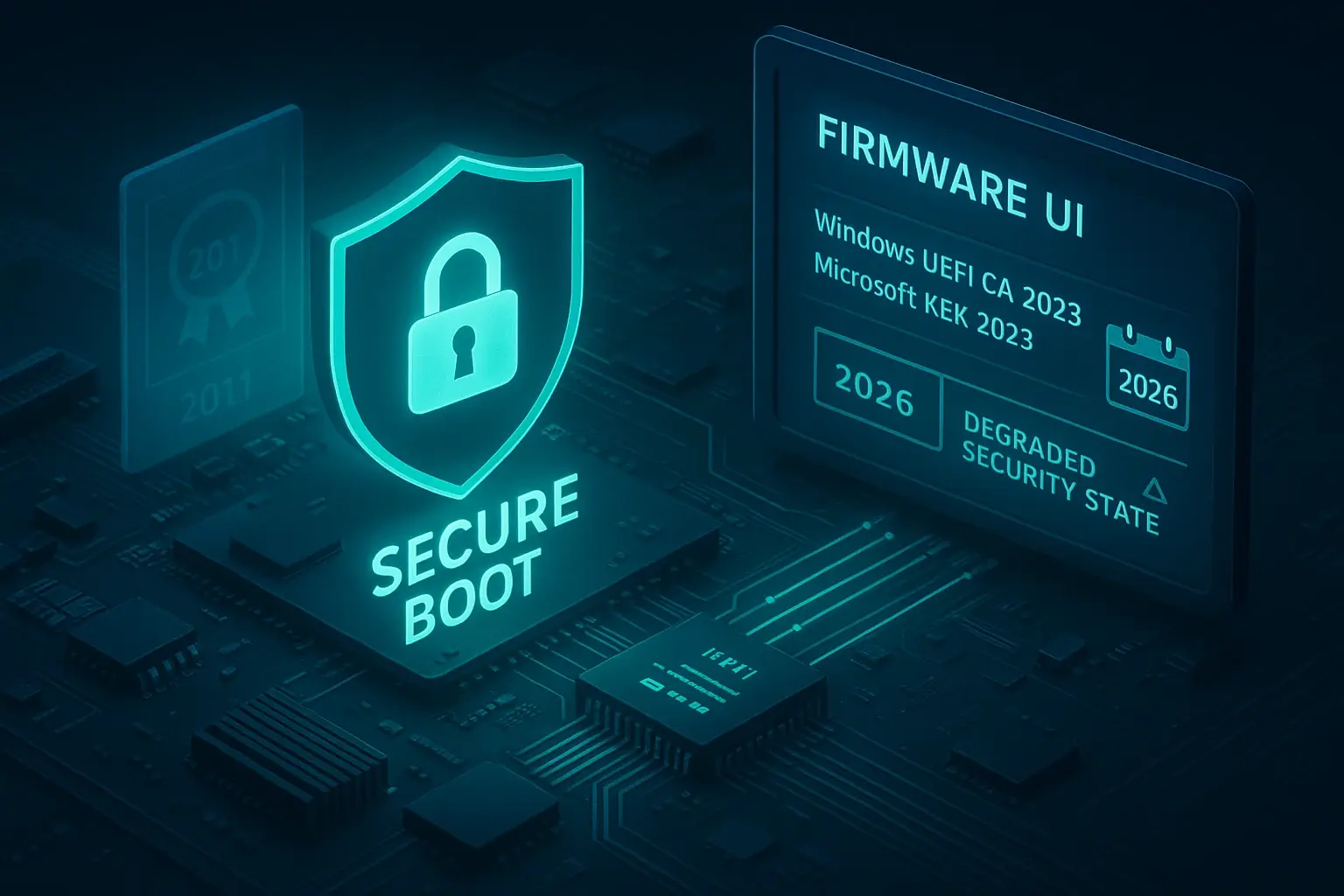
On many computers and devices, the firmware silently boots up each time you press the power button, but the reliability of everything else—or its vulnerability—depends on that moment. What is firmware and what is it used for ? The combination of Secure Boot, UEFI, and robust firmware hardening makes all the difference between a system that can withstand serious attacks and one that can be compromised by a simple malicious USB drive.
In this article, we'll get down to brass tacks and explain, calmly but directly, what Secure Boot is, how it relates to UEFI firmware, what problems arise with certificates expiring in 2026 , and how all of this fits into security in Windows, Linux, and embedded systems. You'll also see advanced solutions such as remote BIOS management, integrity monitoring, and the role of expert partners when things get complicated.
What is Secure Boot and why does it matter so much?

Secure Boot is a security feature built into UEFI firmware that controls which software can run during the initial boot stages. Its mission is simple to state but difficult to execute effectively: to ensure that only signed and trusted code (bootloaders, UEFI drivers, EFI applications) is launched and to block any binary that does not comply with the policies defined in the firmware.
In practice, UEFI firmware compares the digital signature of the code it is about to execute against a series of certificates and signature lists stored internally. If the signature matches an allowed certificate or hash in the trusted database (DB) , that component executes; otherwise, it is blocked. This is intended to prevent the execution of bootkits and malware that attempt to hijack the boot process.
Secure Boot appeared on a massive scale with Windows 8, when threats that loaded before the operating system began to proliferate. The model consists of a chain of trust : the UEFI firmware itself validates its internal modules (such as Option ROMs), then checks the bootloader (for example, Windows Boot Manager or shim/GRUB in Linux), and only if everything is accepted does it relinquish control to that bootloader, which in turn validates the kernel and other binaries.
The key is that Secure Boot's trust is defined by a factory-set firmware policy . This policy is expressed through a key and database tree: a platform key that takes precedence over all others, KEKs that authorize changes, and two lists, DB and DBX, that dictate what is allowed and what is prohibited. Properly managing this ecosystem is just as important as enabling the Secure Boot option in Windows 11's menu.
Key structure: PK, KEK, DB and DBX

The core of Secure Boot is a hierarchy of keys and signature databases . Understanding it is fundamental to any hardening strategy, both in home environments and, especially, in enterprise or mission-critical infrastructures.
At the top is the Platform Key (PK) , typically generated and managed by the hardware manufacturer. This key is the ultimate authority: whoever possesses it can change all other elements of Secure Boot, so compromising it jeopardizes the entire chain of trust. Some organizations replace the default PK with their own to gain control of the platform.
One level below are Key Exchange Keys (KEKs) , which authorize updates to DB and DBX databases. There is usually a Microsoft KEK, one or more from the hardware manufacturer, and, in corporate environments, the organization's own KEKs. Any entity with a valid KEK can add or revoke certificates and hashes in the Secure Boot lists.
The allowed signature database (DB) stores certificates and hashes of binaries that the firmware can execute during the boot phase. This includes certificates from Microsoft, the OEM, and, if applicable, the company that manages the fleet. When the firmware analyzes a bootloader or an Option ROM, it looks for a match in the DB to decide whether to load it.
On the other hand, there's the revoked signature database (DBX) , which contains binaries and certificates that should no longer be considered secure. Microsoft updates DBX regularly to invalidate vulnerable bootloaders (as seen in the BootHole attacks) or components that have been proven insecure. Keeping DBX up to date is key to preventing a signed but outdated binary from remaining an entry point.
Secure Boot certificates that expire in 2026
Since the introduction of Secure Boot, virtually all Windows-compatible computers have included a common set of Microsoft certificates in the KEK and DB . The problem is that some of these certificates were issued in 2011 and are nearing their expiration date, which has direct implications for boot protection on millions of devices.
Specifically, certificates such as Microsoft Corporation KEK CA 2011 , Microsoft Windows Production PCA 2011 , or Microsoft UEFI CA 2011 have expiration dates between June and October 2026. Each one fulfills a different role: signing DB and DBX updates, the Windows loader, third-party bootloaders, or third-party manufacturer Option ROMs.
To ensure continued security, Microsoft issued new certificates in 2023 that replace those from 2011 : for example, Microsoft Corporation KEK 2K CA 2023 as a replacement for the original KEK, Windows UEFI CA 2023 for the system bootloader, and updated certificates for EFI application signatures and third-party Option ROMs.
The company centrally manages the updating of these certificates across a large portion of the Windows ecosystem, much like it distributes other security patches. OEMs also release firmware updates when necessary to incorporate the new certificates or adjust Secure Boot settings.
If a device does not receive the new keys before the current ones expire, it will continue to boot and receive Windows updates normally, but it will no longer be able to apply specific mitigations for the boot phase : it will not receive some changes in Windows Boot Manager, DB/DBX updates, or patches for newly discovered low-level vulnerabilities.
Impact of certificate expiration and necessary actions
The expiration of the 2011 certificates doesn't mean your computer will stop turning on, but it does gradually reduce the system's ability to defend against threats that affect boot time . This can have repercussions in scenarios such as the hardening of BitLocker or the use of third-party bootloaders that rely on the Secure Boot chain of trust.
To minimize risks, Microsoft recommends and, in many cases, automates the process of updating KEK and DB certificates to 2023. IT administrators and security officers should verify that their devices have received these updates, especially in heterogeneous fleets with older hardware or firmware that is no longer updated as frequently.
The call to action is clear: review the Secure Boot status on each type of device , identify whether the old certificates are being used and plan for the upgrade, and follow the guides to enable Secure Boot after updating the BIOS . In managed environments, it is often necessary to consult the manufacturer's specific documentation or follow the "Windows Secure Boot Key Creation and Management Guidance" to correctly integrate the new keys into the deployment process.
In some cases, especially when PK, KEK, or DB keys have been customized with the organization's own certificates, the update may require manual steps and careful testing to avoid disabling legitimate bootloaders that haven't yet been re-signed with the current keys. A coordination error here could result in systems failing to boot after a security patch is applied.
Secure Boot and Linux: chain of trust, shim and GRUB2
In Linux systems, the process is similar, but with its own specific characteristics. Most modern distributions rely on a component called shim , a small bootloader signed by Microsoft that allows the UEFI firmware to accept it out of the box. Shim acts as a bridge: the firmware loads it thanks to Microsoft's signature, and from there, shim validates GRUB2 and the kernel using distribution-specific keys.
The typical workflow in Linux with Secure Boot is as follows: UEFI validates the shim, the shim validates GRUB2, and GRUB2 validates the kernel . Each stage relies on digital signatures and a key policy that resides within the shim itself and in the Secure Boot databases. This ensures that the hardware manufacturer doesn't need to know the keys for each distribution beforehand, while still maintaining control over which kernel can boot.
In this context, the same elements we saw earlier remain essential: the PK controls who can change the global Secure Boot configuration in the firmware, the KEKs decide who can update DB and DBX, DB collects the supported keys (including those needed for shim), and DBX stores the revocations that lock vulnerable binaries.
The model offers advantages in interoperability, but adds operational complexity. For example, when a critical vulnerability appears in shims or GRUB2, it's necessary to quickly update the affected bootloader and, in parallel, distribute a DBX entry that revokes the old versions . If the order is incorrect, you may end up with systems that still need an old shim to boot, even though its binary has been revoked.
The result is that the correct management of DBX and Linux bootloader signatures becomes a delicate task, especially in environments where several distributions, LTS versions and third-party software that also participate in booting (for example, encryption managers or hypervisors) coexist.
What Secure Boot protects… and what it doesn't.
Secure Boot is designed to block attacks that target the early stages of booting . These include bootkits that modify the bootloader to load their own payload, kernels replaced with malicious versions, forged Option ROMs that run before the operating system, and EFI binaries introduced to gain persistence.
By requiring that each component of the boot chain be signed and validated, the attack surface for anyone trying to "hide" beneath the operating system is drastically reduced. A compromised bootloader can disable telemetry, bypass integrity checks, or plant rootkits before security tools can even take effect. Secure Boot attempts to close that avenue.
It also partially limits the options for an attacker with physical access: simply booting from a USB drive with a tampered charger is no longer enough, because the firmware will reject binaries that are not signed with supported certificates . This doesn't mean that physical security ceases to matter, but it does raise the bar for those who intend to compromise a device by exploiting a lapse in security.
However, Secure Boot has clear limitations. It doesn't protect against vulnerabilities within the operating system itself , nor does it prevent a user with elevated privileges from abusing legitimate functions to cause harm. It also doesn't prevent network attacks, exploitation of services, or misconfigurations at the application layer.
Furthermore, history demonstrates that the boot chain itself can be vulnerable. Shim and GRUB2 have suffered critical failures , such as the infamous BootHole incident, where a flaw in the GRUB2 configuration analysis allowed manipulation of the boot process without invalidating the signature. The response to these incidents has been to update binaries and revoke insecure versions via DBX, which again highlights the importance of active Secure Boot maintenance.
Implementation, hardening, and maintenance challenges
Most problems with Secure Boot don't stem from sophisticated attacks, but from devices with outdated firmware, obsolete DBX lists, or keys that haven't been checked since the hardware was shipped . In other words, from sheer operational neglect that accumulates over time.
In many cases, the first step towards improvement is as simple as systematically applying the UEFI/BIOS updates released by the manufacturer . These updates not only fix bugs, but can also include new security features, improvements to key management, and patches for vulnerabilities in the firmware itself.
Another key area is key hygiene . Organizations that rely solely on OEM and Microsoft PK and KEK keys are completely dependent on these vendors' schedules, while those that manage their own keys need a clear inventory: who signs each key, when it expires, and what the rotation plan is. Losing control of this inventory is a recipe for chaos at startup.
DBs and DBXs deserve specific monitoring. A DBX that hasn't been updated in months likely contains binary assets that have already been declared unsafe . On the other hand, a poorly tested update can break compatibility with older versions of shim or GRUB2. Therefore, many companies integrate DB/DBX changes into their normal change management cycle, subjecting them to prior testing in staging environments.
In large organizations, it is increasingly common to combine Secure Boot with measured boot measures and TPM support . This records the hashes of each boot stage in the TPM, allowing remote verification that the system has booted with a known and authorized combination of firmware, bootloader, and kernel.
Beyond booting: protecting the firmware at all stages
However powerful Secure Boot is, it's not enough on its own. Firmware security is an ongoing process that includes configuration, updates, monitoring, and incident response. The idea is to build mutually reinforcing layers of protection.
A crucial aspect is secure firmware updates . It's pointless to rely on Secure Boot if we then allow firmware flashing from any environment without signature validation, protection against downgrade attacks, or a recovery mechanism in case of failure. Updates must be digitally signed, applied following a robust procedure, and, ideally, include protection against reverting to vulnerable versions.
It is also advisable to take advantage of available security hardware: hardware roots of trust, secure key storage zones, TPM, TrustZone, external secure modules … These components allow you to isolate cryptographic secrets and make it much more difficult for an attacker with physical access to extract keys or modify code without being detected.
Regarding data, the combination of verified boot plus encryption of sensitive information is a significant leap forward. If the device uses Secure Boot to ensure it boots only trusted firmware, it can link data decryption to that verified state. This way, even if someone copies the memory, they won't have access to the contents unless they can reproduce the same legitimate boot sequence.
The cycle is completed with runtime protection mechanisms: periodic memory and firmware integrity checks, watchdogs, security event logs related to boot failures or modification attempts, and of course, blocking of debug interfaces, protected reading of program memory, and appropriate hardware access controls.
FirmGuard and remote BIOS/UEFI management
In enterprise environments and managed service providers, managing firmware configuration on each device individually is a waste of time and a source of errors. This is where solutions like FirmGuard come in, offering a centralized platform to remotely secure, configure, monitor, and update BIOS/UEFI firmware.
One of its key features is the ability to remotely configure critical BIOS/UEFI options (SecureConfig) . This allows administrators to systematically enable Secure Boot, adjust security parameters, disable booting from unauthorized devices, or apply hardened configuration templates without having to physically go to each workstation.
Furthermore, FirmGuard integrates continuous firmware integrity monitoring (SecureCheck) . The platform monitors BIOS/UEFI changes, detects unexpected modifications, and alerts when something points to potential malicious activity or unauthorized configuration changes. In an environment where firmware is an increasingly attractive target, this visibility is invaluable.
For systems still running in legacy BIOS mode, FirmGuard adds a third component, SecureSense, capable of identifying systems still using legacy BIOS and facilitating their migration to UEFI—an essential step for using Secure Boot and other modern security features. From a business or MSP perspective, this means moving from a heterogeneous and difficult-to-manage system to a more homogeneous and defensible one.
Taken together, these types of solutions not only reduce the risk of firmware attacks, but also provide clear added value for managed service providers , who can differentiate themselves by offering an extra level of under-the-hood protection and, incidentally, improve their margins by automating tasks that were previously manual and costly.
Firmware and Secure Boot in embedded systems
Beyond PCs and servers, firmware security is critical in embedded devices: industrial controllers, medical equipment, consumer electronics, automotive , and many more. Here, failures not only result in data loss but often in physical security risks and regulatory liability.
End users of these devices are typically unaware that vulnerable firmware runs underneath. However, these incidents are very real: there have been massive recalls of medical devices due to security issues , such as the well-known case of pacemakers that had to be updated or replaced due to the risk of remote attack. These situations impact trust, revenue, and the reputation of manufacturers.
When the firmware of an embedded device is compromised, the consequences can be devastating: loss of customer trust, costly recalls, delays in certifications (healthcare, automotive, industrial), impact on brand image and, sometimes, operational disruptions in critical infrastructures.
In these environments, Secure Boot takes on even greater importance. Implementing a chain of trust from the first byte executed ensures that only firmware signed by the manufacturer (or a trusted authority) can be booted. From there, each phase of the boot process can validate the next: initial bootloader, secondary bootloader, application firmware, embedded operating system kernel, and so on.
However, deploying Secure Boot on embedded devices is not trivial. It requires hardware support for securely storing keys , an immutable code segment to act as the root of trust, and a manufacturing process capable of customizing each device with its keys and certificates without exposing them. On very limited platforms, it may be necessary to implement custom secure bootloaders, with all the associated performance, resource consumption, and cost challenges.
Additional layers for a truly robust firmware
For robust firmware protection, multiple layers are necessary. The first is Secure Boot, but it must be complemented by secure update mechanisms, protected storage, runtime defenses, and sound organizational practices.
In terms of updates, all firmware and low-level software images should be digitally signed and, ideally, protected against downgrades . Over-the-air (OTA) or local updates should verify the signature before accepting changes, and contingency plans (backup firmware copies, secure recovery modes) should be in place to avoid unusable systems after a failure, following best practices for software security updates.
Secure storage plays another critical role. Modern MCUs, SoCs with TrustZone, TPMs, or dedicated secure elements allow for the protection of keys and sensitive data so that even someone with physical access cannot extract them without leaving a trace or without disproportionate effort. Linking access to these secrets to the success of Secure Boot adds an extra layer of assurance.
During execution, it is essential to combine periodic integrity checks, watchdogs, memory protection (MPU, MMU, lockstep), logs of failed boot attempts or suspicious firmware changes and, in very critical products, even physical tamper sensors.
Finally, none of this works well if the organization doesn't adopt secure development and vulnerability management practices : threat analysis, security-oriented design, code reviews, penetration testing, clear incident response processes, and a lifecycle where security and quality go hand in hand. Firmware cannot be treated as something that is written once and forgotten.
The value of having expert partners in firmware and security
Given everything we've seen, it's easy to understand why many companies turn to specialized embedded systems and cybersecurity partners when they need to strengthen Secure Boot and firmware protection. Knowing how to program isn't enough: you need to master hardware, cryptography, industrial processes, regulations, and the entire ecosystem of attacks and defenses.
A good partner brings practical experience developing bootloaders, drivers, complex embedded systems, encryption mechanisms, and hardware controllers , enabling the design of security solutions that are truly integrated into the product, not last-minute add-ons that only serve to complicate maintenance.
They also typically include playbooks and proven tools : reusable secure boot modules, scripts for managing keys and certificates, firmware hardening guides, CI pipelines that include binary signing and automatic verification, and so on. This saves time and reduces the likelihood of making costly beginner mistakes.
The cybersecurity aspect is equally crucial. Teams that stay up-to-date on new vulnerabilities, side-channel attacks, flaws in popular IoT stacks , and secure design best practices help to incorporate security from the architecture stage, rather than trying to patch it at the end. They typically work with a "security by design" mindset, performing threat modeling and risk reviews from the requirements phase.
When that partner is also backed by relevant ISO certifications (ISO 9001, ISO 13485, ISO 26262, etc.) , you have an additional guarantee that their processes are audited and structured. It's not just that they know what needs to be done, but that they have formal procedures and traceability, something highly valued in regulated sectors such as healthcare or automotive.
And there's one last, less technical but equally important factor: communication and empathy . A good partner doesn't arrive speaking in incomprehensible jargon or imposing solutions that are impossible to fit within your deadlines or budget. They listen to your constraints, explain the options clearly, and adjust their approach to find a balance between security, cost, and time-to-market. In firmware and Secure Boot projects, that feeling of being on the same page makes all the difference.
In short, implementing Secure Boot and hardening the firmware involves combining a solid technical foundation (UEFI, key hierarchy, renewed certificates, maintained DB/DBX files), disciplined operation (firmware updates, key management, measured boot, monitoring), and, when necessary, support from specialized solutions and partners capable of addressing internal vulnerabilities. If all of this is done correctly, the system starts with a reliable boot process that reinforces any subsequent security measures, from the kernel to the highest-level applications.
