- Firmware is the internal software that directly connects the hardware to the operating system and allows any electronic device to function.
- There are different types of firmware (low level, high level, subsystem, BIOS/UEFI, IoT, networks) and each one controls specific functions of the equipment.
- Updating the firmware fixes bugs, improves performance, and strengthens security against attacks that are very difficult to detect.
- Proper firmware management at home and in the business reduces cybersecurity risks and extends the lifespan of the entire technological infrastructure.
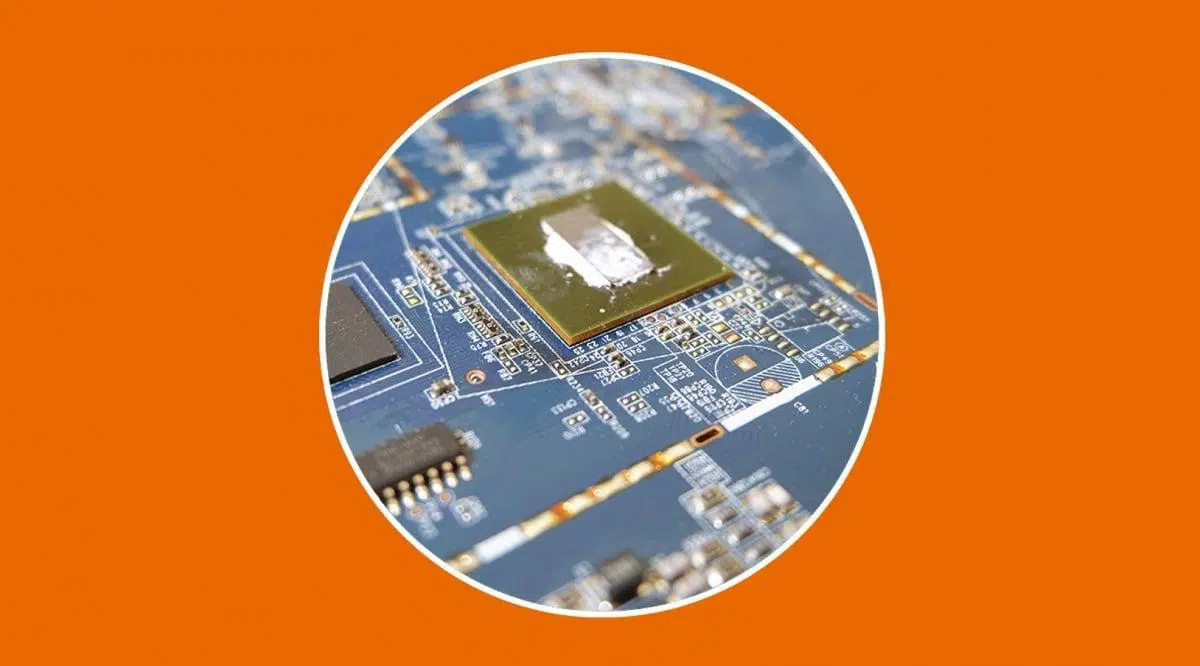
Every time you turn on your computer, unlock your phone, or program the washing machine, there's a type of silent software that gets to work before anyone else: the firmware. You don't see it, you don't use it daily like the operating system, but without it, nothing would start.
This firmware resides within the device itself , stored on special memory chips, and is responsible for telling the hardware what to do, how to do it, and in what order. Understanding what it is, what it's for, and how to keep it secure is crucial today, both for home users and for businesses that rely on their digital infrastructure.
What exactly is firmware?
When we talk about firmware, we're referring to a very basic program that comes pre-installed on almost every modern electronic device. It's software embedded in the hardware that contains the minimum instructions necessary for the device to power on, initialize its components, and communicate with other systems.
This code is usually stored in non-volatile memory such as ROM, EEPROM, or Flash memory, so it remains there even when the device is turned off or loses power. Unlike a regular app, which you install and uninstall as needed, firmware is part of the device's "personality."
Virtually all the devices around you run firmware : computers, routers, smart TVs, mobile phones, security cameras, robot vacuums, printers, modern cars, smartwatches, Wi-Fi bulbs, your internet provider's routers, kitchen appliances, and much more. Many of them don't even have a traditional operating system, but they do have firmware that allows them to function, as is the case with many embedded systems.
Historically, the term firmware originated in the 60s , when it referred to microcode stored in a special memory that defined the CPU's instruction set. This concept has since expanded to encompass any programmable content within a device: from a PC's BIOS to the internal configuration of an ASIC or an IoT device.

Differences between firmware, software, operating system, and drivers
It's quite easy to confuse concepts like firmware, software, operating system, and drivers , because they are all, in one way or another, code that runs on a device. But each one plays a very different role in the technological "pyramid."
Firmware vs “normal” software
Firmware is a highly specialized type of software , but it's not used directly by the user. Its purpose is to control the hardware at a low level and prepare the system so that other programs can function. That's why it's often called "hardware software."
User software (applications, programs, games) operates independently of the operating system and is not dependent on any specific hardware component . You can install a browser, a text editor, or a music player on different computers without worrying about the exact chip they use, because the system (Windows, Linux, Android, etc.) manages the hardware through firmware and drivers.
Firmware vs. operating system
The operating system (Windows, macOS, Linux, Android, iOS, etc.) is the "fat" software you interact with every day: it has an interface, windows, applications, permissions, networks, etc. Firmware, on the other hand, runs before the operating system and at a lower level.
A PC, for example, might have BIOS or UEFI firmware etched onto the motherboard. When you press the power button, this firmware performs an initial check of the memory, processor, storage devices, and other components, and only then relinquishes control to the operating system by loading it from the disk.
Interestingly, a device can function without a traditional operating system but with firmware (think of a remote control or a digital clock), while it cannot function without any kind of firmware controlling the basic hardware.
Firmware vs drivers or controllers
Drivers are also software, but their role is different . A driver is installed on the operating system and acts as a "translator" between that system and a specific device: the graphics card, the printer, the mouse, a monitor, etc.
The firmware resides within the device itself , often on a chip soldered to the motherboard. It tells the component how to behave and how to communicate with the outside world. The driver, on the other hand, tells the operating system how to communicate with that component . They are two complementary parts, but they are not the same.
A failed driver update is usually reversible (you uninstall and revert to the previous version). However, a failed firmware update can render the device unusable (the infamous "brick"), unable to boot, because you've corrupted the very code that makes it start up.
How the firmware works on a daily basis
The way firmware works is easy to understand if you think about the boot process of any device. When you turn on something even slightly complex (computer, mobile phone, router):
- The firmware wakes up the processor and tells it which instructions to execute first.
- Check the memory and other basic components to ensure that there are no serious failures.
- Configure initial parameters such as the boot order, certain power or network settings.
- Take over or hand over control to the operating system or to the next software in the chain (bootloader, hypervisor, etc.).
In a traditional PC, the classic example is the BIOS/UEFI : it performs the "POST" (Power-On Self-Test), detects disks, keyboard, mouse, cards, loads the boot manager and this, in turn, loads Windows or Linux into memory.
In a mobile phone, the firmware from the SoC manufacturer and the phone itself controls everything from power management to the operation of the touchscreen, camera, 4G/5G modem, and fingerprint reader. Android or iOS then comes into play, but underneath there are multiple layers of firmware and bootloaders that make it all possible.
In simpler devices (controllers, sensors, small appliances), the firmware can act directly as the "internal operating system." There are no additional layers: the embedded code interprets button presses, timing, and sensor readings, and activates motors, lights, or signals accordingly.
Where is the firmware stored and why does it matter?
Firmware is always stored in non-volatile memory , meaning it doesn't lose information when the device is turned off. Historically, the following have been used:
- ROM (Read Only Memory): programmed at the factory and not modifiable.
- EPROM: reprogrammable, but with cumbersome physical processes (erasing with ultraviolet light).
- EEPROM and Flash memory: electrically rewritable, without disassembling anything.
Today, firmware typically resides on flash memory chips , such as NAND flash memory or similar chips. These are inexpensive, fast, and allow for relatively simple updates (flashing), even without opening the device. This is why you can update your motherboard's UEFI or an SSD's firmware directly from within the operating system.
Many modern motherboards even include a backup chip with a "good" copy of the firmware. If something goes wrong during an update, the system can restore the original contents and prevent you from being left with a bricked motherboard. Years ago, this didn't exist, and a power outage during flashing meant the motherboard had to be thrown away or sent back to the manufacturer.
In the case of IoT devices and routers (see our guide to router manuals and technical specifications ), the memory containing the firmware is usually soldered onto the board, and updates are performed via the web or mobile apps. The contents of this flash memory are rewritten, and upon restarting, the device boots with the new code.
Firmware types: levels and practical examples
Not all firmware is equally complex, nor is it all at the same point in the "chain of command ." It is usually classified both by its level of sophistication and by the type of device it is found in.
Low-level firmware
Low-level firmware is the most closely tied to the hardware . It runs immediately upon power-up and typically resides in ROM or highly protected memory that is not easily rewritten. Its job is to ensure that critical components are detected and minimally configured so that everything else can boot.
In many simple devices, this firmware is all there is : think of a digital alarm clock, certain types of remote controls, inexpensive temperature sensors, etc. This microcode defines the entire logic of the device.
High-level firmware
High-level firmware operates above low-level firmware and performs more complex functions : advanced configuration menus, graphical interfaces, network management, etc. It is typically stored in rewritable Flash memory, allowing for relatively frequent updates.
Subsystem or device firmware
In complex systems, many internal components have their own separate firmware . This is known as subsystem firmware : it works semi-independently of the main system firmware.
- Graphics cards with its own BIOS.
- RAID Controllers or storage.
- WiFi or Bluetooth modules integrated into a laptop.
- SSD drives with firmware responsible for managing memory cells, caches and error correction.
Each of these subsystems can receive its firmware updates , sometimes from the manufacturer's own tools or through more advanced third-party software.
BIOS, EFI and UEFI: PC firmware
In desktop and laptop computers, the quintessential firmware has been the BIOS (Basic Input/Output System). For decades, it resided on a chip on the motherboard and was responsible for:
- Perform the POST and detect memory or CPU failures.
- Recognize keyboards, disks, cards and other basic peripherals.
- Load the boot manager from the disk, USB drive, or installation media.
Later came EFI and, above all, UEFI (Unified Extensible Firmware Interface), which is what most current PCs use. UEFI:
- It allows graphical interfaces with mouse.
- It supports large disks, modern partitions, and secure boot..
- It offers advanced options energy management, safety and diagnostics.
In the Mac world, Apple also migrated to EFI/UEFI years ago , and it's the standard on modern servers and workstations. From the UEFI menu itself, you can update the motherboard firmware, configure boot passwords, or enable features like TPM for disk encryption.
Firmware on mobile phones, IoT devices and other devices
Phones, tablets, and smartwatches have multiple layers of firmware : in the modem, in the audio chip, in the camera, in the power controller… All of that is independent of Android or iOS, although it works in coordination.
In the field of the Internet of Things (IoT) , each sensor, light bulb, smart plug or IP camera incorporates its own firmware responsible for connecting to WiFi, talking to the manufacturer's cloud and executing commands (turn on, turn off, measure, send data, etc.).
Modern cars are also full of small electronic control units (ECUs) for the engine, ABS brakes, airbags, infotainment, climate control… Each with its own specific firmware, which can be updated in many cases at the workshop, and even remotely in the most advanced models.
Why is it so important to update the firmware?
Updating firmware isn't a whim: it's a matter of stability, performance, and above all, security . Even so, many people keep putting it off, and that can have consequences.
Stability and compatibility improvements
Over time, bugs are discovered in the original firmware : compatibility issues with certain hardware, crashes in specific situations, failures to resume from sleep, etc. Manufacturers correct these bugs in new versions.
Updating can prevent random restarts, crashes, or other unusual behavior on PCs, routers, cameras, and IoT devices. In some cases, it's the only way to get a component working properly with a new operating system.
Security: the most delicate aspect of firmware
Firmware is a very attractive attack surface for cybercriminals . If they manage to inject malicious code there, they achieve enormous persistence : even if you format your PC, reinstall the operating system, or restore your mobile device, the malware can remain active in that deep layer.
There are threats such as firmware rootkits , which hide in the BIOS/UEFI or in the firmware of disks and devices. They are extremely difficult to detect, even for advanced antivirus software, because they run before and in the background of the system.
Furthermore, manufacturers often didn't prioritize security in these layers during their initial designs: lack of digital signatures, lax validations, absence of write protection mechanisms, etc. This has been changing, but there is still a lot of vulnerable firmware in routers, cameras, home devices, and, of course, older, unsupported equipment.
Firmware updates include critical patches that fix vulnerabilities that can be exploited to steal data, spy on communications, manipulate the operation of a device, or open backdoors to the entire network.
Performance and new features
It's not all about security patches . Often, a new firmware version adds performance improvements (for example, on an SSD, graphics card, or router) or unlocks compatibility with new formats and standards.
Even devices that seem "old" can be rejuvenated with a good flash: a storage unit that stops giving errors, a router that gains stability and speed, a motherboard that now supports a new family of processors within what is physically possible, etc.
Risks, scams, and modified firmware
Updating firmware is not without risks , and there is also a whole world of modified firmwares, both legitimate and outright fraudulent.
The danger of a failure during the update
The most critical moment is the flashing process itself . While the new firmware is being written to memory, if the power goes out, the device shuts down, or the process is interrupted for any reason, the device will likely become unusable.
That's why it's always recommended to flash with a stable power supply (avoid low batteries, laptops without chargers, and suspicious power strips) and not to touch anything at all until the process is complete. Many tools clearly warn against turning off the device under any circumstances.
Deceptive firmware and scams
Some scammers deliberately modify the firmware to lie about product specifications . It's relatively common to see:
- Cheap SSDs or USB drives that "claim" to have 1 TB or 2 TB They actually have 32 or 64 GB. The firmware reports a false capacity, but writing beyond the actual capacity corrupts the data.
- Low-end graphics cards disguised as higher-end modelswhere the firmware reports a name or frequencies that do not correspond to the chip.
These types of products are mostly found on international sales platforms , in dubious stores, or in secondhand markets. Capacity and performance testing tools can expose the deception by comparing what the firmware claims with what the hardware can actually do.
Unofficial firmwares and alternative projects
On the other hand, there are unofficial firmwares created by communities and independent developers that, in many cases, are completely legitimate and provide extra features:
- OpenWRT, DD-WRT or Tomato for routerswhich add advanced options that many manufacturers do not offer.
- Alternative firmware for music players, cameras, or game consoleswhich allow the use of additional codecs, recording in RAW, running homebrew software, etc.
The problem is that flashing this type of firmware always carries a risk , and on some devices it can void the warranty or violate terms of service. Furthermore, if you download from untrusted sites, you could end up with malware as a bonus.
How to update firmware safely
Each type of device has its own update procedure , but there are a number of general guidelines that should be followed to minimize risks.
Basic steps and best practices
- Identify the exact model and current firmware version of the device. It is usually found in settings menus (on routers, cameras, Smart TVs, etc.) or in manufacturer tools on PCs and mobile devices.
- Download the firmware exclusively from the official website Download from the manufacturer or their official app. Avoid third-party websites or files circulating on forums if they are not verified.
- Make sure you have a stable power supplyFor laptops, keep the charger plugged in; for desktop computers, avoid doing so during storms or when power outages may occur.
- Read the instructions carefully as indicated by the manufacturer, especially if there are prior steps (reset, backup of configuration, etc.).
- Do not turn off the device or close the application While the progress bar appears, be patient even if it seems to freeze for a few seconds.
Specific cases: PCs, SSDs, motherboards, and more
In modern desktop PCs and laptops , motherboards with UEFI usually include built-in utilities to search for and apply new versions by connecting to the Internet, or allow flashing from a USB drive with the downloaded file.
SSDs often have their own official software (such as Samsung Magician, CORSAIR tools, Crucial, etc.) that detects the storage drive and proposes the appropriate firmware update with a couple of clicks.
Graphics cards, headphones, mechanical keyboards, and other peripherals are also increasingly including their own configuration utility, from which new firmware can be loaded to improve compatibility, fix bugs, or add features.
In the Mac environment, a firmware password may also exist to prevent unauthorized boot changes. This protection is managed through macOS recovery tools.
Firmware security: attacks and defense
Firmware security has become a central issue , especially with the proliferation of connected devices (IoT) and cameras, routers, and sensors in homes and businesses.
What are firmware attacks like?
A firmware attack basically involves rewriting or modifying the embedded code so that the device behaves according to the attacker's interests. It's a type of very low-level hacking.
The consequences can range from rendering the device unusable to using it as a gateway to a network, installing ransomware, spying on communications, or stealing data. Because the malware is so deeply embedded, it survives formatting, system restores, and even hard drive replacements.
Security cameras, operator routers, video recorders, industrial sensors, and home automation systems have been frequent targets because vulnerable firmware allows attackers to take control of the entire associated infrastructure.
How the attack reaches the device
Typical entry routes are :
- Poorly protected WiFi networks or with default passwords.
- Vulnerability Exploitation known in the unpatched firmware.
- Compromised external devices, such as USB drives or already infected equipment on the same network.
- Downloading "updates" from unofficial websites which are actually firmware tampered with with malicious code.
Defensive measures include always keeping the firmware up to date , changing default keys, segmenting networks when possible, and avoiding flashing files from dubious sources at all costs.
Professional firmware management and IT maintenance
In a business, managing firmware is no longer a one-off task, but rather part of ongoing IT maintenance . Every server, switch, router, firewall, storage device, workstation, and IoT device has its own firmware ecosystem that may require regular updates.
A good practice is to keep a detailed inventory of models, firmware versions, and dates of the last update, along with a clear procedure for testing new versions in test environments before deploying them to production.
It is also advisable to integrate firmware review into cybersecurity policies : check manufacturer bulletins, schedule maintenance windows for critical flashes, document possible rollback paths in case something goes wrong, and train the IT team to understand the importance of this layer.
Ignoring firmware in a security strategy is leaving a door open to the most patient and best-prepared attacker, right at the point where you have the least visibility with traditional tools.
Ultimately, firmware is that discreet piece that holds everything else together : if it's up-to-date, well-protected, and properly managed, your devices will perform better, last longer, and be far less exposed to difficult-to-resolve security scares.
