- Operator routers often limit advanced functions, so it's advisable to know and take advantage of manuals and technical specifications to get the most out of generic routers, 4G CPEs, and professional APs.
- 4G LTE CPE routers offer a real alternative to fixed broadband in areas without fiber, with easy installation, good speed and backup options for businesses and homes.
- Specific models such as the EnGenius ECW520 (WiFi 7) or the VSOL LTE CAT4 CPE illustrate how detailed specifications guide the choice based on coverage, performance, and remote management.
- Solutions like SmartNetVPN allow secure access to devices behind the router using VPN IPs, avoiding opening ports and making the most of the available network infrastructure.
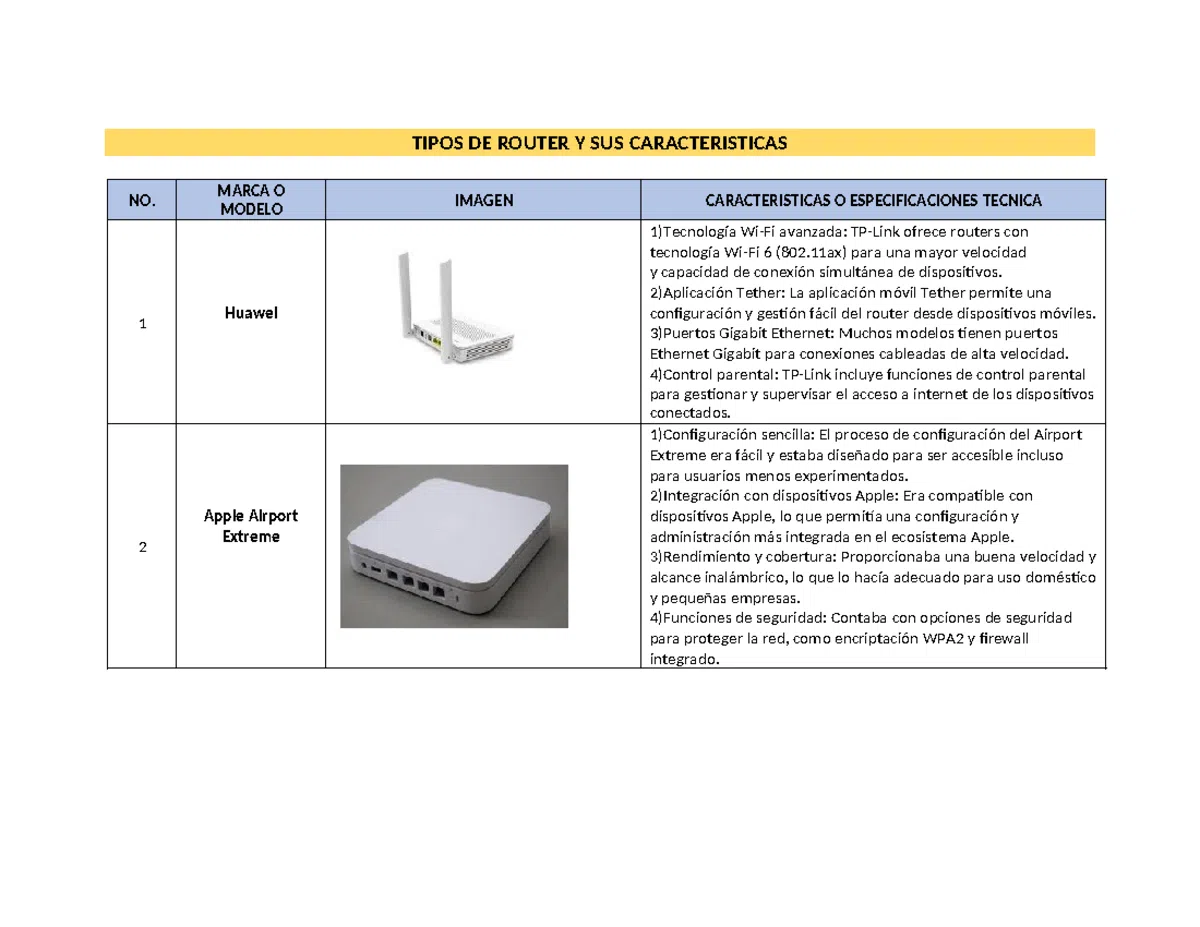
If you've been struggling with your home Wi-Fi for a while, the culprit is likely the router your internet provider gave you. The equipment they supply is usually basic , with few advanced features and, in many cases, less-than-ideal wireless coverage. This leads many users to consider buying their own third-party router, a mesh Wi-Fi system, or even opting for 4G/5G solutions when decent fiber or ADSL isn't available.
Having good router manuals and technical specifications makes all the difference when it comes to getting the most out of your network. This isn't just about improving range and speed, but also about setting up more complex projects: sharing files via USB, creating a secure VPN to access your home remotely, connecting IP cameras or powerline adapters, or deploying professional access points managed in the cloud. In the following lines, you'll find a comprehensive guide that includes different types of routers, real-world configuration examples (including VPN), recommendations for 4G LTE CPE equipment, and resources for locating manuals for over two thousand different models.
Why ISP routers fall short
In most homes, the first point of contact with the internet is the router provided by the internet service provider, but these devices are often very limited . It's not uncommon to find Wi-Fi that doesn't reach all rooms, constant interruptions when streaming, or lag while playing online games due to underpowered hardware.
Besides their lack of power, ISP-provided routers often cut corners on advanced features : VPN options, fine-tuned Quality of Service (QoS) controls, configurable firewalls, or decent file servers. Many times, they don't even allow you to change advanced Wi-Fi or local network settings without navigating through hidden menus.
When you decide to replace this equipment with your own, you typically choose a higher-end third-party router or a mesh WiFi system. With a third-party router, you gain complete configuration freedom : you choose the WiFi standard, the security type, segment the network for guests, adjust channels and power levels, and add additional security features.
A good home router usually includes high-speed USB 3.0 ports that allow you to set up a small file server at home without needing a dedicated NAS. You connect a hard drive or USB flash drive and share folders on your local network and even over the internet, using usernames and passwords to access your documents remotely.
Another key feature is the ability to set up your own VPN server directly on the router. This allows you to connect securely from your laptop or mobile device when you're away from home and access your network as if you were on your local network: PCs, IP cameras, NAS, smart home devices, etc. This, combined with a proper firewall configuration, provides a level of security and flexibility that the ISP's equipment rarely offers.
Router manuals and datasheets: how to find them and why they are key
When you get serious about your network, manuals become essential. Having official documentation and detailed technical specifications helps you truly understand the router's capabilities and limitations.
There are specialized websites that compile manuals for thousands of routers. One of them, for example, clearly states: more than 2.000 router manuals are available . It's easy to use: you choose the brand from a menu, search for your model, and download the manual as a PDF or view it online. If it doesn't appear immediately, you can enter the specific brand and model in a search bar to locate the document.
Having these types of repositories is especially useful when you've lost the original box or the router's CD. The manual contains the IP address for accessing the configuration panel , the default username and password, and instructions for changing the SSID, the Wi-Fi password, updating the firmware, or restoring the device to factory settings.
The technical specifications, on the other hand, are perfect for comparison. They list the exact specifications of each model : supported WiFi standard (WiFi 4/5/6/7), number and type of antennas, Ethernet ports (1G, 2.5G, 10G), processor, memory, USB ports, VPN support, security protocols (WPA2, WPA3), and extra features such as cloud management or TR-069 for remote administration.
Thanks to this information, you can know in advance if a router will be compatible with your connection speed, if it supports your mobile operator's LTE bands, or if it will be useful for more advanced tasks such as setting up a separate guest network or securely integrating IoT devices.
Virtual assistants and carrier apps: basic but limited help
Some telecommunications companies incorporate virtual assistants into their mobile apps to help users with simple tasks related to their line: checking usage, bills, contract length, or tariff changes.
A typical example is an operator that encourages you to log into their app and "ask their bot" (in this case called Djingo). This type of assistant is primarily designed for business transactions : checking your spending, reviewing contract terms, or reporting an outage.
When the assistant can't answer your question, it will usually automatically redirect you to a human agent via chat, phone call, or even by scheduling a later call. This speeds up support considerably, but it still falls short for those who want to delve deeper into the router's settings.
In practice, if your goal is to fine-tune your network, enable advanced services, set up VPNs, or integrate third-party equipment, you'll need to consult manuals, specialized forums , or more in-depth technical documentation. The ISP's app is fine as a first line of support, but it doesn't replace the router's detailed manual or the manufacturer's technical specifications.
Real-world example: VPN connection with SmartNetVPN to access your network behind the router
A very illustrative example of why technical specifications and manuals matter so much is VPN connections. SmartNetVPN is a dedicated VPN client that allows you to connect a PC, mobile device, or Mac to a remote network, so you can access devices behind a router without having to manually open ports.
The typical installation process on Windows involves downloading and installing the SmartNetVPN client. During installation, simply follow the wizard's prompts . Once installed, it's recommended to locate the shortcut created on your desktop, right-click it, select Properties, and check the "Run as administrator" box to avoid permission issues.
The second step is to copy the specific VPN certificate for that PC to the program's configuration folder. For example, it's usually something like: C:/Program Files/SmartNetVPN/config. It's important not to open or modify the certificate file; simply copy and paste it into that location so the client can use it.
Once you've done this, you'll see a SmartNetVPN icon next to the Windows clock. To connect, you can right-click and choose "Connect" or double-click it. The icon will first turn yellow and, if everything is working correctly, will turn green in a few seconds, indicating that the VPN tunnel has been successfully established.
Keep in mind that some antivirus programs or firewalls may block the VPN connection . If you notice that the VPN icon isn't turning green or there's no traffic, check your security suite and grant the necessary permissions to the program so it can establish outgoing connections on the ports used by the VPN.
When the icon turns green, that PC is already inside the remote network via the VPN. From that moment on, you can access the various devices behind the router using their IP address within the VPN network , without needing port forwarding or complicated NAT configurations.
The operation is best understood with a practical example. Imagine an installation where the router has the LAN IP address 192.168.1.1. When the VPN is established, that router could receive the IP address 10.230.1.1 within the virtual network . A PLC with the local IP address 192.168.1.101 would then have the VPN IP address 10.230.1.101, and an IP camera with 192.168.1.102 would become 10.230.1.102 within the VPN.
The rule is clear: the last digit of the LAN IP address matches the last digit of the VPN IP address . Whenever you access the network from outside, you will use the VPN address (10.230.xx in this example), never the internal one (192.168.xx). This ensures consistent and easy-to-remember access and avoids exposing services to the outside world through unnecessary port forwarding.
In addition to the Windows client, dedicated clients are typically offered for Apple smartphones, Android devices, and Mac computers , allowing mobile devices and laptops to connect to the remote network as easily as a desktop PC. All this versatility relies on proper router configuration and a thorough understanding of its VPN capabilities, which is always detailed in its manuals and technical specifications.
Professional routers and WiFi 7: the case of the EnGenius ECW520
In professional settings, especially in offices, shops, or environments with many connected users, business access points offer a significant performance leap compared to a basic home router. A good example is the EnGenius ECW520, a mid-to-high-end WiFi 7 access point that's very appealing due to its performance-to-price ratio.
This is a professional model based on a powerful Qualcomm Pro 1220 chipset , capable of handling a large number of simultaneously connected devices and leveraging the advantages of the WiFi 7 standard (higher speed, lower latency, better spectrum utilization, etc.). Although not all client devices are yet WiFi 7 compatible, having a compatible access point ensures a network ready for years to come.
One of the differences compared to other high-end access points from the brand lies in the network port. Instead of a 10G Ethernet port , the ECW520 incorporates a 2.5G port, sufficient for most current business connections and more economical than the top-of-the-range models. This makes it a particularly competitive access point for SMEs and medium-sized offices.
Its greatest strength lies in cloud management through EnGenius Cloud. Thanks to this system, you no longer need a local WiFi controller , either as dedicated hardware or as software installed on a server. All configuration is done through a very user-friendly, fast, and intuitive web interface.
From this cloud-based dashboard, you can centrally deploy complex configurations for all access points, switches, and gateways in the network: multiple SSIDs, VLANs, guest networks, security policies, bandwidth limits, scheduling, and more. Changes are applied remotely and almost instantly, greatly simplifying the management of networks with many devices.
In manuals and datasheets like the ECW520, you'll find essential details about operating modes, transmission power, available channels, PoE requirements, power consumption , and recommended installation scenarios. This information is invaluable for properly planning your network and avoiding surprises once everything is deployed.
4G LTE CPE routers: an alternative when there is no fixed broadband
In rural areas, second homes, or locations where fiber optic or decent ADSL isn't available, 4G LTE CPE routers have become a very viable solution . Instead of relying on a copper pair or fiber optic cable, these devices use the mobile network to provide high-speed internet.
A 4G LTE CPE (Customer Premises Equipment) router acts as a bridge between the cellular network and your devices . It works with a SIM card, connects to your carrier's 4G LTE network, and distributes the connection via Wi-Fi and Ethernet cable. It's like a "mobile data router" with all the functions of a fixed router.
Compared to a simple USB modem or mobile internet sharing, a 4G CPE offers greater WiFi coverage, better stability , and the ability to connect multiple devices simultaneously (computers, Smart TVs, game consoles, home automation systems, etc.). Furthermore, with dedicated internal or external antennas, it makes better use of the available mobile signal in the area.
These routers are ideal for homes, temporary offices, construction sites, mobile businesses, or anywhere where deploying wired infrastructure isn't cost-effective . They're also a great backup option when the landline fails, maintaining connectivity until the provider fixes the problem.
A comprehensive guide to 4G LTE CPE routers typically covers everything from basic concepts to use cases, selection criteria, and setup steps . Thanks to this information, even users with limited technical knowledge can establish a stable and secure connection using the mobile network.
Main advantages of a 4G LTE CPE router
One of the biggest advantages of these devices is their high-speed connectivity using 4G LTE networks . In many cases, the actual speed achieved with good 4G coverage is superior to that of older ADSL lines, enabling HD streaming, uninterrupted video calls, and intensive cloud usage.
Installation is very simple: insert the SIM card, turn on the router, and you're done . There's no need for a technician to come to your home or for anyone to run cables. This is especially useful for temporary spaces, rentals, or places where you don't want the hassle of construction and setting up fixed services.
Portability is also a major advantage. As long as there's mobile coverage, you can take the router with you : to your country house, a temporary office, an outdoor event, a trade fair, etc. Some models even include a battery, allowing for completely autonomous use for several hours.
Another very important advantage is its ability to serve as a backup connection for traditional broadband . Many businesses and advanced users configure the 4G CPE as a "plan B": if the fiber optic connection goes down, traffic is automatically routed through the mobile network, keeping critical applications, POS systems, security cameras, and cloud services operational.
In economic terms, in areas where deploying fixed broadband is expensive or unfeasible, a 4G LTE CPE router presents itself as an affordable alternative . You can subscribe to specific data plans, adjust consumption, and scale your spending based on your actual connection usage.
Typical use cases for 4G LTE CPE routers
One of the contexts where these devices make the most sense is in rural or remote areas without access to fiber optics . While operators can take years to deploy wired infrastructure, 4G networks are usually already available, making CPE the fastest and most realistic way to have reliable internet access.
In the professional sphere, they are very useful for remote work or small offices that need a stable connection . They allow teleworking with video calls, uploading and downloading files from the cloud, and keeping corporate services connected without depending on a landline that could experience outages.
They also work wonderfully in temporary environments: events, trade shows, stands, construction sites, film shoots, street marketing campaigns, etc. In these cases, setting up a fixed connection makes little sense, while deploying a 4G CPE with a good SIM card provides instant connectivity.
In homes that already have broadband but are looking for a backup plan, the 4G LTE CPE router acts as a "safety net" against main line outages . If you properly configure failover on your network, users will barely notice the change when switching from fiber to 4G.
Finally, for users who travel a lot or change residence often, having their own unlocked CPE router allows them to use different SIM cards depending on the country or area, taking advantage of the best data rates without depending on local operator routers.
How to choose a good 4G LTE CPE router
Before you rush into buying, there are several key technical aspects you should check. The first is compatibility with your mobile operator's LTE bands . Not all routers support the same frequencies, so it's vital to verify in the technical specifications that they correspond to those used by your company in your country.
It's also important to consider the maximum supported speed. Models with LTE-Advanced (LTE-A) offer higher performance thanks to band aggregation and network-level improvements. If you plan to use demanding applications (4K streaming, heavy video conferencing, online gaming), it's worth investing in a model with advanced capabilities.
The type and number of antennas make a difference in signal quality. Routers with high-gain external antennas usually provide better coverage and stability, and also allow for some aiming to "point" towards your ISP's antenna.
Regarding the Wi-Fi component, it's advisable to verify that the router supports current standards such as 802.11ac or higher , and that it has good range. If the house is large, you might consider combining it with repeaters or a mesh system, but the CPE (Customer Premises Equipment) should be robust as the network foundation.
Don't forget about Ethernet ports. If you need to connect Smart TVs, game consoles, or PCs via cable , check how many ports it has and what speed they support (100 Mbps, 1 Gbps, etc.). It's also important that the SIM card slot is compatible with your card type and that the router is unlocked or, at least, compatible with your internet service provider.
In terms of security, it's advisable to choose routers that integrate modern protocols like WPA3 and VPN support . This adds an extra layer of protection, especially if you're going to use it in sensitive environments or with frequent remote access.
Finally, all of this needs to be weighed against the price. The price-performance ratio is key : you might not need the top-of-the-line model if you're only going to check your email and do some streaming, but it will be worth investing a little more if you're going to use it as your main connection in a small business.
VSOL High-Performance LTE CAT4 CPE: an example of a well-equipped 4G CPE
Among the recommended models within the 4G LTE CAT4 range, the VSOL High-Performance LTE CAT4 CPE stands out , a router that combines balanced hardware with features designed to take advantage of the mobile network.
Its internal design incorporates a high-performance chipset geared towards efficient communication . The PCB is designed to minimize interference and improve connection stability, resulting in fewer dropouts and a smoother experience, even when multiple devices are connected simultaneously.
One of its strengths is the improved signal strength. It features four external high-gain 5 dBi antennas (two for WiFi and two for LTE), providing better signal penetration through walls and wider coverage within the home or office.
In terms of speed, this CPE allows downloads of up to 150 Mbps and uploads of up to 50 Mbps over the mobile network, in addition to Ethernet wired connections of up to 100 Mbps. For most home and small business uses (browsing, streaming, cloud work), these figures are more than sufficient.
Another interesting feature is remote management. The router supports TR-069 and FOTA (over-the-air firmware updates), making it easy to monitor and configure remotely from Windows or Linux systems. This is especially useful for operators or installers managing multiple locations.
Therefore, the VSOL CAT4 CPE is positioned as a reliable option for those seeking stable 4G connectivity without paying the premium of still-emerging 5G solutions, but with professional management and maintenance capabilities.
4G LTE CPE vs 5G CPE: Which is better for you?
The big question today is whether to invest in 5G equipment now or stick with mature 4G LTE technologies. In theory, 5G CPEs offer significantly higher speeds and lower latency , making them ideal for bandwidth-intensive applications, smart cities, or businesses with very high demands.
However, the reality is that 5G coverage remains uneven in many areas , and in some cases is only available on bands that don't offer a significant improvement over 4G. Furthermore, 5G equipment and associated plans typically require a larger investment.
4G LTE CPEs, on the other hand, benefit from a much more widespread and mature network. In practice, they guarantee stable connectivity almost anywhere there is basic mobile coverage, and their prices are considerably more affordable, both for hardware and data plans.
Generally speaking, a 4G LTE CPE makes sense if you prioritize reliability, good coverage, and a tight budget , or if you're going to use it as a backup connection. In contrast, a 5G CPE is better suited for scenarios where you need ultra-high speeds, extremely low latency, and have confirmed high-quality 5G coverage in your area.
How to configure a 4G LTE CPE router step by step
Setting up one of these routers is much easier than it seems. First, make sure your SIM card is active and compatible with the carrier and data plan you'll be using. It's also a good idea to check LTE coverage at the location where you'll be placing the device to avoid dead zones.
If your router includes external antennas, you'll need to install them. Simply screw them carefully into the corresponding connectors , making sure they're secure so they don't loosen over time or when you move the device.
The next step is to locate the SIM card slot. Insert the card following the orientation indicated in the manual , usually with the chip facing a specific direction. If the slot is micro or nano and your SIM is a different size, use the adapters typically provided by your carrier.
Next, connect the router to a power outlet using the supplied adapter and turn it on with the power button, if it has one. Wait a few minutes until the device boots up and connects to the 4G network , which is usually indicated by signal or coverage LEDs.
To configure network settings, open a web browser on a device connected to the router via cable or Wi-Fi. Enter the management IP address in the address bar , which is usually 192.168.1.1 or 192.168.0.1, although the device manual will specify it clearly. Then log in with the default username and password.
Within the interface, go to the Internet or WAN settings section. Select 4G or LTE as your connection type and enter the APN (Access Point Name) provided by your mobile operator. This information is available on their website or in the customer area.
If your router also offers Wi-Fi, take the opportunity to access the wireless menu and configure the network name (SSID) and a strong password . It's recommended to enable WPA2 or WPA3, disable weak passwords, and, if desired, create a separate guest network.
Once the changes are saved, the router may prompt you to restart. After the restart, test your internet connection from several devices to ensure everything is working correctly, both wired and Wi-Fi, and that the speed is consistent with your available coverage.
If problems arise (it won't connect, it keeps dropping, the speed is very low), review the user manual again, check the antenna positions and 4G signal strength, and if necessary contact the manufacturer's or operator's support to verify that the data line is properly provisioned.
Frequently asked questions about 4G LTE CPE routers
A common question is whether any SIM card can be used in any 4G CPE router . The answer is not always: some routers are locked to a specific carrier, and each model also supports certain LTE frequency bands. Therefore, it's essential to check the router's specifications and compare them with those of your carrier before purchasing.
With unlocked routers, you can insert SIM cards from different providers and take advantage of the best rates or coverage depending on your location. This is especially useful for frequent travelers or those who work in different countries and don't want to be tied to constant roaming charges.
Another frequently asked question is whether a 4G LTE CPE is suitable for online gaming . The answer is yes, provided the mobile network is of good quality: relatively low latency and sufficient speed. For demanding competitive games, it's advisable to use models with LTE-Advanced and, whenever possible, connect via Ethernet cable instead of Wi-Fi for greater stability.
Some people also wonder if these routers are truly portable. Most are designed for fixed use , powered by a wall outlet, but there are more compact models with integrated batteries that you can take on trips or to events. Before buying, consider whether you need that extra portability or if it will mostly be in the same place.
Finally, many users want to know if a 4G LTE CPE can replace fixed broadband . In many cases, yes, especially in rural areas where there is no other option. Although stability and speeds may not match fiber in all scenarios, for streaming, video conferencing, and everyday internet use, they are usually more than sufficient, provided the data plan and coverage are adequate.
This entire ecosystem of carrier routers, advanced third-party routers, professional WiFi 7 access points, 4G LTE CPEs, and VPN clients like SmartNetVPN is much easier to understand when you have access to complete and well-structured manuals and datasheets . Having this documentation readily available allows you to make informed choices about the equipment that best suits your needs, configure it thoroughly without always relying on carrier support, and extract every last drop of performance and security from your network, whether you're at home, in the office, or working in the middle of nowhere with a 4G connection.
