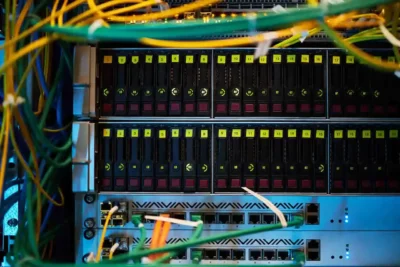
- SATA (Serial ATA): interface for connecting hard drives, SSDs and optical drives, designed to transfer data between storage and motherboard.
- Connectors: 7-pin data cable and 15-pin power cable; narrow cable improves airflow and supports hot-swapping.
- Evolution: SATA 1.0 to 1,5 Gbps; SATA 2.0 to 3 Gbps; SATA 3.0 to 6 Gbps, especially adapted to SSDs.
- Advantages and limitations: easy installation, low power consumption and compatibility; but lower speed compared to PCIe/M.2 and cables per device.

If you've ever wondered what SATA is or what it's used for, you've come to the right place. SATA, which stands for Serial Advanced Technology Attachment , is a crucial connection interface in modern computing. This interface is primarily used to transfer data between a computer's motherboard and storage devices such as hard drives , SSDs , or optical drives. But why has this standard been so important, and how has it evolved over time? We'll tell you everything here.
With its arrival in the early 2000s, SATA positioned itself as the successor to the older PATA (Parallel ATA) standard, significantly surpassing it in both speed and stability . Since then, it has been widely adopted, and although its relevance has diminished in favor of newer standards like M.2 and NVMe storage , it remains essential in many hardware configurations.
What is SATA and how does it work?

SATA is a bus interface designed to connect storage devices and enable fast and efficient data transfer . This standard, which replaced the IDE or PATA interfaces , improved key aspects such as cable length , transfer speed , and the ability to connect devices without powering down the system ( hot-swapping ).
In physical terms, the SATA cable is narrower and more flexible than the older PATA cable, allowing for better airflow within the computer and a more compact design. This connector includes two main ports: one for data transfer and one for power. The data connector has 7 pins, while the power connector has 15 pins, ensuring proper management of both data and power.
Evolution of the SATA standard
Since its introduction, the SATA standard has seen several generations, each bringing significant improvements in terms of speed and functionality:
- HOUR 1.0: Introduced in 2003 with a Transmission speed up to 1,5 Gbps (150 MB/s).
- HOUR 2.0: Launched in 2004, it doubled the speed to 3 Gbps (300 MB/s), marking a major advance in data transfers.
- HOUR 3.0: Released in 2008, it reached 6 Gbps (600 MB/s), suitable for most advanced devices as High performance SSD.
Over time, SATA has been relegated in many high-end configurations compared to technologies like PCIe or M.2 , which offer superior speeds and capacities . However, it is still widely used in more affordable systems and for secondary devices.
Key Features of SATA
The SATA standard offers several features that have made it a staple for decades, including external variants such as the eSATA port.
- Point to point connections: Each device connects directly to a port, eliminating the need to share cables.
- Backward compatibility: Older devices are compatible with newer SATA ports, although the speeds will be limited by the older standard.
- Hot-plugging: Possibility of connecting and disconnecting devices without turning off the computer.

Advantages and disadvantages of SATA
When evaluating why SATA has been so successful, it is essential to consider its pros and cons:
Advantages:
- Transmission speed: It is significantly faster than the older PATA standards.
- Easy to use: Its practical and flexible design makes installation and upgrades easy.
- Low energy consumption: Ideal for devices such as laptops.
- Extended Compatibility: Present in virtually all motherboards since the 2000s.
Disadvantages:
- Speed limitations: Can't compete with newer standards like PCIe.
- Individual cables: Each device requires a separate cable, which can be cumbersome in certain configurations.
- Less future relevance: SATA is gradually being replaced by faster and more modern alternatives.
Heirs and future of SATA
With the arrival of new standards like M.2 and NVMe based on PCIe, SATA is losing ground. These more advanced technologies offer superior speeds and more efficient designs, making them ideal for modern devices, such as high-performance SSDs.
However, SATA still has its place in the market. It's common in budget computers and remains a viable option for secondary storage drives or optical drives. Nevertheless, its use is likely to decline even further in the coming years.
The SATA standard has been a cornerstone of hardware configurations for over two decades. While its popularity is waning in the face of new technologies, its impact on the way we store and manage data on our devices is undeniable. SATA showed us how evolution can simplify and speed up critical processes, leaving an indelible mark on the history of computing.