- SATA cables are divided into data (7 pins) and power (15 pins), both of which are necessary for the drive to function.
- SATA I, II, and III versions are backward compatible, but the speed is always adjusted to the slowest component in the chain.
- SATA has replaced PATA in home PCs, while SAS, PCIe/NVMe and USB-C have taken over in high-performance environments.
- Despite the advancement of M.2 and U.2, SATA drives remain the most economical option for mass storage.
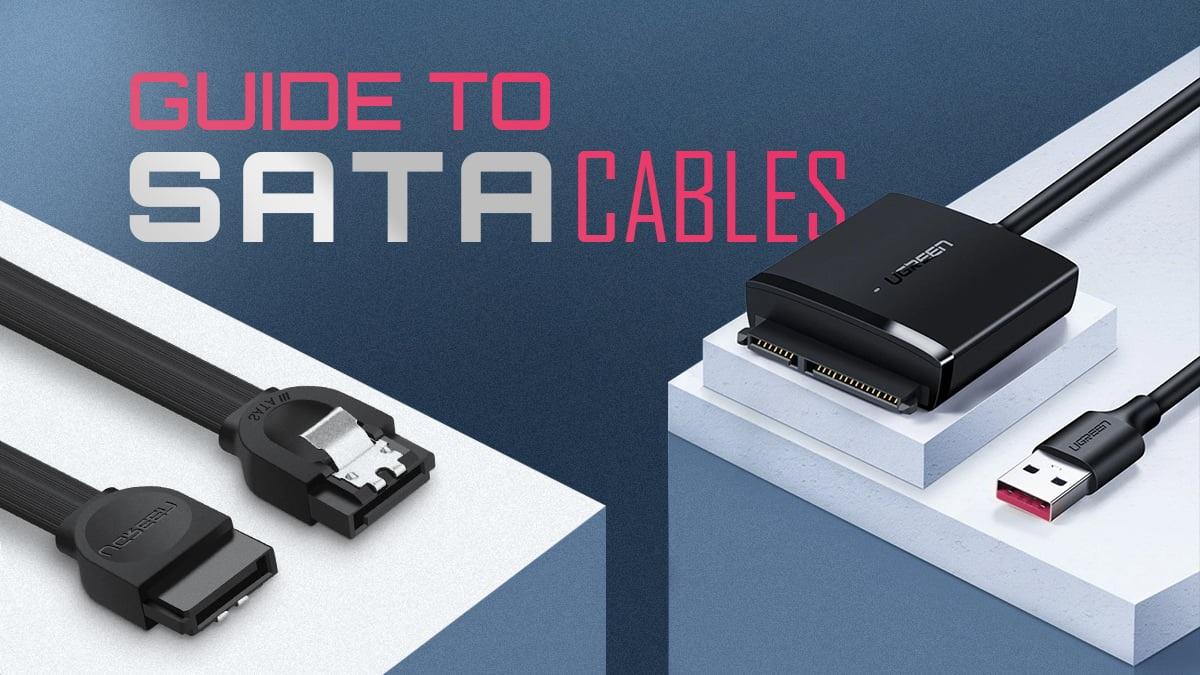
If you're building or upgrading a PC, sooner or later you'll come across SATA cables and the classic data cables that connect hard drives and other devices to the motherboard. At first glance, they may all seem the same, but there's more to them than meets the eye: types, versions, uses, compatibilities, limitations… and even technologies that have become obsolete.
In the following lines you will see in detail what exactly SATA is, how it differs from other data cables , what types of connectors and cables exist (internal and external), what speeds its different generations offer, how they compare with more modern interfaces and why there is talk of the "end of the SATA era", although it still has a long way to go.
What is SATA and how does it differ from other data cables?
The SATA standard, short for Serial Advanced Technology Attachment , is a serial data transmission interface that connects the motherboard to storage devices such as mechanical hard drives (HDDs), solid-state drives (SSDs), CD/DVD/Blu-ray readers and writers, and other high-performance peripherals.
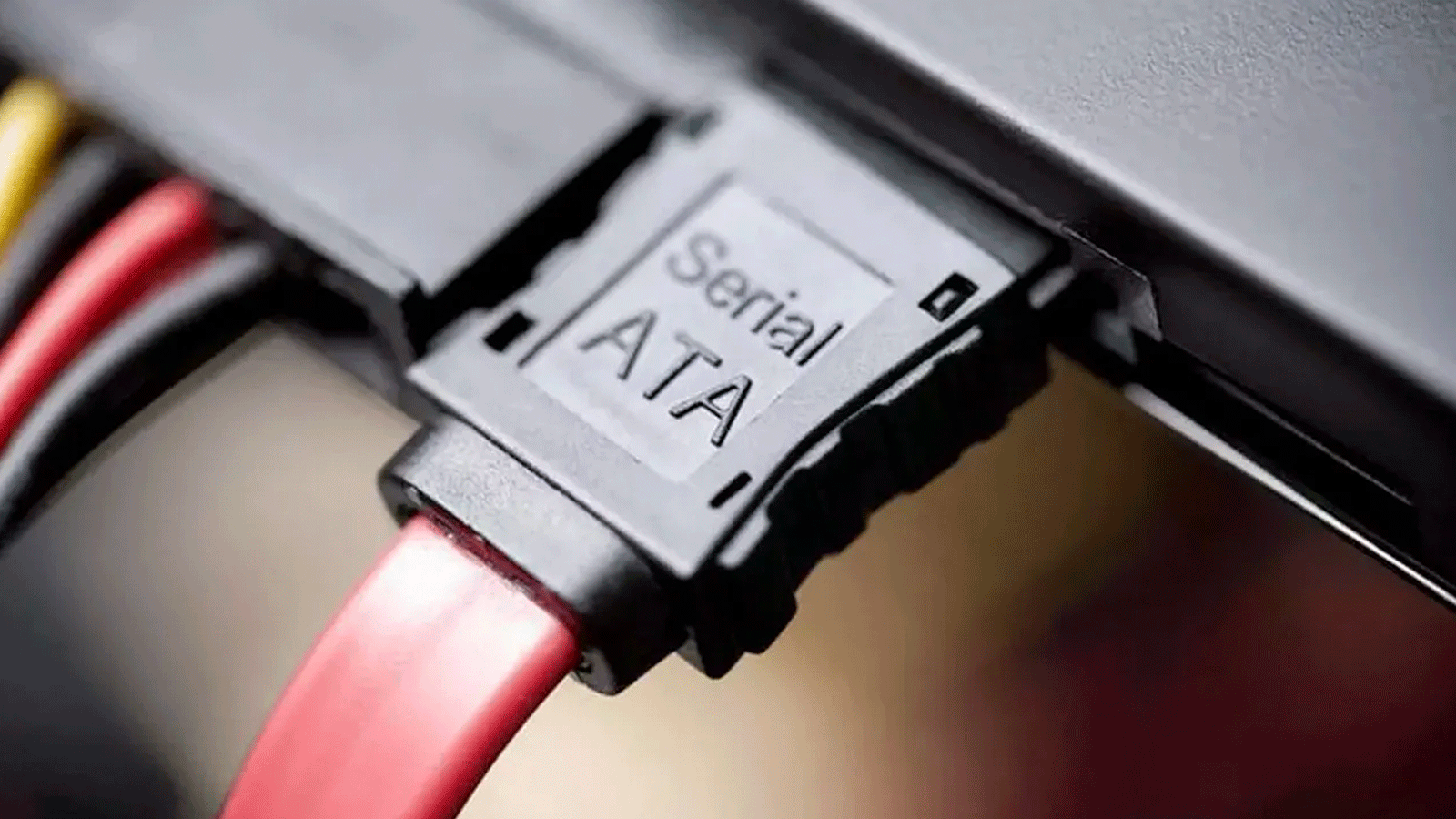
Unlike the old PATA or IDE, which used wide flat cables with 40 or 80 wires and allowed two devices per ribbon (configured as master and slave), SATA opts for a point-to-point architecture: a single device per cable, with a small 7-pin connector for data and another 15-pin connector for power.
This serial connection allows for higher transfer speeds, much narrower and longer cables , better air circulation inside the case, and the ability to hot-swap drives without having to turn off the computer, provided the operating system and driver support it.
Compared to other modern data cables such as USB , Thunderbolt, or PCI Express lines for NVMe, SATA has fallen behind in raw performance, but it remains the most common interface for HDDs and many budget SSDs , especially in desktop PCs and mid-range or mass storage equipment.
SATA versions and transfer speeds
Since its introduction in the early 2000s, the SATA interface has undergone several revisions that have increased its maximum bandwidth. Although the SATA-IO organization recommends referring to "revision 1.x, 2.x, and 3.x," in practice almost everyone uses the designations SATA I, SATA II, and SATA III.
Official specifications typically list speeds in Gb/s (gigabits per second) , while many product datasheets express them in MB/s (megabytes per second). It's important to understand that 8 bits make up 1 byte, and that SATA uses 8b/10b encoding, meaning that for every 8 usable bits, 10 bits are sent over the bus, resulting in approximately 20% overhead.
Approximately, the different generations of SATA have the following theoretical link speeds and actual transfer rates :
- SATA I (SATA 1,5 Gb/s)The first generation, with a 1,5 Gb/s link and a maximum effective transfer rate of around 150 MB/s. It was the initial version that already clearly outperformed the best PATA.
- SATA II (SATA 3 Gb/s)Second generation, doubling the link speed to 3 Gb/s and reaching an effective speed of around 300 MB/s. It is also known as Serial ATA-300.
- SATA III (SATA 6 Gb/s): third generation and currently the most widespread, with 6 Gb/s link speed and a maximum effective speed of 550-600 MB/s, which is what we find in fast modern SATA SSDs.
The various revisions (3.1, 3.2, 3.3, 3.4, 3.5, etc.) have added minor improvements and new features , but without increasing the 6 Gb/s limit. Since 2008, there hasn't been a significant speed increase, partly because mechanical hard drives can no longer take advantage of the higher speeds and partly because the high-performance SSD market has shifted towards PCIe and NVMe.
A key point is that all SATA generations are backward compatible : you can connect a SATA III device to a SATA II port with a SATA I cable, but the speed will always be limited by the slowest element in the chain (controller, cable, or drive). On some older drives, it was necessary to adjust a jumper to force 1,5 Gb/s mode when connected to first-generation motherboards.
The two main types of SATA cables: data and power
When we talk about a "SATA cable," we're actually referring to two different types of cables that work in parallel : one carries the data, and the other powers the device. Both connect to the same hard drive or unit, but to separate physical connectors.
On standard 2,5-inch and 3,5-inch SATA drives, you'll always see two connectors on the back: the smaller connector (7 pins) is the data port , and the larger connector (15 pins) is for power. Without both cables connected, the drive won't work, except in special combined connector formats.
SATA data cable
The SATA data cable enables the transfer of information between the motherboard and the storage device . It is a relatively thin and flexible cable with a 7-pin connector at each end that plugs into the SATA port on the motherboard and the connector on the drive.
These cables usually come in a multitude of colors (red, blue, black, yellow, orange, and even glow-in-the-dark models ), but the color does not affect performance at all: it is simply an aesthetic matter or a way to distinguish groups of ports on some motherboards.
There are versions with straight or 90-degree angled connectors . The angled connectors are very useful in narrow cases or when the graphics card partially blocks the SATA ports, as they allow you to adjust the cable without straining it. The typical length is around 30-50 cm in desktop computers, enough to reach from the motherboard to the drive bays.
Regarding the difference between SATA 2.0 and 3.0 cables, they are virtually identical at a physical level . Some manufacturers label the cable as "SATA 6 Gb/s" or mark the model with some other identifier, but in practice, they can be used interchangeably with SATA II or SATA III drives. The speed improvement lies in the interface and the controller, not in the cable's plastic construction.
SATA power cable
The second key component is the SATA power cable, which runs from the power supply unit (PSU) to the drive's 15-pin connector. Its purpose is to supply stable voltage to the device on several lines: 3,3V, 5V, and 12V, internally distributed in groups of pins that can work in parallel to handle higher current.
The SATA power connector retains the typical L-shaped notch design to prevent incorrect orientation and can only be inserted one way. Although it has 15 pins, many power supplies only use four main wires, and the specification allows for adapters from the older 4-pin Molex connector to one or more SATA connectors.
You'll find straight and angled SATA power cables on the market , with or without a retaining clip , and branch cables with multiple connectors connected in series to power several drives from the same cable. Molex-to-SATA adapters for repurposing older power supplies are also very common.
This new power connection, compared to the classic Molex, facilitates features such as hot-swapping and advanced power management of the drives, and is the standard on almost all modern SATA drives, both desktop and laptop (often in low-profile variants).
Other types and variations of SATA cables and connectors
In addition to the "traditional" data and power cables, the SATA ecosystem includes multiple formats and adapters that have emerged to meet specific needs: limited space in cases, external drives, compact systems, or the transition to other interfaces such as USB or M.2.
SATA to USB and SATA to other interfaces bridges
SATA to USB cables and adapters have become an extremely convenient solution for connecting internal hard drives and SSDs via a USB port without the need for an external enclosure. They typically include a SATA data and power connector on one end and a USB-A or USB-C connector on the other, often with additional power.
They're perfect for cloning disks, making quick backups, or recovering data from a PC that won't boot. They also allow you to reuse old disks as "workhorse" external drives , connecting and disconnecting them as needed.
In that same group we have the so-called SATA bridges to other interfaces : internal SATA-USB adapters (like those used, for example, by PlayStation 4 for its hard drives), converters for front bays or external cases, or microSATA to M.2 adapters that were used in old laptops to install NVMe SSDs, although with a brutal bottleneck.
eSATA: SATA for the outdoors
Some PCs from a few years ago came with rear eSATA ports or brackets that converted internal SATA ports into external ones , allowing you to plug in external hard drives or docks without going through USB. There were also eSATA to microSATA cables, very useful for using internal drives as external drives without an enclosure.
With the arrival of USB 3.x, USB-C, and Thunderbolt , which offer superior speeds (10, 20 Gb/s faster) and universal compatibility, eSATA has largely disappeared. Today, it's rare to see it in new computers, and many eSATA brackets and associated cables have become obsolete.
Micro SATA and combo connectors
For compact and portable equipment, the Micro SATA connector (sometimes called uSATA or μSATA) was designed , which combines the data and power contacts in a single piece, while maintaining the logical separation between both buses.
This type of connector was widely used in laptops, embedded systems, and cases with hot-swap bays , where simply sliding the drive in connected it to the controller without needing to handle individual cables. Its purpose was to make better use of space and simplify assembly.
With the standardization of M.2 and NVMe drives in modern laptops, Micro SATA has been displaced and is now practically in retirement, although adapters and bridges can still be found to reuse old hardware or to connect it to current equipment.
Low Profile SATA
Low-profile SATA cables are especially flat and narrow versions of the standard SATA data cable . They were designed for very compact cases and computers where internal space is very limited, such as Mini-ITX systems with long graphics cards.
Their advantage is that they are so small that two low-profile cables can be the thickness of a standard SATA cable , simplifying cable management and improving airflow. They are relatively common in laptops and barebones systems, and somewhat less so in desktop towers, except in very tight configurations.
Currently, many of the functions these cables used to perform have been directly handled by motherboard-mounted M.2 SSDs , which don't require cables. Even so, they remain a useful option if you need to maximize available space without sacrificing 2,5" SATA drives.
SATA brackets and extenders
The term SATA brackets refers to the accessories used to bring internal SATA ports to the outside of the chassis , usually by means of a plate that is screwed onto the back (as if it were an expansion card) and that offers eSATA or external SATA ports.
These brackets were widely used to add connectivity to cases without accessible drive bays or to facilitate access to drives that are frequently plugged and unplugged . However, with the disappearance of eSATA from most modern motherboards and the popularization of USB 3.x, they now play a very minor role.
How to use SATA cables to install and expand storage
Installing a SATA drive is relatively simple, but it's advisable to follow a few steps to ensure that data and power are properly connected and the system detects it without problems . The process varies little between SATA HDDs and SSDs.
If you're replacing an existing hard drive with another of the same type, you can leave the data cable connected to the motherboard and simply disconnect the end that goes to the old drive and connect it to the new one . The same applies to the power cable, provided its position allows it.
To add an extra unit, the typical sequence would be:
- Turn off the PC completely and unplug it from the power outlet.then remove the side panel from the case.
- Place the new unit in a Available 3,5″ or 2,5″ bay, securing it with screws or using the tool-less system in the case.
- Check that the length of SATA data cable allows for convenient access from a free port on the board to the unit, without unusual voltages.
- Connect one end of the data cable to SATA connector of the hard drive and the other to a free SATA port on the motherboard, starting if possible with SATA0 or SATA1 (referring to the silkscreen or the manual).
- Connect a SATA power cable from the power supply to the unit's 15-pin connector.
- Check that both connectors are properly fitted and that the cables do not interfere with fans or the graphics card.
- Close the case, turn on the computer and enter the BIOS/UEFI or operating system to Verify that the new unit appears correctly.
In devices prepared for hot-swap, such as removable bays or some professional cabinets, this process is simplified, since the internal frame integrates the data and power connectors and it is enough to slide the unit into the tray.
SATA cables versus other interfaces: PATA, SCSI, SAS, PCIe, USB-C…
To fully understand the "difference between SATA cables and data cables," it's helpful to look back and see which technologies it competes with or has competed against. SATA not only replaced PATA, but it also coexisted with SCSI and SAS in professional environments and is now facing pressure from PCIe, NVMe, and USB-C in terms of performance.
PATA / IDE: the direct predecessor
Before SATA, PATA cables, also known as IDE or Parallel ATA, were dominant. These were wide ribbon cables with 40 or 80 wires that could connect up to two devices per cable, with the typical master/slave configuration and large, unwieldy connectors.
In terms of performance, the latest PATA revisions offered between 33 MB/s and 133 MB/s of theoretical maximum bandwidth, clearly below the 150 MB/s of the first-generation SATA. Furthermore, PATA cables hindered airflow and made clean assembly a pain.
One of the advantages of SATA was that it virtually unified the connector type for both 3,5" desktop and 2,5" laptop hard drives , unlike PATA, which used different connectors depending on the form factor. For power, PATA used the 4-pin Molex connector, while SATA introduced its own 15-pin connector with more power lines.
SCSI and SAS cables
SCSI (Small Computer System Interface) was for years the standard for professional equipment, servers, and workstations . It was used not only for hard drives, but also for optical drives, scanners, professional printers, and other demanding peripherals.
SCSI cables and their successors evolved into SAS (Serial Attached SCSI), a serial interface designed for high-performance, high-availability enterprise storage . SAS maintains connector-level compatibility with SATA in many cases: a SAS drive can usually be connected to a SATA backplane or controller, but SATA-only ports cannot handle SAS drives.
SAS's greatest strength is its scalability: each SAS port can manage up to 16 drives using expanders, and a single SAS card can end up controlling dozens or hundreds of drives in the same system, with the ability to address up to 65.535 devices in advanced configurations.
Although SATA has been "the norm" for home users, in high-end server and storage array environments SAS has offered more performance, reliability and topology options , albeit at a significantly higher cost.
PCIe, NVMe, U.2, M.2 and the rise of new interfaces
The reason there's hardly any talk of a hypothetical "SATA IV" is closely related to the rise of SSDs based on PCI Express and the NVMe protocol . Instead of using a separate SATA cable, these drives connect directly to the motherboard's PCIe lanes, eliminating bottlenecks.
In the home market, the star is the M.2 format : a small, elongated card that screws directly onto the motherboard, without any additional cables or connectors. In the professional sphere, the U.2 interface has gained traction as a replacement for SATA in enterprise-level systems, combining the advantages of SSDs (low latency, high speed) with large storage capacities and improved thermal management . There are U.2 SSD models capable of exceeding 60 TB in capacity with speeds far surpassing SATA III.
On the other hand, for external drives, USB-C and Thunderbolt have taken over the role that was once intended for eSATA. Their latest versions share a physical connector and allow for enormous transfer rates, making them the preferred option for external enclosures, docks, and high-speed portable storage solutions.
Is SATA disappearing?
The industry consensus is that SATA is clearly in a phase of maturity and even decline . Its maximum speed hasn't increased since 2008, and the main innovations in storage have shifted towards PCIe and NVMe, where there is still room for performance improvements.
Even so, SATA drives (HDDs and SSDs) still have a very important place as affordable mass storage . For storing large file libraries, backups, multimedia content, or data that doesn't require extreme speeds, the price-to-capacity ratio of SATA remains very attractive.
Furthermore, many cases still offer dedicated 3,5" and 2,5" bays for these types of drives, and a good number of current chipsets retain several SATA ports to support conventional hard drives . It's likely that the interface will gradually lose prominence, but will coexist with newer technologies for years to come.
Other devices and components that use SATA cables
Although it is almost always associated with hard drives and SSDs, the SATA interface is also used in other PC components that need both power and a relatively fast and easy-to-manage data channel .
Among the most common devices that connect via SATA are:
- optical drivesCurrent CD, DVD, and Blu-ray readers and writers typically use the same SATA data connector and standard SATA power cable.
- Memory card readersMany internal models use a SATA connector for both power and data transfer from the cards to the motherboard.
- Hot-swap bays: boxes and modules that allow inserting and removing disks without turning off the equipment, using internal SATA data and power connectors.
- Expansion cardsSome advanced network cards or additional port controllers require extra power via a SATA power connector.
- RGB controllers and fan hubsMany mid-to-high-end chassis include lighting hubs and fans that are powered via a SATA cable to provide more power than a simple motherboard connector offers.
- AIO liquid cooling systemsThe pump and control electronics typically draw power through a dedicated SATA power connector.
In all these cases, the key is that the SATA power connector provides a stable current line at various voltages , while, when used for data, the interface is fast and mature enough to greatly simplify the control electronics.
Practical difference between SATA data cables and cables of other standards
If you get down to the practical side of PC assembly, the typical question is usually: what is the real difference between a SATA data cable and other data cables such as internal USB cables, front panel cables, or PCIe cables?
The most obvious difference is the connector: the SATA data cable has a thin header with seven aligned pins and an L-shaped notch , designed exclusively for connecting storage drives and some peripherals that use the SATA protocol. It's not suitable for anything else, nor does it share the same form factor as USB or motherboard connectors like front panel audio or USB ports.
In terms of operation, a SATA cable carries a dedicated point-to-point link between the device and the controller , with a negotiated speed (1,5/3/6 Gb/s) and a specific communication protocol (AHCI or others in the early generations). A USB cable, for example, is part of a bus shared by multiple devices and uses a very different protocol.
From the user's perspective, this means that the SATA cable is always used to connect internal SATA drives and units or, through adapters, to bring that connection to other formats , while other PC "data cables" are used for displays (DisplayPort, HDMI), external peripherals (USB), or for internal high-speed communication (PCIe, GPU power cables, etc.).
Although some cables may look similar or share colors, each one has a precise function, different pinout and its own electrical specification ; therefore, they should never be interchanged unless they are expressly compatible formats (such as SAS and SATA in some connectors).
This entire ecosystem means that, to this day, SATA cables remain a key element in the assembly of mid-range PCs and servers , especially when we talk about large volumes of data, backups, home NAS or systems where capacity and cost take precedence over maximum peak performance.
