- DisplayPort 2.0 multiplies the bandwidth of 1.4, allowing 4K at 240 Hz, 8K at 120 Hz and up to 16K with DSC.
- Both versions support HDR and DSC 1.2, but DP 2.0 maintains better 4:4:4 color and more simultaneous monitors.
- For 1080p/1440p and 4K at 60–120 Hz, DP 1.4 is more than enough; DP 2.x is geared towards high-end 4K/8K setups.
- The choice of cable and the lowest version among monitor, graphics card and link mark the real limits of the connection.
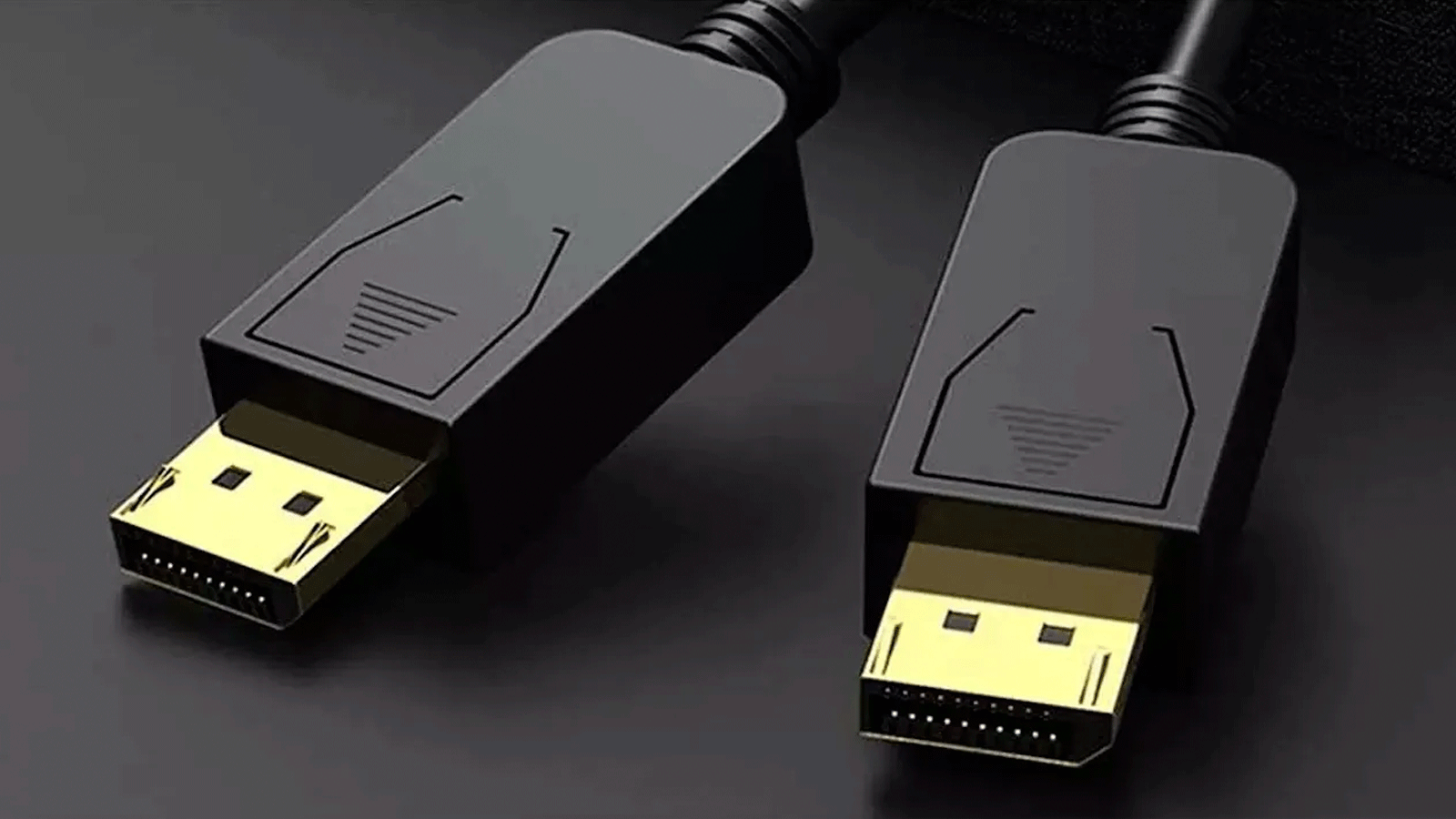
If you're thinking about upgrading your monitor, graphics card, or building a new PC for gaming or video work, sooner or later you'll face the question of whether DisplayPort 1.4 is sufficient or if it's worth going for DisplayPort 2.0 (or 2.1). At first glance, it might seem like just a number change, but the differences in bandwidth, resolution, and refresh rate are enormous and greatly influence what kind of monitor you'll be able to use.
Throughout this article, we'll calmly break down the real differences between DisplayPort 1.4 and 2.0 , how they affect gaming, professional work, multi-monitor setups, and what you should consider when choosing ports and cables. You'll also see a quick overview of the evolution of the DisplayPort standard, its relationship with HDMI, and some very practical tips for choosing your next cable or monitor.
Technical differences between DisplayPort 1.4 and 2.0
The key to everything lies in the available bandwidth , because that's what determines how much image and sound information can travel through the cable at any given time. DisplayPort 1.4 reaches a maximum of 32,4 Gbit/s raw, while DisplayPort 2.0 jumps to 77,37-80 Gbit/s, more than double the data capacity.
This difference means that with DP 1.4 you can comfortably handle 4K at 120 Hz or 8K at 60 Hz using DSC 1.2 compression, while with DP 2.0 the door is opened to 4K at 240 Hz , 8K at 120 Hz and even a hypothetical 16K at 60 Hz , in addition to very powerful multi-monitor setups.
Both versions support modern HDR (HDR10, Dolby Vision and dynamic metadata), but DP 2.0 does so much more easily, allowing 4:4:4 10-bit color at resolutions and frequencies where DP 1.4 usually needs to tighten compression or resort to chroma subsampling.
Another important point is that both DP 1.4 and DP 2.0 use Display Stream Compression (DSC) 1.2 , a visually lossless video compression method that enables these incredibly high resolutions. In DP 2.0, this technology is better utilized thanks to the significant increase in base bandwidth.
What exactly is DisplayPort and how has it evolved
DisplayPort is a digital video and audio interface created by VESA (Video Electronics Standards Association) to replace DVI and compete with HDMI in the PC world. Unlike traditional analog connectors, DP transmits the signal in small data packets, similar to how a network works, allowing for high resolutions with few pins and many extra features.
Since its inception, the standard has undergone several revisions: DP 1.0 / 1.1 laid the foundation with 10,8 Gbit/s and resolutions up to 2560 × 1600 at 60 Hz; DP 1.2 made the leap to 4K at 60 Hz and introduced the famous MST (Multi-Stream Transport) to daisy-chain several monitors.
Later came DP 1.3 and 1.4 , which increased bandwidth to 32,4 Gbit/s and introduced key improvements such as 8K compatibility , DSC 1.2 compression, HDR10 support, and advanced error correction. Revision 1.4a refined DSC support to perform better in extreme scenarios.
The biggest leap forward came with DisplayPort 2.0 , introduced in 2019, which nearly tripled the performance of version 1.4 and enabled resolutions up to 16K , very high refresh rates at 4K/8K, and multi-display setups with ultra-high resolutions using a single cable. Building on that foundation, DP 2.1 maintained the bandwidth but improved integration with USB4 and USB-C , introduced DP40 and DP80 cable categories, and refined efficiency and compatibility.
DisplayPort 1.4 in detail: strengths and limitations
DisplayPort 1.4 (and 1.4a) is now, de facto, the dominant standard in gaming monitors and most modern graphics cards. It has been on the market since 2016, making it a mature, relatively inexpensive option that is very well supported by almost all current hardware.
In terms of capacity, DP 1.4 offers 32,4 Gbit/s of raw bandwidth (25,92 Gbit/s usable) in HBR3 mode. This allows it to handle 4K at 120 Hz with 10-bit color using DSC, 8K at 60 Hz with HDR, and various 5K combinations that are very convenient for creatives. Furthermore, it maintains compatibility with VRR, G-SYNC, and FreeSync , high-quality multichannel audio, and 3D formats.
Its biggest advantage is its performance-to-price ratio : high-refresh-rate (144-240 Hz) 1080p or 1440p monitors, and even many current 4K 144 Hz monitors, work perfectly with DP 1.4 without any noticeable bottlenecks in daily use. Therefore, for the average gamer or a professional working in 4K, DP 1.4 remains more than sufficient.
The less appealing aspect is that, compared to DP 2.0, the bandwidth falls a bit short for high-rate 4K multi-monitor setups or some demanding 8K scenarios. It can also force some chroma subsampling (4:2:2 or 4:2:0) in extreme situations, which isn't ideal if you're working with very small text or require pinpoint color accuracy.
DisplayPort 2.0 and 2.1: the leap to ultra-high resolution
DisplayPort 2.0 represents a significant leap forward, positioning itself as the video interface with the highest bandwidth on the PC market . We're talking about 77,37 Gbit/s (up to 80 Gbit/s in 2.1), enough to power 16K displays at 60 Hz with DSC or multiple simultaneous 4K/8K displays without breaking a sweat.
Without compression, DP 2.0 can reach 10K (10240 × 4320) at 60 Hz and 4K at 240 Hz . With DSC enabled, the figures skyrocket: it's possible to handle 16K at 60 Hz or setups like two 8K monitors at 120 Hz, three 4K monitors at 90 Hz with HDR, or even three 10K monitors at 60 Hz with 30-bit color.
In addition to brute force, DP 2.0 integrates features like Panel Replay , designed primarily for laptops and all-in-one PCs, which allows only the changing parts of the screen to be updated, reducing power consumption and heat. This also helps devices connected via the same USB-C cable charge more efficiently.
The DisplayPort 2.1 version focuses on ensuring solid integration with USB4 and DisplayPort Alternate Mode over USB-C , as well as tightening cable requirements (DP40 for links up to 40 Gbit/s and DP80 for links up to 80 Gbit/s) and improving bandwidth management in complex scenarios.
The big drawback right now is market adoption : there are still relatively few monitors and graphics cards with DP 2.0/2.1 ports compared to 1.4, and they tend to be expensive. That said, if you buy something with DP 2.1 today, you'll have it as a standard for a long time.
Color, HDR, and chroma subsampling: why bandwidth matters
When discussing HDR, 10-bit color, and high resolutions, the bottleneck is no longer just resolution, but also color format and bit depth . DP 1.4 and 2.0 support 4:4:4, 4:2:2, and 4:2:0 color, but the higher the format, the more bandwidth it demands.
In an ideal world, you would always use 4:4:4 , where each pixel has complete color and luminance information. This is what you need for crisp desktop text and serious color work . DP 2.0 allows you to maintain this format even at resolutions and refresh rates where DP 1.4, by pure mathematics, is forced to crop.
With 4:2:2 and 4:2:0 aspect ratios, color information is reduced to save bandwidth. In film and television content (especially 4:2:0) this is usually acceptable and even standard, but on PC monitors, less defined text edges and certain artifacts may be noticeable , especially at very high resolutions.
DP 2.0 also improves the ability to combine advanced HDR with high refresh rates without sacrificing as much color. This translates into a much cleaner experience if you want to game or work in 4K 144-240 Hz with HDR maxed out, something DP 1.4 can only do with more compromises.
Therefore, although on paper both DP 1.4 and 2.0 support HDR and 8K, the difference lies in how "pure" the modes you can use are : less compression, less chroma clipping, and more headroom for multiple monitors at the same time.
Display Stream Compression and support up to 16K
Display Stream Compression (DSC) is a key technology in DP 1.4 and 2.0 . It's a near-lossless compression method designed specifically for real-time video. Without DSC, it would be impossible to transmit resolutions like 8K at 60Hz with HDR over a single cable without further increasing bandwidth requirements.
With DP 1.4 , DSC allows for 8K resolution at 60Hz and better utilization of available bandwidth in high-frequency 4K setups. However, as soon as you start stacking 4K monitors or exceeding 120Hz with HDR, you reach limitations.
In DP 2.0 , the same DSC 1.2 standard takes advantage of a much higher data rate, enabling resolutions up to 16K (15360 × 8640) at 60 Hz and scenarios such as two 8K at 120 Hz or three 10K at 60 Hz, maintaining HDR and 10 bits without breaking a sweat.
The great advantage of DSC is that, when properly implemented, it doesn't introduce any visible artifacts during normal use, because it's designed precisely not to spoil the content. This provides considerable peace of mind when fully utilizing both DP 1.4 and DP 2.0.
High refresh rates and multi-screen configurations
The dramatic speed increase in DP 2.0 is most noticeable in two areas: high refresh rate monitors and multi-monitor setups with high resolutions . This is where the difference with DP 1.4 truly shines.
With DP 1.4 , a 4K 144Hz monitor is feasible using DSC and some compromises in color parameters. For many gamers, this is perfect, but if you want to combine two 4K 144Hz HDR displays in parallel, problems arise: you have to use multiple ports, and even then, there isn't always enough headroom.
With DP 2.0 , on the other hand, it's possible to power two uncompressed 4K 144Hz 4:4:4 HDR monitors from a single link, and even dual 8K 120Hz displays with DSC. This is pure gold for anyone wanting to build a killer workstation or a dream gaming setup with multiple screens.
Regarding MST mode , both versions support it, but DP 2.0 has so much raw power that it can maintain high resolutions and good refresh rates even when daisy-chaining multiple panels. For productivity applications with many windows, trading, CAD, or control centers, this extra headroom is very welcome.
If your setup consists of a single 1080p or 1440p monitor at 144-240 Hz, all this extra DP 2.0 capability is, frankly, completely unnecessary in the short term. That's why DP 1.4 is still more than sufficient for most current setups.
DisplayPort versus HDMI: what are the differences?
Although we're focusing on DP 1.4 vs 2.0 here, it's impossible not to compare them with HDMI 2.1 , the dominant standard in TVs and consoles. HDMI 2.1 offers up to 48 Gbit/s and supports 4K at 120 Hz and 8K at 60 Hz with HDR, so it's more than enough for TVs and living rooms.
DisplayPort, on the other hand, was designed with the PC and professional environment in mind : a greater focus on monitors, workstations, and desktop GPUs. Hence, it offers better multi-display support (MST) , integrates with USB-C via DP Alt Mode , and boasts enormous bandwidth in the 2.x versions (up to 77,4-80 Gbit/s).
In practice, if you primarily use a TV, console, or home entertainment system , HDMI makes sense. However, if you're working with PCs, which require high refresh rates and multiple displays, DisplayPort is usually the clear choice, especially with NVIDIA and AMD graphics cards where DP is the primary port for G-SYNC and FreeSync.
There are also physical differences: the DisplayPort connector has an asymmetrical shape with a locking tab (on many cables) to prevent accidental disconnections, while HDMI does not include this mechanical lock by default. On laptops and compact devices, DisplayPort is usually integrated via USB-C with Alt Mode.
In any case, all versions of DisplayPort maintain backward compatibility : you can connect a new monitor to an older graphics card (or vice versa) using appropriate cables or adapters; however, the connection will always work at the level of the lower of the two versions.
Evolution of all DisplayPort versions
To better understand where DP 1.4 and 2.0 fit in, it's helpful to take a look at the evolution of the standard . From 1.0 to 2.1, each step has brought more bandwidth and new features.
DisplayPort 1.0/1.1 (2006-2007) launched with 10,8 Gbit/s and support for resolutions up to 2560 × 1600 at 60 Hz. Revision 1.1 added support for alternative links such as fiber optics , allowing for longer cables without degradation.
DisplayPort 1.2/1.2a (2010) increased bandwidth to 17,28 Gbit/s in HBR2 mode and finally introduced 4K at 60 Hz , as well as MST mode for daisy-chaining monitors. It also improved HD audio and added support for 3D video.
DisplayPort 1.3 (2014) and 1.4 (2016) increased bandwidth to 32,4 Gbit/s and introduced HBR3, DSC 1.2, HDR10 , and improved error correction. DP 1.4 enables 8K at 60 Hz with DSC or 4K at 120 Hz with high color depths and HDR.
DisplayPort 2.0 (2019) is the major generational leap with 77,37 Gbit/s, official support for 16K , improved multi-display configurations, and optimization for virtual and augmented reality. DP 2.1 (2022) builds upon this foundation, notably improving the ecosystem of certified cables and integration with USB4 and USB-C.
In parallel, the standard has been refining content protection functions (HDCP, DPCP) , improving the auxiliary data channel, audio support (up to 8 uncompressed channels at 192 kHz) and interoperability with other protocols such as HDMI through adapters.
How to choose between DisplayPort 1.4 and 2.0 depending on your situation
With all this in mind, the million-dollar question is: do you really need DP 2.0/2.1 or is 1.4 enough? The answer depends entirely on your current monitor or the one you plan to buy, and on your workflow or usage.
If you're using a 1080p or 1440p monitor , even at 144-240 Hz, or a 4K monitor at 60-120 Hz without any HDR or multiple configurations, DisplayPort 1.4 is more than enough . In practice, you won't notice any difference between a 2.0 port and a 1.4 port in this range.
If you're considering a 4K 144Hz or higher monitor with full HDR , or if you want to set up two or more high-frequency 4K monitors with minimal compression and maximum color fidelity, then it makes sense to look at DP 2.0 or 2.1 and make sure that both your graphics card and monitor support it.
For extreme scenarios such as 8K gaming, professional 8K editing, workstations with multiple 5K/6K panels , or very demanding virtual reality projects, DP 2.0/2.1 is practically mandatory if you don't want to deal with constant limitations.
Budget also comes into play : currently, devices with DP 2.1 (both monitors and GPUs) still carry a significant premium. If you're not going to take advantage of its benefits for several years, it might be worth investing that money in a better graphics card, more RAM, or a higher-quality panel while sticking with DP 1.4.
What to consider when choosing a DisplayPort cable
When buying a cable, it's not enough for it to simply say "DisplayPort" on the box. A mediocre cable can ruin a 4K 144Hz connection perfectly supported by your GPU and monitor. The first thing to check is that the cable clearly indicates the standard it's certified for (DP 1.4, DP 2.0, DP 2.1, DP40, DP80, etc.).
The lowest version of the cable, monitor, and graphics card will be the limiting factor. A DP 2.1 cable is useless if your monitor only supports DP 1.4, beyond being slightly more future-proof. If your device is DP 1.4, buy at least a 1.4 cable; if it's DP 2.1, it's worth going for at least a DP80 certified cable if you're going to push it to its limits.
Length also matters: standard copper cables several meters long easily lose quality at high resolutions and frequencies. For distances over 2 meters, active or fiber optic cables should be considered , especially if you need to transmit 4K at 144 Hz or beyond.
Also consider the quality of the materials : cables with thick copper conductors, multiple layers of shielding against interference, and PVC/TPE or nylon braiding generally withstand daily use better. Gold-plated connectors help prevent corrosion and intermittent connections, although they aren't a miracle cure.
Finally, consider the type of connector: some devices use mini DisplayPort or USB-C with DP Alt Mode , so you might need a USB-C ↔ DP cable or adapter instead of the classic full-size DP ↔ DP.
Ideal use cases for each DP standard
Each version of DisplayPort is better suited to certain user profiles. Understanding your typical scenario helps you avoid overspending or falling short in the long run.
Users on a tight budget or those working with older displays (1080p, 1440p, even 4K at 60Hz) can continue using DP 1.2 or 1.4 without issue ; these are also the cheapest and most widespread standards. For "normal" gaming at 1080p/1440p 144Hz and office productivity, you don't need anything more.
Enthusiastic gamers with high refresh rate 4K monitors, or those who absolutely want the latest in HDR and VRR, are becoming clear candidates for good quality DP 1.4 or, if they are looking for very advanced configurations, for making the leap to DP 2.0/2.1 in the next graphics card and monitor upgrade.
Content creators , photographers, video editors, and designers highly value color fidelity and workspace. For them, the ability to have multiple 4K or 5K displays with HDR, 10-bit color depth, and a good refresh rate of 4:4:4 makes DP 2.x very appealing, although DP 1.4 still covers a wide range of workflows.
Finally, multi-monitor setups for trading, engineering, control rooms, or data analysis benefit most from the enormous bandwidth and flexibility of MST in DP 2.x, which allows multiple high-resolution displays to be fed with a single link without pushing it to the limit.
After seeing how DisplayPort has evolved and exactly how DP 1.4 and DP 2.0 differ in bandwidth, HDR, color, refresh rate, and multi-display use, it becomes clearer why DP 1.4 remains a very capable standard for most current systems, while DP 2.0/2.1 is reserved for high-end setups that push 4K/8K resolutions to their limits at very high frame rates or multiple professional displays simultaneously. The key to choosing is being honest about the type of monitor you have (or are going to buy), your budget, and the timeframe in which you plan to upgrade your hardware, because that's where you decide whether it's worth investing in DP 2 now or continuing to get the most out of a well-functioning DisplayPort 1.4.
Table of Contents
- 1 Technical differences between DisplayPort 1.4 and 2.0
- 2 What exactly is DisplayPort and how has it evolved
- 3 DisplayPort 1.4 in detail: strengths and limitations
- 4 DisplayPort 2.0 and 2.1: the leap to ultra-high resolution
- 5 Color, HDR, and chroma subsampling: why bandwidth matters
- 6 Display Stream Compression and support up to 16K
- 7 High refresh rates and multi-screen configurations
- 8 DisplayPort versus HDMI: what are the differences?
- 9 Evolution of all DisplayPort versions
- 10 How to choose between DisplayPort 1.4 and 2.0 depending on your situation
- 11 What to consider when choosing a DisplayPort cable
- 12 Ideal use cases for each DP standard