- ATX offers greater expansion, better cooling and more convenient assembly, ideal for demanding gaming and professional use.
- Mini-ITX prioritizes small size and low power consumption, but limits PCIe slots, RAM, and storage.
- Micro-ATX is the balance: compact towers, cheaper than ITX and with enough capacity for most users.
- The choice of enclosure and plate format should be based on space, actual use, budget and forecast of future expansions.
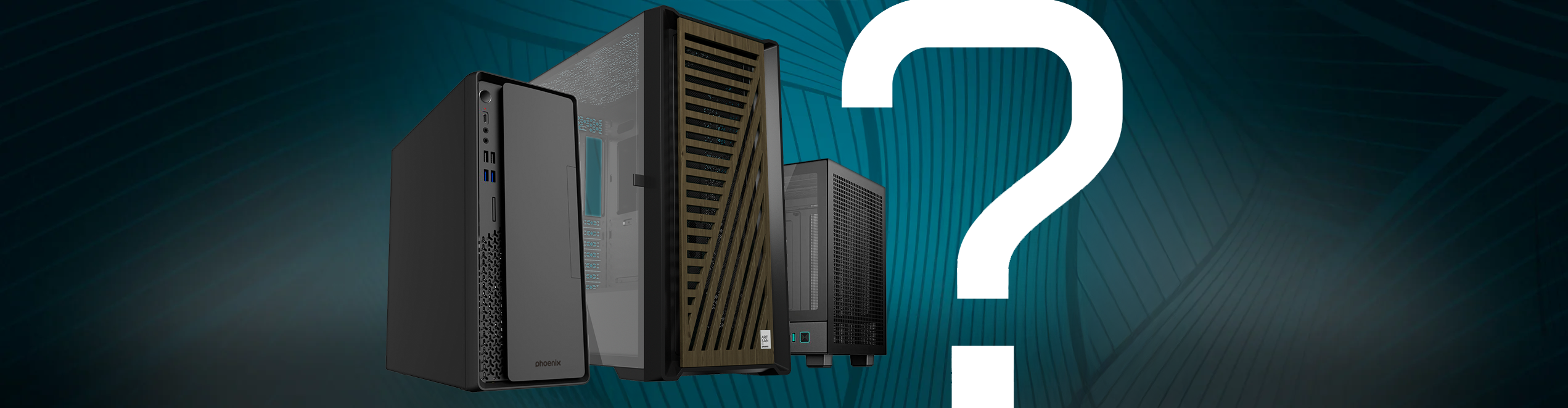
Building a PC these days is no longer just about choosing a good graphics card and a powerful processor: the decision between a Mini-ITX or ATX case (and intermediate formats like Micro-ATX) determines the size of the system, cooling, noise, future upgrades , and even the budget. And yes, often the big dilemma is precisely that: build a compact and impressive PC or play it safe with a larger, more comfortable tower?
Throughout this guide, we'll calmly break down the real differences between Mini-ITX, Micro-ATX, and ATX cases and motherboards , explaining what these differences mean in terms of space, performance, expandability, price, and ease of assembly. You'll also see practical examples of very compact ATX and Micro-ATX cases that demonstrate you don't always need to go for ITX to have a small PC.
Form factors: ATX, Micro-ATX and Mini-ITX from scratch
Before discussing cases, it's important to understand that ATX, Micro-ATX, and Mini-ITX are motherboard standards , and cases are simply designed to fit them. The motherboard size determines how many expansion slots, RAM sockets, and storage connectors you can have.
ATX (Advanced Technology eXtended) is the classic desktop form factor. It was introduced by Intel in the 90s and remains the de facto standard for high-performance PCs. Its typical dimensions are 305 x 244 mm , providing ample surface area for components and traces.
On the opposite end of the spectrum is Mini-ITX , a form factor created by VIA Technologies in the early 2000s with the idea of building super-compact, low-power systems . Its size is only 170 x 170 mm , almost half the size of an ATX motherboard, which necessitates reducing the number of connections and slots, but opens the door to tiny PCs.
In between lies Micro-ATX (mATX) , measuring 244 x 244 mm . It's a sort of middle ground designed to offer a balance between compact size and good expandability , without going to the extremes of either Mini-ITX or full ATX.
Plate sizes and their direct impact on the enclosure
The first consequence of the form factor is obvious: the overall size of the tower or case is heavily influenced by the motherboard . This doesn't mean that all ATX cases are enormous or that all Mini-ITX cases are tiny, but it does establish clear physical limitations.
To give you a quick overview, here are the most common dimensions for each format:
| Form factor | Standard plate dimensions |
| ATX | 305 x 244 mm |
| Micro-ATX | 244 x 244 mm |
| Mini-ITX | 170 x 170 mm |
Based on these measurements, case compatibility with motherboards follows a fairly logical hierarchy . An ATX tower typically supports motherboards from the largest to the smallest sizes, while Mini-ITX cases only accept that format.
In summary, the relationship between motherboards and chassis :
- ATX box: supports ATX, Micro-ATX and Mini-ITX motherboards.
- Micro-ATX Case- Compatible with Micro-ATX and Mini-ITX.
- Mini-ITX Case: for Mini-ITX motherboards only.
This means that an ATX case is the most versatile for future upgrades , while going for Mini-ITX is betting directly on a very compact ecosystem with less room for maneuver in the long term.
Expansion capabilities: PCIe slots, RAM, and storage
The most noticeable change in format is in the number of PCIe slots, RAM sockets, and storage connectors . This is where ATX usually dominates, Micro-ATX holds its own quite well, and Mini-ITX falls just short.
ATX motherboards typically have up to seven PCIe slots , allowing for configurations with multiple graphics cards, dedicated sound cards, capture cards, or advanced network cards. Many ATX motherboards also offer up to four RAM slots and a generous number of SATA and M.2 ports for SSDs and hard drives.
The Micro-ATX format usually cuts back somewhat on expansion, but it's not enough for most users: it typically offers up to 4 PCIe slots and maintains up to 4 RAM slots , allowing for high memory configurations and multiple expansion cards without problems.
In the case of Mini-ITX motherboards , the limitations are much clearer: they typically have only one PCIe x16 slot for the graphics card and just two RAM slots . They also usually offer fewer SATA and M.2 ports, although modern mid-range and high-end Mini-ITX motherboards are starting to maximize space by including at least two M.2 drives and several SATA ports.
To give you a general overview of the expansion differences between formats , we can summarize it like this:
| Format | PCIe slots | RAM slots | Storage |
| ATX | Up to 7 | Up to 4 | High capacity with many SATA and M.2 |
| Micro-ATX | Up to 4 | Up to 4 | Balance between size and expansion |
| Mini-ITX | 1 | 2 | More limited capacity |
In practice, this means that ATX is the best option for configurations with multiple GPUs, many PCIe cards, or large drive arrays . Micro-ATX is perfect if you want ample room for expansion without the case becoming too large. Mini-ITX, on the other hand, makes sense when you know in advance that you won't need many upgrades.
Cooling, airflow, and thermal management
Another critical point in the Mini-ITX vs ATX case debate is cooling and airflow within the chassis . The internal volume and component layout make a significant difference here.
In an ATX case , the greater space allows for the installation of many more fans, large liquid cooling radiators , and very tall CPU coolers. All of this translates into lower temperatures, less need for the fans to run at maximum speed, and generally less noise , provided the case is well-designed.
Micro-ATX cases sacrifice some volume, but many still allow for a very good ventilation configuration , with several front, rear and top fans, and even 240mm or 280mm radiators in many of them.
In the case of Mini-ITX cases , the challenge is greater: the space is so limited that the components are very close together , and any powerful graphics card or CPU quickly heats up the interior. A very careful chassis design is needed to achieve decent airflow, and even then, higher temperatures and fans that have to spin faster are common.
Therefore, if your priority is a quiet, cool, and easy-to-maintain system , an ATX or Micro-ATX case usually has a clear advantage . Mini-ITX cases can work very well, but they require more planning, components with good thermal performance, and often a bit more patience during assembly and cable management.
When to choose Mini-ITX: real advantages of going compact
With so much emphasis on the advantages of ATX, it might seem that Mini-ITX doesn't make sense, but the truth is that Mini-ITX motherboards and cases have a very clear and increasingly popular niche . Their main strength is obvious: size.
A Mini-ITX configuration allows you to build a tiny PC that fits almost anywhere , even in the living room next to the TV, on very small desks, or as a portable device that you can easily move around. They are the perfect foundation for HTPCs (Home Theater PCs), relatively powerful mini gaming PCs, or very discreet office systems.
Furthermore, with fewer slots and components, many Mini-ITX motherboards tend to have more moderate power consumption , which helps reduce heat generation and, consequently, noise and energy usage. It's not a hard and fast rule, but it's generally true in many mid-range builds.
However, it's important to keep in mind that expansion limitations remain : only one PCIe slot, two RAM modules, and fewer storage options may fall short for certain uses. For a PC dedicated to office work, browsing, streaming, multimedia, or moderate gaming with a single GPU, Mini-ITX is a perfect fit; for a professional workstation with a heavy load of components, it starts to fall short.
It's also worth remembering that Mini-ITX motherboards and many cases in this format are usually more expensive than their Micro-ATX counterparts, because the compact design and space optimization increase the price. This is something to keep in mind if you're on a tight budget.
Why ATX is still king for gaming and professional use
If you're looking for a high-end PC for maximum gaming performance, 4K video editing, 3D rendering, or other demanding tasks , the ATX form factor remains the safest bet. This isn't so much due to the motherboard's raw performance, but rather the wide range of components it allows you to connect to it.
ATX motherboards, with their more PCIe slots and RAM slots , are ideal for configurations with multiple GPUs, professional sound and capture cards, dedicated network cards, or massive storage. They also offer more physical space for more robust power phases , which is a welcome feature if you plan on doing serious overclocking.
In the gaming arena, a well-ventilated ATX tower provides ample space for very long graphics cards, large CPU coolers, 360mm liquid cooling radiators , and several SSDs and HDDs. This makes it easy to maintain good temperatures even with demanding components.
Another detail that many users appreciate, though it's not always mentioned, is the ease of assembly, disassembly, and diagnostics . An ATX case usually offers enough room to reach in, change a hard drive, access the connectors, or remove the graphics card without having to dismantle half the PC. Anyone who has had to remove a large GPU from an ITX case with tightly packed cables knows what a struggle it is.
Therefore, if you anticipate frequently tinkering with your PC, testing components, helping friends, or upgrading hardware often , an ATX configuration makes life much easier. Even if you don't perform repairs daily, it's reassuring to know that the system gives you room to maneuver.
Micro-ATX: the middle ground that many overlook
Interestingly, the Micro-ATX format is one of the most underrated , when in practice it offers a very interesting mix of advantages: affordable price, moderate size and good expansion capacity.
Micro-ATX motherboards support up to four RAM slots and several PCIe slots , more than enough for a powerful GPU, additional graphics cards, and multiple storage drives. For most users who want a PC for gaming, work, and future upgrades, this is more than sufficient.
Furthermore, there's usually a wider selection of affordable Micro-ATX motherboards than Mini-ITX, and there are also many compact yet well-ventilated Micro-ATX cases available. It's a great format if you're looking for a relatively small PC without the complexities and added costs of ITX.
In fact, in recent years there has been a clear movement by manufacturers to launch very compact chassis compatible with Micro-ATX and even ATX , precisely because there are many more users with motherboards of these formats than with Mini-ITX, and because the associated components are cheaper.
If your goal is to build a versatile machine with a good price-performance ratio and without the tower taking up half your desk , Micro-ATX deserves much more attention than it usually gets.
Examples of compact cases for ATX and Micro-ATX
A fairly widespread belief is that to have a truly small PC you absolutely have to go for Mini-ITX, but the truth is that there are very compact cases for Micro-ATX and even ATX motherboards that offer a manageable size without sacrificing compatibility with standard ATX power supplies or additional expansion slots.
Jonsbo C6: tiny microATX cube
The Jonsbo C6 is a cube-shaped case with an approximate volume of 15,8 liters , compatible with Micro-ATX and Mini-ITX motherboards . Its dimensions are approximately 26,6 cm deep, 20,2 cm wide, and 29,5 cm high , making it an extremely compact tower.
Despite its size, it allows for the installation of an ATX power supply up to approximately 185 mm in length , which is not so common in such small cases, and supports graphics cards up to 255 mm in length and CPU coolers up to 75 mm in height . For ventilation, it can accommodate up to three 120 mm fans or two 140 mm fans , which is quite good for its volume.
In terms of storage, the C6 offers two 2,5-inch drive bays and one 3,5-inch bay , enough for a couple of SSDs and a high-capacity HDD. The front panel includes several ports, including up to two USB-C ports, an additional USB port, and an audio jack , which adds considerable convenience.
It's a very interesting option if you want a really small PC but with a Micro-ATX motherboard , taking advantage of the better price/offer ratio compared to Mini-ITX, and maintaining compatibility with standard ATX power supplies.
Fractal Core 1000: Simple and functional microATX tower
Fractal is a highly respected brand in the world of cases, and the Fractal Core 1000 is one of its compact offerings for Micro-ATX, Mini-ITX and mini-DTX motherboards , with a volume of around 26,1 liters.
Its approximate dimensions are 41,9 x 17,4 x 35,4 cm , placing it in the category of a narrow mini-tower. It can accommodate graphics cards up to 350 mm long and CPU coolers around 148 mm high , so it's not as restrictive as some other small cases.
It comes standard with a 120mm Silent Series R2 fan , and offers space for an additional 120mm fan and a 92mm fan at the top. It's not a cooling powerhouse, but for a mid-range setup, it's more than adequate.
The bay system is quite flexible: it allows several combinations of 3,5″ and 2,5″ drives , so you can choose 2 x 3,5″ + 3 x 2,5″, or mixed configurations with fewer large drives and more SSDs.
As a practical detail, the case integrates a dust filter on the front and a couple of USB ports (one 3.0 and one 2.0), offering a very good balance between size, price and functionality.
Zalman T6: a very lightweight and economical mid-tower case
The Zalman T6 is a surprisingly lightweight mid-tower case (around 2,85 kg ) with an approximate volume of 32,4 liters , compatible with ATX, Micro-ATX, and Mini-ITX motherboards. It's designed for those on a budget who want something functional.
The dimensions are in line with a compact mid-tower: approximately 37,7 x 20 x 43 cm . It comes standard with a pre-installed 120 mm rear fan and features a top-mounted power supply, a more classic but still perfectly valid design.
Thanks to its mesh front panel , airflow is reasonably good, and it's compatible with graphics cards up to 280 mm long and CPU coolers up to 160 mm tall . It also features seven rear PCI slots , making excellent use of ATX compatibility.
Internal bays allow you to install two 3,5" or two 2,5" drives , plus a 5,25" optical drive if needed. The front panel offers USB 3.0, USB 2.0, and two audio jacks , making it a very solid option for the price.
ENDORFY Ventum 200 Air: Compact ATX with high airflow
The ENDORFY Ventum 200 Air is a very compact ATX case, with an approximate volume of 35 liters and dimensions of approximately 37,3 x 21,6 x 44 cm . It is aimed at those who want a small but very well-ventilated chassis for an ATX configuration.
One of its strengths is that it comes with four pre-installed 120mm fans , although it supports up to seven in total. It also allows for the installation of graphics cards up to 315mm in length , CPU coolers up to 161mm in height , and ATX power supplies up to 180mm in length.
In terms of storage, it's more minimalist: it supports up to two 2,5" SSDs and a single 3,5" hard drive , just enough for a system with a couple of SSDs and a large HDD. However, it does offer support for 240mm radiators at the top for liquid cooling.
The case includes a tempered glass side panel and a front panel with two USB-A ports and audio connectors . Due to its price and features, it has become a very popular choice for building compact gaming PCs with ATX motherboards.
Lian-Li A3-mATX: extremely versatile microATX
The Lian-Li A3-mATX is another very compact case for Micro-ATX and Mini-ITX motherboards , with a volume of around 26,3 liters and approximate dimensions of 44,3 x 19,4 x 30,6 cm . It is characterized by its elongated shape and its focus on ventilation.
It features metal mesh side panels that allow for generous airflow and supports graphics cards up to 415 mm in length thanks to its rectangular shape. It is also compatible with CPU coolers up to approximately 165 mm in height.
In terms of ventilation, it's a real beast for its size: you can install up to 10 120mm fans and liquid cooling radiators up to 360mm , which opens up very serious possibilities for building high-performance systems in a small space.
For the power supply, it offers compatibility with both ATX and SFX form factors , providing considerable flexibility. However, the drive bays are somewhat limited: it allows for one 2,5" or 3,5" drive in a bay and two additional 2,5" SSDs mounted without a dedicated bay.
The front panel features three USB ports, including one USB-C port , and dust filters in several areas (top, bottom, front, and rear). It's an ideal case if you want maximum ventilation in a Micro-ATX form factor without sacrificing a sleek aesthetic.
Jonsbo D31 MESH Screen: microATX with integrated screen
The Jonsbo D31 MESH Screen is a striking case featuring an integrated 8-inch front panel with a resolution of approximately 1280 x 800 and a maximum brightness of around 300 nits. It is compatible with Micro-ATX and Mini-ITX motherboards , has an approximate volume of 31,3 liters , and measures 44 x 20,5 x 34,7 cm.
This screen can be used to monitor temperatures, component usage, or display various information , making it a differentiating element for highly customized setups.
In terms of internal compatibility, the D31 Mesh allows for graphics cards up to 400 mm in length and CPU coolers up to 168 mm in height , as well as standard ATX power supplies. For cooling, it supports up to 8 fans and radiators up to 360 mm, making it suitable for high-performance builds.
In terms of storage bays, it offers two 2,5" SSD slots and one 3,5" hard drive bay , which is essential for a modern system with multiple fast drives. Despite all its features, its price is usually quite competitive for what it offers.
Practical reasons to prefer small ATX/mATX cases instead of Mini-ITX
Looking at all these examples, it's easier to understand why many users opt for compact cases compatible with ATX or Micro-ATX instead of Mini-ITX . The primary reason is price: Micro-ATX and ATX motherboards are usually cheaper than Mini-ITX for the same specifications.
Furthermore, these larger form factors allow for more M.2 slots for NVMe SSDs and more SATA ports, without requiring a high-end motherboard. Similarly, having four RAM slots instead of two allows for memory upgrades with smaller, more affordable modules, eliminating the need for high-capacity, expensive kits.
Another important advantage is the additional PCIe slots . Mini-ITX only has one, while Micro-ATX and ATX can have three or more usable slots, opening the door to adding capture cards, dedicated sound cards, advanced network cards, or even more than one GPU in certain configurations.
Nor should we forget the enormous range of ATX and Micro-ATX motherboards on the market compared to Mini-ITX. This translates into more models, more ranges, more prices, and greater availability to find the exact combination you need without paying extra for the smaller form factor.
Finally, in small ATX or Micro-ATX cases you can install standard ATX power supplies , while in many Mini-ITX cases you will be limited to more compact and significantly more expensive SFX power supplies, especially if you are looking for power outputs above 500W.
How does the intended use of your PC influence your choice of case?
Ultimately, the key to this whole debate is what you're actually going to do with the PC and what you expect from it in a few years . A computer designed solely for office work and streaming is not the same as a workstation with multiple expansion cards.
In general, the recommendations tend to follow this line:
| Type of use | Recommended format |
| High-level gaming, overclocking, multiple GPUs | ATX |
| Professional work with many cards or disks | ATX |
| PC for general use and moderate gaming | Micro-ATX |
| Very compact device for office or multimedia use | Mini-ITX |
If you want a powerful PC with room for future upgrades (more RAM, more SSD, another graphics card, better cooling, etc.), the most logical choice is an ATX or Micro-ATX case . However, if your absolute priority is size and you know you won't be changing many components, the Mini-ITX form factor might be your best option.
Personal factors also come into play, such as the available desk space, your preferred aesthetics, the ease of transporting the PC , or even how comfortable you feel assembling and disassembling hardware in a tighter case.
Many users feel more comfortable with a slightly larger tower because cable management is simpler, access to connectors is easier, and troubleshooting hardware problems is less stressful . Others, however, prefer to sacrifice that convenience in exchange for a very compact machine that they can move or place anywhere.
With all this in mind, the choice between Mini-ITX and ATX cases (with Micro-ATX as a great middle ground) comes down to evaluating both the technical specifications and your actual daily needs: if you prioritize expansion, ease of assembly, better cooling, and more affordable prices, compact ATX or Micro-ATX cases are a very logical choice; if what you want above all else is minimal size and a discreet PC that almost goes unnoticed, then playing with Mini-ITX and a good, well-ventilated case can give you just the type of machine you're looking for.
