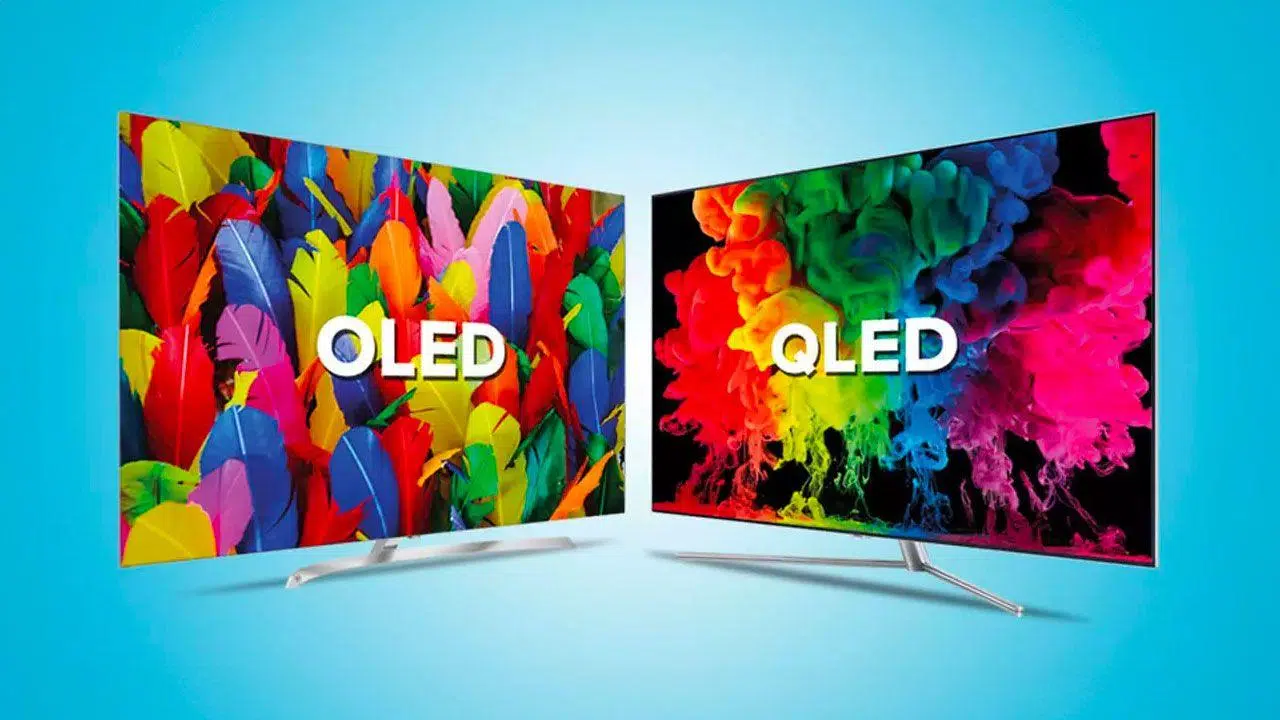
- OLED screens offer perfect blacks, infinite contrast and great speed, but they are more expensive and susceptible to burn-in.
- QLED and other LCD variants (IPS, VA, Mini LED, NanoCell) rely on LED backlighting, excelling in brightness and durability.
- For competitive gaming and mixed desktop use, a good IPS remains the most balanced option in terms of price, speed, and quality.
- The ideal choice depends on the main use (cinema, competitive gaming, design, office work) and the available budget.
Choosing between an OLED, QLED, or IPS panel has become considerably more complex than it was a few years ago: now there are more acronyms, more marketing, and a general feeling that everything sounds like "the latest and greatest." If you're thinking about changing your monitor or TV and are hesitating between these technologies, it's normal to feel a little lost.
The good news is that these days it's difficult to buy a truly bad screen if you stick to well-known brands. The bad news is that each technology has its own specific advantages and disadvantages, and choosing without understanding them can lead you to overspend or buy something that doesn't suit your needs: competitive gaming, home theater, office work, or photo and video editing.
How OLED, QLED, and IPS differ internally
The key to understanding all these technologies lies in how each pixel is illuminated and how it connects to your computer ( types of PC ports ). This is where two main families diverge: LCD screens (LED, QLED, NanoCell, Mini LED, IPS, VA, TN…) and self-emissive screens like OLED and AMOLED.
In LCD screens, pixels do not generate light : they are liquid crystal filters that allow more or less light from a rear LED backlight to pass through . Each pixel has red, green, and blue (RGB) subpixels that open or close and modulate that white light to create the final color.
In OLED and AMOLED displays, each pixel emits its own light . There is no backlight, no "spotlight" behind it: each point turns on or off independently. This allows for pure blacks (the pixel turns off completely), spectacular contrast, and extremely thin and even flexible panels.
Everything else (QLED, NanoCell, Mini LED…) are variations on the same LCD concept: they change how the panel is illuminated or what filters are used, but the base is still a liquid crystal display with LEDs behind it.
Classic LED panels and their variants (IPS, VA, TN)
When you see a TV or monitor labeled "LED," you're almost always looking at an LCD with LED backlighting . Previously, fluorescent tubes were used; now, white diodes (or similar) are placed behind or around the edges of the panel to save energy, reduce thickness, and improve brightness.
LED backlighting can be of two main types : Edge LED (LEDs only at the edges, cheaper but less uniform) and Full LED (LEDs distributed across the entire back, better brightness and local contrast). Different panel types—TN, VA, and IPS—are built upon this foundation.
TN (Twisted Nematic) panels were the first to become popular: very fast and cheap, but with poor color reproduction and rather mediocre viewing angles. Today they are mainly reserved for very budget computers or very specific gaming monitors.
VA (Vertical Alignment) panels position the liquid crystal molecules vertically and are characterized by offering better contrast than IPS , with deeper blacks and brighter whites. They typically achieve contrast ratios of 3000:1 and even 6000:1 in high-end models, significantly higher than typical IPS panels.
IPS (In Plane Switching) panels align molecules horizontally and require more transistors per pixel, which complicates manufacturing, but in return they provide the best viewing angles , great color fidelity and, to this day, the highest refresh rates in LCD , exceeding 300 Hz in some gaming monitors.
Advantages and disadvantages of VA panels
VA panels offer an interesting middle ground between contrast, color, and price . Because they require fewer elements per pixel, they allow more light to pass through, consume slightly less power, and are well-suited for curved panels , which are very common in immersive gaming monitors and large televisions.
Historically, IPS panels have been widely used in design and film because they offer fairly accurate color reproduction and minimal bleeding (visible light leakage at the edges), a problem common to many IPS panels. Furthermore, they can cover wide color spaces such as Adobe RGB or DCI-P3 in professional models.
Its biggest weakness is response time . Many VAs, even those advertised as having 1 ms MPRT, actually exhibit transitions of 3-5 ms or more , resulting in some ghosting (a trail behind fast-moving objects). This is noticeable in highly competitive games and can be annoying.
In terms of maximum refresh rate, VA panels also lag behind IPS panels . It's common to see VA monitors with refresh rates up to 165-240 Hz, while the best IPS panels reach 360 Hz . In terms of brightness, they generally perform similarly to IPS panels, although this varies considerably depending on the specific panel.
Strengths and weaknesses of IPS panels
IPS panels have become the de facto standard in computer monitors, mid-range and high-end laptops , and many televisions. The reason is a powerful combination of good color reproduction, wide viewing angles, and high refresh rates.
IPS panels are the preferred choice for photo and video editing because they can offer color depths of up to 10-12 bits , very fine calibrations, and very low Delta E values, meaning colors very close to reality . Many professional design monitors still use IPS panels precisely for this reason.
In gaming, modern IPS panels have practically overtaken TN and VA panels: reported response times of 1 ms GTG , refresh rates of 144, 240, and even 360 Hz , and compatibility with technologies like G-Sync and FreeSync. The result is less ghosting and a cleaner image in fast-paced shooters or competitive games.
Its weaknesses remain contrast and light bleed . It's difficult for an IPS display to exceed 1000-1500:1 native contrast ratio , so blacks often appear rather dark gray. Furthermore, many models exhibit some IPS glow or backlight bleed in the corners, especially noticeable in dark scenes.
Over time, some IPS panels lose some brightness uniformity , with slightly lighter or darker areas appearing. This isn't usually a problem for normal use, but it becomes noticeable for color-intensive work and necessitates a monitor upgrade sooner than with other panels.
QLED, NanoCell, ULED and company: Vitaminized LCD
QLED, NanoCell or ULED are not new magic technologies , but improved forms of LCD with different techniques to achieve more brightness, better color or greater contrast.
QLED (Quantum Dot LED) is Samsung's attempt to compete with LG and Sony's OLED displays. Essentially, it still uses an LCD panel with blue LED backlighting and a layer of quantum dots that convert that light into highly saturated and accurate colors.
Quantum dots allow for the generation of very pure colors depending on the intensity of the light they receive, resulting in very high brightness and wide color gamuts . In HDR, a good QLED can deliver a very impressive image in bright rooms, with peak brightness levels far exceeding those of most current OLEDs.
However, QLEDs still rely on backlighting . This means they don't achieve the perfect blacks of OLEDs . Although contrast has improved significantly (especially with advanced local dimming), there can still be some haloing around bright objects against dark backgrounds, and blacks tend to be somewhat washed out.
Another drawback of many QLED TVs is their viewing angle . They look great from the center, but if you move to the side, the color and contrast can visibly worsen, something that's quite noticeable on a large TV if you're not sitting directly in front of it.
In terms of price, QLED TVs are typically positioned in the mid-to-high range . They are more expensive than standard LEDs, but usually cheaper than equivalently sized OLEDs, especially in larger screen sizes.
NanoCell is LG's own LCD-based technology . It uses a layer of nanoparticles that filter colors for greater accuracy, while maintaining excellent image quality from virtually any angle—something in which it's more similar to IPS/OLED than to many VA or QLED displays.
NanoCell displays utilize LED backlighting and, thanks to a layer of nanoparticles and AI-powered processing algorithms, achieve realistic and consistent colors . Their price is typically comparable to QLED or OLED depending on the model, and they are a solid choice if you prioritize color and viewing angles.
ULED, meanwhile, is Hisense's brand name for its most advanced LED TVs. These TVs offer features such as improved contrast, higher peak brightness, better color reproduction, and higher refresh rates, but it's not a technical standard in itself , so the specific features vary considerably depending on the model.
Mini LED and Micro LED: the LCD that wants to look like OLED
Mini LEDs and Micro LEDs are the natural evolution of LCD backlighting . Instead of using a few hundred "large" LEDs, thousands of much smaller LEDs are used to control the light reaching each area of the panel with much greater precision.
In Mini LEDs, each diode measures around 200 microns , compared to the typical millimeter size of a conventional LED. This allows the backlighting to be divided into numerous local dimming zones , closely approaching the ideal behavior: high brightness where needed, and very little light in dark areas.
The combination of Mini LEDs with Quantum Dot filters results in panels capable of delivering peak brightness of 1000-1500 nits , very high contrast ratios for LCDs, and excellent color coverage. They are especially attractive for professional editing monitors and high-end TVs.
Micro LED takes it a step further, reducing the diode size even more , down to about 100 microns, making it possible to place several LEDs per pixel . On paper, it's the closest thing to an OLED but with the robustness and longevity of an LCD. For now, however, these are very exclusive and expensive products.
The biggest drawback of Mini LED and Micro LED right now is their price . The first Mini LED monitors are around or easily exceed €3000 for professional or top-of-the-range gaming models. As prices come down, they will become serious competition for OLED.
OLED and AMOLED technology: perfect black
OLED (Organic Light-Emitting Diode) is the only consumer technology capable of delivering absolute black . Each pixel is an organic diode that emits its own light when it receives current and turns off completely when it needs to display black, thus achieving technically infinite contrast.
This lack of backlighting allows for the creation of extremely thin screens , with very slim designs and even flexible or curved panels . In fact, televisions, mobile phones, and laptops with curved or foldable OLED panels already exist.
From an image point of view, OLED shines (literally) for its deep blacks , its ability to reproduce dark scenes full of detail and a sense of contrast that puts any conventional LCD to shame, no matter how advanced it may be.
Regarding color, early OLEDs tended towards a slight greenish cast and weren't ideal for professional color work. However, current models have improved significantly, with wide color space coverage like DCI-P3 and quite good factory calibrations in high-end TVs and laptops.
Peak brightness is the Achilles' heel of many OLED PC monitors . While OLED TVs and mobile phones can exceed 800-1000 nits in HDR, many desktop monitors remain around 400-500 nits . Even so, if you're coming from a 200-nit monitor, the jump will be dramatic, and you won't notice a "downgrade"—quite the opposite.
Durability, degradation and burn-in in OLED
The biggest concern with OLEDs remains the degradation of the organic materials . These compounds have an expiration date : with use they degrade, lose brightness, and change color slightly, especially the blue subpixel.
In theory, manufacturers talk about tens of thousands of hours of use . For example, figures of around 14.000 hours before losing half the brightness would be significantly lower than the usual 60.000 hours for LCD panels, although the latest generations have improved considerably and some LG lab data points to many years of typical use before noticing a serious decline.
Another sensitive issue is image burn-in . If you keep static elements (task bars, game HUDs, network logos, scoreboards, etc.) in the same place for thousands of hours, there is a risk of permanent marks or shadows appearing on the screen.
Manufacturers have introduced protective systems such as pixel regeneration, subtle image shifting, and automatic brightness reduction if static patterns are detected, and the technology has evolved considerably. Even so, it's impossible to guarantee today that an OLED subjected to extreme desktop use with static elements will last for decades without any signs of wear.
For varied use of movies, TV shows, and games , the risk is much lower. However, on PC monitors where you spend many hours with the same Windows taskbar, icons, or applications, it's advisable to be cautious, use dark themes, hide static elements, and learn how to split the screen in two in Windows 11 when they're not essential.
Speed, input lag, and refresh rate in OLED
In terms of pure response time, OLED is a beast . The change in state of its pixels is much faster than in any LCD , so the sharpness in motion can theoretically be spectacular.
In practice, some users perceive a certain lack of motion clarity or a slightly different feel compared to the best gaming IPS monitors, especially in highly competitive games like Valorant. This is partly due to how sample and hold and brightness are handled , and can cause some dizziness in sensitive users if the settings aren't properly adjusted.
Input lag on modern OLED displays is very low , comparable to or better than that of high-end QLED and IPS displays, and some LG models have achieved virtually zero input lag in gaming mode. In this respect, they match or slightly outperform equivalent LCDs.
In terms of refresh rate, most common OLED TVs operate at 120 Hz , while PC monitors already offer OLED models exceeding 240 Hz and approaching even higher figures, without sacrificing resolution or image quality. However, prices are currently high.
OLED vs QLED vs IPS for gaming and desktop
If you mainly play at 1440p or 4K between 144 and 240 Hz , and mix competitive games with cinematic titles and desktop use (browsing, writing, editing…), the choice becomes more complicated and you have to be very precise.
A good IPS panel remains the most balanced option for many PC users. It offers very high motion clarity, competitive response times, almost no ghosting, and good color , without much worry about burn-in or organic degradation.
If clarity is a major concern for competitive shooters , a well-implemented 144-240Hz IPS with 1ms GTG typically delivers a cleaner image than many VA panels and a very consistent experience. This is why reference esports monitors are usually IPS or TN, not VA or QLED.
OLED, however, is a delight for cinematic gaming and film . Perfect blacks, infinite contrast, and instant response make movies, TV shows, and narrative games look better than on any other type of panel. If that's your priority, it's hard not to fall in love with a good OLED.
The problem arises when you combine many hours of static desktop use with fixed HUDs in competitive games. At that point, you have to weigh whether the risk of burn-in and organic degradation outweighs the visual advantages. With responsible use, dark themes, and some content rotation, most users won't have serious problems, but the concern is there.
Regarding brightness, if you're coming from a 200-nit monitor , even a moderate OLED in SDR mode will seem like a beacon. A 500-550 nit panel, whether IPS, QLED, or Mini LED, will give you extra punch in very bright environments , but it's not essential for most home setups.
Television: what type of screen interests you
When it comes to TVs, the question "which screen is best?" doesn't have a single answer . It depends mainly on your budget, your living room, and your viewing preferences.
If you value brightness and vibrant colors above all else , a good QLED TV or similar (Mini LED, high-end NanoCell, etc.) is an excellent choice. They work very well in brightly lit rooms, support HDR with very high brightness peaks, and don't suffer from burn-in.
If you want the best possible picture quality and don't mind paying more, an OLED TV remains king in contrast, blacks, and depth perception. For home theater, especially in dimly lit rooms, the difference compared to any LCD is remarkable.
If you usually watch TV from various angles (large sofa, several people spread out), OLED and IPS/NanoCell panels maintain image quality much better from the sides than many VA or QLED panels, whose color degrades when you move.
For very large sizes (90 inches or more) , QLED and other advanced LCDs are more abundant and generally more affordable than giant OLEDs, although the market is changing rapidly and there are increasingly more enormous OLEDs.
OLED and QLED in gaming monitors: are they worth it?
Neither OLED nor QLED have historically been the dominant technologies in desktop gaming monitors . The reasons are several: high cost, the risk of burn-in in OLED, the response times of some VA/QLED panels , and the significant maturity that IPS panels have reached.
In QLED (which is essentially LCD with quantum dots) , the main problem for competitive gaming is that many models use VA panels with worse response times than the best IPS panels, resulting in visible ghosting in fast-paced scenes, despite having very good brightness and color.
While OLED displays theoretically offer perfect response times , there's still debate about the perceived clarity of movement in certain games, and burn-in remains a concern for those who spend hours viewing static images. Furthermore, high-refresh-rate OLED monitors are still very expensive.
That's why most "normal" gaming monitors are still IPS or VA . A good 27-32 inch, 1440p, 144-240 Hz, 1 ms IPS monitor is currently the best value for money for most PC gamers.
If your absolute priority is cinematic image quality and you're willing to pay more (and take care of the panel), a modern gaming OLED can be one of the best visual experiences you can have in front of your PC or console.
The important thing is to understand what each technology offers and what you sacrifice : OLED provides the best overall image but requires a higher price and careful handling of the panel; QLED and other improved LCDs excel in brightness and durability; IPS offers the best overall balance for PCs, and VA is an interesting alternative if you prioritize contrast and aren't overly concerned about ghosting in fast-paced games.
