- Google Pixel phones offer pure Android with their own features, fast updates, and long-term support compared to other Android devices.
- The combination of GCam, computational photography, and the Tensor chip makes the camera and local AI a differentiating factor.
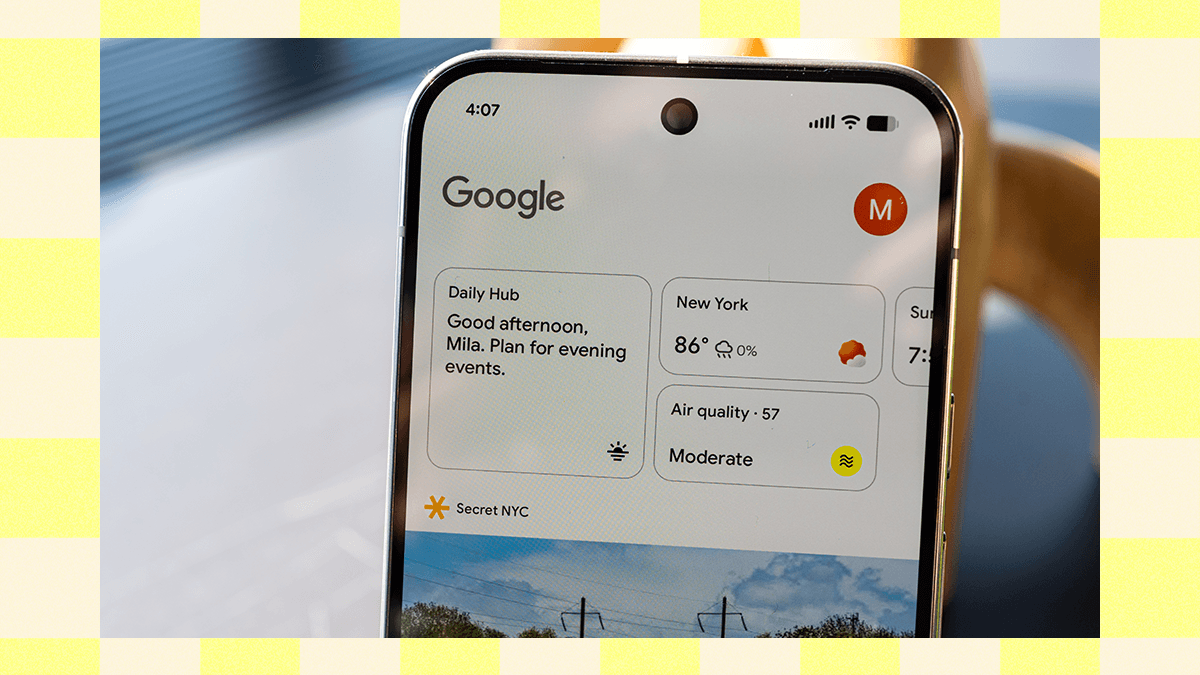
- Features such as AI-generated voice translation in calls, Now Playing, Journal, and Daily Hub create a unique experience.
- The Pixel 10 Pro series strengthens this ecosystem with better hardware, more battery life, advanced zoom, and the new Tensor G5.
If you've been hearing about Google phones for a while but aren't quite sure what makes a Google Pixel different from a Samsung Galaxy or an iPhone, you're not alone. Even many users who love their Pixel hesitate to explain which exclusive features justify choosing it over other Android phones.
Part of the confusion stems from the fact that many features previously exclusive to Pixel, such as some Gemini functions and generative AI , have spread to the rest of the Android ecosystem. Even so, the Pixel line still has a good number of its own tricks up its sleeve: from the pure Android experience and prioritized updates to computational photography, the Tensor chip, and tools for calling, security, translation, and productivity that, together, create a rather unique experience.
Pure Android and Pixel experience versus other layers
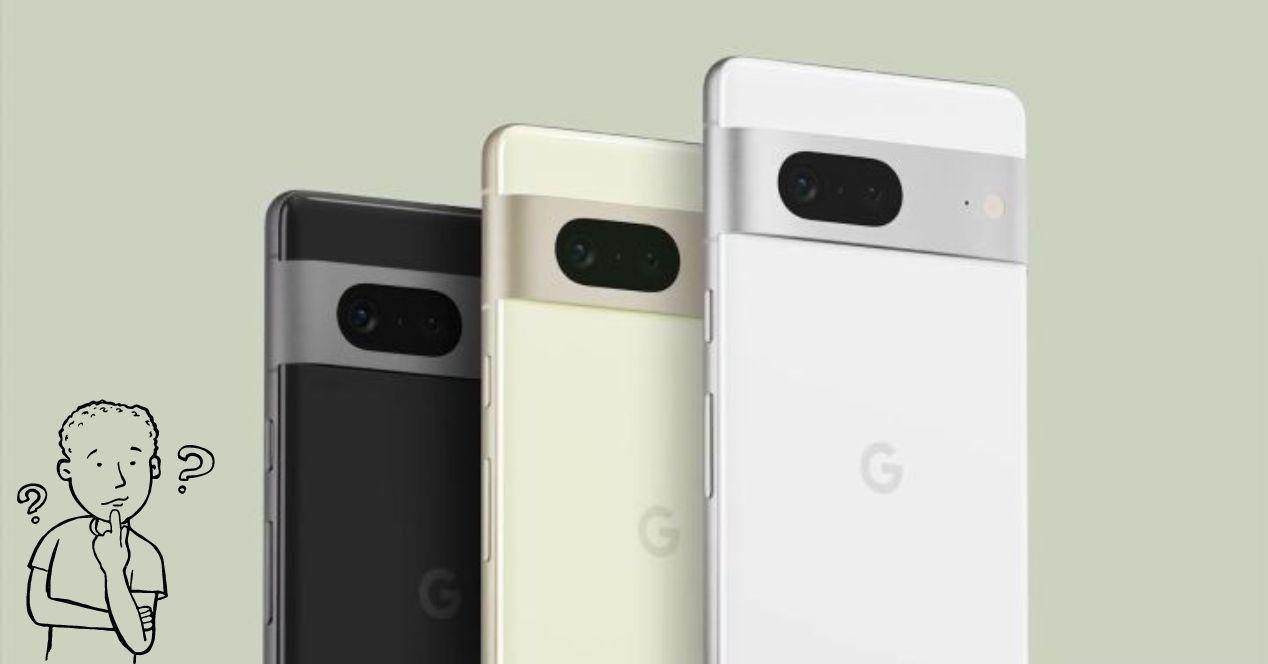
One of the key features of Pixel phones is that they offer pure Android, without heavy layers or aggressive manufacturer modifications. This means a clean, consistent interface that closely reflects how Google intends its system to be used, something many users appreciate when coming from more cluttered interfaces.
Despite being a very clean Android experience, it's not "bare-bones": Google adds touches characteristic of the Pixel experience , such as specific settings, polished animations, deep integration with Gemini and the Assistant, and features that appear on Pixel devices before any other. It's not just about aesthetics; it's an overall feeling of fluidity and consistency.
If you're coming from an S24 Ultra or another high-end phone, you'll notice the Pixel has less bloatware, fewer duplicate apps, and fewer unnecessary notifications . It's a phone designed for those who want to turn it on, log in with their Google account, and have everything set up without spending an afternoon uninstalling things.
Furthermore, Google's interface adapts very well to the Material Design language, with dynamic themes based on the wallpaper and exclusive widgets that complete the experience: the famous "At a Glance", weather, quick access to photos, smart reminders, etc.
Pixel camera and exclusive computational photography
The camera has always been one of the strongest features of the Pixel family. Google integrates its own camera app, popularly known as GCam, optimized exclusively for these phones. This app takes full advantage of Google's photo processing algorithms to achieve results that, for years, have been the benchmark in the market.
Among the Pixel camera's most distinctive features are its precise portrait mode with excellent edge detection , tracking focus to keep moving subjects sharp, Night Sight that illuminates dark scenes without losing detail, and tools like Face Blur and Magic Eraser to salvage "imperfect" photos. All of this is designed to save users from having to deal with complicated manual adjustments.
Although it's possible to install GCam APKs on other Android phones, the experience isn't the same: many modes aren't supported, performance isn't as smooth, and the integration with the Pixel's hardware (sensors, Tensor ISP, stabilization, etc.) makes a noticeable difference in the final result.
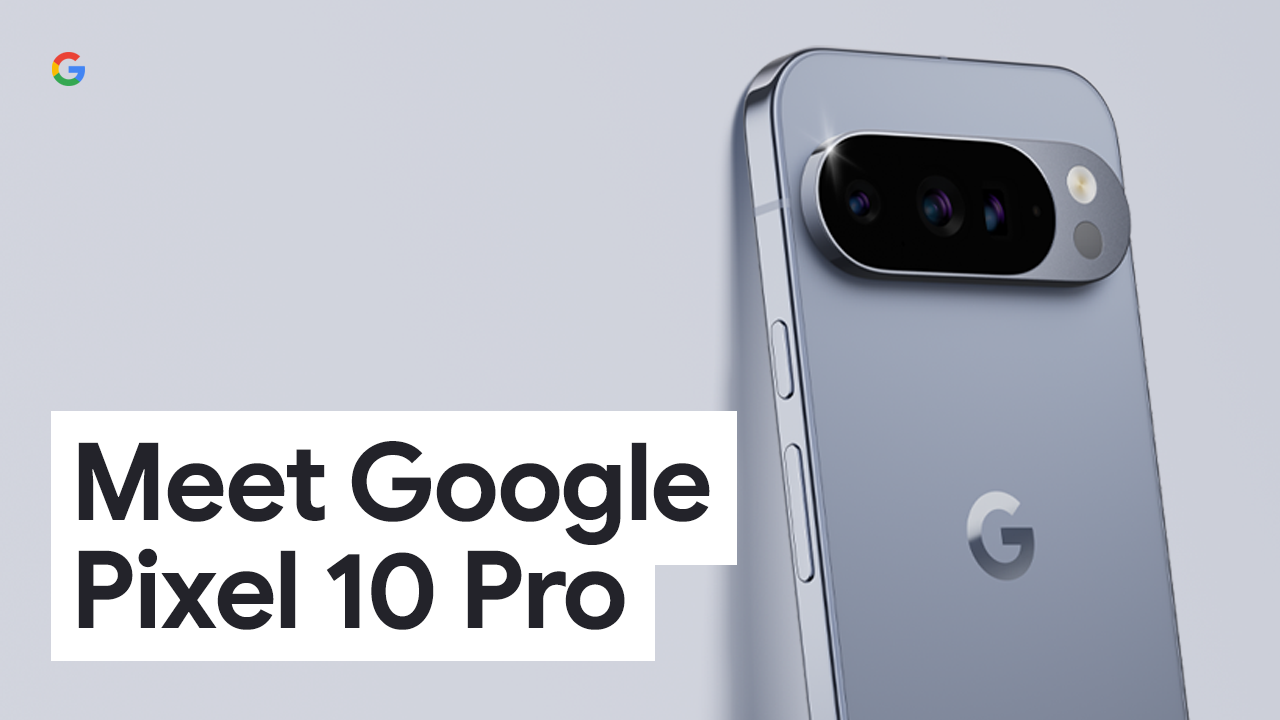
In the high-end range, such as the Pixel 10 Pro and Pixel 10 Pro XL, Google incorporates its best triple rear camera system to date, along with Pro Resolution Zoom that allows up to 100x zoom on the Pro models. It's not just digital zoom; it's accompanied by intelligent processing to preserve as much detail as possible.
Tensor Chip: Google's own brain
Just like Apple with its own chips, Google decided generations ago to invest in processors designed in-house: the Tensor chips. Since their debut in the Pixel 6 series, these chips have focused more on artificial intelligence and intelligent data processing than on raw benchmark performance.
Each generation of Tensor has refined its ability to process images, recognize speech, and run AI models directly on the phone. With the Tensor G2 in the Pixel 7 , AI and energy efficiency were significantly enhanced. And with the new Tensor G5, found in the Pixel 10 Pro, Google has made its biggest leap yet in this area.
Tensor G5 was designed in close collaboration with Google DeepMind, enabling the latest Gemini Nano model to run first on these Pixel phones, supporting deep AI reasoning . This translates into many generative AI experiences running directly on the device, without relying on the cloud, offering advantages in speed, privacy, and availability even without a stable internet connection.
Thanks to Tensor, Pixel phones can perform tasks such as AI-generated voice translations, call scam detection, advanced night photography processing, and content summaries more smoothly and locally than many competitors who still rely heavily on remote servers.
AI and Gemini features that remain differentiators
It's true that Gemini and many of Google's AI features have arrived on other Android devices, but on Pixel the integration is deeper, and in many cases, new features arrive first . Furthermore, several of these features run entirely on the device thanks to Tensor and Gemini Nano, giving them an extra edge.
A good example is Gemini's ability to summarize YouTube videos , and also how you can disable AI summaries in Google if you prefer not to use them. For a while, this was almost exclusively a Pixel trick: you'd pause a video on your phone and request an instant summary. Over time, Google has brought something similar to other devices (like the "Ask" button on YouTube for iPad), but the Pixel still has the edge in speed and in how well Gemini integrates with the rest of the system.
Gemini Live also stands out for its use in calls, chats, and everyday tasks. While there are equivalents on Samsung or even iOS, the Pixel feels like the assistant is "integrated" with the system : it understands context better, integrates with Gmail, Calendar, Photos, and other Google apps, and leverages the local model to offer faster responses in certain situations.
Added to this is the ability to fine-tune the AI experience to your liking, from the Pixel settings, and the fact that many of Google's more experimental AI tests appear first in this family before expanding to the general Android ecosystem.
Real-time translations with AI-generated voice
One of the most original features of the Pixel ecosystem is real-time translation during phone calls . Many phones today include some form of simultaneous translation, but Google has gone a step further with a rather striking feature.
When you enable this feature on a compatible Pixel, the phone uses the Gemini Nano model to generate a synthetic version of your voice . This way, the person on the other end of the call hears the translation in a voice that sounds very similar to yours, including tone and nuances, instead of a generic robotic voice.
During an internal demonstration, a Google employee spoke German and the system generated an English translation using an artificial voice based on their own. It's not perfect (the accent can sometimes sound slightly different), but the overall impression is much more natural than a simple automated speech, giving the feeling that it 's still you speaking.
Google assures that this feature works directly on the device, without sending audio to the cloud or storing recordings. The local model uses a short audio snippet at the beginning of your speech to copy your tone and rhythm . It is currently available in some languages, including English, German, Japanese, and Spanish, and will be rolled out gradually.
Furthermore, the same local AI approach is applied to other call functions, such as the detection of potential scams, which analyzes the content of the conversation in real time to warn you if it detects suspicious patterns, always with the warning that it cannot be 100% infallible and that scammers constantly change tactics; in fact, there are attacks that reduce the accuracy of the AI and can affect these systems.
Take a Message and advanced call assistant
Another distinctive feature of the Pixel is its arsenal of call-related tools. One of the most interesting is a function that acts as an advanced alternative to traditional voicemail . When activated, the phone can answer calls for you and display a real-time transcription of what the other person is saying.
This feature, once again, relies on Gemini Nano to process audio directly on the phone, without going through the cloud. The system lets you decide whether you want to continue using your carrier's standard voicemail or replace it with this feature, which is much more convenient because you see the message instantly in text without having to call any number or listen to lengthy recordings.
In addition, the Pixel family also integrates other exclusive or advanced call assist tools compared to what other manufacturers offer: filtering of suspicious calls, help navigating automatic menus, appointment reminders detected in conversations, and more.
It's worth remembering that the availability of these features may vary depending on the country, language, and carrier, and that Google always warns that they are not foolproof . Even so, in everyday life they make a world of difference for anyone who receives many calls from unknown numbers or wants to avoid phone scams.
Now Playing and other “magical” software touches
There are some small Pixel features that, once you get used to them, are hard to give up. A perfect example is Now Playing on the lock screen : the phone automatically identifies the song playing around you and displays the title and artist, even without you asking.
This music identification is also done locally, by periodically querying an optimized database on the device. You're not constantly sending audio snippets to the cloud, which improves privacy. Users who have tried switching to other phones, like the Razr+, admit that they miss precisely these kinds of seemingly small details that end up being used daily.
In addition, there are features such as smart screenshots integrated with Pixel Studio, which allows you to edit, enlarge or transform captured content with the help of AI, or proprietary apps such as the Pixel weather app , with attractive widgets that are very well integrated into the system's style.
These are features that, individually, seem minor, but together they form that "Pixel touch" that many users mention: call filters, Now Playing, exclusive widgets, small gestures and automations that make the phone pleasant to use on a daily basis and different from other Androids, even though they share much of the system's base.
Fast, extended updates and early access to Android
Another historical strength of the Pixel is its update policy. Google's devices are among those that receive the longest support in the entire Android ecosystem, with a minimum of several years of both security patches and new system versions.
In generations like the Pixel 7 and 7 Pro, Google has guaranteed security updates until at least 2027 and Android updates until at least October 2025. In other models like the Pixel 6, 6 Pro or 6a, the dates are also very generous, demonstrating that support is not abandoned after two years as happens in many phones from other brands.
With the Pixel 10 series, Google has gone even further, announcing longer support periods, with a special focus on maintaining battery life and performance for longer through software management. This is key to preventing your phone from feeling outdated after just a few years.
Furthermore, Pixel devices are the go-to source for testing new Android versions before anyone else . System betas, interface changes, experimental features, and bug fixes typically arrive on Pixel devices first and only later roll out to other manufacturers. If you like to stay on top of the latest features, this is a major advantage.
Journal: The smart journal with AI
Following Apple's lead with its journal app, Google has launched its own Journal app, designed for Pixel phones. This tool combines private writing and personal reflection with AI support to help you better understand your mood.
When you first set up Journal, you choose a series of goals (for example, well-being, productivity, relationships, etc.), and based on these, the app sends you prompts or ideas to write about . After each entry, the system generates an AI-powered reflection that attempts to provide insights into your well-being and emotional patterns.
To make it more visual, Journal uses emojis to label the overall tone of each day or entry, so you can see how your mood changes over time, for example, over a month. It becomes a kind of emotional barometer linked to your personal writing.
Privacy isn't overlooked: you can protect the Journal app with a PIN or password to prevent anyone from reading your entries. This demonstrates how Google wants AI in Pixel to go beyond camera tricks and also help monitor user well-being and habits .
Daily Hub and the souped-up "At a Glance" widget
Google has also taken note of features from other manufacturers, such as Samsung's Now Brief, and created its own alternative called Daily Hub . It's not a direct clone, but rather a more integrated way of showing you the important events of your day within the Pixel ecosystem.
Instead of opening a specific app, Daily Hub is primarily integrated into the "At a Glance" widget on your home screen. You'll see this information appear two or three times a day depending on your routine, and you can also access it from Google Discover if you want to check it whenever you like.
In Daily Hub, you'll find upcoming calendar events, reminders generated by Magic Cue, and activity suggestions based on your Google search history . It's a smart summary that anticipates your needs, from reminding you to leave early for an appointment to suggesting plans based on your interests.
The goal is for the Pixel to become a daily planning hub that doesn't require you to open five different apps to find out what you have to do, what the weather will be like, or how long it takes to get to work. Everything is condensed into a quick, contextual glance.
Pixel Watch integration and Gemini gesture activation
The Pixel experience isn't limited to just your phone. On devices like the Pixel Watch 4 , Google has introduced an even more natural way to talk to Gemini: simply raise your wrist to activate the assistant, without having to say a keyword or press a button.
This gesture activation makes using Gemini on Wear OS much more spontaneous. You can raise your wrist and instantly ask it to summarize the latest email you received, create a reminder, find a recipe, or even recommend a wine for a charcuterie board, without having to follow a rigid command structure.
Gemini on Wear OS is relatively recent, but the difference compared to the classic assistant is already noticeable: it understands natural language better and tolerates more colloquial phrases , something that fits very well with the quick use that is usually made of a smartwatch.
Because Google's idea is that the Pixel environment (mobile + watch + other devices) works as a whole, with Gemini as the common thread that knows what you're doing on each device and can help you consistently, whether you're looking at the mobile screen or just glancing at the watch.
Pixel 10 Pro series hardware and real “pro” focus
At the top end of the range, the Pixel 10 Pro and Pixel 10 Pro XL represent the most complete version of the Pixel experience . Beyond the software, Google has improved almost every aspect of the hardware compared to previous generations.
These models come with the brightest Super Actua displays yet in the Pixel family, available in two sizes: the Pixel 10 Pro with a 6,3-inch screen and the Pixel 10 Pro XL with a 6,8-inch screen. This lets you choose between a more compact size or a larger panel, depending on your preference, but in both cases with top-tier resolution and brightness.
To round out the physical features, the Pixel 10 Pro includes the largest batteries in the series , improved speakers, 16GB of RAM, and faster wired charging. The XL model also adds Qi2.2 wireless charging up to 25W, making it a very convenient option for use with compatible modern chargers.
As mentioned, the Pixel 10 Pro family features the best triple-lens rear camera system Google has ever used, with improvements in detail, focus, and dynamic range. Pro Resolution Zoom offers up to 100x zoom on the Pixel 10 Pro and 10 Pro XL, combining advanced optics and image processing to get you closer to the action without sacrificing noise and artifacts.
All of this is powered by the aforementioned Tensor G5, which makes the AI, photography, and performance experience exceptionally responsive. It's not just about having powerful specs on paper; the whole package is optimized so the phone responds quickly and consistently to the real-world tasks you perform every day.
Notes on connectivity, security, and certifications
Pixel phones incorporate a wide range of technologies and certifications that, while they may sound less flashy than AI, are fundamental for daily use and understanding the device's value. For example, many models are designed to meet the IP68 water and dust resistance rating according to IEC 60529 as they leave the factory.
Google makes it clear that water and dust resistance is not a permanent property : it can decrease over time due to wear and tear, impacts, or repairs. Furthermore, it emphasizes that liquid damage voids the warranty and that the accessories are not waterproof—important points to keep in mind to avoid surprises.
In terms of connectivity, Pixel phones work on most major carrier networks and support 2,4, 5, and 6 GHz bands where local regulations allow. 5G is supported with compatible data plans , although, as always, availability and performance depend heavily on the carrier, coverage, and other external factors.
They also include advanced safety and emergency features, such as car accident detection, earthquake alerts, location sharing with emergency services, and even satellite communication options in certain countries, all available for an initial trial period at no extra cost. All these tools are subject to country-specific conditions and their reliability depends on network and other factors.
Finally, Google highlights the use of recycled materials in the hardware (aluminum, battery cobalt, casing plastics, rare earth elements in magnets, etc.) and packaging with less plastic, which aligns with a more sustainable approach. It also provides detailed information on SAR values, country-specific warranties, and software support duration, reinforcing the idea that Pixel phones are designed to last for many years.
By putting all these pieces together—pure Android, the camera with GCam and computational photography, the Tensor chip with local AI, advanced calling and translation features, tools like Now Playing, Journal and Daily Hub, the integration with Pixel Watch and the commitment to long updates and security—it becomes clear why so many people who try a Pixel and its truly unique features then find it very difficult to switch ecosystems without missing them.
