- A quality 750W power supply delivers stable real power on the +12V rail and protects the rest of the hardware with multiple safety systems.
- The form factor (ATX, SFX, TFX), the type of cabling, and the number of connectors are key to ensuring compatibility with the case and all components.
- The 80 PLUS certification, the type of fan, and the manufacturer's warranty indicate efficiency, noise, and long-term reliability.
- For a gaming or high-performance PC, a well-sized 750W power supply ensures stability, a lower risk of failure, and room for future upgrades.
Choosing the right 750W PC power supply is much more important than it seems. It's not just about the computer turning on, but about ensuring all components receive the correct power, in a stable and safe manner, to prevent unusual glitches, restarts, and even serious damage to the graphics card or motherboard.
What exactly is a PC power supply?
The power supply, also called PSU (Power Supply Unit) , is the component responsible for transforming the electricity that comes from the plug (alternating current) into direct current, which is what the different elements of the computer need to function correctly.
In a modern PC, each component consumes a different amount of power and draws the necessary power from the power supply. The PSU doesn't deliver a fixed power output ; instead, it provides the power required by the motherboard, graphics card, hard drives, processor, and all other connected components at any given time.
Power supplies convert household current, which arrives at high alternating voltages, into several direct current rails with different voltages, the most important being +12V, along with others such as +5V, +3,3V, -12V, and +5V VSB (standby). All this information is usually detailed on a label on the side of the power supply itself.
When you press the power button on your PC or shut it down from the operating system, a signal is sent to the power supply telling it to turn the power on or off. This way, the power on/off control of the computer and the power supply are perfectly synchronized.
In addition, the PSU maintains a standby circuit that provides minimal power when the PC is off or in sleep mode, just enough to allow it to boot, wake from sleep, or be powered on by remote signal if the motherboard allows it.
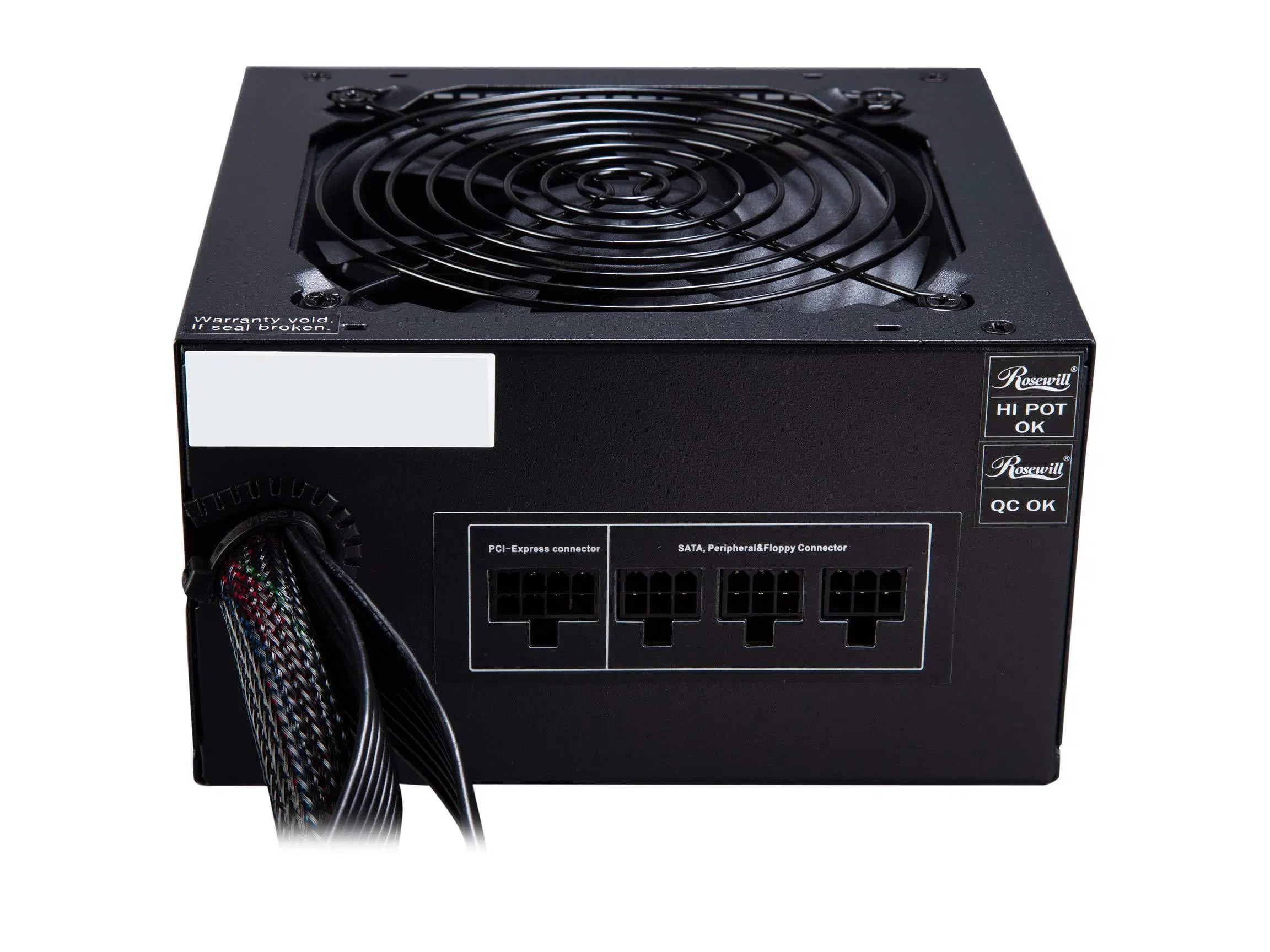
In most modern cases, the power supply is located at the rear of the chassis , usually at the bottom, although in older cases it was at the top. If you follow the power cable from the wall outlet to the case, you'll see where it connects to the back of the power supply. Near that area, there's usually a large grille for the fan, which cools the inside of the PSU.
Thanks to internal conversion and filtering systems, current power supplies manage to reduce voltage variations and electrical noise , preventing spikes, interference, and oscillations that could damage the most sensitive components of the equipment.
Types of power supplies according to format
Beyond power output, power supplies differ in their physical form and mounting system . This form factor determines dimensions, screw positions, fan orientation, and, generally, which types of cases they are compatible with.
Choosing the wrong format can mean that the power supply simply won't fit in the tower or the mounting points won't match, so it's a key aspect to check before buying.
ATX power supplies: the most common standard
ATX power supplies are the most common type used in desktop computers. They typically measure around 150 mm wide by 86 mm high, with a depth that varies depending on the model. This form factor is used in the vast majority of mid-tower and full-tower cases.
In ATX power supplies, the internal circuitry is always partially active, so there is a small permanent voltage that allows functions such as power-on from the front button, sleep modes, and other advanced power management features.
Another important detail is that ATX power supplies reach very high power levels , easily exceeding 750W and even reaching models of more than 1000W or 2000W for extreme equipment or workstations with multiple graphics cards.
SFX and SFX-L power supplies: for compact enclosures
SFX power supplies are designed for small form factor systems , such as mini-ITX PCs or compact cases. They are smaller than ATX power supplies (approximately 125 x 63,5 x 100 mm), allowing them to be installed in very narrow chassis where a standard power supply wouldn't fit.
Being smaller, they usually have a smaller diameter fan , which in many cases means a faster rotation to achieve good cooling and, consequently, a little more noise compared to an ATX with a large fan.
They also have certain limitations in maximum power output . While ATX power supplies commonly offer 850W, 1000W, or more, SFX power supplies are more typically around 600W. These may fall short for very powerful systems, although advanced versions are available.
That's precisely why the SFX-L format appears , which maintains the width and height of the traditional SFX, but is somewhat longer (about 125 x 63,5 x 130 mm) and allows for higher power levels, even in the 700-800W range, ideal for small PCs but with high-end hardware.
If you have an ATX case but want to use an SFX or SFX-L power supply, you can use a mounting adapter that fills the gap and adapts the screws so that it fits without problems.
TFX power supplies: very long for thin devices
The TFX form factor is designed for very narrow and elongated cases , such as some office PCs or very thin HTPC systems. Its typical dimensions are 85 x 65 x 175 mm, considerably longer than a standard ATX motherboard.
As with SFX, these power supplies are usually limited in power and geared towards low-power systems, without powerful graphics cards or too many hard drives.
If your tower is a special or brand name (pre-assembled), it is important to check if the format it uses is ATX, SFX, TFX or another proprietary format to avoid incompatibilities when replacing the power supply.
What to consider when buying a 750W power supply
Once it's clear what a power supply is and what formats exist, it's time to look at the key characteristics that make the difference between just any power supply and a good 750W power supply that's worthwhile.
There are four key areas you shouldn't overlook: power and amperage , energy efficiency , cable type , and cooling and noise . And then there's the crucial factor: the manufacturer's warranty .
Power, amperage, and equipment balance
Power supply wattage is measured in watts (W) and is one of the most important factors to consider when buying a power supply, but it's not the only one. A 750W power supply should deliver real and stable power on the +12V rail, which primarily powers the graphics card and processor.
In addition to wattage, you should also consider the amperage it delivers on the +12V rail. For example, a power supply that provides 600W on the +12V rail with a maximum current of 50A is much better suited for a demanding graphics card than one with lower amperage, even if both are labeled as 750W.
If you install a power supply that doesn't match your PC's needs, you may experience very annoying symptoms : performance drops, strange noises (coil whine, fan always running at full speed), random restarts, sudden shutdowns, or FPS drops in games that the computer should be able to handle effortlessly.
It's important to find a balance: a power supply that's too tight will always work at its limit, with the fan running at high speeds, while a 750W power supply with enough headroom will run more smoothly and, in many cases, will be quieter and more durable.
Energy efficiency and 80 PLUS certification
The efficiency of a power supply indicates what percentage of the energy it draws from the wall actually reaches the components , and how much is lost as heat. The higher the efficiency, the less electricity is consumed and the less heat is dissipated.
To measure and standardize this efficiency, there is the 80 PLUS certification , which classifies power supplies according to their performance under different loads (usually 20%, 50%, and 100% of their capacity). The most common categories are:
- 80 PLUS (standard, ~80% efficiency)
- 80 PLUS Bronze
- 80 PLUS Silver
- 80 PLUS Gold
- 80 PLUS Platinum
- 80 Plus Titanium (the most demanding, reaching or exceeding 90% efficiency in many scenarios)
In a 750W power supply with 80 PLUS Bronze certification and 85% efficiency, for example, the actual usable power output is slightly reduced by internal losses . Even though the label says 750W, some of that energy will be dissipated as heat during the conversion process.
Investing a little more in a power supply with a better certification, such as Gold or higher, usually pays off in the medium and long term, as it reduces electricity consumption , generates less heat, and is generally associated with higher quality internal components.
Cabling type: standard, semi-modular, and modular
The power supply cabling influences ease of installation and airflow within the case. We can identify three main approaches:
Power supplies with standard (or non-modular) wiring have all the cables soldered directly inside the PSU. We can't disconnect the ones we don't use, and this can complicate internal organization if the case is small or we have few components.
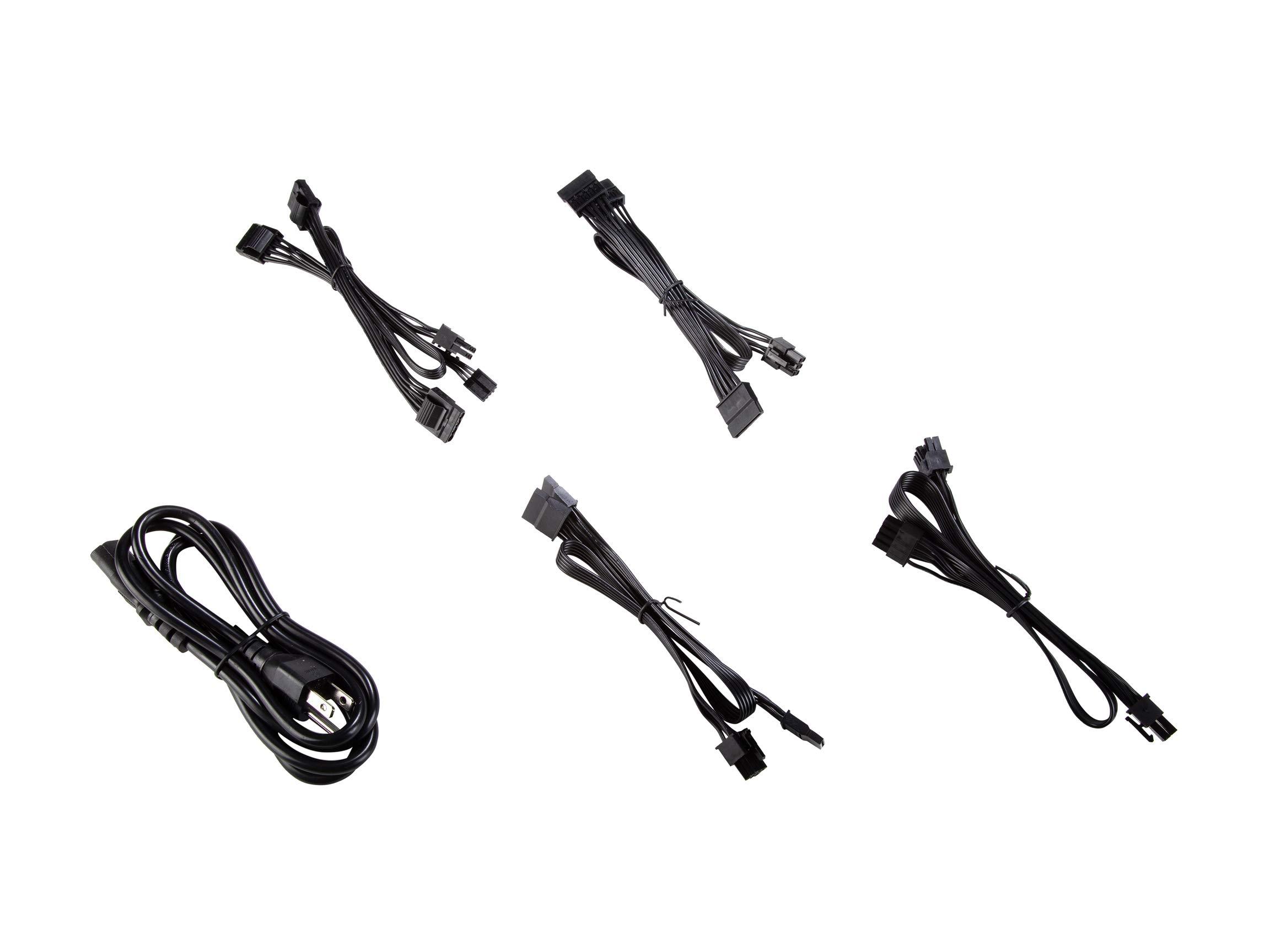
Semi-modular power supplies come with the basic cables pre-connected (24-pin ATX for the motherboard, 8+8-pin for the CPU, and at least one 6+2-pin PCIe for the graphics card), but the rest are only connected if needed. This significantly reduces excess cabling.
Finally, modular power supplies are the most flexible: no cables are soldered directly to the casing, and all cables plug in independently. This way, you only use the cables you actually need, simplifying assembly and improving internal airflow.
Fan, noise and advanced technologies
Historically, the power supply has been one of the noisiest components in a PC, as it integrates a dedicated fan to cool its internal components . In most models, this fan has a diameter of between 8 and 14 cm.
The larger the fan, the lower the RPM it needs to spin to move the same amount of air, resulting in significantly quieter operation. This is why ATX power supplies with 12 or 14 cm fans are generally much quieter than compact ones.
Another important aspect is the type of fan bearing . Fans with magnetic levitation bearings are among the quietest and most durable on the market, surpassing typical ball or sleeve bearings.
Many modern power supplies also include ZeroDB technology or semi-passive modes: the fan remains off until the power supply reaches a certain temperature or load. While the PC is idle or under light load, the power supply can operate without its fan spinning, resulting in zero noise.
Furthermore, factors such as ambient temperature and case ventilation influence the power supply's performance. If the PC is in a very hot area, or the tower is pressed against a wall with no room for airflow, the actual efficiency will decrease and the fan will work harder , increasing noise and wear.
Guarantee and reliability
The power supply is one of the components that suffers the most from intensive use , especially in gaming PCs where there are continuous power spikes. Therefore, the manufacturer's warranty is a good indicator of reliability.
The most reputable brands in the industry typically offer at least a 5-year warranty on their mid-range and high-end models, and some premium lines even offer 7 or 10 years. If you see a 750W power supply with good certification and a 5-year warranty, that's a pretty good sign.
Furthermore, many modern sources indicate a mean time between failures (MTBF) of tens of thousands of hours; for example, 60.000 hours or more, which gives a reference to its theoretical durability under normal usage conditions.
Typical specifications of a good 750W power supply
To better understand what current 750W power supplies offer, it is worth taking a look at some technical specifications that usually appear on the product data sheet and the side label of the PSU.
In the power control section, you will typically find the input current (e.g., 6 A), the AC input frequency (47-63 Hz), and the supported voltage range (e.g., 207-253 V). The power factor is also usually indicated, which in models with active PFC is around 0,9.
High-quality power supplies incorporate active PFC (Power Factor Correction) , which reduces energy losses and improves network stability, as well as various electronic protections: overvoltage (OVP), undervoltage (UVP), overcurrent (OCP), power overload (OPP), and short-circuit protection (SCP), among others.
Regarding combined power per rail, a good 750W power supply can offer figures such as 600W available on +12V , and up to 200W combined between +3,3V and +5V. The maximum output currents for each rail are also detailed, for example, 25A on +3,3V, 25A on +5V, 50A on +12V, 0,5A on -12V, and 2,5A on +5VSB.
Other interesting parameters are the hold -up time (e.g., 16 ms), which indicates how long the power supply can maintain the load without shutting down in response to a brief voltage drop, and the Power Good signal delay margin (e.g., 100-500 ms), which indicates when the power supply considers the voltage to be within the correct range to start the system.
Connectors and cable lengths in a 750W power supply
Besides wattage, it's vital to ensure the power supply offers all the necessary connectors for your setup: motherboard, CPU, GPU, drives, fans, etc. Having 750W is useless if you then lack PCIe connectors for your graphics card.
A modern 750W ATX power supply typically includes: a main 20+4 pin ATX connector for the motherboard, a 4+4 pin CPU power connector (sometimes double 4+4 for demanding motherboards), several SATA power connectors (e.g., 6 units) for SSDs and HDDs, and some 4-pin Molex connectors for older peripherals.
Cable lengths also matter, especially if the case is large or the cable management is behind the motherboard. It's common to see, for example, 55 cm for the motherboard cable, 65 cm for the CPU, around 55 cm for the PCIe cables, and 400-700 mm lengths for the SATA and Molex connector strips, which provides ample length to reach all the drive bays.
Design, cooling and physical dimensions
In terms of design, 750W power supplies typically come in black , with a single 12cm fan located at the top or bottom depending on the mounting orientation. This temperature-controlled fan typically operates at a speed of 690-1760 RPM.
Cooling is usually active , meaning the power supply has a fan and dynamic temperature control systems. Passive, fanless models exist, but they are less common in the 750W range and more expensive, designed for completely silent systems.
In terms of dimensions, a standard 750W ATX power supply is typically 150 mm wide, 86 mm high, and about 140 mm deep , weighing around 1,2-1,3 kg. These dimensions fit easily into most ATX and microATX cases on the market.
It also usually incorporates a physical on/off switch on the back, useful for cutting off the power completely without having to unplug the cable, for example before handling the hardware.
Electronic protections and manufacturing quality
Good modern power supplies are designed not only to deliver power, but also to protect the rest of the equipment from any electrical incident. Therefore, in addition to certifications, it's crucial to check the built-in protections.
High-end models employ high-precision SMD manufacturing technology on double-layer fiberglass printed circuit boards (PCBs), providing great stability and reliability against vibrations, temperature, and high loads.
Common protection features include: OVP (overvoltage protection), UVP (undervoltage protection), OCP (overcurrent protection), OPP (overpower protection), and SCP (total protection against internal and external short circuits). Some datasheets even mention SCP EXTENDED , indicating broader coverage against potential short circuits.
Thanks to these systems, if something goes wrong (a component fails, there's a short circuit, the maximum power is exceeded, etc.), the power supply shuts down in a controlled manner to prevent further damage to the hardware . It's preferable for the power supply to protect itself and cut off the power rather than allow a surge that could burn out the graphics card or motherboard.
Some mid-to-high-end 750W models offer a 5-year official warranty, supported by this type of robust and safe construction, developed under demanding European standards, something that always adds points when choosing.
750W power supplies for PC gamers
In the gaming world, the power supply is one of the most underrated components, yet it's essential for the rest of the hardware to operate at its expected performance without any issues . A gaming PC can spend hours under maximum load, playing games, streaming, and multitasking.
Powerful graphics cards, multi-core processors, fast memory, and multiple hard drives require a constant and stable power supply . If the power supply is insufficient or of poor quality, it can cause random crashes, unexplained performance drops, and, in the worst-case scenario, physical damage to the components.
Therefore, for a gaming PC, a gaming power supply of at least 600W is usually the minimum recommended , but the most common option in balanced configurations with headroom is to opt for 650-750W, especially if a high-end GPU is installed.
The right power supplies not only ensure that the graphics card and processor receive the power they need, but also help improve overall system stability , reducing the likelihood of mid-game restarts or performance micro-cuts.
Furthermore, a good PSU helps maintain more controlled temperatures inside the chassis by working more efficiently and dissipating less heat. All of this translates into a quieter, cooler, and more durable system—exactly what a demanding gaming PC looks for.
Brands, case sizes, and required power
You can find power supplies from well-known hardware brands on the market: ASUS, Cougar, Coolbox, L-Link, Corsair, Thermaltake, and many others. Rather than looking for "the absolute best brand," the important thing is to find the model that fits your system and your budget.
The first thing you need to know is the exact size of your case and the power supply format it supports: ATX, SFX, TFX, etc. Most gaming PCs use ATX cases with ATX power supplies, but compact systems will require SFX or smaller form factors.
Next, you need to calculate the power the computer actually needs . For a basic PC (office applications, browsing, multimedia), 300-450W is easily sufficient, but if we're talking about a gaming PC or a graphics-intensive workstation, things change, and 600-750W starts to make much more sense.
Ideally, you should check the specific components (processor, graphics card, number of hard drives, etc.) and use a power calculator or the GPU manufacturer's recommendations to determine the actual wattage required. This ensures you choose a 750W power supply with a reasonable margin and avoid wasting money.
Finally, it's worth checking that the power supply has enough PCIe connectors for the graphics card(s) you plan to use, and that the cables are the correct length for your case. Not all 750W power supplies are designed for the same type of configuration.
A well-chosen 750W power supply, with good 80 PLUS efficiency, complete protections, adequate cabling and silent cooling, becomes the foundation on which your entire PC rests , allowing the hardware to work at its maximum potential with stability, security and room for future expansions.
