- There are perpetual Office licenses and Microsoft 365 subscription plans, each with different advantages depending on the type of user.
- Microsoft 365 requires an internet connection to install, activate, update, and validate the subscription, although the apps work offline once installed.
- It is crucial to purchase licenses from legitimate stores that provide an invoice, support, and a clear license type to avoid technical and legal issues.
- There are free or reduced-price Microsoft 365 options for students, teachers, employees of subscribed companies, and users of the online web version.
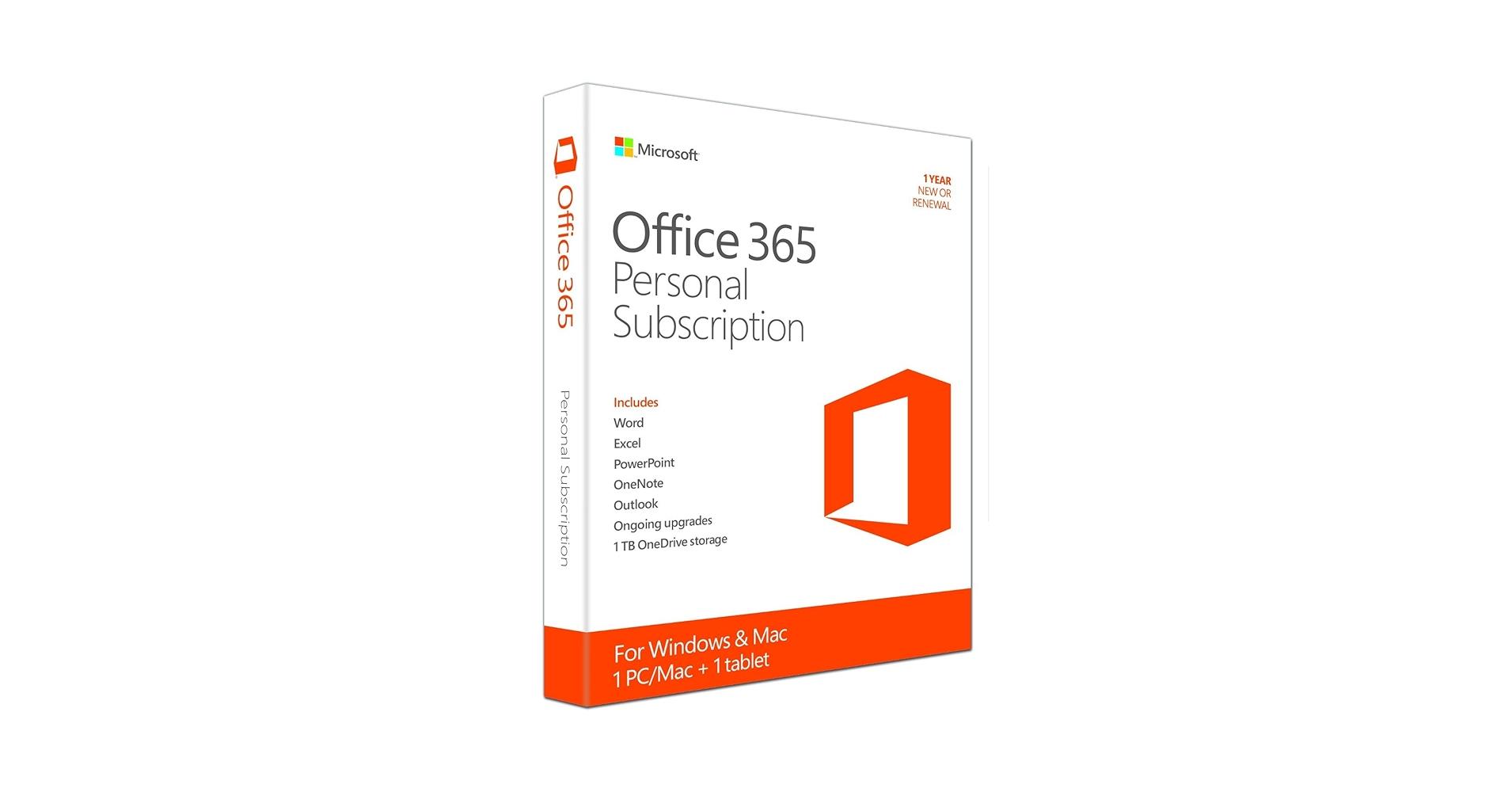
If you've landed here, it's because you're looking for a genuine, legal Office 365 license at a good price , without resorting to shady websites or deals that seem too good to be true. You're not alone: every day, thousands of users search Google for things like "cheap Office license" hoping to get the Microsoft suite without breaking the bank or getting into trouble.
The world of Microsoft 365 keys and subscriptions can be a bit confusing: there are perpetual licenses, subscription models, free educational versions, timed trials, and even free web versions . Add to that shady resellers and websites that don't even provide invoices, and you've got a recipe for disaster. In this guide, we'll sort through all that chaos so you know which license is right for you, how to use it, and where to avoid mistakes.
What is an Office 365 (Microsoft 365) license and why does it matter so much?
When we talk about an Office or Microsoft 365 license, we're actually referring to the legal right to use tools like Word, Excel, PowerPoint, Outlook, OneNote, and some additional applications depending on your subscription plan. In other words, you don't buy the program itself, but rather the right to use it under specific conditions.
It may seem like a minor detail, but using an unactivated Office or pirated keys can cause more problems than it solves : from the program malfunctioning to data loss or penalties in professional environments.
Among the most common risks of using a non-genuine license are things like losing essential features (such as saving documents), receiving unstable updates, or installing versions compromised with malware . In a business setting, the situation becomes even more complex, as there may be software audits or legal claims.
Microsoft protects its intellectual property, and while they won't come knocking on your door for using it at home, using unlicensed Office in businesses, offices, schools, or any professional environment can result in penalties . Many people don't intend to pirate; they simply don't know how to distinguish a legitimate license from an unlicensed one.
That's why stores specializing in legal software are gaining ground, offering original Office keys, with invoices, support, and more competitive prices than the official ones, as long as they respect the resale conditions and license type.
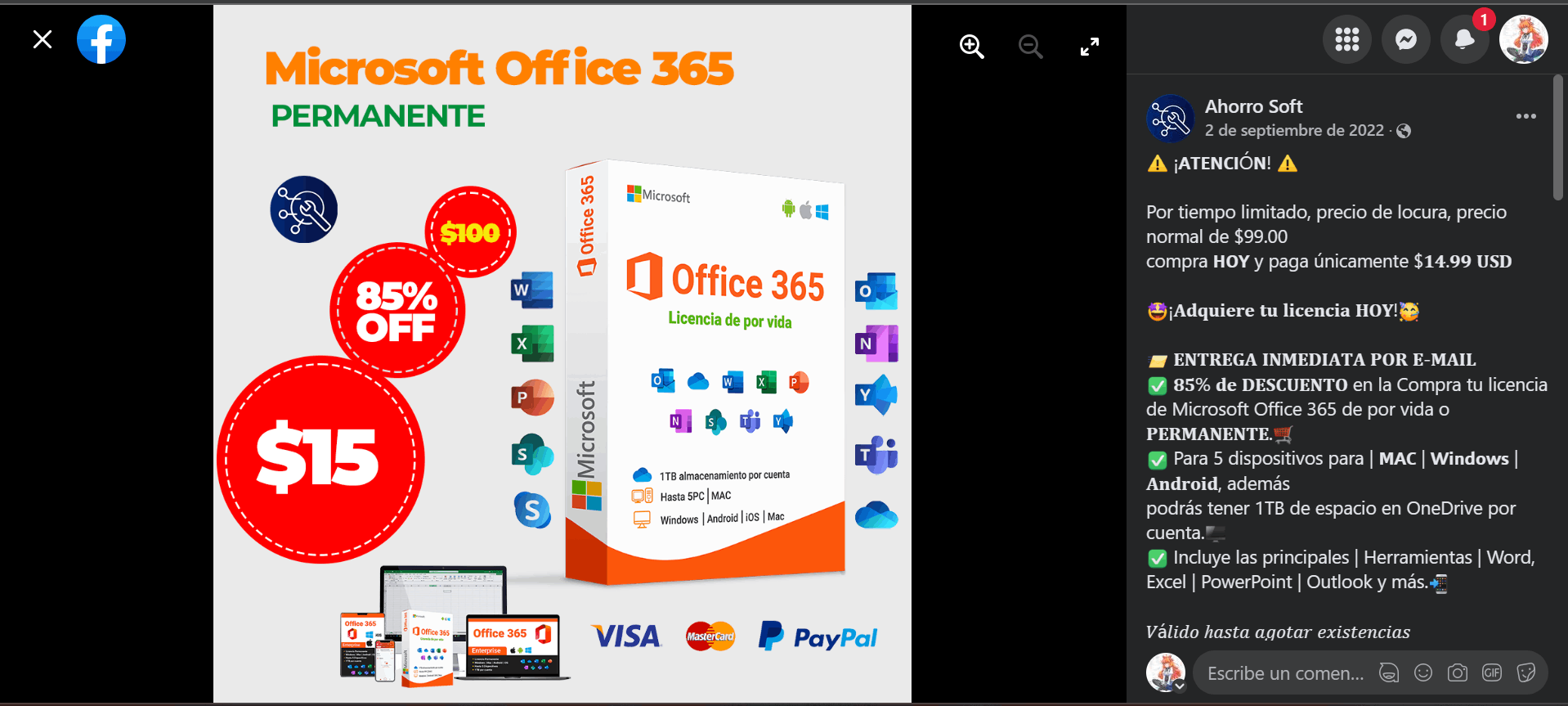
Types of Microsoft Office and Microsoft 365 licenses: which one to choose depending on your needs
Before you pull out your card, it's crucial to understand that not all Office licenses are the same or serve the same purpose (see software license types ). Microsoft combines "lifetime" licenses with subscription plans geared toward home users, businesses, educational institutions, and non-profit organizations.
In short, we can distinguish between perpetual licenses for classic Office (one-time payment) and subscription-based Microsoft 365 plans (formerly Office 365) . Each option has its pros and cons in terms of price, updates, and number of devices.
Perpetual Office licenses (one-time payment)
The classic versions of Office that you buy once and use indefinitely are called perpetual licenses . This group includes:
- Office 2024
- Office 2021
- Office 2019
- Office 2016
With this model, you pay once and can use Office on a single computer indefinitely, without monthly or annual subscriptions . They usually include Word, Excel, and PowerPoint; Professional or similar editions add Outlook and sometimes Access or Publisher.
These licenses are installed locally on your computer, so they don't rely on the cloud for day-to-day operation . You won't have access to all the modern collaboration features or major version updates, but you will have a stable environment to work with for years.
Perpetual Office licenses are a great fit for individual users who only need the basics, freelancers with simple needs, retirees, or users who don't want to be tied to recurring payments . In return, you forgo always having the latest version and certain Microsoft 365 extras.
Microsoft 365 (formerly Office 365): the subscription model
At the other end of the spectrum, we have Microsoft 365 (formerly Office 365), which works as a monthly or annual subscription rather than a one-time payment . The idea here is that you always have the latest version of the suite and access to cloud services.
With Microsoft 365 plans you get all the latest Office applications, 1 TB of OneDrive storage per user, and the ability to install apps on multiple devices (PC, Mac, mobiles, and tablets) with the same account.
A typical subscription for individual or family users includes Word, Excel, PowerPoint, Outlook, OneNote, and, depending on the plan, other additional tools and services integrated with the Microsoft cloud . Everything is designed to facilitate collaboration, remote access, and synchronization across devices.
Key advantages of Microsoft 365 include automatic software updates , eliminating the need to purchase new versions every few years. Furthermore, cloud storage and services like Exchange Online and SharePoint, included in enterprise plans, enable real-time collaboration.
Internet connection, installation, and offline mode in Microsoft 365
One of the most frequently asked questions is when you need internet access with Microsoft 365 and when you don't . The short answer: you do need it for most tasks, but not for writing a Word document once it's installed.
To install and activate the latest versions of Microsoft 365 applications, internet access is required at least during the installation and activation process . This applies to all subscription plans, both for individuals and businesses.
If you're already an active Microsoft 365 subscriber, you don't need to buy another subscription or reinstall from scratch each time . You can simply sign in with your Microsoft account on new devices and manage the installation there.
Beyond the initial setup, an internet connection is also required to manage aspects of the subscription : adding or removing installations on different computers, reviewing or changing billing information, modifying the plan, or managing users in the case of businesses.
The connection is also essential to directly access documents stored in OneDrive: without the internet you will not be able to open files that are only in the cloud , unless you use the OneDrive desktop application with local synchronization configured.
In addition, Microsoft requires you to connect to the internet regularly to check your subscription status and download automatic updates . If you go more than 31 days without connecting, your installation enters a "reduced functionality mode."
In this limited mode, you can open and print documents, but you won't be able to edit or create new files until you reconnect to the internet and your license is reactivated. Simply restore your internet connection and let Office validate your subscription.
However, once the applications are properly installed and activated, you don't need to be connected to the internet to use Word, Excel, or PowerPoint as desktop programs . They work offline without any problems, and you can continue working with locally saved documents.
OEM licenses, retail and cheap keys: what's legal and what's not
When looking for a cheap Office 365 license, it's very easy to come across offers for OEM or volume keys, secondhand marketplaces, and sellers who don't clearly explain what they're offering . It's best to tread carefully here.
OEM (Original Equipment Manufacturer) licenses are fully valid licenses, but were originally intended to be associated with new equipment . Many manufacturers purchase large quantities of licenses to pre-install them on the computers they sell.
Sometimes, when these devices are no longer sold, are replaced, or are discontinued, the OEM licenses become available, and some specialized stores resell them at very low prices . This practice can be legal as long as the license transfer conditions are met and the previous license is deactivated.
The key is that the seller guarantees the license you're buying is legitimate, complies with Microsoft's terms, and comes with an invoice and support . If they just send you a code by email without anything else, something seems fishy.
Volume keys intended for large companies or institutions are also circulating; these should not be resold for home or individual use . Although they sometimes work for a while, they are subject to deactivation, blocking, and potential legal issues.
Therefore, the wisest course of action is to choose reputable and verified stores with clear contact information, genuine reviews, and after-sales service . Only then can you save money without playing Russian roulette with the software.
How to tell if an Office 365 license is legal and secure
Before buying any key, it's important to check for several signs that will help you determine if you're dealing with a legitimate license or a potentially dangerous bargain . It's not just about the price, but everything surrounding it.
First, check if the seller issues an invoice with all the required tax information . Every legal sale, especially if it's to businesses or self-employed individuals, should provide you with a valid invoice. If they refuse or it's unclear, it's best not to proceed.
Another key indicator is whether they offer any kind of after-sales support beyond simply sending you a code by email . A little help with activation, clear explanations, and the option to file a claim if something goes wrong are signs of professionalism.
It's also important to check the store's physical location, the contact information it displays, and the legal terms and conditions published on its website . Opaque websites, those without an address or identifiable owner, or those hosted in countries with unclear regulations pose an additional risk.
Finally, it's a good idea to check exactly what type of license they're selling: OEM, retail, volume, official subscription, etc. Some websites sell volume keys in bulk, which may violate Microsoft's terms for end users.
For an extra measure of confidence, you can check verified reviews on review platforms like Trustpilot or Ekomi . They're not infallible, but they help distinguish established stores from inexperienced sellers.
Office 365 Pro Plus digital license for multiple devices
Within the Microsoft family of plans, one of the options that generates the most interest is the digital license of Office 365 Pro Plus (currently integrated as Microsoft 365 Apps for businesses) , which usually allows installation on multiple devices with a single account.
This type of digital license lets you unlock the full potential of the most advanced Office applications on up to 5 devices , depending on the provider's settings or the associated plan. This includes PCs, laptops, and even other devices where you can log in with the same account.
These packages include Microsoft's most popular productivity applications: Word for word processing, Excel for complex spreadsheets, PowerPoint for presentations, Outlook for email and calendar, OneNote for notes, and other additional components depending on the specific plan.
The main advantage is that you have access to all the latest Office 365 Pro Plus applications, with constant security improvements and new features at no extra cost . Furthermore, the experience is very seamless: you can start a document on one computer and continue working on another using the same account.
This type of license usually also includes official technical support from Microsoft or the authorized provider , which is especially useful for resolving activation, installation, or conflict issues with other applications.
In some specific cases with certain providers, the license may be limited to Windows operating systems and use the distributor's own activation methods , without including additional OneDrive storage. It's always advisable to read the terms and conditions to know exactly what's included.
Who should use this type of Office 365 Pro Plus license?
The digital license for Office 365 Pro Plus (or Microsoft 365 Apps focused on advanced productivity) is especially attractive for users who need to work intensively with the office suite and on several devices at the same time.
In the educational field, it's perfect for students who need to prepare papers, presentations, and projects using modern tools , whether on their home computer, laptop, or tablet. Having access to the latest features of Word, Excel, and PowerPoint can make all the difference.
For professionals, whether self-employed or employed, this type of license allows you to organize your email, calendar, documents, and spreadsheets very efficiently , integrating the entire workflow into a single ecosystem.
In businesses, equipping employees with Microsoft 365 Pro Plus makes it easier for everyone to work with the same versions, share documents, and take advantage of the security improvements that come with automatic updates.
This model is especially interesting for SMEs or small teams that need flexibility, multiple devices per user, and a work environment that is always up-to-date without having to worry about buying new versions every few years.
How to get Microsoft 365 for free or at a reduced cost legally
Although Microsoft 365 is a paid service, there are perfectly legal ways to use it for free or at a very low cost , especially if you are a student, teacher, or work for a company that already pays for a business subscription.
The clearest way is through the Office 365 Education program, aimed at students and teachers . This is currently the only official way to obtain certain versions of Microsoft 365 at no direct cost, provided your educational institution participates in the program.
If your university, college, or institute is registered, simply request your credentials from the institution or use your institutional email to activate the account . From there, you can download the installer, log in, and use the suite as long as you remain affiliated with that institution.
These educational accounts typically allow you to install Office applications on up to 5 devices using the same account: home computer, laptop, mobile phone, or tablet. It's a very convenient solution for students who need Office daily.
Another possibility arises if you work for a company that has a Microsoft 365 enterprise subscription with licenses for its employees . In that case, the IT department or the person responsible for systems can assign you a license.
Typically, your company will grant you access to Office on your work computer, and even on other devices if remote work is permitted . However, it will depend on each company whether you can also use that license on your personal computer.
In addition, when you buy some new computers with Windows pre-installed, it is quite common for them to include a free trial of Microsoft 365 for a few months, usually between 3 and 6.
During that period you can use the full suite as if you were a paying subscriber, but once the trial ends you will have to decide whether to renew by paying or look for free alternatives such as free office suites.
Finally, there's the option to use the web version of Office for free , directly from your browser and without installing anything. You just need a Microsoft account to access it.
This online version lets you use the basic functions of Word, Excel, PowerPoint, and other services, saving files to the cloud storage that Microsoft offers for free with every account . It's a very practical alternative for simple tasks.
However, the web version has limitations in advanced features compared to the paid Microsoft 365 : for example, fewer design options in Word, advanced formulas missing in Excel, or reduced animations in PowerPoint.
Microsoft 365 plans and pricing based on user type
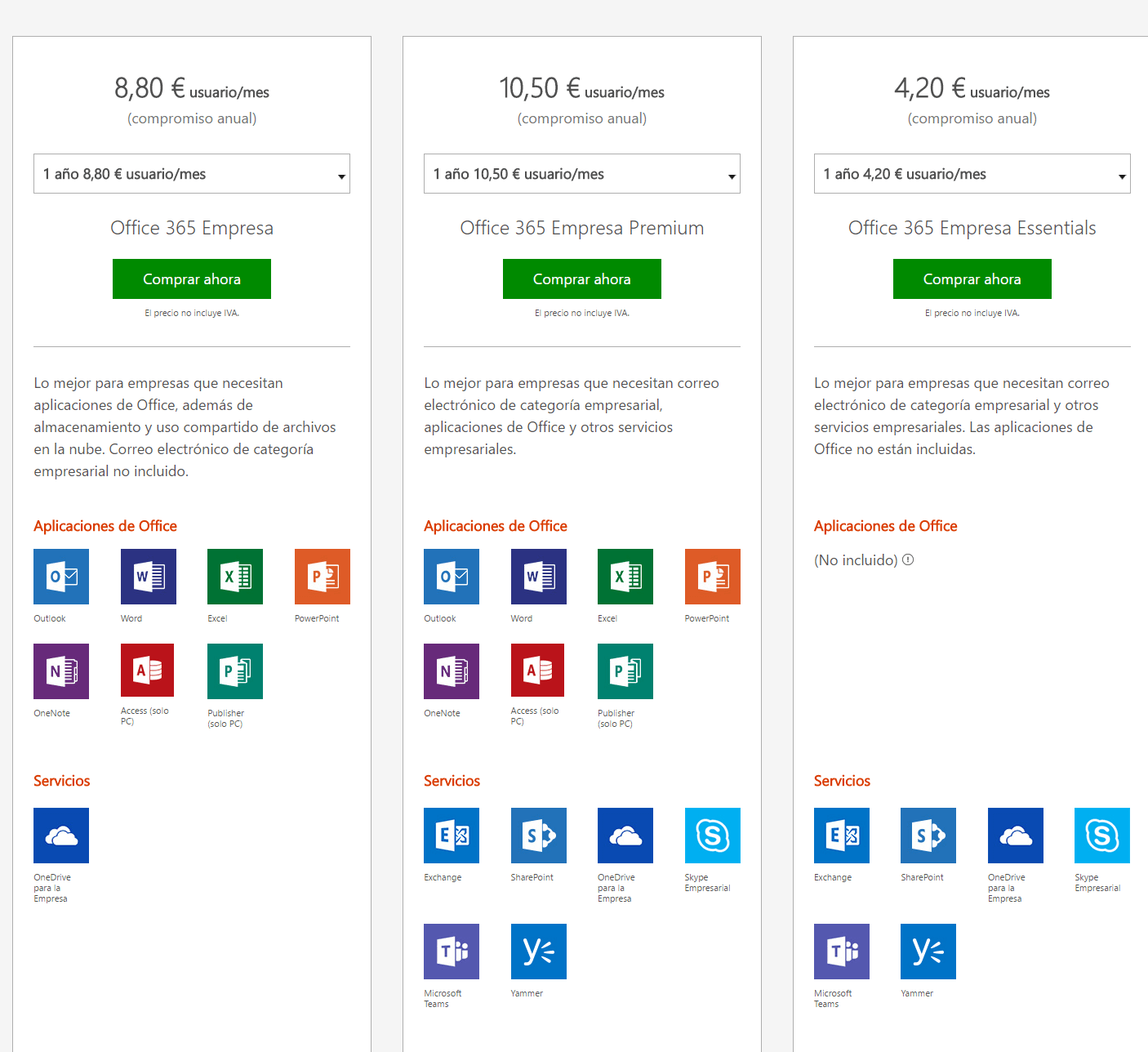
The cost of Microsoft 365 varies considerably depending on the subscription type, the number of users, the included features, and the target audience . A plan for an individual is not the same as a solution for a large company with thousands of employees.
For home use, the Microsoft 365 Personal and Microsoft 365 Family plans are designed for private, non-commercial use . The main difference lies in the number of people who can use the subscription.
Both plans offer the option to pay monthly or choose an annual subscription with a small discount . They include versions for PC and Mac, as well as apps for smartphones and tablets, in addition to OneDrive storage per user.
For small and medium-sized businesses, there are different business plans such as Microsoft 365 Business Basic, Microsoft 365 Apps for Business, Business Standard and Business Premium, all of which are limited to a maximum of 300 users.
These plans for small and medium-sized businesses offer combinations of desktop applications, cloud services like Exchange Online, Teams, or SharePoint, and various layers of security and management . The more features, the higher the price usually is.
When we talk about large companies, plans like Microsoft 365 Apps for Business, Enterprise E1, Enterprise E3 and Enterprise E5 come into play , designed for organizations with more than 300 employees.
These Enterprise plans add advanced security, compliance, device management, and analytics tools , designed for complex corporate environments with multiple locations and specific legal requirements.
There is also a special category for the education sector, with plans such as Microsoft 365 A1, A3 and A5 , aimed at students in schools, universities, technical and vocational schools, as well as teachers.
In order to contract these educational plans it is necessary to prove that the program requirements are met , usually through the institution itself, which validates the number of users and the conditions of use.
Finally, Microsoft offers options for nonprofit organizations, from small businesses to large corporations. The Microsoft 365 Business Basic, Standard, and Premium plans for nonprofits are designed for organizations with up to 300 employees that meet eligibility criteria.
In the Enterprise segment for NGOs, we find Microsoft 365 E3 and E5 plans geared towards organizations with more than 300 employees or volunteers , with the same security and management advantages as commercial companies, but with special conditions.
In addition, some providers like IONOS offer packages specifically tailored to small and medium-sized businesses in specific markets , with plans adjusted to certain employee ranges (for example, up to 15 users) and local support.
When choosing an Office or Microsoft 365 license, it's worth considering whether you prefer a one-time payment for a stable version, a subscription that's always up-to-date, access to educational or business programs, or the free web version . Understanding these options helps you avoid overpaying or taking risks with questionable keys, and allows you to truly benefit from a tool that, when used correctly, can significantly boost your productivity.
